Best Tax Software for Small Business 2026: LLCs, S-Corps, and Sole

Sole proprietors and single-member LLCs: E-file.com or TurboTax Self-Employed. S-corps and partnerships needing Form 1120-S or 1065: TurboTax Business (desktop) or H&R Block Premium. File or extend by April 15.
Learn More →At a Glance
| # | Product | Award | Price | Free Tier | State Filing Cost | |
|---|---|---|---|---|---|---|
| 1 | E-file.com | Best Overall | N/A | — | — | Apply → |
| 2 | TurboTax Self-Employed | Most Thorough | N/A | — | — | Apply → |
| 3 | H&R Block Premium | Best With CPA Option | N/A | — | — | Apply → |
| 4 | TaxSlayer Self-Employed | Best Budget Self-Employed | N/A | — | — | Apply → |
| 5 | TaxAct Self-Employed | Best Mid-Range Business | N/A | — | — | Apply → |
| 6 | FreeTaxUSA Deluxe | Best Free Federal | N/A | — | — | Apply → |
E-file.com
“E-file.com supports Schedule C and self-employment income for sole proprietors and single-member LLCs — the most affordable way to file small business taxes accurately.”
What we like
- Free federal filing for most situations — no tiered pricing confusion
- $25 state filing — 61% cheaper than TurboTax ($64) and 32% cheaper than H&R Block ($37)
- IRS-authorized e-file provider — same IRS processing as TurboTax or H&R Block
- Supports most major forms: Schedule A, C, D, E, and common credits
- No aggressive upsell structure — flat pricing is transparent
- Has processed millions of returns since 1999 — established track record
Watch out for
- Interface is dated and less polished than TurboTax, H&R Block, or TaxAct
- Limited deduction discovery — does not proactively surface missed deductions
- No live CPA or tax professional access at any tier
- Email and chat support only — no phone support
- Less brokerage integration than TurboTax for investment import
- User reviews report occasional UX friction and customer service delays during peak season
Rates as of April 8, 2026. Terms apply. Verify on issuer site.
TurboTax Self-Employed
“TurboTax Self-Employed maximizes deductions for self-employed filers with guided expense categorization, mileage tracking, and the QBI deduction calculator — worth the premium for higher-income self-e”
What we like
- Industry-specific deduction questions — asks about your type of work to surface relevant deductions
- QuickBooks Self-Employed sync — import categorized expenses directly from the app
- Automatic mileage tracker integration via TurboTax mobile app (GPS-based)
- 1099-NEC snap import — photograph your 1099 to auto-fill
- Quarterly estimate calculator with IRS direct pay integration
- TurboTax Live Self-Employed: live access to a CPA who specializes in self-employed taxes (paid upgrade)
Watch out for
- Most expensive: $129 federal + $64 state = $193 total
- QuickBooks integration requires a separate QuickBooks Self-Employed subscription
- TurboTax Live Full Service (CPA prepares your return) runs $200–$500+ additional
- Aggressive upsell to TurboTax Live throughout the experience
- Cost is harder to justify for low-income self-employment situations
Rates as of April 8, 2026. Terms apply. Verify on issuer site.
H&R Block Premium
“H&R Block Premium covers self-employment income with the option to hand off to an H&R Block CPA — best for small business owners who want professional review before April 15.”
What we like
- 12,000+ physical H&R Block offices — bring your return for in-person professional review
- H&R Block AI Tax Assist: AI-powered question answering included in base product
- Covers all Schedule C categories including home office, vehicle, and depreciation
- Prior-year W-2 and tax return import from TurboTax or H&R Block files
- W-2 and 1099 import from thousands of employers and payers
Watch out for
- $85 federal + $37 state = $122 — more expensive than TaxSlayer, less than TurboTax
- In-person office review is not included in software price — charged separately
- Interface is not as guided or visually polished as TurboTax
- Online Tax Assist (live CPA) is a paid add-on, not included in base Premium
Rates as of April 8, 2026. Terms apply. Verify on issuer site.
TaxSlayer Self-Employed
“TaxSlayer Self-Employed handles Schedule C at a lower price than TurboTax — good option for simple sole proprietor returns without complex deductions.”
What we like
- $63 federal + $40 state = $103 total — roughly half the cost of TurboTax Self-Employed
- Full Schedule C coverage including home office, vehicle, equipment depreciation
- Phone support and live chat included at Self-Employed tier
- Quarterly estimated tax calculator with Form 1040-ES
- All IRS forms covered — no additional tiers required
- Active duty military file free (all forms, all states)
Watch out for
- Interface is less guided than TurboTax — requires tax knowledge from the user
- No automatic expense import or mileage tracking app integration
- No proactive deduction discovery — you must know which deductions to claim
- Audit representation is guidance-only (no professional representation)
- Less brokerage integration for 1099 import
Rates as of April 8, 2026. Terms apply. Verify on issuer site.
TaxAct Self-Employed
“TaxAct Self-Employed includes a Tax Planning Calculator to estimate quarterly payments — helpful for business owners managing 2026 estimated taxes alongside 2025 filing.”
What we like
- Full Schedule C coverage — home office, vehicle, equipment depreciation, all expense categories
- Audit Assist included — guidance on IRS notices and review of audit correspondence
- Xpert Assist (live CPA screen-sharing) available as paid upgrade
- Quarterly estimated tax calculator with Form 1040-ES vouchers
- Prior-year TurboTax PDF import
Watch out for
- $80 federal + $55 state = $135 — more expensive than TaxSlayer at $103
- Interface is functional but less visually polished than TurboTax
- Xpert Assist costs extra — not included in base Self-Employed price
- Less deduction discovery guidance compared to TurboTax
Rates as of April 8, 2026. Terms apply. Verify on issuer site.
FreeTaxUSA Deluxe
“FreeTaxUSA Deluxe handles self-employment income and Schedule C for free federal filing — state is $14.99. Best for cost-conscious sole proprietors with straightforward Schedule C income.”
What we like
- $0 federal for Schedule C — the only major tax software offering this
- State filing at $14.99 — cheapest state option available
- Covers home office (Form 8829), vehicle mileage, equipment depreciation
- SE tax calculation and 50% SE tax adjustment handled correctly
- Quarterly estimate calculator included
- Free audit assistance included (guidance on notices)
Watch out for
- Interface is utilitarian — no deduction discovery or industry-specific prompts
- No mileage tracking app or expense import integration
- No live CPA access at any tier
- Less hand-holding — assumes you know which expenses to enter
- Customer support is primarily email — no phone option
Rates as of April 8, 2026. Terms apply. Verify on issuer site.
Tax Software for Small Business Buying Guide
 Photo by Tara Winstead / Pexels
Quick Verdict: Our top pick is the E-file.com (Best Value Self-Employed) — E-file.com supports Schedule C and self-employment income for sole proprietors and single-member LLCs — the most affo....
Great for: DIY filers with W-2 income, freelancers, and small business owners who want accurate filing without paying a CPA
Not ideal if: You have complex multi-state filing, a trust, or estate issues — software has limits that a CPA handles better
Business Entity Type Determines Your Software Needs
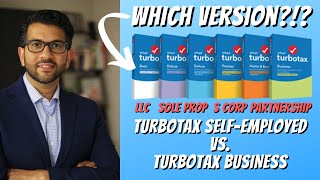
The right software depends entirely on your business structure: Sole Proprietor / Single-Member LLC: Files on personal Form 1040 with Schedule C. Any self-employed tier of standard tax software handles this — E-file.com, TurboTax Self-Employed, H&R Block Premium, or TaxAct Self-Employed all work. Multi-Member LLC / Partnership: Files Form 1065 (partnership return). Members receive K-1s for their personal returns. TurboTax Business (desktop) or H&R Block Business is required — standard online software doesn't handle Form 1065. S-Corporation: Files Form 1120-S. Shareholders receive K-1s. Same as above — TurboTax Business desktop handles S-corps. Online versions don't. C-Corporation: Files Form 1120. Separate corporate return. Usually requires a CPA for any complexity.Quarterly Estimated Taxes: The Hidden Risk

Deductions Most Small Business Owners Miss
Home office deduction (must be used exclusively for business), vehicle mileage ($0.67/mile in 2025 IRS rate), health insurance premiums for self-employed, 100% of business meals in 2025, and the qualified business income (QBI) deduction (up to 20% of qualified business income). TurboTax Self-Employed's interview covers all of these — cheaper software may not prompt for all categories.Related Guides

Watch Before You Buy
Frequently Asked Questions
What tax software is best for LLC owners?
Can I use online tax software for an S-corp?
What is the small business tax deadline in 2026?
Can I deduct my home office on my taxes?
What is the QBI deduction for small businesses?
How We Evaluate Financial Products
We compare financial products based on objective criteria: annual fees, APR ranges, rewards rates, sign-up bonuses, and key perks. We do not factor in issuer relationships or compensation when determining rankings. Products are ranked based on overall value for the target use case described on this page.
Rates and terms change frequently. We update these pages regularly, but always verify current rates directly on the issuer’s website before applying. APR ranges shown reflect the full possible range — your actual rate depends on your creditworthiness.
This content is for informational purposes only and should not be considered financial advice. We compare products; we do not advise on which product is right for your personal financial situation. Read our full methodology →