DJ Equipment Buying Guide for Beginners: Controllers, Mixers, and Software (2026)
Beginners should start with a DJ controller — the Pioneer DDJ-400 ($250) or Hercules Inpulse 300 ($150) connect to a laptop with bundled software. Learn Rekordbox or Serato before spending on hardware. Full beginner setup costs $300-400 including headphones. Skip CDJ players until gigging at venues that don't have them installed.
At a Glance
| # | Product | Award | Price |
|---|
DJ Equipment Buying Guide for Beginners Buying Guide
 Photo by Kiril Georgiev / Pexels
DJ equipment marketing is intimidating because professional club setups ($10,000-50,000) are extensively photographed, creating the impression that you need professional gear to start. You don't. Modern DJ controllers are sophisticated enough for bedroom-to-performance-level learning at 5-10% of club setup costs. This guide demystifies the equipment landscape and identifies what actually matters for beginners.
Controllers vs. CDJ Players + Mixer
DJ Controllers: All-in-one devices that connect to a laptop via USB. The laptop runs DJ software (Rekordbox, Serato, Traktor); the controller provides physical jog wheels, faders, EQ knobs, and effects controls. Most controllers come bundled with a DJ software license. Price range: $100 (entry) to $800 (near-professional). Advantages: complete, portable, affordable, immediate feedback. Limitation: laptop dependency, not what's installed in clubs. CDJ Players + Mixer (Traditional Setup): Pioneer CDJ-2000NXS2 or 3000 players ($2,500+ each) plus a Pioneer DJM mixer ($1,500-3,000). Total: $6,500-10,000 for a club-standard setup. This is what's installed in every serious club worldwide. Professional DJs need to know this setup because they can't bring their own equipment to gigs — the club provides it. The CDJ learning path: learn on a controller, transfer to CDJ when gigging seriously. The controls are similar enough that transition is straightforward once beatmixing fundamentals are solid.
DJ Software: What to Learn
Rekordbox: Pioneer's software — free to use in practice mode, requires a license ($10/month) for controller full functionality. Nearly universal in club settings (clubs export USB drives in Rekordbox format). Learning Rekordbox creates the best preparation for professional club work. Most Pioneer controllers bundle Rekordbox. Serato DJ Lite / Pro: The competitor to Rekordbox. Widely used, especially in hip-hop and scratch DJ contexts. Serato is the standard software for Rane hardware (the scratch DJ benchmark). Learning Serato vs. Rekordbox: both teach the same fundamentals. Choose based on which controller you buy — most bundled software is either Rekordbox or Serato. Traktor Pro: Native Instruments' software, popular in techno and electronic music contexts. The most sophisticated effects engine of the three. Virtual DJ: The most feature-rich free option. Not widely used by professionals but adequate for learning and mobile DJ work. Learning recommendation: start with the bundled software on your first controller. Switching software later is easy once fundamentals are solid.
Essential Gear Breakdown
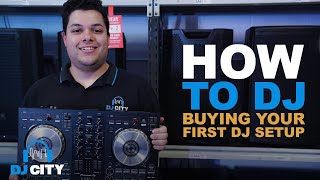
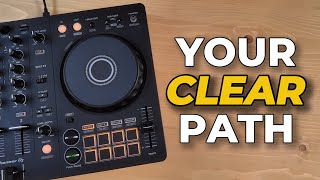
DJ Controller ($100-500): The core. Minimum viable for learning: Hercules Inpulse 300 ($150) or Pioneer DDJ-200 ($180) — both have 2 channels and 4-inch jog wheels adequate for learning beatmixing. Step up for performance: Pioneer DDJ-400 ($250) — the community standard for serious beginners. DDJ-FLX4 ($350) adds Serato compatibility. Headphones ($50-150): Required for cueing — listening to the next track in your headphones before mixing it in. DJ-specific headphones need rotating ear cups (single-ear monitoring), high isolation, and durable cables. Industry standards: Sennheiser HD 25 ($150, used by most professionals), Pioneer HDJ-X5 ($120), Audio-Technica ATH-M50x ($150). Budget pick: Audio-Technica ATH-M30x ($50) — adequate for learning. Speakers ($100-500): Any powered monitor speakers work for home practice. For performing: active PA speakers from QSC, Mackie, or Yamaha. For bedroom: any quality Bluetooth speaker or studio monitor. Laptop: Any modern laptop runs DJ software adequately. Minimum: i5 processor, 8GB RAM, SSD. DJ software is not computationally intensive.
Beatmatching: The Core Skill
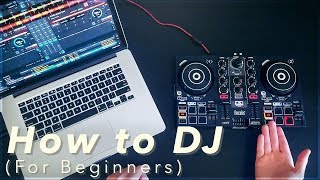
Beatmatching is aligning the tempo and beat position of two tracks so they play together without rhythmic clash. Before software beat grids: this required training your ear to hear subtle tempo differences and adjusting pitch faders by hand. Today: software beat grids automate tempo alignment; sync buttons align beats automatically. Learning debate: should beginners use sync? Teaching consensus: start by understanding what sync is doing (tempo alignment), but develop manual beatmatching fundamentals before relying on auto-sync exclusively. Manual beatmatching develops ear training that's essential for reading crowds and recovering from mistakes. Practice it on loop until instinctive, then use sync as a tool rather than a crutch.
What to Learn in Order
Week 1-2: Software layout, library organization, creating playlists, setting cue points. Week 3-4: Basic crossfader transitions, EQ fundamentals (high/mid/low), phrase-awareness (DJing on 8-bar phrases). Month 2-3: Manual beatmatching by ear, loop use, effects introduction (echo, reverb). Month 3-6: Advanced mixing (layering intros/outros, harmonic mixing, genre exploration), recording and reviewing your mixes. Month 6-12: Performing for real people (friends, small parties), seeking feedback, recording consistently.
What We Recommend
Complete beginner DJ setup ($350-400): Pioneer DDJ-400 ($250) + Audio-Technica ATH-M30x headphones ($50) + Rekordbox software (bundled free) + laptop you already own. This is the most-recommended beginner setup in DJ communities worldwide, and the DDJ-400 is specifically designed as the learning bridge to club CDJ setups. See our best audio interfaces and best desk microphones for home studio additions.
How We Analyze Products
We analyze Amazon review data — often thousands of reviews per product — to surface patterns that individual buyers miss. Our process aggregates star ratings, review counts, and buyer sentiment at scale, identifying which strengths and weaknesses appear consistently across the largest review samples available.
Each product earned its placement through data: total review volume, average rating, and the specific praise and complaints that repeat most often across buyers. No manufacturer paid for placement on this page. Products appear here because buyers endorsed them at scale, not because a company asked us to feature them.
We use AI to summarize review sentiment — not to fabricate opinions, but to condense what thousands of buyers actually wrote into a readable format. The pros and cons you see reflect the most common themes found in verified purchaser reviews, paraphrased for clarity. We do not claim to have accessed Reddit, YouTube, or specific publications in generating these summaries.
Prices shown reflect Amazon pricing at the time this page was last generated. Click “See Today’s Price” to get the current live price on Amazon. Read our full methodology →