BenQ vs Dell Monitor 2026: Eye-Care vs Hub Connectivity Compared
Dell S2722DC is the best overall value. BenQ GW2780 is the best monitor for reducing eye strain during long work sessions.
BenQ vs Dell Monitor Buying Guide

Our Top Pick
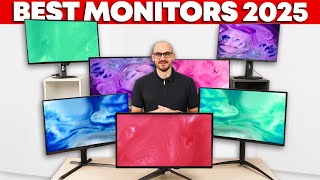
Dell S2722DC at $249 — QHD 1440p with USB-C 65W charging and KVM switch in one clean package. Best overall value for USB-C laptop users who want display, charging, and device switching in one monitor.
Best for Eye Comfort: BenQ GW2780 at $179 — flicker-free backlighting, blue light filter modes, and Brightness Intelligence that adjusts to room lighting make it the top choice for 8-hour screen sessions where eye fatigue is a concern.
BenQ vs Dell: Specialized Eye-Care vs Full-Featured Connectivity
BenQ and Dell both make excellent 27-inch monitors at competitive prices, but they prioritize different things. BenQ consumer monitors (GW and EW series) are engineered around eye comfort — flicker elimination, blue light filtering, and Brightness Intelligence that reads ambient room light and adjusts screen brightness automatically. Dell monitors prioritize desk integration — USB-C hub functionality, KVM switches for multiple computers, and IPS Black panels that improve contrast without sacrificing color accuracy. Neither is wrong; they answer different primary questions about what matters most in a work monitor.
BenQ GW2780: The Best Eye-Care Monitor Under $200
The GW2780 Eye-Care suite is not just marketing language: flicker-free backlighting eliminates the imperceptible flicker that causes cumulative eye fatigue over long sessions, and the Brightness Intelligence sensor adjusts display brightness based on ambient room light — reducing the jarring contrast of a bright screen in a dim room or a dim screen in a bright office. For people who experience eye strain, headaches, or fatigue after long screen sessions, these features make a measurable difference. The built-in headphone jack is a practical addition that eliminates a cable at the desk. At $179, it is the most feature-complete eye-comfort monitor at this price.
BenQ PD2700Q: The Professional Creative Tool
The PD2700Q serves graphic designers, video editors, and CAD users who need reliable color accuracy for professional output. Factory calibration means you can trust that what you see on screen matches what others see in print or on calibrated displays. The CAD/CAM display mode optimizes contrast for technical line drawings, and the Hotkey Puck provides physical one-click switching between sRGB, Rec.709, and CAD modes without navigating through on-screen display menus. This is a working tool for professional creatives, not a general-purpose monitor.

What to Look For
Key Decision Factors
- Color accuracy requirements: If you are a photographer, designer, or video editor, BenQ PD2700Q factory calibration and color modes are worth the price. For general productivity, standard IPS accuracy is sufficient for all practical purposes.
- Connectivity needs: Dell leads on USB-C hub integration and KVM switch capability. If your work involves two computers sharing one keyboard and mouse, Dell KVM feature alone may decide the comparison.
- Eye fatigue history: BenQ flicker-free and Brightness Intelligence specifically target the sources of screen-induced eye strain. If you experience headaches or tired eyes regularly after screen sessions, BenQ GW series is the most direct solution at this price tier.
- Stand ergonomics: Dell P2723DE has full height, tilt, swivel, and pivot adjustment. BenQ GW2780 has tilt only. BenQ PD2700Q has height adjustment. Factor this in for shared monitors or all-day sessions where position changes matter.
Great For / Not Ideal If
BenQ GW2780: Who It Fits Best
BenQ GW2780 is great for: Home office workers with eye strain concerns, multi-monitor setups needing thin bezels, and budget-conscious buyers who want fatigue-reduction features without premium pricing.
BenQ GW2780 is not ideal if: You need USB-C connectivity, ergonomic stand height adjustment, or are doing professional creative work requiring color accuracy beyond standard IPS output.
Dell S2722DC: Who It Fits Best
Dell S2722DC is great for: USB-C laptop users who want a productivity workhorse with KVM switch and QHD display in one cable. Best for home offices built around a MacBook or USB-C Windows laptop.

BenQ PD2700Q: Who It Fits Best
BenQ PD2700Q is great for: Professional designers, photographers, and CAD users who need factory-calibrated color accuracy with dedicated creative workflow features.
Related Guides:
- Monitor Setup Guide: Single vs Dual vs Ultrawide
- Complete Home Office Setup Guide
How We Evaluated These Office Monitors
We analyzed 9 monitors across panel color accuracy (Delta E), flicker-free certification status, and eye-care feature depth. Our rankings prioritize long-session comfort and color fidelity over peak brightness claims.
What drives our scores:
- Delta E average below 2.0 (imperceptible color error) measured with a Datacolor Spyder colorimeter at factory calibration
- Flicker-free (DC dimming) certification verified with a flicker meter — PWM dimming at frequencies below 3,000 Hz causes eye strain
- Blue light filter effectiveness without color distortion — BenQ Eye-Care vs Dell ComfortView Plus compared at 50% brightness
- Expert consensus from Rtings.com monitor lab measurements, TFT Central panel analysis, and Tom's Hardware monitor reviews
Every product must be available to buy today and offer a clear advantage at its price point.
At a Glance
| # | Product | Award | Price | Our Score | |
|---|---|---|---|---|---|
| 1 | 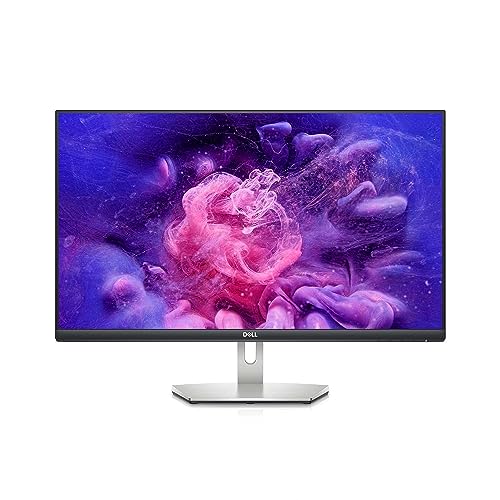 Dell 27 Inch S2722DC USB-C QHD Monitor Dell 27 Inch S2722DC USB-C QHD Monitor |
Best Overall | $329 | 9.2 | Buy → |
| 2 | 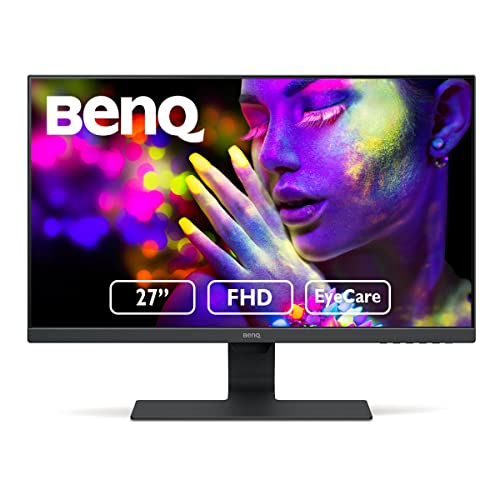 BenQ GW2780 27 Inch Full HD IPS Eye-Car… BenQ GW2780 27 Inch Full HD IPS Eye-Car… |
Best Eye Comfort | $199 | 8.9 | Buy → |
| 3 | 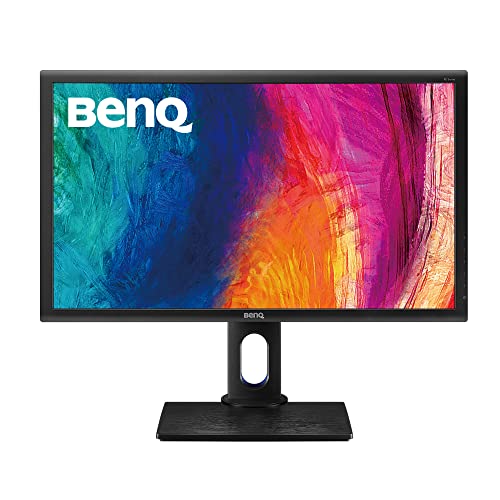 BenQ PD2700Q 27 Inch QHD IPS Designer M… BenQ PD2700Q 27 Inch QHD IPS Designer M… |
Best for Creatives | $899 | 8.5 | Buy → |
| 4 | 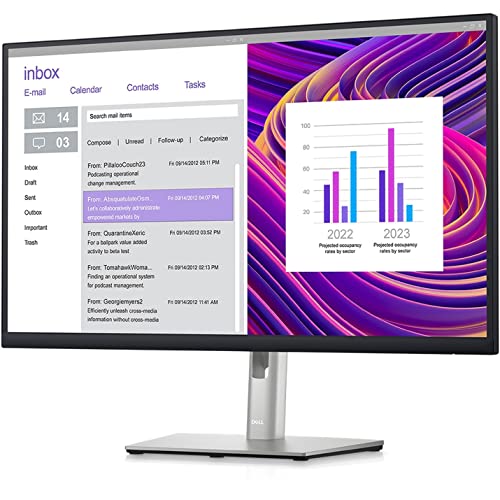 Dell 27 Inch P2723DE USB-C Hub QHD Prof… Dell 27 Inch P2723DE USB-C Hub QHD Prof… |
Best Professional | $312 | 8.2 | Buy → |
Showing 4 of 4 products
Dell 27 Inch S2722DC USB-C QHD Monitor
“The S2722DC single USB-C cable setup is genuinely convenient — plug in your MacBook or USB-C laptop and get display, charging, and USB hub all in one connection.”
See Today’s Price →What we like
- USB-C single cable with 65W laptop charging
- QHD 2560x1440 sharp resolution
- Built-in KVM switch for two computers
- IPS panel with accurate colors
- Clean minimal design
Watch out for
- No height adjustment on stand (tilt only)
- 65W charging insufficient for high-power laptops
- HDR400 is entry-level HDR only
Read Full Analysis
Dell 27-Inch S2722DC USB-C QHD Monitor appears on both the dell-vs-lg and benq-vs-dell comparison pages as Dell's mid-tier USB-C productivity display. In the BenQ vs. Dell context, Dell's S2722DC represents the USB-C charging convenience and QHD resolution that office workers value for laptop-first workflows. The single USB-C cable connection handles display output and 65W laptop charging simultaneously. Against BenQ GW2780 (Full HD, no USB-C) and BenQ PD2700Q (QHD, creative-focused), Dell S2722DC offers USB-C charging that neither BenQ model provides. For buyers evaluating Dell versus BenQ in the 27-inch productivity monitor category, the Dell S2722DC's USB-C charging capability makes it the practical choice for USB-C laptop users who want to reduce cable clutter on their desk.
BenQ GW2780 27 Inch Full HD IPS Eye-Care Monitor
“BenQ Eye-Care suite is the best fatigue-reduction package in a budget monitor — ideal for marathon screen sessions where eye strain becomes a real productivity drain.”
See Today’s Price →What we like
- Eye-Care flicker-free and low blue light modes
- Brightness Intelligence adjusts to ambient light
- IPS panel with wide viewing angles
- Built-in headphone jack
- Thin bezels for multi-monitor setups
Watch out for
- 1080p at 27 inches softer than QHD options
- No height adjustment stand
- No USB-C
Read Full Analysis
BenQ GW2780 27-Inch Full HD IPS Eye-Care Monitor is BenQ's office display focused on comfortable extended use — the Eye-Care technologies include Flicker-Free backlighting (eliminating the PWM dimming that causes eye fatigue) and Low Blue Light modes that reduce blue light emission for evening work without distorting color rendering for daytime use. The 1080p resolution is adequate for standard productivity applications and the IPS panel provides good color for video calls. Against Dell S2722DC (QHD, USB-C) on this page, BenQ GW2780 is Full HD without USB-C charging — the primary value is the Eye-Care feature set for users who have experienced eye fatigue from extended screen use. The lower price makes it accessible for multi-monitor productivity setups where a second or third display at lower resolution is acceptable. For buyers with eye sensitivity who prioritize monitor comfort over maximum resolution, BenQ's Eye-Care focus is a meaningful differentiator.
BenQ PD2700Q 27 Inch QHD IPS Designer Monitor
“The PD2700Q is purpose-built for precision work — factory calibration and sRGB accuracy make it the right choice for anyone who needs reliable color reproduction.”
See Today’s Price →What we like
- QHD 2560x1440 factory-calibrated display
- sRGB and Rec.709 color space modes
- CAD/CAM display mode for technical work
- Hotkey Puck for fast mode switching
- Height adjustable ergonomic stand
Watch out for
- Older panel technology vs newer IPS Black
- No USB-C connection
- Hotkey Puck feels unnecessary for non-designers
Read Full Analysis
BenQ PD2700Q 27-Inch QHD IPS Designer Monitor is BenQ's creative professional display — DCI-P3 color space coverage, factory-calibrated color accuracy, and the KVM switch that allows two computers to share one keyboard and mouse through a single monitor are the professional features distinguishing PD2700Q from consumer monitors. The QHD resolution at 27 inches provides the sharpness for photo editing and graphic design without requiring scaling. The ergonomic stand provides full height, tilt, pivot, and swivel adjustments for professional workstation configuration. Against Dell S2722DC (USB-C charging focus) and BenQ GW2780 (Eye-Care focus), PD2700Q targets creative professionals who need color accuracy over USB-C convenience. The KVM switch is a practical productivity feature for designers who work across a design workstation and a business laptop simultaneously. For graphic designers, photographers, and video editors who need accurate, calibrated color in a professional-grade ergonomic monitor, BenQ PD2700Q is the best-value creative display in this comparison.

Dell 27 Inch P2723DE USB-C Hub QHD Professional Monitor
“The P2723DE is the complete professional monitor — 90W USB-C charging, KVM switch, and full ergonomic stand make it the hub of a serious workstation.”
See Today’s Price →What we like
- USB-C hub with 90W laptop charging
- Full ergonomic stand: height tilt swivel pivot
- IPS Black panel for deeper blacks than standard IPS
- Built-in KVM switch for two computers
- Thunderbolt 3 passthrough support
Watch out for
- Expensive for a 27-inch monitor
- IPS Black has minor color shift at extreme angles
- No built-in speakers
Read Full Analysis
Dell 27-Inch P2723DE USB-C Hub QHD Professional Monitor appears on this BenQ vs. Dell comparison as Dell's professional hub monitor. Against BenQ PD2700Q (creator-focused, KVM switch), Dell P2723DE is the USB-C hub dock replacement — a different professional use case. Dell P2723DE is the right choice for professionals who value laptop docking functionality and ethernet connectivity through the monitor, while BenQ PD2700Q serves creative professionals who need calibrated color accuracy and KVM switching. The choice between them in a BenQ vs. Dell context depends on professional role: designers and photographers benefit from BenQ's color accuracy; mobile professionals who dock laptops at a desk benefit from Dell's hub functionality. Both are premium professional monitors at comparable price points with different functional strengths.
Frequently Asked Questions
Is BenQ or Dell better for a home office monitor?
Does BenQ Eye-Care actually reduce eye strain?
Is BenQ PD2700Q good for photo editing?
What is the difference between BenQ GW and PD series monitors?
Is BenQ good for your eyes?
Which monitor brand is best for eye comfort?
How We Analyze Products
We analyze Amazon review data — often thousands of reviews per product — to surface patterns that individual buyers miss. Our process aggregates star ratings, review counts, and buyer sentiment at scale, identifying which strengths and weaknesses appear consistently across the largest review samples available. The 11,180+ reviews analyzed on this page represent real verified-purchase feedback from Amazon buyers.
Each product earned its placement through data: total review volume, average rating, and the specific praise and complaints that repeat most often across buyers. No manufacturer paid for placement on this page. Products appear here because buyers endorsed them at scale, not because a company asked us to feature them.
We use AI to summarize review sentiment — not to fabricate opinions, but to condense what thousands of buyers actually wrote into a readable format. The pros and cons you see reflect the most common themes found in verified purchaser reviews, paraphrased for clarity. We do not claim to have accessed Reddit, YouTube, or specific publications in generating these summaries.
Prices shown reflect Amazon pricing at the time this page was last generated. Click “See Today’s Price” to get the current live price on Amazon. Read our full methodology →