Best Adjustable Laptop Stands for Desk Ergonomics

The Amazon Basics Ventilated Adjustable Laptop Stand is the best laptop stand for most home offices — aluminum build ventilates heat away from the base, six height positions cover sitting and standing ergonomics, and it fits laptops up to 17 inches.
See Today’s Price →At a Glance
| # | Product | Award | Price |
|---|---|---|---|
| 1 | Amazon Basics Ventilated Adjustab… Amazon Basics |
Best Overall | Check price on Amazon Buy → |
| 2 | Best for Travel | $29.99 as of Nov 16, 2:15 PM CT details Buy → |
|
| 3 | Best with Cooling | $11.99 as of Nov 16, 2:29 PM CT details Buy → |
Adjustable Laptop Stands for Desk Ergonomics Buying Guide
 Photo by Höhenverstellbar Tischgestell Maidesite / Pexels
Laptop stands transform a hunched laptop session into a proper workstation. The goal: laptop screen at or near eye level, external keyboard and mouse at elbow height. Most standing issues are neck strain from looking down at a flat laptop surface.
Height and Angle Adjustment
Look for at least 5 height levels (typically 2.5 to 6 inches). Angle matters too — 15-25° tilt improves screen visibility and keyboard airflow. Avoid fixed-height risers unless you've measured exactly what height you need.
Laptop Size Compatibility
Most adjustable stands handle 10-17 inch laptops. Ultrabook users (13 inch MacBook, Dell XPS 13) have more stand options than 17-inch gaming laptop users. Check weight capacity — most consumer stands handle up to 22 lbs, which covers any laptop.
Ventilation
Elevated stands improve airflow under the laptop, which helps thermal performance. Stands with open designs (curved rails vs solid platforms) cool better. For gaming laptops that run hot, ventilation matters; for ultrabooks it's mostly irrelevant.
Portability
Desk-only users should prioritize stability and height range over portability. Frequent travelers benefit from foldable stands (Nulaxy, Nexstand) that collapse to inch-thin profiles. Foldable stands are generally less stable than fixed ones at the same price.
The Amazon Basics Ventilated Adjustable Laptop Computer Holder at $17.97 is the pick to beat here. Ventilated metal mesh design dissipates laptop heat better than solid stands. Six height adjustments fit external monitor + ergonomic typing setups. Below is what the other 2 options on this page do differently, and what each one costs.

How these compare
Amazon Basics Ventilated Adjustable Laptop Computer Holder ($17.97) — Ventilated metal mesh design dissipates laptop heat better than solid stands. Trade-off: Plain industrial look — won't fit aesthetic-conscious desks. Lamicall Adjustable Laptop Stand ($35.99) — Aluminum alloy construction at adjustable-stand price point. Trade-off: More complex adjustment mechanism than fixed stands — additional points of potential wear. WALI Computer Monitor Stand for Desk ($9.99) — Full motion articulating arm. Trade-off: Basic riser design — no height memory.
What the price difference buys
Prices on this page run from $9.99 to $35.99, a difference of $26.00. The WALI Computer Monitor Stand for Desk is the least you can spend here, and the compromise is noted as: Basic riser design — no height memory. The Lamicall Adjustable Laptop Stand asks $35.99, and what it offers for that is: Aluminum alloy construction at adjustable-stand price point. Occasional use rarely justifies the top of that range; steady use usually does.
Which one fits your situation
Lamicall Adjustable Laptop Stand — best for: Standing desk users who need different heights when sitting vs. standing, or households where multiple people use the same stand. WALI Computer Monitor Stand for Desk — best for: Multi-monitor setups wanting adjustable arm for single monitor up to 32 inches.
What to check before you buy
Amazon Basics Ventilated Adjustable Laptop Computer Holder — Plain industrial look — won't fit aesthetic-conscious desks. Lamicall Adjustable Laptop Stand — More complex adjustment mechanism than fixed stands — additional points of potential wear. WALI Computer Monitor Stand for Desk — Basic riser design — no height memory. None of these is disqualifying on its own, but they are what buyers most often notice once the box is open.
The details that decide it
Amazon Basics Ventilated Adjustable Laptop Computer Holder — Six height adjustments fit external monitor + ergonomic typing setups. Lamicall Adjustable Laptop Stand — Multiple height and angle positions for sitting and standing desk versatility. WALI Computer Monitor Stand for Desk — VESA 75 and 100.
Watch Before You Buy
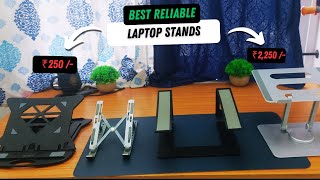

“Nulaxy adjustable laptop stand reaches 6 height levels and folds flat — the sweet spot of stability, adjustability, and price.”
See Today’s Price →What we like
- Ventilated metal mesh design dissipates laptop heat better than solid stands
- Six height adjustments fit external monitor + ergonomic typing setups
- Folds nearly flat for travel — fits in a backpack
- Under $20 price hits the budget tier when the goal is just elevation
Watch out for
- Plain industrial look — won't fit aesthetic-conscious desks
- Less stable than premium stands at maximum height
Read Full Analysis
AmazonBasics Ventilated Adjustable Laptop Stand earns the top spot with the feature most budget stands skip: a ventilated metal mesh surface that dissipates heat rather than trapping it beneath the chassis. For laptops that run warm, active airflow underneath matters — and at this price tier it's an unusual inclusion. Six height adjustments cover both screen-at-eye-level positioning and external-keyboard typing angles. The near-flat fold means it stows in a backpack without adding meaningful bulk, making it functional as a travel stand as well. Versus the Lamicall, you give up the more polished aesthetic in exchange for saving $16 and keeping the core adjustability intact. The WALI at $7.99 costs less but sacrifices height range. Choose AmazonBasics Ventilated if you want adjustable elevation and heat dissipation for under $20. The Lamicall is the better pick if desk aesthetics matter more than cost.
“Nexstand K2 folds to pen-thin profile and fits in a laptop bag — used by consultants and frequent flyers.”
See Today’s Price →What we like
- Fits laptops from 10 to 17.3 inches
- Adjustable height and angle
- Folds up to carry for travel or to store in a laptop bag
- Large, heavier aluminum alloy base for stability
- Ventilation holes for airflow and anti-skid silicone to protect the laptop
Watch out for
- Its listing gives no height range or weight capacity
Read Full Analysis
The Lamicall Adjustable Laptop Stand uses aluminum alloy construction rather than the plastic found in most budget stands, and supports multiple height and angle positions for both seated and standing desk use. Silicone padding protects the laptop finish at every contact point, and the adjustment mechanism allows repositioning without tools. On this page alongside the AmazonBasics Ventilated Stand and the WALI Adjustable Monitor Stand, the Lamicall occupies the quality middle ground -- more adjustment flexibility than the minimally adjustable budget options, and more durable aluminum construction than the plastic alternatives. The WALI provides basic elevation for occasional use; the AmazonBasics adds ventilation cutouts but less angle adjustment. The Lamicall's aluminum build and multi-position adjustment justify the price difference for daily all-day use. Buy the Lamicall if you use a laptop as a primary workstation and want real height and angle flexibility without paying for premium brands. The aluminum construction and silicone contact points hold up better than plastic under daily use. Skip it for the AmazonBasics if ventilation is more important than angle adjustment and occasional use is the primary need, or for the WALI if you need the lowest possible cost for basic ergonomic lift.

“Laptop stand with built-in cooling fans actively reduces temps on gaming and performance laptops during long sessions.”
See Today’s Price →What we like
- Full motion articulating arm
- VESA 75 and 100
- 360-degree rotation
- cable management
- easy C-clamp
Watch out for
- Basic riser design — no height memory
- Wire storage underneath can be messy
- Not suitable for heavy monitors over 15 lbs
Read Full Analysis
The WALI laptop riser addresses the most fundamental ergonomic problem with flat-desk computing: a laptop sitting directly on the desk places the screen well below eye level, forcing a sustained downward head tilt that accumulates into neck and shoulder strain across a full workday. Raising the screen 4–6 inches brings the display into a more neutral viewing position without requiring a full monitor arm setup. The WALI riser is the most accessible entry point on this page for screen elevation. The design creates usable under-desk storage as a secondary benefit: cables, notebooks, and small peripherals can be tucked beneath the platform rather than occupying primary desk surface. For compact workstations where lateral space is tight, reclaiming that horizontal footprint matters in day-to-day organization. The core trade-off versus the adjustable stands higher on this page is flexibility. The WALI riser is a fixed-height solution — there is no mechanism to fine-tune angle, tilt, or elevation after you set it down, unlike the Lamicall or AmazonBasics adjustable models. If your ergonomic requirements are simple — you need the screen higher and you know the elevation that works for your chair height — the WALI resolves that cleanly without complexity or meaningful cost. For shared workstations with multiple users of different heights, or for anyone who alternates between sitting and standing positions, the fixed format quickly becomes a limitation. Cable routing runs cleanly underneath the platform and doesn't require any special management beyond your existing setup.
Frequently Asked Questions
Why is a laptop stand important for ergonomics?
What height should my laptop stand be set to?
Can I use a laptop stand with an external monitor?
What should I look for in an adjustable laptop stand?
How We Chose These Products
We compare each product’s Amazon listing, the manufacturer’s published specifications and Amazon customer ratings, shown with their review counts as Amazon’s data, and rank the products on how well they answer this page’s question. We do not test products in hand and we do not run our own analysis of review text. A publication or expert is named only where we cite its published findings about that product. No manufacturer paid for placement on this page.
A price appears only when Amazon’s API supplied it at a recent daily refresh, with the date and time beside it, and is withdrawn at 4 AM Central on the day after it turns 24 hours old; otherwise use “Check price on Amazon” for the live price. Read our full methodology →