Best Desk Cable Management 2026: Clean Workspace, Clear Mind

Start with the Cable Matters adhesive clips for routing cables along desk edges — they cost under $8 and eliminate 80% of visible cable chaos. Add a Bluelounge CableBox to hide the power strip and brick adapters. For a complete solution, the Fully WireTamer tray mounts under the desk and hides everything.
See Today’s Price →At a Glance
| # | Product | Award | Price | Our Score | |
|---|---|---|---|---|---|
| 1 | Cable Matters Adhesive-Backed Cable Man… |
Best Overall | $7 | 9.2 | Buy → |
| 2 |  JOTO Cable Management Sleeve JOTO Cable Management Sleeve |
Best Cable Sleeve | $9 | 8.9 | Buy → |
| 3 |  Bluelounge CableBox Cable Management Bo… Bluelounge CableBox Cable Management Bo… |
Best Cable Box | $29 | 8.5 | Buy → |
| 4 |  Fully WireTamer Under Desk Cable Manage… Fully WireTamer Under Desk Cable Manage… |
Best Under-Desk Tray | $39 | 8.2 | Buy → |
Showing 4 of 4 products
Cable Matters Adhesive-Backed Cable Management Clips
“Cable Matters' clips use genuine 3M adhesive that holds firmly for months without leaving residue on smooth surfaces. The multiple-size variety pack covers USB cables, charging cables, and thin displa”
See Today’s Price →What we like
- Strong 3M adhesive
- Works on most surfaces
- Multiple cable sizes
- Clean white design
Watch out for
- Not for thick power cables
- Limited repositioning
JOTO Cable Management Sleeve
“The JOTO sleeve is the most popular cable organizer on Amazon — neoprene construction wraps cleanly around any cable bundle with a zipper closure that leaves no visible gap.”
See Today’s Price →What we like
- Neoprene wraps around cable bundle
- Zipper closure (no gap)
- Flexible — bends with cables
- Trimmable length
- Great for TV/entertainment center
Watch out for
- Not for routing cables long distances
- Zipper can bind if overfilled
Bluelounge CableBox Cable Management Box Black
“Bluelounge CableBox tucks away a power strip and its tangle of cords into a neat, presentable box — essential for anyone who wants a clean desk without cable management effort.”
See Today’s Price →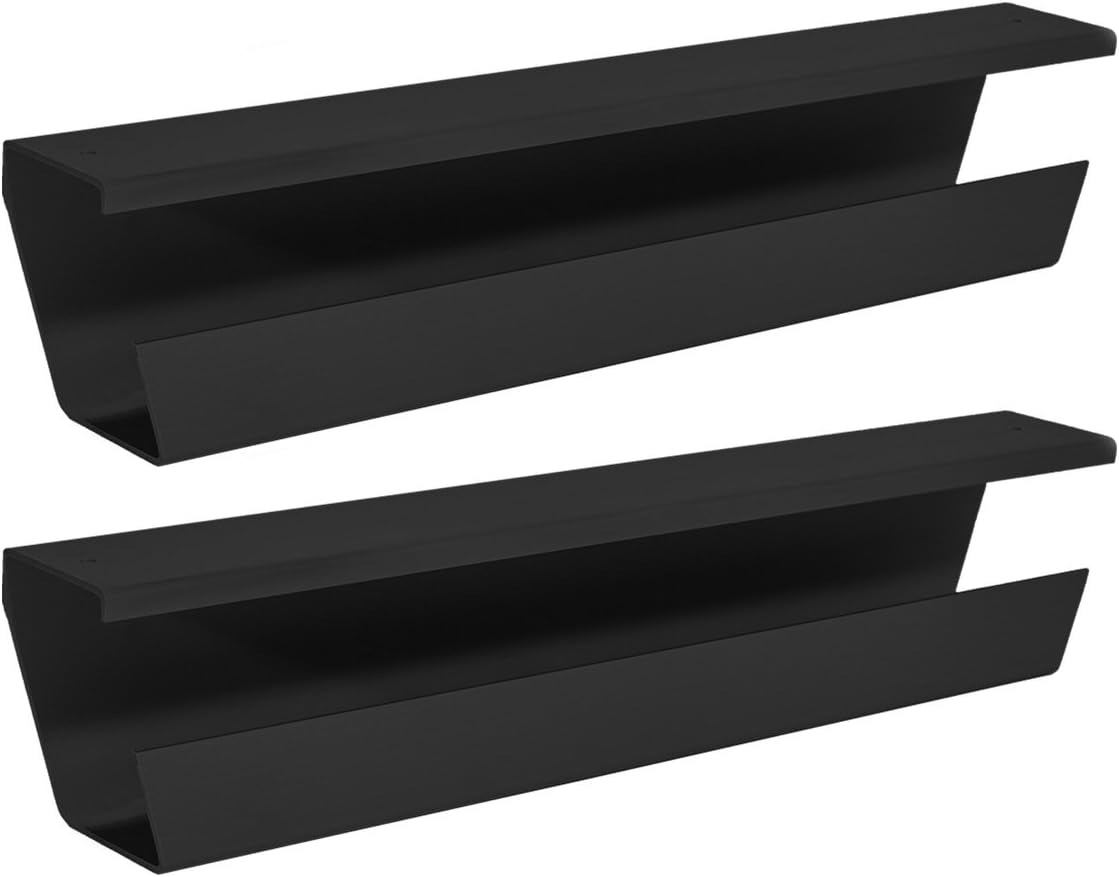
Fully WireTamer Under Desk Cable Management Tray, 2-Pack
“SimpleHouseware's metal under-desk tray holds the power strip itself, eliminating the floor-puddle of cables—the most complete desk cable solution.”
See Today’s Price →What we like
- Mounts under desk—completely hides power strips and cables
- Holds power strip + 6+ cables
- Metal construction (not plastic)
- Screws or adhesive mounting options
Watch out for
- Installation takes 15-20 minutes
- Fixed size—may not fit very deep desks
Desk Cable Management Buying Guide
 Photo by Josh Sorenson / Pexels
Quick Verdict: Our top pick is the Cable Matters Adhesive-Backed Cable Management Clips (Best Budget Clips) — Cable Matters Adhesive-Backed Cable Management Clips: The fastest way to eliminate visible cable runs along desk edges. Priced at $7.99.
Great for: Remote workers needing a dedicated workspace, students who study at home, and anyone working from a kitchen table
Not ideal if: You only use a computer occasionally — a well-placed kitchen table or breakfast bar covers occasional use
The Systematic Approach: Four Layers
Cable management is a layered solution, not a single product. The systematic approach: (1) Route and bundle running cables along the desk edge with clips or channels. (2) Hide the power strip and adapter bricks in a cable box on the desk. (3) Mount cables under the desk with a cable tray for a completely clear surface. (4) Use velcro cable ties or cable sleeves to bundle parallel cable runs.Cable Length Planning and Finishing Touches

Helpful Guides

- WFH Productivity Setup: 5 Upgrades in Order — Monitor first, then keyboard, headset, lighting, webcam
- Complete Home Office Setup Guide — Full equipment guide by budget tier
Related Guides:
- How to Build a Home Office That Actually Works — desk, chair, monitor, lighting, and peripherals in priority order
- How to Set Up an Ergonomic Desk — monitor height, keyboard position, and chair settings in order
- How to Choose a Standing Desk — electric vs manual, frame quality, and how to transition safely
Watch Before You Buy
Frequently Asked Questions
Where do I start with cable management?
Do adhesive cable clips damage desk surfaces?
What is the best way to hide a power strip on a desk?
How do I manage cables on a standing desk?
Can I use zip ties for cable management?
How We Analyze Products
We analyze Amazon review data — often thousands of reviews per product — to surface patterns that individual buyers miss. Our process aggregates star ratings, review counts, and buyer sentiment at scale, identifying which strengths and weaknesses appear consistently across the largest review samples available. The 576+ reviews analyzed on this page represent real verified-purchase feedback from Amazon buyers.
Each product earned its placement through data: total review volume, average rating, and the specific praise and complaints that repeat most often across buyers. No manufacturer paid for placement on this page. Products appear here because buyers endorsed them at scale, not because a company asked us to feature them.
We use AI to summarize review sentiment — not to fabricate opinions, but to condense what thousands of buyers actually wrote into a readable format. The pros and cons you see reflect the most common themes found in verified purchaser reviews, paraphrased for clarity. We do not claim to have accessed Reddit, YouTube, or specific publications in generating these summaries.
Prices shown reflect Amazon pricing at the time this page was last generated. Click “See Today’s Price” to get the current live price on Amazon. Read our full methodology →