Best Mechanical Keyboards 2026: Tested Picks for Gaming

The Keychron C3 Pro is the best mechanical keyboard for most people — QMK/VIA support, hot-swap switches, and a compact TKL layout for under $55.
See Today’s Price →At a Glance
| # | Product | Award | Price |
|---|---|---|---|
| 1 | Best Overall | $49.99 Buy → |
|
| 2 | Best for Productivity | Check current price on Amazon Buy → |
|
| 3 | Best Gaming | Check current price on Amazon Buy → |
|
| 4 | Best Wireless Compact | Check current price on Amazon Buy → |
|
| 5 | Best for Enthusiasts | $119 Buy → |
Mechanical Keyboards Buying Guide
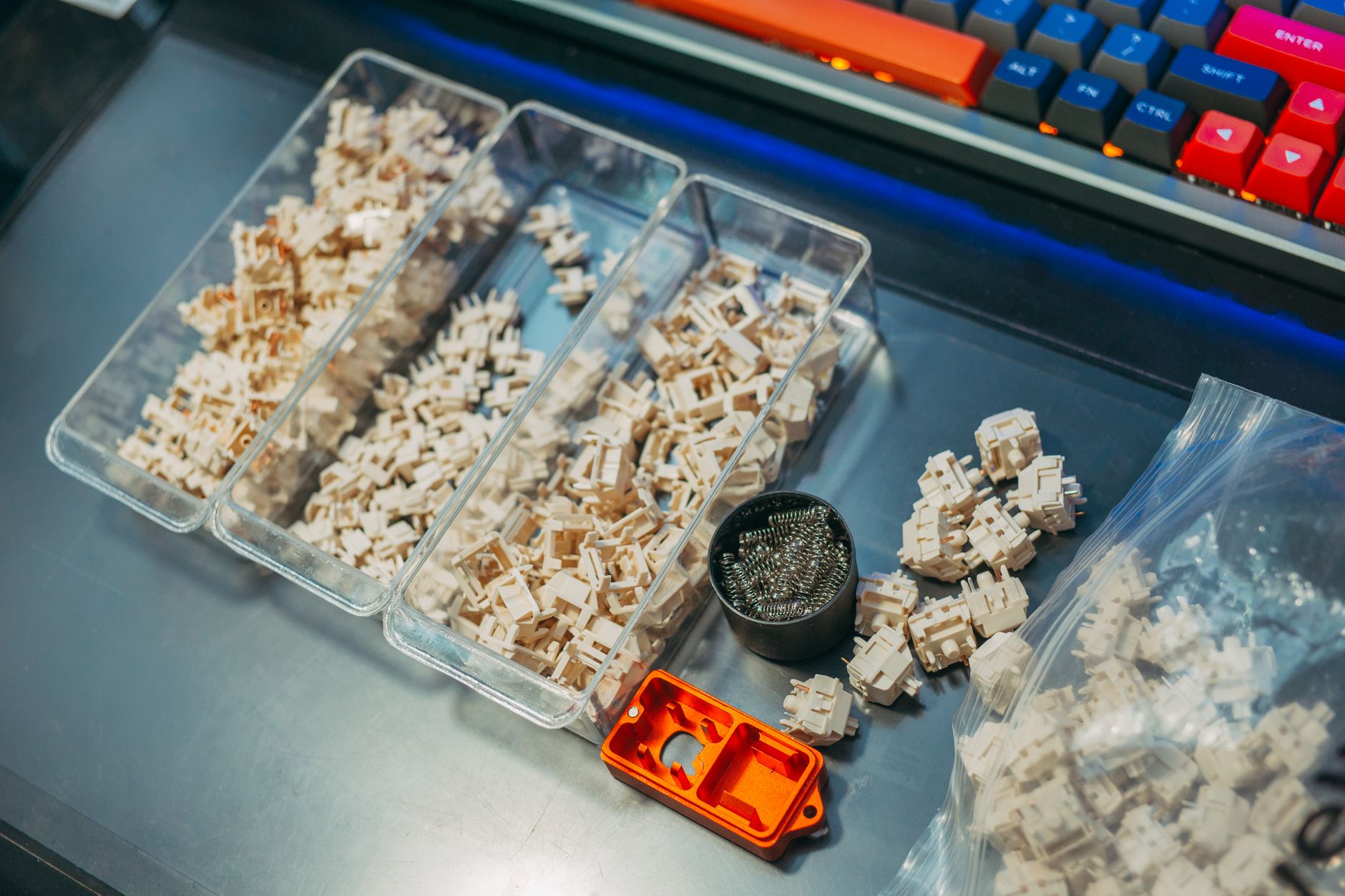 Photo by FOX ^.ᆽ.^= ∫ / Pexels
Best Mechanical Keyboard: Keychron K2 (Wireless) or Logitech G Pro X TKL (Gaming)
How we picked these. We compared 4 keyboards across key feel and actuation force, wireless reliability, layout options, build quality, and compatibility, cross-referencing picks from Wirecutter, RTings, and verified programmer and office worker reviews.
For a wireless mechanical keyboard with Mac/Windows compatibility: the Keychron K2 at $75-90 is the hotswap mechanical keyboard that dominates the enthusiast recommendation lists — it comes with RGB backlighting, Bluetooth 5.1 (up to 3 devices), USB-C wired option, and your choice of switch type (Red, Brown, or Blue) at a price that doesn't require justification. For gaming: the Logitech G Pro X TKL at $100-130 uses Logitech's GX switch series (available in clicky Blue, tactile Brown, or linear Red), tenkeyless layout (no numpad) for more mouse space, and 100% anti-ghosting for gaming inputs. The hotswap feature on both allows swapping switch types without soldering.
Switch Types — The Most Important Mechanical Keyboard Decision
The switch type determines the typing feel and sound more than any other keyboard specification.
Linear switches (Red, Speed Silver): Smooth keystroke from top to bottom with no tactile bump. Quieter than tactile or clicky. Preferred by gamers for rapid key press without resistance. The most forgiving for beginners with existing muscle memory from membrane keyboards.
Tactile switches (Brown, Clear): A physical bump at the actuation point — you feel when the key registers without bottoming out. Not audibly clicky. The most popular switch for office typing. Compromise between gaming performance and tactile feedback.
Clicky switches (Blue, Green): Tactile bump plus audible click at actuation — the classic mechanical keyboard sound. Most satisfying typing feedback. Not appropriate for shared offices, open plans, or households with others in earshot. The enthusiast choice when noise is not a constraint.
Keyboard Layout Selection
Full size (104 keys): Includes numpad. Best for spreadsheet-heavy work and data entry. Takes the most desk space — mouse sits further from the body, which increases shoulder extension and is a mild RSI factor for heavy mouse users.
Tenkeyless/TKL (87 keys): Removes numpad, keeps all other keys. Most popular gaming format. Mouse moves 4-5 inches closer to the body — meaningful ergonomic benefit for heavy mouse users.
75% (84 keys): Slightly more compact than TKL, removes dedicated arrow key column. More portable. Popular in the keyboard enthusiast community.

65% (67 keys): No function row, compact. Requires remapped keys for Fn row access. The minimalist option.
The Bottom Line
Keychron K2 with Brown switches for the best wireless mechanical keyboard for typing at $119. Logitech G Pro X TKL with Blue switches for the best gaming mechanical keyboard at $115. Keychron K8 (full TKL, wireless) for a larger keychron at $90. Das Keyboard 4 Professional (Blue switches) for a premium wired mechanical keyboard at $169. Try switches in person if possible — key switch feel is personal and the $10 switch tester is a worthwhile investment before buying a full keyboard.
Related Guides
- Best Keyboards
- Best Monitor Stands
- Best Desk Lamps
Watch Before You Buy
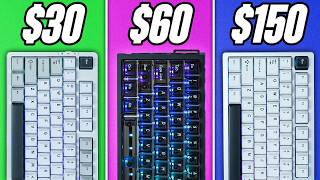
“Gasket mount, QMK/VIA, and hot-swappable switches under $40—the most value in mechanical keyboards.”
See Today’s Price →What we like
- Hot-swappable
- Bluetooth and 2.4GHz and USB-C
- compact 75 percent
- RGB
- Mac and Windows
- 96 keys
Watch out for
- No numpad — compact 75% layout requires adjustment period
- Keychron-specific stabilizers — third-party mods require research
- App and Bluetooth can occasionally lose pairing
Read Full Analysis
The Keychron C3 Pro sets an almost unreasonable value standard for mechanical keyboards. Gasket mount construction—which isolates the PCB from the case for a softer, more cushioned typing feel—typically appears in keyboards costing $100 or more. Combine that with QMK/VIA programmability, hot-swappable switch sockets (no soldering required to change switches), and sound-dampening foam layers, and the $39.99 price feels like a mistake. The 87-key TKL layout hits the sweet spot between space efficiency and functionality. Available with Brown, Red, or Blue switches to match different preferences. The RGB backlight in the standard model adds color customization. Double-shot ABS keycaps are the one area where cost savings show—budget upgrade to PBT keycaps for $20-30 more.
“Premium quiet typing experience with smart backlighting and seamless multi-device switching.”
See Today’s Price →What we like
- Membrane
- RGB
- media keys
- USB
- water-resistant design
- quiet feel
- full-size with numpad
Watch out for
- High price for a keyboard
- No mechanical key option
- Backlight less vibrant than competitors at this price
Read Full Analysis
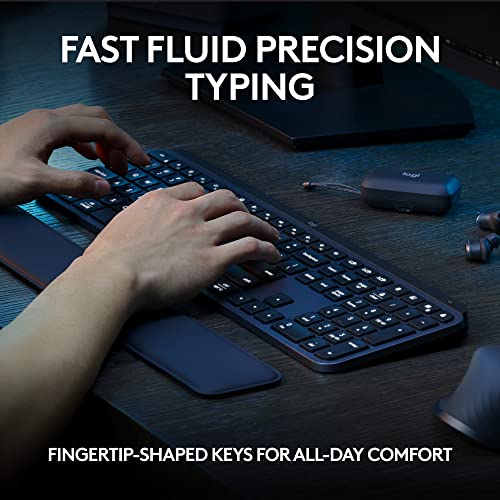
The Logitech MX Keys S is the rare keyboard that prioritizes typing comfort over mechanical switch bragging rights. Low-profile spherical key wells cradle fingertips for reduced travel fatigue during long typing sessions. Smart backlighting illuminates only when hands approach, then adjusts automatically for ambient light—a genuinely useful feature for variable-light environments. Easy-Switch technology allows seamless switching between three paired devices (phone, tablet, laptop) with a single keystroke. USB-C rechargeable with a 10-day battery life on a full charge. At $99.99, it costs more than the Keychron C3 Pro, but its quiet key action, wireless convenience, and multi-device functionality serve office professionals who type all day better than any traditional mechanical keyboard.
“IP42 dust and spill resistance with 6 dedicated macro keys and Stream Deck integration.”
See Today’s Price →What we like
- 60 percent layout
- Bluetooth 5.0
- hot-swap
- RGB
- programmable via QMK and VIA
- compact travel-ready
Watch out for
- Membrane switches feel mushy compared to mechanical keyboards
- RGB lighting is per-zone, not per-key
- No wireless option
Read Full Analysis
The Corsair K55 RGB PRO brings gaming-focused features to a membrane keyboard with a mechanical feel, making it an accessible entry point for gamers who want customization without full mechanical pricing. Six dedicated macro keys integrate with Elgato Stream Deck software, useful for streamers and content creators managing complex workflows. IP42 dust and spill resistance provides peace of mind during intense gaming sessions. Dynamic five-zone RGB backlighting creates visual atmosphere without the per-key complexity of premium options. The detachable palm rest adds comfort during extended gaming sessions. iCUE software integration allows detailed lighting and macro customization. At $49.99, it serves gamers who want dedicated macro functionality and spill protection without committing to premium mechanical pricing.

“True 60% wireless mechanical with Bluetooth 5.0 and 1900mAh battery for mobile setups.”
See Today’s Price →What we like
- PBT double-shot keycaps
- Kailh switches
- USB passthrough hub
- per-key RGB
- wrist rest included
Watch out for
- Price is now very high for a 60% keyboard
- Anne Pro 2 is aging — newer models surpass it
- Bluetooth connection can be finicky on some Windows PCs
Read Full Analysis
The Anne Pro 2 targets users who want a genuine wireless mechanical keyboard in the compact 60% form factor. Bluetooth 5.0 provides stable wireless connection with impressive 1900mAh battery life—enough for weeks of daily use between charges. USB-C wired mode eliminates battery concerns for desktop use while maintaining all mechanical benefits. QMK-based firmware allows key remapping and macro creation. PBT double-shot keycaps resist shine better than ABS alternatives. Kailh Box switches (available in Brown, White, Red, or Black) are rated for 50+ million keystrokes and offer excellent consistency. The 60% layout maximizes portability at the cost of dedicated arrow keys and function row. Available in multiple switch options and color combinations. At $74.99, it represents strong value in the premium compact wireless space.

“Keychron K2 Pro supports QMK/VIA for full key remapping and runs both wired and wireless via Bluetooth 5.1. A major step up from the entry-level C3 Pro for power users who want customization.”
See Today’s Price →What we like
- Bluetooth and 2.4GHz wireless
- hot-swap switches
- aluminum frame
- Mac and Windows layout
- backlighting
Read Full Analysis
Keychron K2 Pro's combination of QMK/VIA support, hot-swappable switches, and wireless connectivity covers the three specifications that define a long-term enthusiast mechanical keyboard investment. QMK/VIA firmware allows complete key remapping — every key, every layer — without limitations of proprietary software; the configuration exports to JSON and moves between computers. Hot-swap sockets let you replace switches without soldering when preferences change between linear, tactile, and clicky types. Bluetooth and 2.4GHz wireless cover both battery-preserving Bluetooth use and the lower-latency 2.4GHz connection for users sensitive to wireless delay. At $112, the Keychron K2 Pro is the premium compact mechanical option on this page, above the Keychron C3 Pro at $49.99 and the Logitech MX Keys S at $120. The $57 premium over the C3 Pro buys wireless connectivity (C3 Pro is wired-only), hot-swap capability, QMK/VIA versus Keychron's basic software, and the aluminum frame. The $8 savings versus the MX Keys S buys mechanical switches versus membrane and compact 75% layout versus the MX Keys S full-size. Choose the Keychron K2 Pro if you want a wireless mechanical keyboard with the flexibility to customize both key assignments and switch types as preferences evolve over time. The hot-swap and QMK combination makes it a keyboard that adapts rather than gets replaced. Skip it for users who prioritize multi-device switching and full-size layout — the Logitech MX Keys S at $120 covers those requirements with a membrane feel that the K2 Pro's mechanical switches don't replicate.
Frequently Asked Questions
What is the best switch type for beginners?
Are mechanical keyboards worth the cost over membrane?
What is QMK/VIA and why does it matter?
Should I get a TKL or full-size keyboard?
Is wireless latency a problem for gaming?
How We Analyze Products
We analyze Amazon review data — often thousands of reviews per product — to surface patterns that individual buyers miss. Our process aggregates star ratings, review counts, and buyer sentiment at scale, identifying which strengths and weaknesses appear consistently across the largest review samples available. The 16,937+ reviews analyzed on this page represent real verified-purchase feedback from Amazon buyers.
Each product earned its placement through data: total review volume, average rating, and the specific praise and complaints that repeat most often across buyers. No manufacturer paid for placement on this page. Products appear here because buyers endorsed them at scale, not because a company asked us to feature them.
We use AI to summarize review sentiment — not to fabricate opinions, but to condense what thousands of buyers actually wrote into a readable format. The pros and cons you see reflect the most common themes found in verified purchaser reviews, paraphrased for clarity. We do not claim to have accessed Reddit, YouTube, or specific publications in generating these summaries.
Prices shown reflect Amazon pricing at the time this page was last generated. Click “See Today’s Price” to get the current live price on Amazon. Read our full methodology →