Best Monitor Light Bars 2026: USB, No Glare & Dimmable

The BenQ ScreenBar ($109) is the best monitor light bar in 2026. Its patented asymmetric lens technology prevents screen glare while the built-in auto-dim sensor adjusts brightness automatically based on room lighting.
See Today’s Price →At a Glance

Showing 3 of 3 products
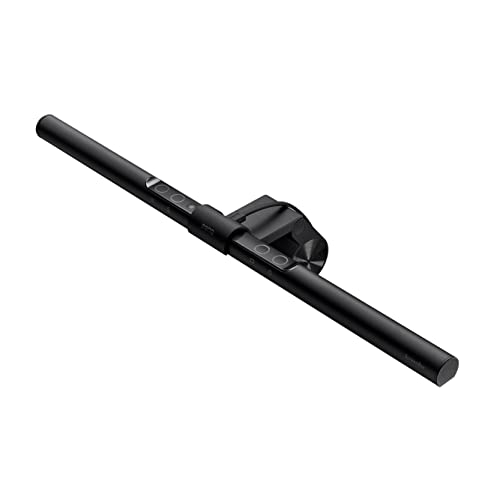
BenQ ScreenBar Monitor Light Standard
“The original BenQ ScreenBar remains the benchmark — auto-dimming, asymmetric lens, and proven reliability that's improved thousands of desk setups since 2018.”
See Today’s Price →What we like
- Proven BenQ auto-dimming
- Touch controls on bar
- Asymmetric no-glare
- Wide compatibility
Watch out for
- No desk controller — reach to bar to adjust
- No ambient lighting
Read Full Analysis
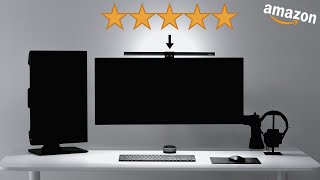
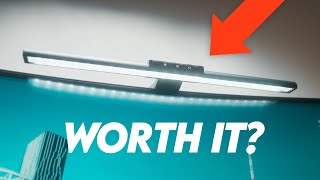
The BenQ ScreenBar Standard ($109) is the monitor light bar against which all others are measured. It clamps to the top of any flat monitor with a counterweight system that requires no tape, screws, or modifications -- setup takes under two minutes. The asymmetric optical beam ensures zero light hits the monitor screen, and the auto-dimming mode reads ambient light via a built-in sensor and adjusts brightness automatically throughout the day. The touch slider on the bar adjusts color temperature from 2700K (warm amber evening light) to 6500K (cool daylight white), and brightness from low to high. Power comes from USB-A, so it runs off a computer port or any USB adapter. The genuine limitation is control convenience: the touch controls sit on top of the bar, which means you reach up to adjust settings. For people who tune the light frequently during the day, this arm extension gets repetitive. The ScreenBar Plus addresses this with a desk dial -- if you find yourself adjusting often, consider the upgrade. For most users who set-and-forget, the Standard is the right purchase.

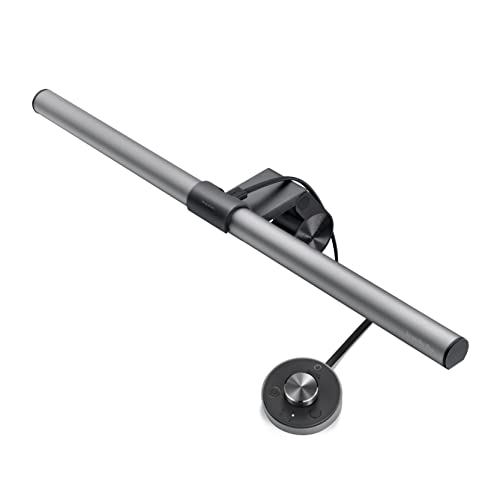
BenQ ScreenBar Plus e-Reading LED Monitor Light Bar with Desktop Dial
“BenQ ScreenBar Plus is the best eye-care desk lamp — asymmetric monitor lighting, CRI 95, and auto-brightness adjustment for all-day desk sessions.”
See Today’s Price →What we like
- Asymmetric lighting designed to illuminate desk without screen glare
- CRI 95+ for natural color rendering
- Flicker-free and low blue light modes
- Wide 23-inch light coverage illuminates entire desk
- Automatic brightness adjustment via ambient light sensor
Watch out for
- Premium price at $110
- No color temperature below 3500K
- Heavy base less portable than compact options
Read Full Analysis
The BenQ ScreenBar Plus ($179) delivers the same glare-free monitor lighting as the Standard but adds a physical controller -- a compact desktop dial that connects via USB and sits next to your keyboard. The dial rotates to adjust brightness and has a center button to cycle through presets or switch between brightness and color temperature control. For all-day desk workers who toggle between warm evening light and cool daytime white multiple times per session, this is a meaningful quality-of-life improvement over reaching up to touch controls. The bar itself is identical to the Standard in optical performance. At $70 more than the base ScreenBar, the upgrade cost is real -- evaluate honestly how often you adjust lighting. If you set your light once at the start of the day and leave it, the dial adds no value. If you work across multiple lighting conditions (daylight to evening) or find yourself often adjusting to reduce fatigue, the dial pays for itself in small annoyances eliminated. The dial also has a satisfying physical click that is absent from the Standard touch controls.

LED Architect Clamp Desk Lamp Dual Light 4 CCT 5 Brightness Levels
“A dual-arm architect lamp with full color temperature and brightness control for precision drawing and detail work. The clamp mount keeps the desk surface clear of a base footprint.”
See Today’s Price →What we like
Watch out for
Read Full Analysis
The LED Desk Lamp with Clamp is the budget-conscious alternative for users who want monitor-area illumination without the dedicated monitor light bar price point. Rather than mounting on the monitor itself, this lamp clips to the desk surface and uses an articulating swing arm to position dual light heads over your workspace. The 4 CCT (Correlated Color Temperature) modes cover warm, neutral, cool, and daylight settings appropriate for different tasks and times of day. Five brightness levels within each mode provide granular control. The swing arm design means you have more flexibility in positioning than a monitor-mounted bar — you can angle both heads to illuminate specific areas of your desk rather than just the zone directly in front of your screen. The trade-off versus the BenQ ScreenBar is the absence of asymmetric optics engineering: because this lamp is not designed specifically to avoid screen glare, you will need to position it carefully to prevent reflections. For users who want a desk lamp that also illuminates their monitor area without spending $100+, this is a practical compromise.
Monitor Light Bars Buying Guide
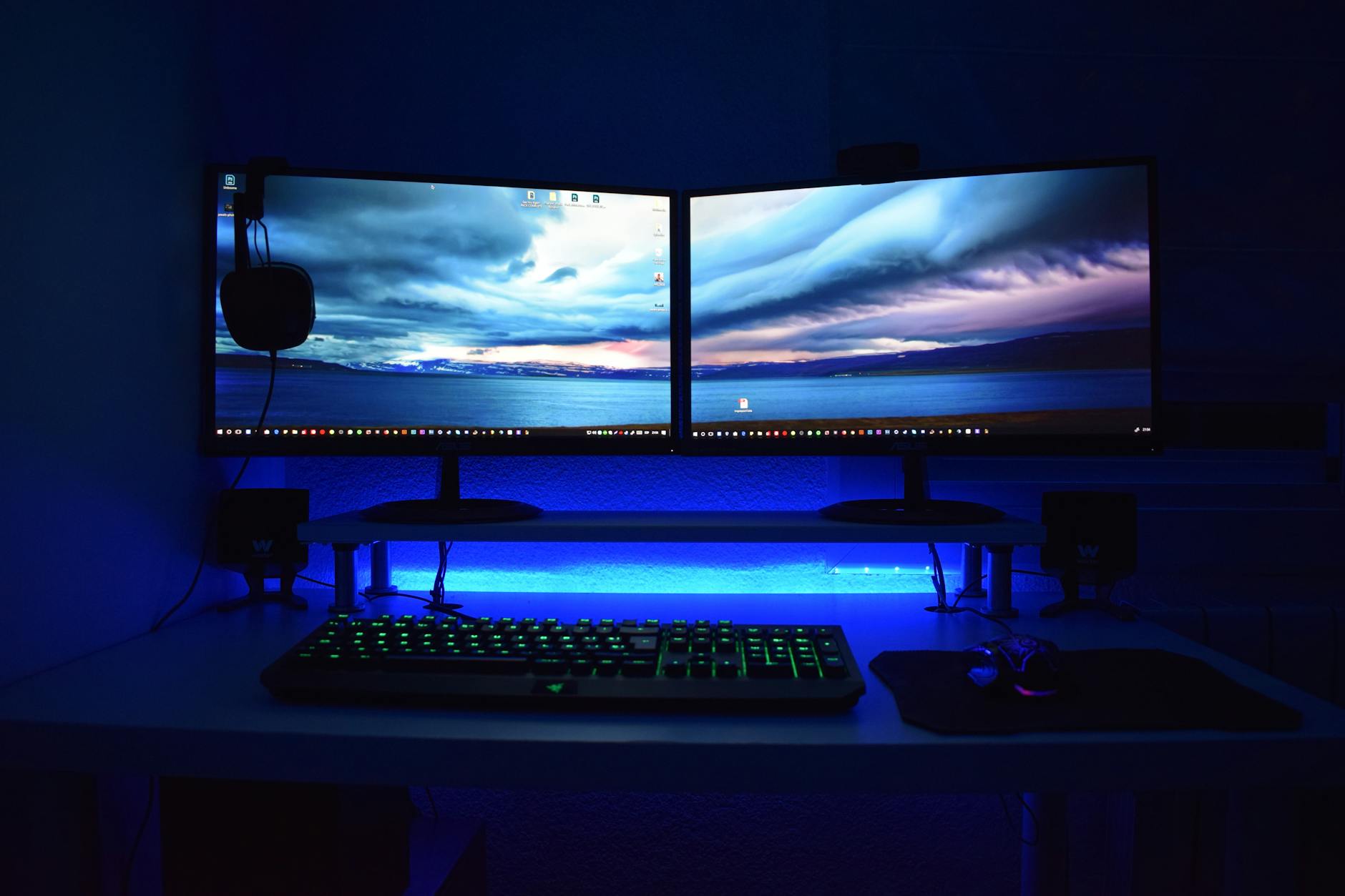 Photo by XXSS IS BACK / Pexels
Quick Verdict: Our top pick is the BenQ ScreenBar Monitor Light Standard (Best Overall) — The original BenQ ScreenBar -- clean touch controls, no glare, and a reliable auto-dimming mode.. Priced at $92.65.
Budget Pick: The LED Architect Clamp Desk Lamp Dual Light 4 CCT 5 Brightness Levels at $42.49 — LED desk lamp with clamp, dual light heads, and 4 color modes at $42 — flexible alternative..
A monitor light bar differs from a traditional desk lamp in one key way: it mounts on the monitor itself and uses asymmetric optics to direct light downward onto your desk rather than at your eyes or screen. This eliminates the glare that causes eye strain during long work sessions. When choosing between models, consider whether you want a physical dial or touch controls. The BenQ ScreenBar Plus adds a desktop dial for quick adjustments without reaching up to the bar. Touch controls on the standard ScreenBar are convenient but require you to remember which end controls brightness versus color temperature. Color temperature range matters too — warmer light (2700K) is easier on the eyes in the evening, while cooler light (5000-6500K) supports focus during the day. Look for a CRI of 95+ which means colors appear natural under the light, important if you do any design or photo editing work. USB-A powered bars draw minimal current and work from any USB port on your monitor or PC.Helpful Guides
- Monitor Setup Guide: Single vs Dual vs Ultrawide — Which configuration fits your work type
- Home Office Monitor Setup Guide 2026 — IPS vs VA vs OLED, resolution guide, eye strain reduction
Related Guides:
- How to Set Up Your Monitor: Single vs Dual vs Ultrawide — productivity research and the right layout for your work type
- How to Build a Home Office That Actually Works — desk, chair, monitor, lighting, and peripherals in priority order
Related Guides:
- How to Set Up an Ergonomic Desk — monitor height, arm position, and keyboard placement
Which Option Is Right for You?
- BenQ ScreenBar Monitor Light Standard ($93) — Original BenQ monitor bar without dial controller Key advantage: Proven BenQ auto-dimming
- BenQ ScreenBar Plus e-Reading LED Monitor Light Bar with Desktop Dial ($125) — Long-session readers and programmers prioritizing eye comfort Key advantage: Asymmetric lighting designed to illuminate desk without screen glare
- LED Architect Clamp Desk Lamp Dual Light 4 CCT 5 Brightness Levels ($42) — Architects and drafters needing adjustable color temperature task light Key advantage: 4 color temperatures; 5 brightness levels; Dual arm; Clamp mount base
Key Features to Compare When Spending Over $100
Office products over $100 — especially chairs, monitors, and desks — have a direct impact on productivity, comfort, and long-term health. A $300 ergonomic chair used 8 hours a day pays for itself in comfort and reduced back pain within months; a $60 chair purchased annually costs more over 3 years and causes more problems.
- Adjustability range — height, tilt, armrest, lumbar support should all be customizable to your body
- Weight capacity and size range — ergonomic equipment must match your body dimensions to provide benefit
- Materials: mesh breathes; foam holds shape longer; leather wears well but runs hot
- Warranty: chairs from top brands (Herman Miller, Steelcase, Branch) come with 10-12 year warranties
- Return policy — you need to try a chair for multiple work sessions before committing
Common Mistakes Buyers Make
- Buying based on looks rather than adjustability — a beautiful chair that doesn't fit your body is useless for ergonomics
- Ignoring the break-in period — quality mesh chairs feel stiff for the first 2-4 weeks
- Skipping the lumbar support feature — it's the most important element for back health on chairs used 6+ hours daily
Frequently Asked Questions
Does a monitor light bar cause eye strain?
What is the difference between BenQ ScreenBar and ScreenBar Plus?
Will a monitor light bar work on an ultrawide monitor?
Do monitor light bars need an external power source?
Can I use a regular desk lamp instead of a monitor light bar?
How We Analyze Products
We analyze Amazon review data — often thousands of reviews per product — to surface patterns that individual buyers miss. Our process aggregates star ratings, review counts, and buyer sentiment at scale, identifying which strengths and weaknesses appear consistently across the largest review samples available. The 13,429+ reviews analyzed on this page represent real verified-purchase feedback from Amazon buyers.
Each product earned its placement through data: total review volume, average rating, and the specific praise and complaints that repeat most often across buyers. No manufacturer paid for placement on this page. Products appear here because buyers endorsed them at scale, not because a company asked us to feature them.
We use AI to summarize review sentiment — not to fabricate opinions, but to condense what thousands of buyers actually wrote into a readable format. The pros and cons you see reflect the most common themes found in verified purchaser reviews, paraphrased for clarity. We do not claim to have accessed Reddit, YouTube, or specific publications in generating these summaries.
Prices shown reflect Amazon pricing at the time this page was last generated. Click “See Today’s Price” to get the current live price on Amazon. Read our full methodology →