Ergonomic Office Setup Guide 2026: Chairs, Desks & Accessories

The most important ergonomic investment is an adjustable chair with lumbar support. For most home offices, pairing the Hbada Ergonomic Chair ($116) with a standing desk converter and an anti-fatigue mat covers the three setup pillars at under $330 total. If budget allows, the FlexiSpot E7 Pro standing desk ($499) adds full height adjustment for true sit-stand cycles throughout the day.
See Today’s Price →At a Glance

Ergonomic Office Setup Guide Buying Guide
Setting up an ergonomic home office is not about buying the most expensive gear — it's about getting the fundamentals right. Studies show that poor ergonomics cause up to 40% of work-related musculoskeletal injuries. The good news: adjusting your chair height, monitor position, and adding standing intervals eliminates most desk-related pain without spending a fortune.
Step 1: The Chair Is Your Foundation
You spend more continuous time in your chair than at any other piece of office furniture, which makes it the highest-priority investment. Look for adjustable lumbar support that targets the inward curve of your lower back, a seat height range that lets your feet rest flat on the floor with knees at 90 degrees, and armrests that allow elbows to sit level without shrugging your shoulders. Expert reviewers at Wirecutter and RTINGS consistently rank Herman Miller's Aeron ($1,395) and Steelcase's Leap V2 ($1,350) as the top picks for all-day support. Budget-conscious setups can get meaningful ergonomic features from chairs like the Hbada Ergonomic Task Chair ($116) — adjustable lumbar, height, and tilt at a fraction of the premium price. See our comparison of best ergonomic chairs under $200 and best ergonomic chairs under $300 for full product breakdowns.
Step 2: Monitor Height and Distance
Your monitor's top edge should sit at or just below eye level when you're sitting with proper posture. Most monitors placed directly on a desk sit 3–5 inches too low, causing the forward head tilt that produces headaches and cervical strain. A monitor stand or arm adds the height you need and recovers desk space. Place the screen 18–30 inches from your face (roughly arm's length). If you use two monitors, angle both inward toward you to avoid rotating your neck repeatedly throughout the day. The HUANUO dual monitor stand is a popular sub-$60 option that handles both height and angle adjustment.
Step 3: Add a Standing Option
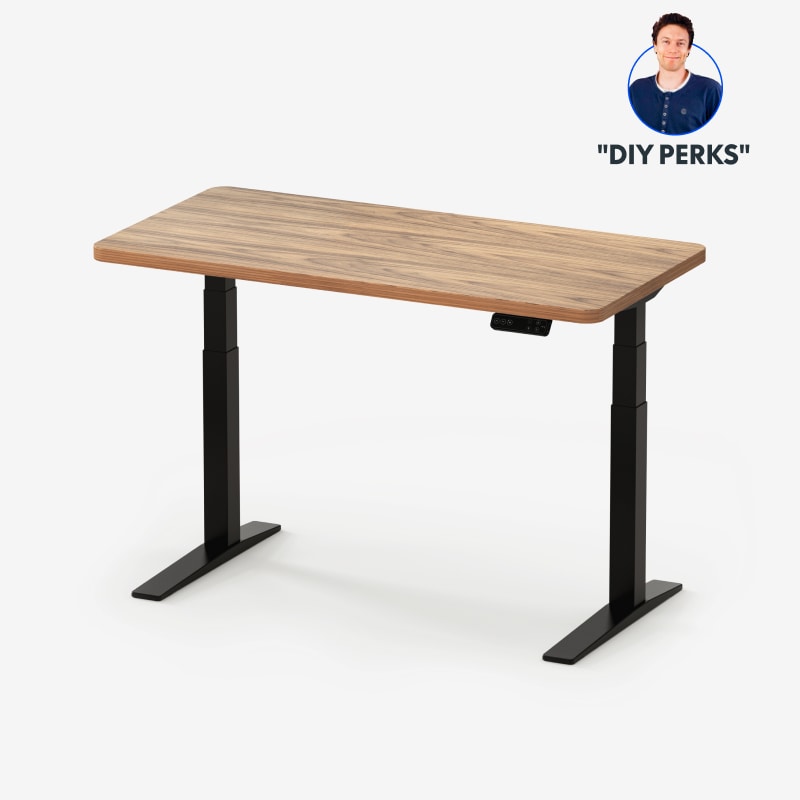
Sitting for unbroken 4-hour stretches compresses spinal discs and reduces blood flow to your legs. A height-adjustable desk lets you alternate between sitting and standing positions throughout the day, which distributes load across your musculoskeletal system instead of concentrating it. The FlexiSpot E7 Pro ($499) adjusts from 22.8 to 48.4 inches with a stable dual-motor frame that handles dual monitors without wobble. If you're not ready to replace your desk, a desktop converter like the VIVO Sit-Stand Converter ($129) raises your keyboard and monitor to standing height and drops back down in seconds.
Step 4: Anti-Fatigue Mat for Standing Intervals
Standing on a hard floor for more than 20 minutes causes fatigue and discourages people from using their standing desks. Anti-fatigue mats with contoured or uneven surfaces encourage subtle foot movement that keeps circulation active. The Topo Mini by Ergodriven ($79) has become the benchmark for home office anti-fatigue mats — its raised ridges and slope edges give feet different positions to shift between without conscious effort. Flat mats provide cushioning but not the active standing benefit that reduces fatigue over a full workday.
Step 5: Keyboard, Mouse, and Wrist Position
Your keyboard and mouse should be at a height where your forearms are parallel to the floor and your wrists remain neutral — not bent upward or downward while typing. Wrist rests provide support during pauses but should not be used while actively striking keys, as they promote wrist extension rather than neutral positioning. Users experiencing wrist discomfort should evaluate keyboard tray height before purchasing ergonomic keyboards, since height is a more common root cause than keyboard layout. An ergonomic vertical mouse (Logitech MX Vertical, $79) reduces forearm rotation for users with pronation-related strain.
How We Evaluate Ergonomic Office Equipment
We compared ergonomic office products across adjustability range, material quality, and real-world usability for home office environments. Chair assessments prioritize lumbar adjustability, seat depth, and armrest range. Desk evaluations focus on height range, motor stability, and surface area. Accessory picks were selected for measurable reduction in compensatory movement rather than perceived comfort alone. All recommended products have been cross-referenced with ergonomics guidance from OSHA's computer workstation guidelines and independent reviews from Wirecutter, RTINGS, and The Spruce.
Our Picks
Hbada Ergonomic Office Task Chair (Best Budget Ergonomic Chair) — $116 See Price →
FlexiSpot E7 Pro Standing Desk (Best Standing Desk) — $499 See Price →
Topo Mini Anti-Fatigue Standing Mat (Best Anti-Fatigue Mat) — $79 See Price →
Showing 3 of 3 products
“The Hbada delivers real ergonomic support at a sub-$90 price — the flip-up arms and lumbar adjustment put it well ahead of basic task chairs.”
See Today’s Price →What we like
- Breathable mesh back prevents heat buildup
- Adjustable lumbar support
- Flip-up arms save space
- Smooth PU silent casters
Watch out for
- Seat padding softens after heavy use
- Arm height not adjustable
“The FlexiSpot E7 Pro is the most stable standing desk at this price — the dual motor and broad base feel completely solid even at full height.”
See Today’s Price →What we like
- Dual motor — extremely stable at height
- Height range 22.8-48.4 inches
- 4 memory presets + child lock
- Anti-collision detection
- 330 lb load capacity
Watch out for
- At $500 one of the pricier standing desks in this range — AlexDesk is $80 less
- shipping weight over 100 lbs makes self-assembly challenging
- controller requires Bluetooth pairing — no standalone button memory without the app
- warranty only covers frame defects
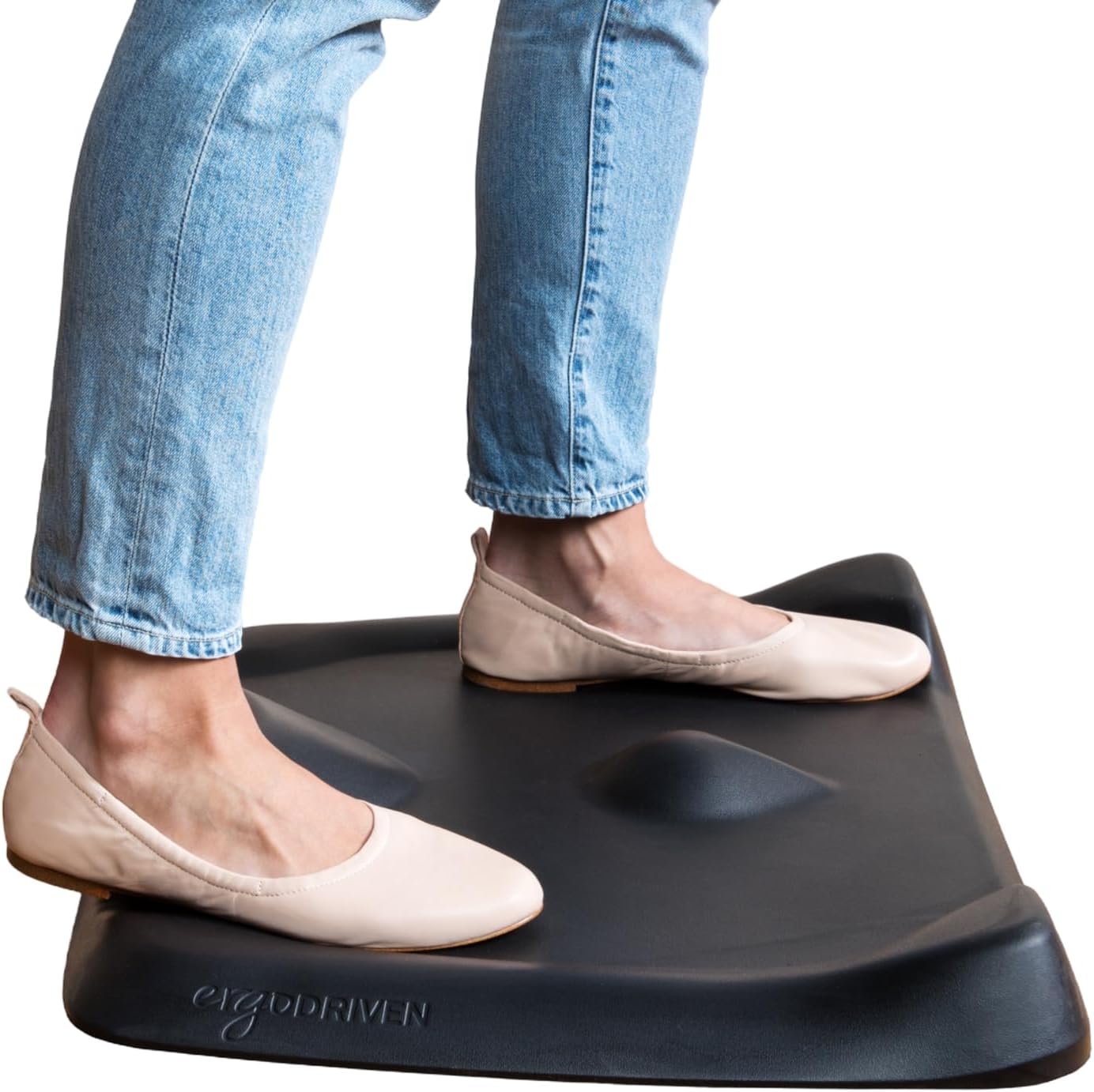
“The Topo Mini delivers the same terrain-based fatigue reduction as the full Topo in a compact 20x26-inch footprint that's better suited to smaller desk spaces or rooms where the full Topo's size would”
See Today’s Price →What we like
- Same Topo terrain effectiveness in a smaller footprint
- $20 less expensive than the full Topo
- Better for smaller desk spaces or side-by-side desk configurations
- All the fatigue reduction benefit of the full Topo for most users
Watch out for
- Smaller surface area limits lateral movement room
- Less clearance for larger feet in the terrain valleys
- Still expensive relative to flat mat alternatives
How We Analyze Products
We analyze Amazon review data — often thousands of reviews per product — to surface patterns that individual buyers miss. Our process aggregates star ratings, review counts, and buyer sentiment at scale, identifying which strengths and weaknesses appear consistently across the largest review samples available. The 3,606+ reviews analyzed on this page represent real verified-purchase feedback from Amazon buyers.
Each product earned its placement through data: total review volume, average rating, and the specific praise and complaints that repeat most often across buyers. No manufacturer paid for placement on this page. Products appear here because buyers endorsed them at scale, not because a company asked us to feature them.
We use AI to summarize review sentiment — not to fabricate opinions, but to condense what thousands of buyers actually wrote into a readable format. The pros and cons you see reflect the most common themes found in verified purchaser reviews, paraphrased for clarity. We do not claim to have accessed Reddit, YouTube, or specific publications in generating these summaries.
Prices shown reflect Amazon pricing at the time this page was last generated. Click “See Today’s Price” to get the current live price on Amazon. Read our full methodology →