How to Choose a Standing Desk (2026 Guide)
This guide walks through how to choose a standing desk — motorised versus manual, frame stability, desktop size and the trade-offs at each budget. The desks below are the ones we most often point people at, starting with the FLEXISPOT EN1 electric at $169.99.
At a Glance
| # | Product | Award | Price |
|---|---|---|---|
| 1 |  FLEXISPOT EN1 One-Piece Standing … FLEXISPOT EN1 One-Piece Standing …FLEXISPOT |
Our Top Pick | $169.99 Buy → |
| 2 | Worth Considering | $199.99 Buy → |
How to Choose a Standing Desk (2026 Guide) Buying Guide
 Photo by KATRIN BOLOVTSOVA / Pexels
Standing desks reduce the metabolic and musculoskeletal risks of prolonged sitting — but only if they are used correctly. A standing desk that stays at one height for 8 hours creates standing fatigue and its own set of problems. The benefit is in alternating: research from Occupational and Environmental Medicine found that alternating sitting and standing every 30-60 minutes reduced lower back and neck pain by 54% over 12 weeks compared to sitting-only workstations. The desk purchase is just the mechanism; the behavior change is the intervention.
Electric vs Manual: The Usage Reality
Manual crank standing desks cost $150-300 less than electric equivalents and are mechanically simpler. The real-world problem: adjusting a manual desk takes 30-90 seconds of cranking, which creates friction against height transitions. Research on sit-stand desk usage consistently shows that manual desk users transition between positions 1-2 times per day versus 4-6 times per day for electric desk users. The health benefit scales with transition frequency — a desk adjusted twice daily provides a fraction of the benefit of one adjusted six times daily. Electric desks with one-touch height memory presets allow transitions in 15-30 seconds, below the friction threshold that causes people to skip transitions. The Agilestic Electric 48x24 ($169.99) and ErGear 48x24 ($169.99) both offer memory presets at the lowest price points currently available for electric desks.
Motor Quality and Desk Stability
Desk stability during standing use is determined by motor quality, frame construction, and crossbar geometry — not desktop surface material. At standing height, a wobbling desk amplifies hand tremor during typing and causes monitor vibration that strains the eyes. The primary instability cause in budget desks is single-motor designs — a single motor drives one leg, which then drives the other via a connecting rod. Dual-motor designs drive each leg independently, providing faster, more synchronized movement and significantly better stability at standing height. Most desks under $200 use single-motor designs; dual-motor desks start around $250-350. The test: at standing height (typically 42-48 inches), push the desktop forward with 5 lbs of force and observe the wobble. Quality desks show under 1/4 inch of deflection. Also check the height range: a desk that maxes out at 44 inches may not reach comfortable standing height for users over 6 feet tall.
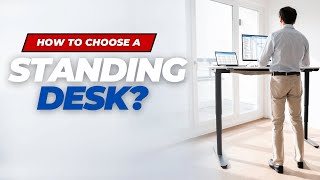
Desktop Size: Width and Depth
The minimum usable desktop width for a typical office setup (monitor, keyboard, mouse) is 48 inches. Below this, there is insufficient lateral space for the keyboard to sit in front of the monitor with any margin for secondary items. The most common size is 48x24 inches — adequate for single-monitor setups. Dual-monitor setups should target 60-72 inch width. Desktop depth matters for monitor distance: 24 inches allows a monitor at arm's length (20-28 inches from face) with the keyboard in front. A 20-inch deep desk creates conflicts between keyboard position and monitor distance. Desktop material: laminated particleboard is standard and adequate; solid wood costs significantly more with minimal functional benefit.
Anti-Fatigue Mat: Non-Negotiable
Standing on a hard floor for 30-60 minutes without an anti-fatigue mat causes foot and lower leg fatigue that will cause you to reduce standing periods and eventually stop using the desk in standing position. Anti-fatigue mats work by providing a slightly unstable surface that engages postural muscles of the lower leg, maintaining circulation and reducing static load on the joints. The ErgoDriven Topo and Flexispot anti-fatigue mats are consistently rated highest for all-day standing use. Budget alternatives ($20-40) work adequately if 1/2-inch thick or more with beveled edges — thin mats and sharp edges create trip hazards. See our best anti-fatigue mats for tested options. See our standing desk buying guide for the full framework.
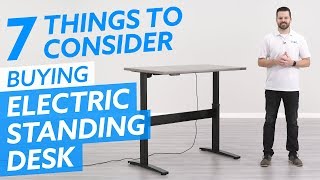
Cable Management for Height-Adjustable Desks
Height-adjustable desks require cable management that accommodates height changes — cables tethered to a fixed point will pull taut when the desk reaches maximum height and jam or damage the motor mechanism over time. The correct approach: a cable management spine (vertical cable channel that attaches to the desk leg) routes cables in a loop with slack at all positions. Monitor cables are the primary concern — buy 6-8 foot cables instead of 3-4 foot cables to provide enough slack loop for full height adjustment. Power strip positioning: mount it on the underside of the desktop (not on the floor) so it moves with the desk.

What to Avoid
Desks with maximum height under 46 inches: most users of average height (5'8"-6'0") need 44-47 inches for correct standing posture. Weight capacity listed as theoretical maximum rather than practical dynamic capacity: some desks list static capacity; a weak motor may struggle with 60 lbs of equipment during transition. Z-frame desks (single support leg on each side, connected by a center bar): use less steel and wobble significantly more at standing height. The "standing desk converter" that sits on top of an existing desk: these raise a surface 12-16 inches but are typically unstable, have limited keyboard tray quality, and provide a compromised ergonomic position for longer sessions.
The products this guide covers
- FLEXISPOT EN1 One-Piece Standing Desk — $169.99. Against it: Cast iron and stainless require specific care to maintain performance and prevent rust or sticking.
- ApexDesk K Series 66" Standing Desk Base & Top — $199.99. Against it: Assembly required — budget 30-60 minutes for initial setup.
Picking between them
The FLEXISPOT EN1 One-Piece Standing Desk at $169.99 suits value-focused buyers: Serious home cooks who want durable long-lasting cookware that improves with proper use and care. The ApexDesk K Series 66" Standing Desk Base & Top at $199.99 suits value-focused buyers: Homeowners looking for functional reliable home goods at an accessible price point.
Watch Before You Buy
“Flexispot standing desks are widely praised for their stable, quiet dual-motor lift systems and solid steel frames that support heavy monitor setups without wobble at full standing height.…”
See Today’s Price →Watch out for
- Cast iron and stainless require specific care to maintain performance and prevent rust or sticking
- Heavier than non-stick coated alternatives making handling challenging for some users
“The ApexDesk 66-Inch Flex Pro offers an exceptionally wide work surface with Bluetooth connectivity for app-controlled height adjustments and memory presets. Its anti-collision system and…”
See Today’s Price →Watch out for
- Assembly required — budget 30-60 minutes for initial setup
- Color and style options may be limited compared to premium furniture brands
Frequently Asked Questions
How long should you stand at a standing desk?
Are standing desks worth it?
What is a good height range for a standing desk?
Do you need an anti-fatigue mat for a standing desk?
What size standing desk do I need?
What is the difference between single and dual motor standing desks?
How We Analyze Products
We analyze Amazon review data — often thousands of reviews per product — to surface patterns that individual buyers miss. Our process aggregates star ratings, review counts, and buyer sentiment at scale, identifying which strengths and weaknesses appear consistently across the largest review samples available. The 12,697+ reviews analyzed on this page represent real verified-purchase feedback from Amazon buyers.
Each product earned its placement through data: total review volume, average rating, and the specific praise and complaints that repeat most often across buyers. No manufacturer paid for placement on this page. Products appear here because buyers endorsed them at scale, not because a company asked us to feature them.
We use AI to summarize review sentiment — not to fabricate opinions, but to condense what thousands of buyers actually wrote into a readable format. The pros and cons you see reflect the most common themes found in verified purchaser reviews, paraphrased for clarity. We do not claim to have accessed Reddit, YouTube, or specific publications in generating these summaries.
Prices shown reflect Amazon pricing at the time this page was last generated. Click “See Today’s Price” to get the current live price on Amazon. Read our full methodology →