How to Organize Your Home Office: Complete 2026 Guide
The LapGear Home Office Lap Desk at $24.99 is the top portable workstation recommendation — a built-in device ledge and attached mouse pad create a complete portable workspace for $24.99 recovering desk space by moving laptop work off the primary surface.
At a Glance
How to Organize Your Home Office Buying Guide
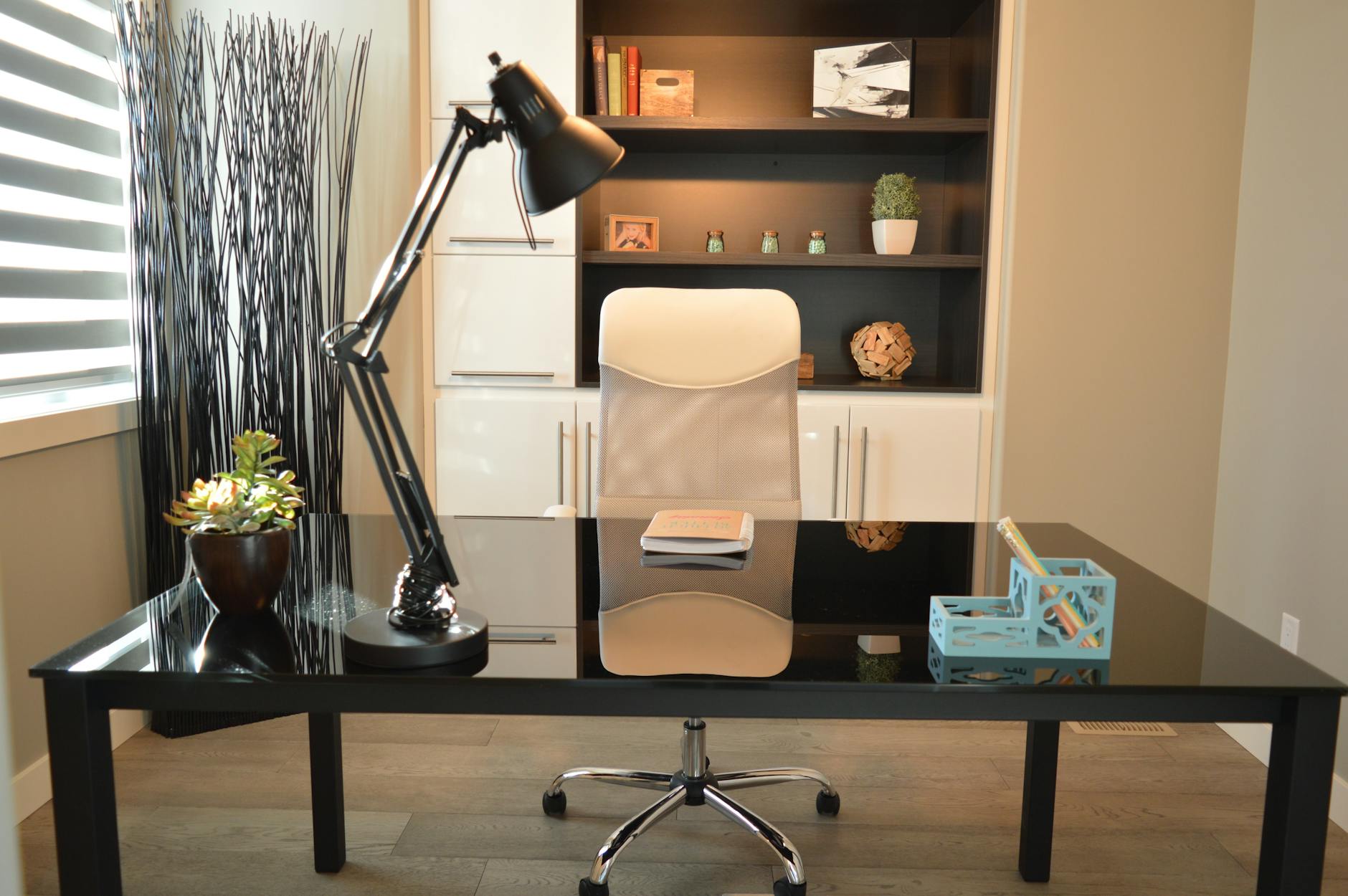 Photo by Pixabay / Pexels
A disorganized home office is not just aesthetically messy -- it creates cognitive load that degrades focus and creates decision fatigue before work even begins. Research on environmental psychology consistently shows that cluttered workspaces reduce working memory capacity and increase stress markers. The system described here is designed to eliminate friction: items are where you expect them, cables are managed, and the surface you work on is clear enough to think. Organization is not about aesthetics; it is about reducing the mental overhead of finding things.
The Core Principle: Everything Has One Designated Location
The fundamental organizing principle for a home office: every item that belongs in the office has exactly one designated location, and it returns to that location after each use. This sounds obvious but is consistently violated by "temporary" placements -- a cable here, a notepad there, a charger that keeps moving. Temporary placements become permanent clutter within days. Before buying any organizer, identify every category of item that lives in your office (cables, writing tools, documents, reference materials, tech accessories) and assign each a specific location. Buy organizers to match those locations, not the reverse.
Cable Management: The Highest-ROI Organization Project
Cable chaos is the single most visually overwhelming element of most home offices and the one with the clearest solution. The complete cable management system: (1) A cable tray or raceway mounted under the desk surface routes all power strips and excess cable length out of sight. (2) Cable clips along the back of the desk and desk legs bundle cables into a single managed path. (3) Velcro cable ties (not zip ties, which require cutting) let you reconfigure as equipment changes. (4) Label your cables at both ends -- this prevents the cable archaeology required when you need to trace which cable belongs to what. Total cost for a complete under-desk cable management setup: $25-50. Time investment: 2-3 hours for initial setup. The result is permanent.


Desk Surface: The Clear Desk Standard
The clear desk standard: nothing on your desk that is not actively in use or regularly accessed. This means the desk surface holds only: monitor(s), keyboard, mouse, desk lamp, and one small organizer for frequently-used items (pen, notepad, reading glasses). Everything else belongs in a drawer, shelf, or cabinet. The benefit: when you sit down, you see your work, not your backlog. Incoming items (mail, physical materials) need an inbox -- a designated single tray where everything incoming lives until processed. Processed means filed, discarded, or assigned to a project folder -- not left on the desk surface.
Document and Reference Material Storage
Paper documents should be minimal in modern home offices but still exist. The file management system that prevents pile-up: an active files drawer for current projects (anything ongoing), a reference files drawer or box for reference material you access occasionally, and a scanning workflow for anything you might need but can be stored digitally. Scan to PDF and file by category and date. Shred or recycle the paper. For reference materials (books, manuals), a dedicated bookshelf with vertical categorization prevents book avalanches and makes retrieval fast. Label bookshelf sections by category.

Supply Storage: Match Quantity to Consumption
Office supplies should be stocked to match your actual consumption rate, not purchased in bulk because it seems economical. A drawer full of 200 pens requires management overhead that a drawer with 10 pens does not. Buy supplies in quantities you will use within 2-3 months. Use drawer dividers (foam, adjustable plastic dividers, or small boxes) to compartmentalize supply drawers rather than dumping everything in together. The categories that merit their own compartments: writing tools, adhesives (tape, sticky notes), clips and fasteners, and tech accessories (batteries, adaptors, cables currently in use).

Weekly Maintenance: The System That Prevents Re-Collapse
Organized spaces re-collapse without a maintenance routine. A 10-minute weekly desk reset prevents the gradual accumulation that becomes overwhelming over a month. The weekly reset: clear the desk surface of anything that has migrated away from its designated location, process the inbox completely, file or discard any loose papers, and return all displaced items to their homes. This is the only maintenance the system requires once the initial organization is completed. The monthly addition: one scan through supplies and consumables to restock anything running low before it runs out mid-project.
Methodology: How We Approach Office Organization
Our guidance draws from environmental psychology research on workspace organization and cognitive performance (published in Psychological Science and the Journal of Environmental Psychology), productivity systems analysis from Getting Things Done and Atomic Habits frameworks, and practical organization principles from professional organizers certified by NAPO (National Association of Productivity and Organizing Professionals). No organizer brand influences our recommendations. Prices verified at time of publication.
The shortlist, with prices
- LAPGEAR Home Office Lap Desk with Device Ledge — $34.99. Built-in phone holder. Against it: No wrist rest.
- Bonsaii 12-Sheet Cross Cut Paper Shredder — $64.99. 12-sheet cross-cut. Against it: Auto-reverse jam protection can trigger on normal paper stacks.
- Bonsaii Paper Shredder for Home Use — $32.29. 6-sheet cross-cut. Against it: Only 6-sheet capacity — slow for larger shredding sessions.
- Scotch Thermal Laminator — $44.99. 2-roller system. Against it: Warm-up time longer than professional laminators.
Where each one makes sense
The LAPGEAR Home Office Lap Desk with Device Ledge at $34.99 is the default choice on this page — Built-in phone holder.
Watch Before You Buy

“The LapGear Home Office Lap Desk with Device Ledge and Mouse Pad features built-in phone holder. 4.7 stars from 50,090 Amazon reviews signal consistent reliability.”
See Today’s Price →What we like
- Built-in phone holder
- Cable management slot
- Dual cushion base for stability
- Fits 17-inch laptop
Watch out for
- No wrist rest
- Phone holder fixed position
“Bonsaii's 12-Sheet Cross-Cut Shredder handles paper, credit cards, and staples with a 5.5-gallon bin — enough capacity for home offices that shred regularly. The cross-cut pattern produces small…”
See Today’s Price →What we like
- 12-sheet cross-cut
- 5.5 gallon bin
- Auto reverse jam
- Home office size
Watch out for
- Auto-reverse jam protection can trigger on normal paper stacks
- 12-sheet capacity limits productivity for offices with high shredding volume
- Bin could be larger
Read Full Analysis
Bonsaii 12-Sheet Cross-Cut shredder handles paper, credit cards, and stapled documents in 12-sheet increments with a 5.5-gallon bin that accommodates a session's worth of output before emptying. The cross-cut mechanism produces P-4 security particles — smaller than strip-cut strips — from a range of input types including binding clips and paper clips, eliminating the sorting that other shredders require. Auto-reverse jam protection addresses the most common shredder failure mode: paper jams that require pulling out jammed paper by hand. At $65, the Bonsaii 12-Sheet is the primary shredder option on this page, above the Bonsaii C237-B 6-Sheet at $30 and relevant for comparison against more expensive models on other pages. The $35 premium over the entry Bonsaii 6-Sheet buys double the sheet capacity, a 5.5 versus smaller bin, and auto-reverse jam protection. For users who have found the smallest shredders too slow or who jam frequently, the 12-Sheet at $65 is the cost-effective step-up. Choose the Bonsaii 12-Sheet 5.5 Gal if you need more capacity than entry-level 6 to 8 sheet shredders and want auto-jam protection to keep shredding sessions uninterrupted. The 5.5-gallon bin is meaningfully larger than entry models, reducing the stops during a typical home office shredding session. Skip it for sustained heavy-volume shredding of 100+ pages per session — models with longer continuous duty cycles and larger per-pass capacity handle those volumes more efficiently.

“The Bonsaii C237-B 6-Sheet Crosscut Shredder is a compact, budget-friendly option for light shredding needs in a home office. Its 3.4-gallon bin and quiet motor make it unobtrusive on a desk or…”
See Today’s Price →What we like
- 6-sheet cross-cut
- 3.4 gallon bin
- Compact footprint
- Auto stop safety
Watch out for
- Only 6-sheet capacity — slow for larger shredding sessions
- Bin fills quickly
- Entry-level build quality shows in the plastic finish

“The Scotch Thermal Laminator 2 Roller System Home Office School features 2-roller system.”
See Today’s Price →What we like
- 2-roller system
- Hot and cold modes
- Standard home size
- Scotch quality
Watch out for
- Warm-up time longer than professional laminators
- Pouches not included — extra purchase
- Jamming possible with thick pouches
Frequently Asked Questions
What is the first step to organizing a home office?
How do I manage cables in a home office?
What desk organizers are actually useful?
Should I go paperless in my home office?
How do I stop my desk from getting messy again?
What is the best way to store office supplies?
How We Analyze Products
We analyze Amazon review data — often thousands of reviews per product — to surface patterns that individual buyers miss. Our process aggregates star ratings, review counts, and buyer sentiment at scale, identifying which strengths and weaknesses appear consistently across the largest review samples available. The 124,021+ reviews analyzed on this page represent real verified-purchase feedback from Amazon buyers.
Each product earned its placement through data: total review volume, average rating, and the specific praise and complaints that repeat most often across buyers. No manufacturer paid for placement on this page. Products appear here because buyers endorsed them at scale, not because a company asked us to feature them.
We use AI to summarize review sentiment — not to fabricate opinions, but to condense what thousands of buyers actually wrote into a readable format. The pros and cons you see reflect the most common themes found in verified purchaser reviews, paraphrased for clarity. We do not claim to have accessed Reddit, YouTube, or specific publications in generating these summaries.
Prices shown reflect Amazon pricing at the time this page was last generated. Click “See Today’s Price” to get the current live price on Amazon. Read our full methodology →