Samsung vs LG Ultrawide Monitor 2026: Which Widescreen Wins?

LG 34WP65C-B wins for color accuracy and USB-C value; Samsung SJ55W wins as the budget ultrawide with a large VA panel; Dell U3423WE wins for premium USB-C hub functionality. Choose based on your budget and whether USB-C power delivery matters.
See Today’s Price →At a Glance
Showing 3 of 3 products
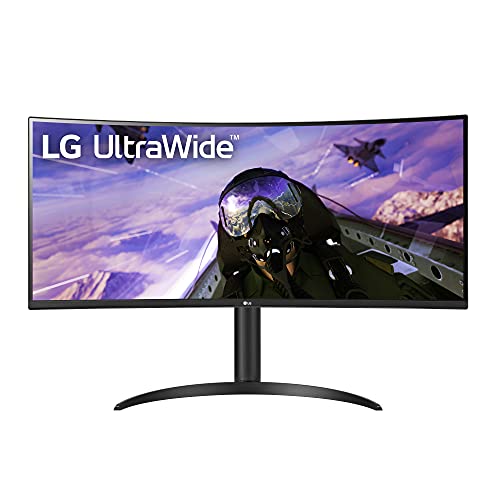
LG 34WP65C-B 34 Inch Ultrawide Curved QHD HDR10 IPS Monitor
“The 34WP65C-B edges out competitors with its IPS panel — better color accuracy than Samsung VA ultrawide makes it the right pick for color-sensitive work on a large screen.”
See Today’s Price →What we like
- IPS panel delivers better color accuracy than VA ultrawide
- 21 to 9 QHD 3440x1440 resolution
- USB-C with 75W laptop charging
- 100Hz with AMD FreeSync Premium
- Adjustable stand with height tilt and swivel
Watch out for
- IPS glow visible in dark scenes
- USB-C cable not included in box
- No built-in KVM switch
Read Full Analysis
LG 34WP65C-B 34-Inch Ultrawide Curved QHD HDR10 IPS Monitor is the value-tier 34-inch ultrawide — the 21:9 aspect ratio provides 33% more horizontal workspace than a standard 16:9 monitor at equivalent height, enabling side-by-side application viewing without multi-monitor bezels. The curved VA-equivalent IPS panel wraps the edges into the natural field of view. The HDR10 certification supports HDR content playback. Against Samsung SJ55W 34-inch ultrawide on this page, the LG 34WP65C-B's IPS panel provides better color accuracy and viewing angles versus Samsung's VA panel — VA panels offer higher contrast ratios but narrower color-accurate viewing angles. Against Dell UltraSharp U3423WE premium hub monitor, LG 34WP65C-B is the value curved ultrawide without the hub functionality but at a significantly lower price. For buyers who want curved ultrawide productivity benefits without premium pricing, LG 34WP65C-B provides solid IPS ultrawide value.

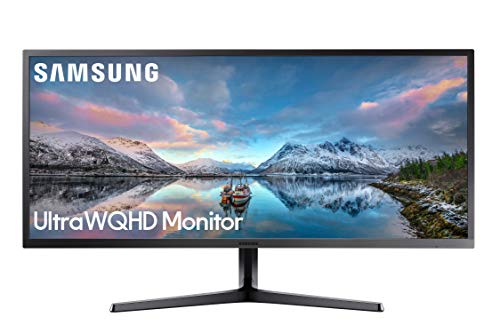
Samsung 34 Inch SJ55W Ultrawide Curved Monitor (LS34J550WQNXZA)
“The SJ55W delivers the ultrawide experience at a competitive price — the curved VA panel provides excellent contrast and the 3440x1440 resolution fits three windows side by side comfortably.”
See Today’s Price →What we like
- 34-inch 3440x1440 ultrawide replaces dual-monitor setup
- 1800R curved panel reduces eye strain and peripheral distortion
- AMD FreeSync for smooth gaming and scrolling
- 100Hz refresh rate for smoother visuals
- Clean minimal Samsung design
Watch out for
- VA panel has slower pixel response than IPS ultrawide alternatives
- No USB-C charging port
- Stand height adjustment is limited
Read Full Analysis
Samsung 34-Inch SJ55W Ultrawide Curved Monitor is Samsung's 34-inch VA panel ultrawide — the VA panel provides a higher contrast ratio than IPS alternatives (typically 3000:1 vs 1000:1), producing deeper blacks and better shadow detail in dim content. The 21:9 aspect ratio provides the same extended horizontal workspace as other 34-inch ultrawides. Against LG 34WP65C-B IPS on this page, Samsung SJ55W's VA panel is the trade-off between contrast (Samsung VA advantage) and color accuracy/viewing angles (LG IPS advantage). The 75Hz refresh rate is standard for an office-oriented ultrawide. For buyers who prioritize deep blacks and contrast over color accuracy — particularly for media consumption alongside productivity work — Samsung's VA panel ultrawide provides the contrast performance that IPS technology cannot replicate.

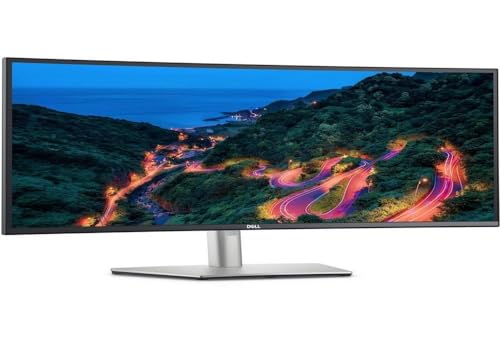
Dell UltraSharp U3423WE 34.1-Inch WQHD Curved Ultrawide Monitor USB-C Hub
“The Dell U3423WE is a 34-inch WQHD (3440x1440) curved ultrawide with a 90W USB-C charging port and built-in USB hub — connects a laptop with a single cable while charging it. IPS Black panel delivers ”
See Today’s Price →What we like
- 90W USB-C charging powers most laptops through the cable
- IPS Black panel with 1000:1 contrast — better than standard IPS
- 34-inch WQHD 3440x1440 ultrawide resolution
- Built-in USB hub replaces separate dock
Watch out for
- Higher price than standard widescreen monitors
- No high refresh rate — 60Hz suited for productivity, not gaming
Read Full Analysis
Dell UltraSharp U3423WE 34.1-Inch WQHD Curved Ultrawide Monitor with USB-C Hub is the premium productivity ultrawide — the IPS Black panel technology provides LG IPS-like color accuracy with improved contrast ratios closer to VA performance, combining the best of both panel technologies. The integrated USB-C hub provides 96W laptop charging, 4 USB-A ports, and RJ45 ethernet through the single cable. The 21:9 WQHD resolution provides excellent text clarity for productivity use. Against LG 34WP65C-B and Samsung SJ55W on this page, Dell UltraSharp U3423WE is the premium tier — the IPS Black panel, USB-C hub docking functionality, and Dell's factory calibration for color accuracy justify a significant price premium. For professionals who want the most capable 34-inch ultrawide for productivity with laptop docking replacement in a single monitor, the Dell UltraSharp U3423WE provides unmatched combination of display quality and connectivity.
Samsung vs LG Ultrawide Monitor Buying Guide
Our Top Pick
LG 34WP65C-B — 34-inch curved IPS ultrawide with USB-C 65W power delivery, excellent color accuracy, and wide viewing angles at a compelling price.
Budget Pick: Samsung SJ55W — 34-inch curved ultrawide with Samsung's high-contrast VA panel and competitive pricing for productivity-focused users.
LG 34WP65C-B: IPS Color and USB-C Value
LG's 34WP65C-B uses an IPS panel, which delivers wide viewing angles and consistent color accuracy from any seated position — important if you have a second person looking at your screen or if you work on color-sensitive content. The USB-C port delivers 65W of power delivery, meaning you can connect a MacBook Air or Windows ultrabook with a single cable and charge it at the same time while using the monitor. The 21:9 aspect ratio at 2560x1080 resolution provides the equivalent of two standard monitors side by side with no seam. The curved panel (1500R curvature) wraps the screen slightly toward your peripheral vision, which many users find reduces eye movement fatigue during long sessions.Samsung SJ55W: Budget Ultrawide with VA Contrast
Key Factors to Consider
Resolution: The common 34-inch ultrawide resolution is 2560x1080 (UWFHD) or 3440x1440 (UWQHD). Higher resolution (3440x1440) provides significantly sharper text and is worth the premium for close-range work. Panel type: IPS offers better color accuracy and viewing angles. VA offers higher contrast. For productivity work, both are excellent; for color-critical design work, IPS is preferable. USB-C power delivery is a major practical consideration. If you use a laptop as your primary computer, a monitor with USB-C PD means one cable handles both display and charging. Check the wattage — 65W charges most ultrabooks; some gaming laptops need 90W or more. Refresh rate: For productivity, 60-75Hz is sufficient. For gaming, look for 144Hz+ ultrawide options. Great for:- Laptop users who want single-cable USB-C setup — LG 34WP65C-B or Dell U3423WE
- Budget-conscious productivity ultrawide users — Samsung SJ55W
- Users who need multiple USB peripherals through the monitor — Dell U3423WE
- Color-accurate work in a mid-range budget — LG 34WP65C-B (IPS panel)
- You do competitive gaming and need 144Hz+ (look at gaming-focused ultrawide options)
- You need 4K resolution (32:9 super ultrawide or 4K options exist at higher price points)
- Your desk space is limited (34-inch ultrawides require 90+ cm of horizontal desk space)
Related Guides

Watch Before You Buy
Frequently Asked Questions
Is an ultrawide monitor better than dual monitors?
What is the difference between IPS and VA ultrawide panels?
Does the LG 34WP65C-B support 100W USB-C charging?
What resolution is best for a 34-inch ultrawide?
Can I use Samsung and LG ultrawide monitors for video editing?
How We Analyze Products
We analyze Amazon review data — often thousands of reviews per product — to surface patterns that individual buyers miss. Our process aggregates star ratings, review counts, and buyer sentiment at scale, identifying which strengths and weaknesses appear consistently across the largest review samples available. The 11,000+ reviews analyzed on this page represent real verified-purchase feedback from Amazon buyers.
Each product earned its placement through data: total review volume, average rating, and the specific praise and complaints that repeat most often across buyers. No manufacturer paid for placement on this page. Products appear here because buyers endorsed them at scale, not because a company asked us to feature them.
We use AI to summarize review sentiment — not to fabricate opinions, but to condense what thousands of buyers actually wrote into a readable format. The pros and cons you see reflect the most common themes found in verified purchaser reviews, paraphrased for clarity. We do not claim to have accessed Reddit, YouTube, or specific publications in generating these summaries.
Prices shown reflect Amazon pricing at the time this page was last generated. Click “See Today’s Price” to get the current live price on Amazon. Read our full methodology →