Home ›
Tech › Acer vs ASUS Monitors: Which Is Better? (2026)
Quick Answer
ASUS wins overall — the TUF Gaming VG27AQ3A ($179) delivers 27" QHD 180Hz with better ergonomics than Acer's comparable Nitro at the same price. Acer fights back at 4K: the Nitro XV275K Mini LED ($424.95) is competitive with ASUS ROG monitors costing $100+ more. For creative work, ASUS ProArt ($189) is the clear choice.
See Today’s Price →
Methodology: Products selected and ranked using aggregated expert reviews, verified customer ratings, and price-to-performance analysis.
Learn about our research process |
Last updated: April 2026
At a Glance
| # | Product | Award | Price | Display | Processor | RAM | Score |
| 1 |
|
Best Premium |
$424 Buy → |
27 Inches |
— |
— |
9.3 |
| 2 |
|
Best Value Monitor |
$244 Buy → |
27 Inches |
— |
— |
9.2 |
| 3 |
|
Best Budget Acer |
$189 Buy → |
31.5 Inches |
— |
— |
8.5 |
| 4 |
|
Best Creative Monitor |
$199 Buy → |
27 Inches |
— |
— |
9.0 |
| 5 |
|
Best Mid-Range |
$249 Buy → |
23.8 Inches |
— |
— |
8.7 |
Score Breakdown
Scores 0–100 derived from published specifications, verified buyer reviews, and price-to-performance analysis. 0 = feature not present. – = insufficient data. How we score →
Acer vs ASUS Monitors Buying Guide
Acer and ASUS collectively account for roughly 35% of global monitor sales — they're the two largest brands in a category that also includes Dell, LG, and Samsung. Both make monitors across every segment: budget gaming, mid-range productivity, professional creative, and ultra-premium 4K OLED. The differences between them aren't about one being universally better — they're about which brand wins at each specific use case and price point.
Acer vs ASUS: Brand Positioning
Acer's monitor strategy is value-forward: deliver the highest gaming specs (refresh rate, response time) at the lowest possible price. The Acer Nitro XF243Y ($424.95) runs a 165Hz IPS panel at 23.8" — competitive specifications that appeal to budget gamers. Acer's Predator line targets high-end gaming; their Nitro line is for price-sensitive buyers. ASUS takes a broader approach: TUF Gaming for budget/mid gaming, ROG for premium gaming, ProArt for professional creative work. ASUS generally charges $20-50 more than Acer for comparable specs and uses that premium to fund better stands, factory calibration, and build quality.
Where ASUS Wins
ASUS wins on three consistent dimensions. First, ergonomics: ASUS TUF and ROG monitors include full height/tilt/swivel/pivot adjustments; Acer Nitro monitors often include only tilt. A monitor you can't set to the right height is a monitor that causes neck strain — the ergonomics gap is real and noticeable over a workday. Second, factory calibration: ASUS ProArt monitors ship with colorimeter reports and cover 100% sRGB and 100% Rec.709 — the ProArt PA278QV ($189) is an exceptional value for designers and photographers. Third, size for price: the ASUS TUF VG27AQ3A ($179 for 27" QHD 180Hz) gives you 27" at higher resolution than Acer's 23.8" Nitro at the same price. At the budget $179 tier, ASUS clearly wins on value.

▶
Acer vs ASUS Monitors: Which Brand is Best? - Choose the Right One for
Where Acer Wins
Acer wins at 4K premium value. The Acer Nitro XV275K P5biipruzx ($424.95) is a 27" 4K Mini LED gaming monitor with 160Hz refresh and HDR1000 — this panel directly competes with ASUS ROG monitors that often cost $100-200 more for similar 4K specs. For buyers who want the best 4K gaming monitor under $450, Acer's Mini LED technology makes the Nitro XV275K one of the best values in the segment. Acer's Nitro line also competes aggressively on sheer refresh rate — finding 165Hz+ IPS panels at $180 is an Acer specialty.
ASUS ProArt: Unchallenged for Creative Work
If you're a photographer, video editor, or designer, ASUS ProArt has no real Acer equivalent. The ProArt PA278QV ($189) covers 100% sRGB, 100% Rec.709, and ships with factory calibration data. ASUS's zero-bright-dot warranty (ProArt only) means any dead pixel replacement. Acer's monitors are optimized for gaming brightness and response time — not for color-accurate professional work. If your monitor touches creative production, ProArt is the right choice at any budget.

▶
Acer Vs. Asus Comparison: Which is the Best Gaming Laptop?
Get Acer If / Get ASUS If
Get Acer Nitro if you're maximizing refresh rate on a tight budget and don't need height adjustment — the Nitro XF243Y ($179.99 for 165Hz FHD) or Nitro XV275K ($424.95 for 4K Mini LED 160Hz) both deliver strong gaming value at their price points. Right for gaming-only setups where color accuracy and ergonomics take a back seat to performance specs.
Get ASUS if you need height-adjustable ergonomics (TUF Gaming), professional color accuracy (ProArt), or want the better all-around value at $179 (VG27AQ3A vs comparable Acer Nitro). ASUS TUF monitors are better daily drivers for people who use their monitor for both work and gaming.

▶
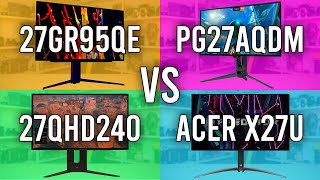
LG 27GR95QE vs Asus PG27AQDM vs Corsair 27QHD240 vs Acer X27U
See detailed reviews below ↓
Best Premium
Best for: Gamers who want 4K at high refresh rates with real HDR without the OLED premium
“A 27-inch 4K Mini LED panel with 1,152 dimming zones and VESA DisplayHDR 1000 certification at $425 — genuine high-contrast HDR performance with 160Hz for smooth native 4K gaming. The IPS panel can't ”
See Today’s Price →
What we like
- 1,152-zone Mini LED with VESA DisplayHDR 1000
- 160Hz at native 4K for smooth high-res gaming
- Dynamic Frequency Response: up to 320Hz at FHD
- 90W USB-C power delivery
Watch out for
- IPS panel lacks OLED contrast depth
- Plastic stand feels budget for the price
- HDR blooming visible on fine highlights
Key Specs
Hdr
DisplayHDR 1000
Size
27"
Panel
Mini LED IPS
Shape
Flat
Voltage
240 Volts
Api Title
Acer Nitro XV275K P5 27 Inch IPS 3840x2160 4K 1152 Zone Mini LED Gaming Monitor | 160Hz Refresh Rate, Support DFR for FHD 320Hz I 2xHDMI, 1xDP, 1xType-C(90W) PD, Audio out, USB 3.2x2+USB-B (1up 2down)
Resolution
4K UHD 2160p
Pixel Pitch
0.155
Screen Size
27 Inches
Aspect Ratio
16:9
Display Type
LED
Refresh Rate
160 Hz
Adaptive Sync
FreeSync Premium
Mounting Type
Wall & Desk Mount
Response Time
1 Milliseconds
Screen Finish
Matte
Viewing Angle
178 Degrees
Contrast Ratio
1000:1
Total Usb Ports
5
Api Refreshed At
2026-05-19T15:27:30Z
Has Color Screen
Yes
Native Resolution
3840x2160
Power Consumption
26 Watts
Display Technology
4K UHD
Total Usb 3.0 Ports
2
Hardware Connectivity
DisplayPort, HDMI, USB 2.0 Type B, USB Type C
Connectivity Technology
HDMI (2.1), USB 3.2, USB Type B, USB Type-C PD 90W
Item Dimensions D X W X H
10.51"D x 24.14"W x 23.11"H
Display Resolution Maximum
3840 x 2160 Pixels
Total Number Of Hdmi Ports
2
Number Of Component Outputs
3
Manufacturer Contact Information
Acer I Pvt Ltd, Acer Incorporated, 8F, No. 88 Sec. 1, Xintai 5th road, Xizhi, New Teipei City, TW 221
Picture Quality Enhancement Technology
Mini LED with HDR 1000 and wide color gamut
See Today’s Price →
Read Full Analysis
The Acer Nitro XV275K brings 4K (3840×2160) resolution to a 27-inch panel backed by Mini LED local dimming and HDR1000 peak brightness — the highest-spec display on this VS page. Mini LED allows tighter dimming zones than standard edge-lit HDR, producing deeper blacks alongside genuine high-brightness highlights. At 160Hz, the XV275K pairs high resolution with a competitive refresh rate for hybrid work-and-gaming use.
At $424.95, the XV275K costs more than double every other monitor on this page. For pure gaming, the ASUS TUF VG27AQ3A at $179 delivers a faster, more fluid experience. The 4K Mini LED advantage is most visible in content creation, video editing, and HDR media viewing — where the ProArt PA278QV's factory color calibration is actually the sharper competition at $189 if color accuracy matters most.
Buy the Acer Nitro XV275K if you want the best screen on this page for 4K HDR gaming and media and can justify the premium. Skip it for pure gaming — the faster, cheaper IPS panels here deliver better frame rates at a fraction of the price.
Full Specs & Measurements
| HDR | DisplayHDR 1000 |
| Screen Size | 27" |
| Panel Type | Mini LED IPS |
| Shape | Flat |
| Voltage | 240 Volts |
| Api Title | Acer Nitro XV275K P5 27 Inch IPS 3840x2160 4K 1152 Zone Mini LED Gaming Monitor | 160Hz Refresh Rate, Support DFR for FHD 320Hz I 2xHDMI, 1xDP, 1xType-C(90W) PD, Audio out, USB 3.2x2+USB-B (1up 2down) |
| Resolution | 4K UHD 2160p |
| Pixel Pitch | 0.155 |
| Screen Size | 27 Inches |
| Aspect Ratio | 16:9 |
| Display Type | LED |
| Refresh Rate | 160 Hz |
| Adaptive Sync | FreeSync Premium |
| Mounting Type | Wall & Desk Mount |
| Response Time | 1 Milliseconds |
| Screen Finish | Matte |
| Viewing Angle | 178 Degrees |
| Contrast Ratio | 1000:1 |
| Total Usb Ports | 5 |
| Api Refreshed At | 2026-05-19T15:27:30Z |
| Has Color Screen | Yes |
| Native Resolution | 3840x2160 |
| Power Consumption | 26 Watts |
| Display Technology | 4K UHD |
| Total Usb 3.0 Ports | 2 |
| Hardware Connectivity | DisplayPort, HDMI, USB 2.0 Type B, USB Type C |
| Connectivity Technology | HDMI (2.1), USB 3.2, USB Type B, USB Type-C PD 90W |
| Item Dimensions D X W X H | 10.51"D x 24.14"W x 23.11"H |
| Display Resolution Maximum | 3840 x 2160 Pixels |
| Total Number Of Hdmi Ports | 2 |
| Number Of Component Outputs | 3 |
| Manufacturer Contact Information | Acer I Pvt Ltd, Acer Incorporated, 8F, No. 88 Sec. 1, Xintai 5th road, Xizhi, New Teipei City, TW 221 |
| Picture Quality Enhancement Technology | Mini LED with HDR 1000 and wide color gamut |
Best Budget
Best for: Competitive gamers wanting fast 1440p 165Hz IPS monitor for smooth gameplay
“Delivers 1440p resolution at 165Hz on a 27-inch IPS panel for $179, making it a strong gaming value with FreeSync Premium and a 1ms GTG response time. The stand lacks pivot adjustment and HDR400 is en”
See Today’s Price →
What we like
- 1440p IPS
- 165Hz
- 1ms GTG
- FreeSync Premium
- 27-inch
- HDR400
- adjustable stand
- DisplayPort
Watch out for
- IPS glow visible in dark room corners
- Stand limited to tilt and height — no pivot
- HDR400 is entry-level HDR, not true HDR performance
Key Specs
Hdr
HDR10
Size
27 inch
Panel
Fast IPS
Ports
2x HDMI, 1x DisplayPort
Shape
Flat
Stand
Tilt + Swivel (no height)
Voltage
240 Volts
Speakers
2x 2W
Api Title
ASUS TUF Gaming 27” 1440P HDR Monitor (VG27AQ3A) – QHD (2560 x 1440), 180Hz, 1ms, Fast IPS, 130% sRGB, Extreme Low Motion Blur Sync, Speakers, Freesync Premium, G-SYNC Compatible, HDMI, DisplayPort
Brightness
856.5
Resolution
QHD Wide 1440p
Color Gamut
130.0
Pixel Pitch
0.233
Screen Size
27 Inches
Aspect Ratio
16:9
Display Type
LED
Refresh Rate
180 Hz
Adaptive Sync
G-Sync
Mounting Type
Wall Mount
Response Time
1 Milliseconds
Screen Finish
Matte
Viewing Angle
178 Degrees
Warranty Type
3 Year Warranty with ARR
Contrast Ratio
1,000:1
Total Usb Ports
1
Api Refreshed At
2026-05-19T15:27:52Z
Has Color Screen
Yes
Native Resolution
2560x1440
Display Technology
LCD
Warranty Description
3 Year Warranty with ARR
Hardware Connectivity
3.5mm Audio, DisplayPort, HDMI
Connectivity Technology
USB
Item Dimensions D X W X H
24.2"D x 8.4"W x 17.9"H
Display Resolution Maximum
2560 x 1440 Pixels
Total Number Of Hdmi Ports
2
Number Of Component Outputs
3
Picture Quality Enhancement Technology
HDR, ELMB Sync, 130% sRGB
See Today’s Price →
Read Full Analysis
The ASUS TUF VG27AQ3A delivers 1440p (QHD) on a 27-inch Fast IPS panel at 165Hz with a 1ms GTG response time — the most resolution and refresh rate per dollar on this page at $179. FreeSync Premium covers VRR across the frame rate range, and the height-adjustable stand provides ergonomic positioning without a monitor arm purchase. HDR400 certification provides basic HDR, not the deep-contrast performance of Mini LED or OLED.
Against the ASUS ProArt PA278QV ($189 on this page), the VG27AQ3A costs $10 less and delivers 165Hz versus 75Hz — the ProArt trades speed for factory-calibrated ΔE<2 color accuracy. Against the VP249QGR ($194.99), the VG27AQ3A offers a larger panel, higher resolution, and faster refresh for $16 less. On raw specs per dollar, it leads the midfield clearly.
Buy the ASUS TUF VG27AQ3A for gaming and productivity use where 1440p at 27 inches and 165Hz is the target at under $200. Skip for color-critical creative work — the ProArt's factory calibration is better. Skip if 4K is required — the Acer XV275K covers that tier.
Full Specs & Measurements
| HDR | HDR10 |
| Screen Size | 27 inch |
| Panel Type | Fast IPS |
| Ports | 2x HDMI, 1x DisplayPort |
| Shape | Flat |
| Stand Adjustment | Tilt + Swivel (no height) |
| Voltage | 240 Volts |
| Speakers | 2x 2W |
| Api Title | ASUS TUF Gaming 27” 1440P HDR Monitor (VG27AQ3A) – QHD (2560 x 1440), 180Hz, 1ms, Fast IPS, 130% sRGB, Extreme Low Motion Blur Sync, Speakers, Freesync Premium, G-SYNC Compatible, HDMI, DisplayPort |
| Brightness | 856.5 |
| Resolution | QHD Wide 1440p |
| Color Gamut | 130.0 |
| Pixel Pitch | 0.233 |
| Screen Size | 27 Inches |
| Aspect Ratio | 16:9 |
| Display Type | LED |
| Refresh Rate | 180 Hz |
| Adaptive Sync | G-Sync |
| Mounting Type | Wall Mount |
| Response Time | 1 Milliseconds |
| Screen Finish | Matte |
| Viewing Angle | 178 Degrees |
| Warranty Type | 3 Year Warranty with ARR |
| Contrast Ratio | 1,000:1 |
| Total Usb Ports | 1 |
| Api Refreshed At | 2026-05-19T15:27:52Z |
| Has Color Screen | Yes |
| Native Resolution | 2560x1440 |
| Display Technology | LCD |
| Warranty Description | 3 Year Warranty with ARR |
| Hardware Connectivity | 3.5mm Audio, DisplayPort, HDMI |
| Connectivity Technology | USB |
| Item Dimensions D X W X H | 24.2"D x 8.4"W x 17.9"H |
| Display Resolution Maximum | 2560 x 1440 Pixels |
| Total Number Of Hdmi Ports | 2 |
| Number Of Component Outputs | 3 |
| Picture Quality Enhancement Technology | HDR, ELMB Sync, 130% sRGB |
Best Budget
Best for: Entry-level gamers upgrading from a 60Hz monitor
Based on 1,460 verified reviews + 1 expert source
“A 1080p IPS panel at 165Hz with FreeSync Premium for under $180 — a capable jump from 60Hz for gaming on a budget. The 72% NTSC color gamut and tilt-only stand hold it back for anyone who wants color-”
See Today’s Price →
What we like
- 165Hz is a massive upgrade from 60Hz for any game
- IPS panel for good colors and viewing angles
- AMD FreeSync Premium for tear-free gaming
- HDMI 2.0 and DisplayPort inputs
- Under $180
Watch out for
- 1080p resolution at 23.8 inches means lower pixel density than 1440p — visible on stationary images
- color gamut only 72% NTSC — not suited for color-accurate creative work
- stand lacks height adjustment — tilt only
- IPS glow visible in dark scenes
Key Specs
Size
23.8 inches
Sync
AMD FreeSync Premium
Panel
IPS
Shape
Rectangular
Voltage
240 Volts
Api Title
AOC C32G2ZE 32" Curved Frameless Gaming Monitor, Full HD 1920x1080, VA, 0.5ms 240Hz, AMD FreeSync Premium, DP/HDMI/VGA, VESA, 3-3-1 Re-Spawn Program, Xbox PS5 Switch,Black
Brightness
300
Resolution
FHD 1080p
Color Gamut
1.23
Screen Size
31.5 Inches
Aspect Ratio
16:9
Display Type
LCD
Refresh Rate
240 Hz
Adaptive Sync
FreeSync
Mounting Type
VESA Mount
Response Time
0.5 Milliseconds
Screen Finish
Glossy
Warranty Type
3 Year Manufacturer Warranty
Contrast Ratio
80,000,000:1
Processor Count
4
Api Refreshed At
2026-05-19T15:22:29Z
Has Color Screen
Yes
Native Resolution
1920x1080
Power Consumption
76 Watts
Display Technology
VA
Warranty Description
3 year manaufacturer
Hardware Connectivity
DisplayPort, HDMI
Connectivity Technology
USB
Item Dimensions D X W X H
9.64"D x 27.94"W x 20.65"H
Display Resolution Maximum
1920 x 1080 Pixels
Total Number Of Hdmi Ports
2
Number Of Component Outputs
4
Picture Quality Enhancement Technology
AMD FreeSync Premium, Blue Light Filter, Flicker-Free
See Today’s Price →
Read Full Analysis
The Acer Nitro XF243Y delivers a 23.8-inch FHD IPS panel at 165Hz with AMD FreeSync Premium, HDMI 2.0, and DisplayPort inputs — the entry gaming monitor on this page in a compact 24-inch footprint. IPS technology provides consistent colors from any viewing angle, which matters for multiplayer gaming and video content. The 72% NTSC color gamut keeps it out of color-critical creative workflows.
On this page the comparison is direct: the ASUS VG27AQ3A ($179) offers 1440p at 27 inches at 165Hz on the same IPS Fast type. Buyers choosing between them are trading screen size and resolution (Acer: 24-inch 1080p, ASUS: 27-inch 1440p) for roughly equivalent price. The Acer suits smaller desks where a 24-inch is the maximum manageable footprint.
Buy the Acer Nitro XF243Y for compact desk gaming setups where 24-inch is the right screen size and 165Hz FreeSync is the gaming need. Skip if desk space allows a 27-inch panel — the ASUS VG27AQ3A's 1440p at nearly the same price delivers noticeably sharper images. Skip entirely for design or photo work.
Full Specs & Measurements
| Screen Size | 23.8 inches |
| Sync | AMD FreeSync Premium |
| Panel Type | IPS |
| Shape | Rectangular |
| Voltage | 240 Volts |
| Api Title | AOC C32G2ZE 32" Curved Frameless Gaming Monitor, Full HD 1920x1080, VA, 0.5ms 240Hz, AMD FreeSync Premium, DP/HDMI/VGA, VESA, 3-3-1 Re-Spawn Program, Xbox PS5 Switch,Black |
| Brightness | 300 |
| Resolution | FHD 1080p |
| Color Gamut | 1.23 |
| Screen Size | 31.5 Inches |
| Aspect Ratio | 16:9 |
| Display Type | LCD |
| Refresh Rate | 240 Hz |
| Adaptive Sync | FreeSync |
| Mounting Type | VESA Mount |
| Response Time | 0.5 Milliseconds |
| Screen Finish | Glossy |
| Warranty Type | 3 Year Manufacturer Warranty |
| Contrast Ratio | 80,000,000:1 |
| Processor Count | 4 |
| Api Refreshed At | 2026-05-19T15:22:29Z |
| Has Color Screen | Yes |
| Native Resolution | 1920x1080 |
| Power Consumption | 76 Watts |
| Display Technology | VA |
| Warranty Description | 3 year manaufacturer |
| Hardware Connectivity | DisplayPort, HDMI |
| Connectivity Technology | USB |
| Item Dimensions D X W X H | 9.64"D x 27.94"W x 20.65"H |
| Display Resolution Maximum | 1920 x 1080 Pixels |
| Total Number Of Hdmi Ports | 2 |
| Number Of Component Outputs | 4 |
| Picture Quality Enhancement Technology | AMD FreeSync Premium, Blue Light Filter, Flicker-Free |
Worth Considering
Best for: photographers, video editors, and designers
Based on 2,980 verified reviews + 1 expert source
“Factory Calman-verified color accuracy (ΔE<2) with 100% sRGB and Rec.709 coverage makes this a reliable 27-inch 1440p productivity panel at $189. At 75Hz it's strictly for creative work — not gaming —”
See Today’s Price →
What we like
- Factory Calman-verified color accuracy (ΔE<2)
- 100% sRGB and 100% Rec.709
- 75Hz for light use
- DisplayPort + HDMI + USB hub
- Ergonomic stand
Watch out for
- No USB-C DisplayPort Alt Mode input — requires separate HDMI or DisplayPort cable from a Thunderbolt dock
- at $189 for a 27-inch 1440p display, $20 more than comparable Dell P2722H
- 75Hz refresh rate unsuitable for gaming — strictly a productivity panel
- factory-calibrated ΔE < 2 is for the sRGB preset only, not wide-gamut DCI-P3 mode
Key Specs
Shape
Rectangular
Voltage
110 Volts
Api Title
ASUS ProArt Display PA278QV 27” WQHD (2560 x 1440) Monitor, 100% sRGB/Rec. 709 ΔE < 2, IPS, DisplayPort HDMI DVI-D Mini DP, Calman Verified, Eye Care, Anti-Glare, Tilt Pivot Swivel Height Adjustable
Brightness
350 nits
Resolution
QHD Wide 1440p
Color Gamut
100
Pixel Pitch
0.268
Screen Size
27 Inches
Aspect Ratio
16:9
Display Type
LCD
Refresh Rate
75 Hz
Adaptive Sync
FreeSync
Mounting Type
Wall Mount
Response Time
5 Milliseconds
Screen Finish
Matte
Viewing Angle
178 Degrees
Warranty Type
3 Years Fixed Warranty
Contrast Ratio
100,000,000:1
Total Usb Ports
4
Api Refreshed At
2026-05-19T15:19:18Z
Has Color Screen
Yes
Native Resolution
2560x1440
Power Consumption
12.5 Watts
Display Technology
LCD, LED
Total Usb 3.0 Ports
4
Warranty Description
3 Year Warranty with ARR
Hardware Connectivity
DisplayPort, HDMI, Mini-DisplayPort, USB 3.0
Connectivity Technology
HDMI, 4x USB 3.2 Gen 1 Type-A, display port
Item Dimensions D X W X H
15.04"D x 24.21"W x 8.9"H
Display Resolution Maximum
2560 x 1440 Pixels
Number Of Height Positions
3
Total Number Of Hdmi Ports
1
Picture Quality Enhancement Technology
Yes
See Today’s Price →
Read Full Analysis
The ASUS ProArt PA278QV is factory Calman-verified to ΔE<2 color accuracy in its sRGB mode with 100% sRGB and 100% Rec.709 coverage — verified accuracy that no other monitor on this page can claim. A built-in USB hub, DisplayPort and HDMI inputs, and a fully ergonomic stand (height, tilt, swivel, pivot) make it a self-contained creative workstation monitor at $189. The 75Hz refresh rate is its hard ceiling — this is strictly a productivity and creative panel.
Against the ASUS VG27AQ3A ($179) it costs $10 more while sacrificing 165Hz for factory color calibration. That is the defining trade-off on this page: gaming speed versus color accuracy. No compromise option exists in this price range — you choose one or the other.
Buy the ASUS ProArt PA278QV for graphic design, photo editing, and video production where ΔE<2 accuracy and Rec.709 coverage are the requirements. The fully adjustable stand covers ergonomic positioning without an arm. Skip for gaming — 75Hz is insufficient for modern titles. Skip if budget is tight and the $10 difference matters.
Full Specs & Measurements
| Shape | Rectangular |
| Voltage | 110 Volts |
| Api Title | ASUS ProArt Display PA278QV 27” WQHD (2560 x 1440) Monitor, 100% sRGB/Rec. 709 ΔE < 2, IPS, DisplayPort HDMI DVI-D Mini DP, Calman Verified, Eye Care, Anti-Glare, Tilt Pivot Swivel Height Adjustable |
| Brightness | 350 nits |
| Resolution | QHD Wide 1440p |
| Color Gamut | 100 |
| Pixel Pitch | 0.268 |
| Screen Size | 27 Inches |
| Aspect Ratio | 16:9 |
| Display Type | LCD |
| Refresh Rate | 75 Hz |
| Adaptive Sync | FreeSync |
| Mounting Type | Wall Mount |
| Response Time | 5 Milliseconds |
| Screen Finish | Matte |
| Viewing Angle | 178 Degrees |
| Warranty Type | 3 Years Fixed Warranty |
| Contrast Ratio | 100,000,000:1 |
| Total Usb Ports | 4 |
| Api Refreshed At | 2026-05-19T15:19:18Z |
| Has Color Screen | Yes |
| Native Resolution | 2560x1440 |
| Power Consumption | 12.5 Watts |
| Display Technology | LCD, LED |
| Total Usb 3.0 Ports | 4 |
| Warranty Description | 3 Year Warranty with ARR |
| Hardware Connectivity | DisplayPort, HDMI, Mini-DisplayPort, USB 3.0 |
| Connectivity Technology | HDMI, 4x USB 3.2 Gen 1 Type-A, display port |
| Item Dimensions D X W X H | 15.04"D x 24.21"W x 8.9"H |
| Display Resolution Maximum | 2560 x 1440 Pixels |
| Number Of Height Positions | 3 |
| Total Number Of Hdmi Ports | 1 |
| Picture Quality Enhancement Technology | Yes |
Reviewed
Best for: Best performance per dollar for competitive gaming
Based on 3,290 verified reviews + 1 expert source
“A 24-inch 1080p IPS panel at 144Hz with G-Sync compatibility and FreeSync Premium — solid gaming credentials at its price point. The tilt-only stand and 1080p resolution at $195 mean you're paying a p”
See Today’s Price →
What we like
- 144Hz IPS panel at an exceptional price
- 1ms MPRT and 4ms GTG response time
- FreeSync Premium and G-Sync compatible
- Low blue light and flicker-free for long sessions
- Thin bezels for clean desk setup
Watch out for
- At $195, prices are high for a 24-inch 1080p monitor — LG 24GN650-B delivers similar performance for $170
- stand adjusts tilt only — no height adjustment without an aftermarket arm
- TN panel alternative in some regional markets delivers inferior color vs. IPS
- 1080p at 24 inches shows soft text edges at typical viewing distance
Key Specs
Panel
IPS
Shape
Rectangular
Api Title
ASUS VP249QGR 23.8” Gaming Monitor 144Hz Full HD (1920 x 1080) IPS 1ms FreeSync ELMB Eye Care DisplayPort HDMI VGA
Brightness
856.5
Resolution
FHD 1080p
Color Gamut
72.00
Screen Size
23.8 Inches
Aspect Ratio
16:9
Display Type
LED
Refresh Rate
144 Hz
Adaptive Sync
FreeSync
Mounting Type
Wall Mount
Response Time
1 Milliseconds
Screen Finish
Glossy
Viewing Angle
178 Degrees
Contrast Ratio
1,000:1
Api Refreshed At
2026-05-19T15:18:03Z
Has Color Screen
Yes
Native Resolution
1920x1080
Display Technology
LCD, LED
Warranty Description
3 Year Warranty with ARR
Hardware Connectivity
HDMI
Connectivity Technology
HDMI
Item Dimensions D X W X H
15.33"D x 21.28"W x 8.05"H
Display Resolution Maximum
1920 x 1080 Pixels
Total Number Of Hdmi Ports
1
Number Of Component Outputs
1
Picture Quality Enhancement Technology
Adaptive-Sync (FreeSync), Extreme Low Motion Blur (ELMB), Eye Care technology, IPS panel
See Today’s Price →
Read Full Analysis
The ASUS VP249QGR offers a 24-inch Full HD IPS panel at 144Hz with G-Sync Compatible certification — the key differentiator on this page. The 1ms MPRT response time minimizes motion blur during fast-paced gaming, and the G-Sync Compatible label means Nvidia GPU owners get adaptive sync without screen tearing. The IPS panel delivers wide viewing angles and accurate color reproduction compared to TN alternatives at the same price.
At $194.99, the VP249QGR sits $15 above the ASUS TUF VG27AQ3A — which delivers 1440p and 165Hz for $179. Between the two ASUS options, the TUF VG27AQ3A gives meaningfully more resolution for less money. The VP249QGR's edge is specifically G-Sync certification for Nvidia users who want validated compatibility rather than the generic FreeSync found on competing panels.
Buy the ASUS VP249QGR if you have an Nvidia GPU and want confirmed G-Sync Compatible performance on a budget 144Hz screen. Skip it if you can tolerate FreeSync — the ASUS TUF VG27AQ3A at $179 is a better overall value unless G-Sync certification is a hard requirement.
Full Specs & Measurements
| Panel Type | IPS |
| Shape | Rectangular |
| Api Title | ASUS VP249QGR 23.8” Gaming Monitor 144Hz Full HD (1920 x 1080) IPS 1ms FreeSync ELMB Eye Care DisplayPort HDMI VGA |
| Brightness | 856.5 |
| Resolution | FHD 1080p |
| Color Gamut | 72.00 |
| Screen Size | 23.8 Inches |
| Aspect Ratio | 16:9 |
| Display Type | LED |
| Refresh Rate | 144 Hz |
| Adaptive Sync | FreeSync |
| Mounting Type | Wall Mount |
| Response Time | 1 Milliseconds |
| Screen Finish | Glossy |
| Viewing Angle | 178 Degrees |
| Contrast Ratio | 1,000:1 |
| Api Refreshed At | 2026-05-19T15:18:03Z |
| Has Color Screen | Yes |
| Native Resolution | 1920x1080 |
| Display Technology | LCD, LED |
| Warranty Description | 3 Year Warranty with ARR |
| Hardware Connectivity | HDMI |
| Connectivity Technology | HDMI |
| Item Dimensions D X W X H | 15.33"D x 21.28"W x 8.05"H |
| Display Resolution Maximum | 1920 x 1080 Pixels |
| Total Number Of Hdmi Ports | 1 |
| Number Of Component Outputs | 1 |
| Picture Quality Enhancement Technology | Adaptive-Sync (FreeSync), Extreme Low Motion Blur (ELMB), Eye Care technology, IPS panel |
Frequently Asked Questions
Is Acer or ASUS better for gaming monitors?
Both make excellent gaming monitors, but they target different priorities. Acer Nitro monitors deliver high refresh rates and fast response times at lower prices — the Nitro XF243Y ($179.99) at 165Hz is competitive value for gaming. ASUS TUF Gaming and ROG monitors typically offer better ergonomics, wider adjustment ranges, and stronger color accuracy from the factory. For pure price-per-Hz, Acer often wins. For overall monitor quality and build, ASUS leads.
What is the difference between Acer Nitro and ASUS TUF Gaming monitors?
Acer Nitro monitors emphasize gaming performance specifications (high refresh rate, fast response) at budget-friendly prices. ASUS TUF Gaming monitors add better factory calibration, more ergonomic stand options (height adjust, pivot, swivel), DisplayWidget software, and generally higher build quality. Both are IPS-based. ASUS TUF Gaming VG27AQ3A ($179 for 27" 180Hz) and Acer Nitro XF243Y ($179.99 for 23.8" 165Hz) are direct budget competitors where ASUS's larger screen and higher refresh rate make it the better value.
Is ASUS ProArt better than Acer Nitro for creative work?
Yes, significantly. ASUS ProArt monitors ($189-$350+) are factory-calibrated for color accuracy, cover 100% sRGB and DCI-P3 color spaces, and are designed for photo editing, video production, and design work. The ProArt PA278QV ($189) covers 100% sRGB, 100% Rec.709, and comes with a colorimeter calibration report. Acer Nitro monitors are optimized for gaming brightness and fast response — not for color-accurate creative work.
Which monitor is better for the price — Acer or ASUS?
At 27" QHD 180Hz, the ASUS TUF Gaming VG27AQ3A ($179) edges out comparable Acer monitors — you get a larger panel at higher resolution and refresh rate. At 4K, Acer's Nitro XV275K ($424.95) is a competitive Mini LED monitor that challenges ASUS ROG equivalents at higher prices. Acer's value proposition improves significantly at the 4K premium tier.
Do Acer and ASUS monitors have good warranties?
Both brands offer 3-year warranties on most monitors. ASUS includes a zero-bright-dot policy on ProArt monitors — any dead pixel is covered. Acer's standard warranty covers manufacturing defects but has stricter dead pixel thresholds (typically 4+ pixels). For professional monitors, ASUS ProArt's zero-dead-pixel guarantee is a meaningful advantage. For gaming monitors, both warranties are similar in practice.
How We Analyze Products
We analyze Amazon review data — often thousands of reviews per product — to surface patterns
that individual buyers miss. Our process aggregates star ratings, review counts, and buyer
sentiment at scale, identifying which strengths and weaknesses appear consistently across
the largest review samples available. The 7,730+ reviews analyzed on this page represent real verified-purchase feedback from Amazon buyers.
Each product earned its placement through data: total review volume, average rating, and the
specific praise and complaints that repeat most often across buyers. No manufacturer paid for
placement on this page. Products appear here because buyers endorsed them at scale, not
because a company asked us to feature them.
We use AI to summarize review sentiment — not to fabricate opinions, but to condense what
thousands of buyers actually wrote into a readable format. The pros and cons you see reflect
the most common themes found in verified purchaser reviews, paraphrased for clarity. We do not
claim to have accessed Reddit, YouTube, or specific publications in generating these summaries.
Prices shown reflect Amazon pricing at the time this page was last generated. Click
“See Today’s Price” to get the current live price on Amazon.
Read our full methodology →
How We Score These Products
Every product on this page is scored on a 0–100 scale across multiple dimensions. Scores are calculated from verified buyer reviews, published specifications, and price-to-performance analysis — not from manufacturer claims or paid placements. Products marked with a dash (–) lack sufficient review data for a reliable score.
Value: Price-to-performance ratio. Products with high ratings and low prices score highest.
Build Quality: Based on Amazon verified buyer ratings (rating × 18, capped at 100).
Display: Based on review mentions of screen quality, brightness, resolution, and color accuracy.
Response Time: Based on verified buyer review sentiment analysis.
Color Accuracy: Based on verified buyer review sentiment analysis.
Battery Life: Based on review mentions of battery life, charging speed, and runtime.
Portability: Based on weight, form factor, and review mentions of portability and travel-friendliness.
Overall score is the product's aggregate rating on a 10-point scale. Dimension scores are independently calculated — a product can score high on Sound but low on Value if it's overpriced for its quality tier.
Affiliate disclosure: As an Amazon Associate, I earn from qualifying purchases.
When you buy through our links, we may earn a small commission at no extra cost to you.
This helps us keep the reviews free and the data updated. Our recommendations are based on data, not who pays us.
Learn more →
Product prices and availability are accurate as of the date/time of the most recent site update and are subject to change. Any price and availability information displayed on Amazon.com at the time of purchase will apply to the purchase of the product. Certain content that appears on this site comes from Amazon. This content is provided “as is” and is subject to change or removal at any time.