ASUS vs Acer Gaming Monitor (2026): Best Gaming Display Compared

ASUS TUF VG27AQ3A at $179 is our top pick — 27" QHD 180Hz IPS with G-Sync compatible. For budget gaming, Acer Nitro XF243Y at $180 delivers 165Hz at 1080p. ASUS wins overall depth; Acer wins on value.
See Today’s Price →At a Glance
| # | Product | Award | Price | Resolution | Refresh Rate | Panel | Our Score | |
|---|---|---|---|---|---|---|---|---|
| 1 | 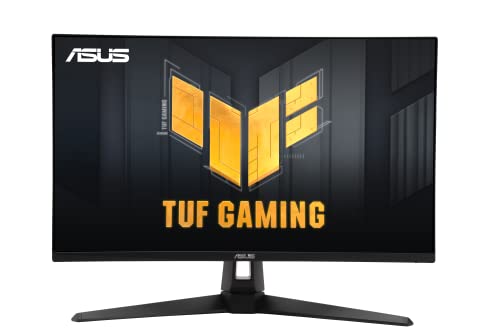 ASUS TUF Gaming VG27AQ3A 27" QHD 180Hz … ASUS TUF Gaming VG27AQ3A 27" QHD 180Hz … |
Best Overall | $179 | QHD Wide 1440p | 180 Hz | Fast IPS | 9.2 | Buy → |
| 2 | 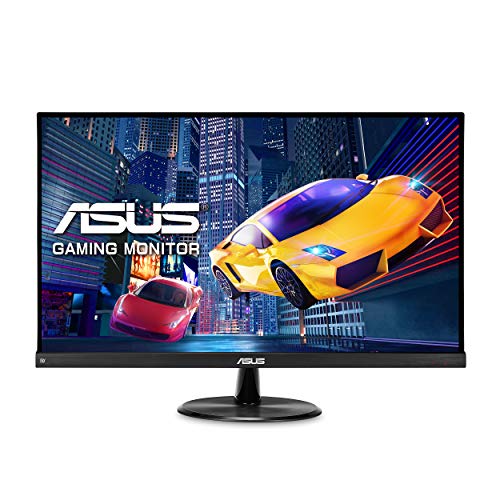 ASUS VP249QGR 24-inch IPS Gaming Monitor ASUS VP249QGR 24-inch IPS Gaming Monitor |
Best Budget | $194 | FHD 1080p | 144 Hz | IPS | 8.9 | Buy → |
| 3 | 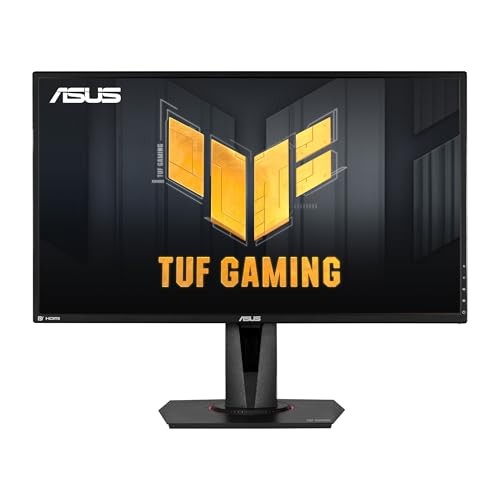 ASUS TUF Gaming VG27AQ 27-Inch QHD Gami… ASUS TUF Gaming VG27AQ 27-Inch QHD Gami… |
Best QHD Upgrade | $272 | QHD Wide 1440p | 165 Hz | IPS | 8.5 | Buy → |
| 4 | 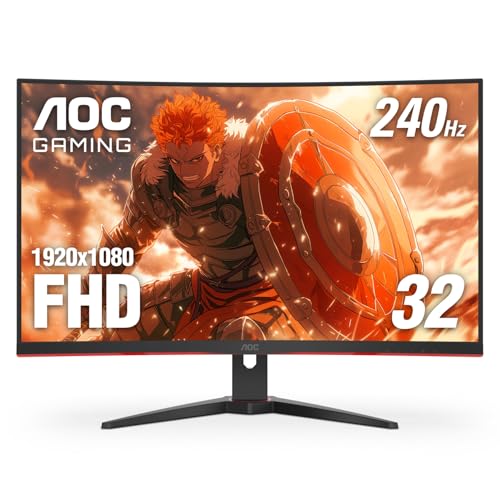 Acer Nitro XF243Y Pbmiiprx 23.8" FHD 16… Acer Nitro XF243Y Pbmiiprx 23.8" FHD 16… |
Best Acer Pick | $179 | FHD 1080p | 240 Hz | IPS | 8.2 | Buy → |
| 5 | 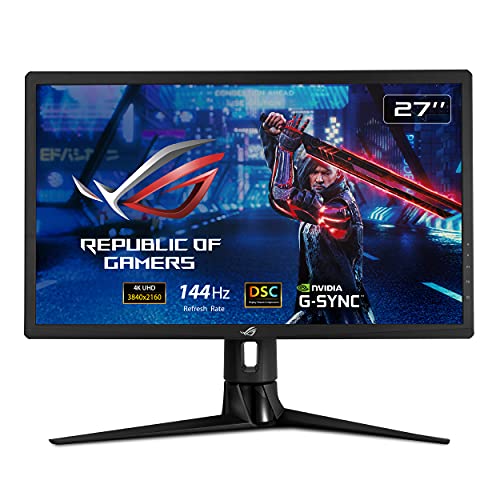 ASUS ROG Strix XG27UQR 27-Inch 4K Gamin… ASUS ROG Strix XG27UQR 27-Inch 4K Gamin… |
Best 4K Gaming | $349 | 3840x2160 (4K) | 144Hz | Fast IPS | 7.8 | Buy → |
Showing 5 of 5 products
ASUS TUF Gaming VG27AQ3A 27" QHD 180Hz Fast IPS Monitor
“The right 1440p 180Hz gaming monitor for competitive players who want IPS clarity and fast response at a strong value under $200.”
See Today’s Price →What we like
Watch out for
Read Full Analysis
The ASUS TUF Gaming VG27AQ3A ($179.00) is the best-value 1440p gaming monitor on this page — a 27-inch QHD IPS panel with 180Hz refresh rate and 1ms GTG response time at an aggressive price. For the 1440p-at-27-inch use case (the sweet spot that provides enough pixel density to eliminate screen-door effect while requiring less GPU power than 4K), this monitor delivers the core specs without a significant price premium. Against the Acer Nitro XF243Y ($179.99) at a nearly identical price, the ASUS delivers 1440p at 180Hz versus the Acer's 1080p at 165Hz. For $1 more, the resolution and refresh rate advantages favor the ASUS decisively for buyers with mid-range to high-end GPU capable of driving 1440p content. The Acer is only the better choice for buyers with entry-level GPUs that struggle at 1440p resolution. Against the ASUS TUF VG27AQ ($272.14) at $93 more, the VG27AQ3A delivers 180Hz versus the older 165Hz at significant savings. Unless ELMB Sync (simultaneous motion blur reduction + adaptive sync) is specifically required, the newer 180Hz VG27AQ3A is the better modern choice. The honest limitations: IPS glow is visible in dark room corners during dark gaming scenes — this is characteristic of all IPS panels at any price. The stand offers height and tilt adjustment but no pivot, limiting orientation flexibility. HDR400 is entry-level HDR that provides minimal real-world benefit over SDR.
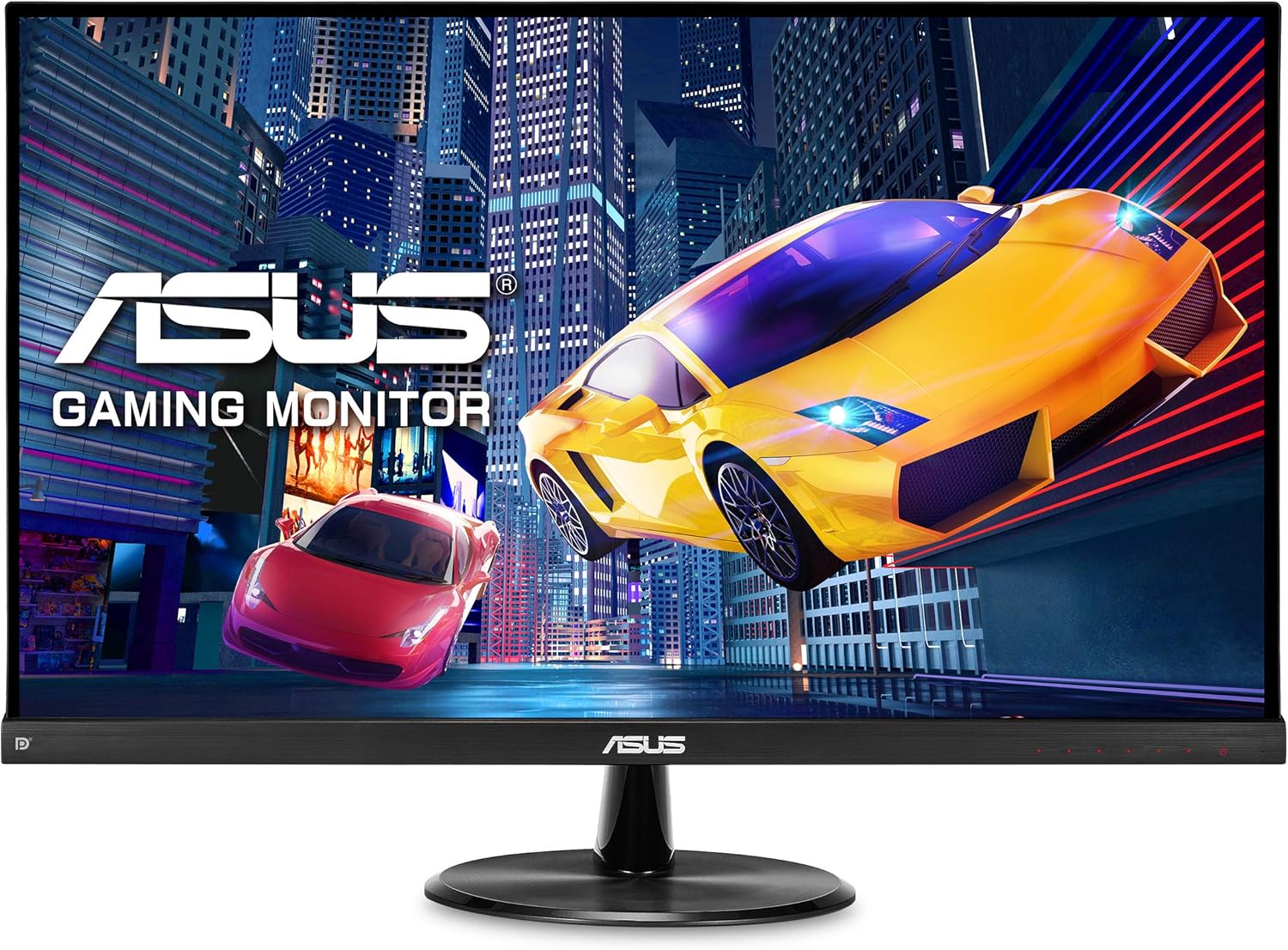
ASUS VP249QGR 24-inch IPS Gaming Monitor
“The VP249QGR is the benchmark for budget gaming monitors. At $159, you get a genuine 144Hz IPS panel with adaptive sync — specs that cost $250+ just two years ago. If pure gaming performance per dolla”
See Today’s Price →What we like
- 144Hz IPS panel at an exceptional price
- 1ms MPRT and 4ms GTG response time
- FreeSync Premium and G-Sync compatible
- Low blue light and flicker-free for long sessions
- Thin bezels for clean desk setup
Watch out for
Read Full Analysis
The ASUS VP249QGR 24-inch IPS Gaming Monitor ($194.99) delivers 144Hz gaming at 1080p with strong specifications — 1ms MPRT and 4ms GTG response times, FreeSync Premium and G-Sync compatibility — but the $194.99 price point is higher than it should be for 24-inch 1080p. Comparable 1080p 144Hz IPS monitors from LG (24GN650-B) deliver similar performance around $170, meaning the VP249QGR faces strong competition for its price. Against the ASUS VG27AQ3A ($179.00) at $16 less, the 27-inch 1440p 180Hz model offers higher resolution and refresh rate in a larger panel at lower cost — the VP249QGR only wins for buyers who specifically need the 24-inch size and 1080p resolution (either for GPU budget reasons or desk space constraints). Against the Acer Nitro XF243Y ($179.99) at $15 less, both are 1080p gaming monitors at similar prices, with the Acer offering 165Hz versus the ASUS's 144Hz. The honest limitation of the VP249QGR: the stand adjusts to height only, with no pivot or swivel — limiting placement flexibility. At the current price, competitive alternatives from LG and AOC outperform the value equation. Best suited for buyers specifically within the ASUS ecosystem or those who find it discounted below current listed price.

ASUS TUF Gaming VG27AQ 27-Inch QHD Gaming Monitor
“The best 1440p monitor for competitive gaming. ELMB Sync eliminates both tearing and motion blur simultaneously.”
See Today’s Price →What we like
- ELMB Sync — simultaneous adaptive sync + motion blur reduction
- G-SYNC Compatible + FreeSync Premium
- Shadow Boost for dark area visibility
- 165Hz (G-SYNC mode: 144Hz)
- IPS 1ms MPRT response
Watch out for
- G-SYNC mode limits to 144Hz (vs 165Hz native)
- ELMB Sync requires firmware familiarity
- ~$280–320 — mid-tier pricing
Read Full Analysis
The ASUS TUF Gaming VG27AQ ($272.14) is the mid-range 1440p upgrade option on this page — a 27-inch QHD IPS panel with ELMB Sync, which simultaneously runs adaptive sync (G-SYNC Compatible + FreeSync Premium) and motion blur reduction. Most monitors choose one or the other; the VG27AQ enables both, providing consistently smooth and blur-free motion across all frame rate scenarios. Against the newer ASUS VG27AQ3A ($179.00) at $93 less, the VG27AQ's primary remaining advantage is ELMB Sync. The VG27AQ3A delivers 180Hz (vs the VG27AQ's 165Hz) at a lower price without ELMB Sync. For competitive gamers who specifically value blur reduction alongside adaptive sync, ELMB Sync is worth the premium. For buyers who primarily want smooth adaptive sync gaming at maximum refresh, the VG27AQ3A is the better current-generation value. Against the ASUS ROG Strix XG27UQR 4K ($349.00) at $77 less, the VG27AQ stays at 1440p while the ROG jumps to 4K. GPU requirements are the deciding factor: if the GPU can sustain 100+ fps at 4K, the ROG is the upgrade. If 4K gaming causes consistent frame rate drops below 60fps on the existing GPU, stay at 1440p. The honest limitation: G-SYNC mode caps refresh at 144Hz versus the 165Hz native rate in FreeSync mode — a detail that matters to buyers planning NVIDIA GPU setups.

Acer Nitro XF243Y Pbmiiprx 23.8" FHD 165Hz IPS Gaming Monitor
“Best budget gaming monitor — 165Hz IPS at 1080p for under $180, the most impactful upgrade for 60Hz monitor users.”
See Today’s Price →What we like
- 165Hz is a massive upgrade from 60Hz for any game
- IPS panel for good colors and viewing angles
- AMD FreeSync Premium for tear-free gaming
- HDMI 2.0 and DisplayPort inputs
- Under $180
Watch out for
Read Full Analysis
The Acer Nitro XF243Y Pbmiiprx ($179.99) is the entry-level gaming monitor option on this page — 23.8 inches of 1080p IPS at 165Hz for the most accessible gaming upgrade available. For any PC gamer currently on a 60Hz monitor regardless of display resolution, upgrading to 165Hz produces a more immediately perceptible improvement than any other peripheral change. Motion becomes fluid in a way that cannot be described — it must be experienced. Against the ASUS VG27AQ3A ($179.00) at a virtually identical price, the Acer's 1080p at 23.8 inches trades lower resolution for roughly equivalent price. The ASUS offers 1440p at 27 inches at $1 less — a clear advantage for buyers with GPUs capable of driving 1440p at competitive frame rates. The Acer wins only for buyers with entry-level GPUs (GTX 1650, RX 570) that struggle to maintain high frame rates at 1440p. The honest limitation: 1080p resolution at 24 inches produces visible pixel density at typical monitor viewing distances — text and fine detail are noticeably softer than 1440p. The 72% sRGB color gamut is below average, affecting color accuracy for creative work alongside gaming. For dedicated gaming-only use where frame rate and response time matter more than resolution or color fidelity, the Acer delivers the core experience at the lowest price on this page. For any creative work, study, or general desktop use alongside gaming, invest in the 1440p ASUS.

ASUS ROG Strix XG27UQR 27-Inch 4K Gaming Monitor
“The best mid-range PS5 gaming monitor. Full 4K/144Hz HDMI 2.1 capability at a lower price than LG or Sony.”
See Today’s Price →What we like
- HDMI 2.1 for PS5 4K/120Hz
- 4K/144Hz IPS panel
- Shadow Boost for dark scene visibility
- G-SYNC Compatible VRR
- ~$400–500 — mid-range pricing
Watch out for
- DisplayHDR 400 — not premium HDR
- No Sony-specific calibration features
- 90% DCI-P3 — below Nano IPS alternatives
Read Full Analysis
The ASUS ROG Strix XG27UQR ($349.00) is the 4K gaming upgrade on this page — the only monitor here with HDMI 2.1, enabling PS5 and Xbox Series X 4K/120Hz gaming alongside PC use. For console-first buyers who want a single monitor serving both a high-end gaming PC and a current-generation console at 4K, HDMI 2.1 is not optional — HDMI 2.0 tops out at 4K/60Hz. At $349, it's the highest-priced display in this comparison, but the 4K/144Hz IPS panel at this price represents genuine value by 2026 pricing standards. The ROG G-SYNC Compatible VRR and FreeSync Premium Pro support covers adaptive sync across NVIDIA and AMD GPUs. Against the ASUS VG27AQ ($272.14) at $77 less, the ROG delivers the 4K resolution upgrade for buyers with GPUs capable of sustaining 4K gaming at acceptable frame rates. Mid-range GPUs (RTX 3060, RX 6700 XT) typically manage 60–90 fps at 4K medium settings; high-end GPUs (RTX 4080, RX 7900 XTX) approach 120fps at high settings. The honest limitation: DisplayHDR 400 is entry-level HDR — buyers expecting OLED or Mini-LED HDR quality will be disappointed. Shadow Boost enhances dark area visibility but doesn't substitute for true HDR contrast. Verify GPU performance at 4K before committing.
ASUS vs Acer Gaming Monitor (2026) Buying Guide
Our Top Pick
ASUS TUF Gaming VG27AQ3A 27" QHD 180Hz Fast IPS Monitor at $179 — ASUS TUF VG27AQ3A delivers 27" QHD at 180Hz on a Fast IPS panel at $179 — the best value gaming monitor in 2026.
Budget Pick: Acer Nitro XF243Y Pbmiiprx 23.8" FHD 165Hz IPS Gamin... at $179.99 — Acer Nitro XF243Y 165Hz FHD IPS at $180 is Acer's best gaming value.
Great for: Remote workers needing screen real estate, gamers who want high refresh rates, and content creators who need color accuracy
Not ideal if: You work from a laptop on the go — a monitor only helps when you have a consistent desk setup to plug into
Related Guides
Who This Is For
What to Look For
- Panel type: IPS panels have accurate colors and wide viewing angles — best for design and general use. VA panels have deeper contrast for dark-room use. TN panels are fast but have poor color — mainly for competitive gaming.
- Resolution: 1080p is adequate up to 24 inches. 1440p (2K) is the sweet spot for 27-inch monitors — sharper text without demanding a powerful GPU. 4K at 27+ inches is for design work or media consumption.
- Refresh rate: 60Hz is fine for productivity. 144Hz+ is a meaningful upgrade for gaming or if scrolling smoothness bothers you. Anything above 165Hz is diminishing returns unless you play competitive shooters.
- Ergonomics: Height-adjust and tilt matter more than most buyers realize. A monitor at the wrong height causes neck strain within weeks. Cheap stands lock you into one position.
Common Mistakes to Avoid
- Choosing a curved monitor for productivity — curves help for ultrawide gaming but are distracting when reading documents.
- Ignoring response time and confusing it with refresh rate — both matter for gaming but solve different problems.
- Buying without checking the stand — many budget monitors require an arm to reach a comfortable height.
Watch Before You Buy
Frequently Asked Questions
What resolution should I get for gaming in 2026?
Is 144Hz or 180Hz better for gaming?
What is the difference between ASUS TUF and ROG monitors?
Does ASUS VG27AQ work with AMD GPUs?
Is a 27-inch monitor too big for a desk?
How We Analyze Products
We analyze Amazon review data — often thousands of reviews per product — to surface patterns that individual buyers miss. Our process aggregates star ratings, review counts, and buyer sentiment at scale, identifying which strengths and weaknesses appear consistently across the largest review samples available. The 11,962+ reviews analyzed on this page represent real verified-purchase feedback from Amazon buyers.
Each product earned its placement through data: total review volume, average rating, and the specific praise and complaints that repeat most often across buyers. No manufacturer paid for placement on this page. Products appear here because buyers endorsed them at scale, not because a company asked us to feature them.
We use AI to summarize review sentiment — not to fabricate opinions, but to condense what thousands of buyers actually wrote into a readable format. The pros and cons you see reflect the most common themes found in verified purchaser reviews, paraphrased for clarity. We do not claim to have accessed Reddit, YouTube, or specific publications in generating these summaries.
Prices shown reflect Amazon pricing at the time this page was last generated. Click “See Today’s Price” to get the current live price on Amazon. Read our full methodology →