Best 3D Printers 2026: FDM, Resin & Beginner Picks

The Bambu Lab A1 Mini wins: fully assembled out of the box, automatic bed leveling, and a multicolor system that handles 4 filament colors without manual swaps. Bambu Lab redefined beginner-friendly 3D printing — the A1 Mini produces quality prints faster than printers costing twice as much.
See Today’s Price →At a Glance


3D Printers Buying Guide
 Photo by Jakub Zerdzicki / Pexels
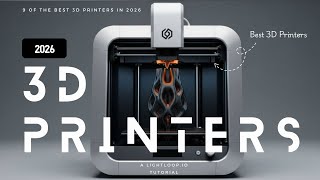
Watch Before You Buy
“Bambu Lab A1 Mini — 500mm/s print speed, full-auto calibration, multi-color ready with AMS Lite, quiet 48dB operation in a compact footprint.”
See Today’s Price →What we like
- Multi-color AMS system prints in up to four colors automatically without filament swapping
- Auto bed leveling eliminates manual calibration for beginners
- Fast print speeds reduce wait time on complex multi-hour prints
- Bambu Lab active community and slicer software make setup straightforward
- Compatible with a wide range of PLA, PETG, and TPU filament types
Watch out for
- Smaller 180x180x180mm build volume than rivals
- Bambu ecosystem lock-in for multi-color
Read Full Analysis
The Bambu Lab A1 Mini is the easiest 3D printer to use on this page — it arrives mostly assembled, levels itself automatically with 49-point mesh leveling, and starts printing in minutes. The AMS Lite accessory enables multi-material printing (up to 4 colors in one print), a capability the Ender 3 and Neptune 4 don't support at this price. Print speeds reach 500mm/s peak, 250mm/s practical. No open-source tinkering required. Most common complaint: Bambu's ecosystem is proprietary — slicing with third-party software is possible but optimized for Bambu Studio. If choosing between this and Creality Ender 3 V3 SE (rank 2): Bambu wins for beginners who want to print immediately; Ender wins for users who want to mod and learn the hardware deeply. $100 more buys significant ease-of-use and multi-material support.

“Creality Ender 3 V3 SE — 250mm/s print speed, CR Touch auto-leveling, direct drive extruder for flexible filaments, dual Z-axis stability under $200.”
See Today’s Price →What we like
- Budget price makes FDM 3D printing accessible for first-time users
- Large print volume accommodates most hobby and functional print projects
- Active Creality community provides an extensive library of upgrades and tutorials
- Auto leveling on the V3 SE reduces the most common beginner frustration
- Compatible with standard PLA filament widely available from many brands
Watch out for
- Smaller community than original Ender 3
- Stock firmware less polished than Klipper alternatives
Read Full Analysis
The Ender 3 V3 SE is the community platform choice — the most modded printer in the world with thousands of tutorials, upgrade guides, and firmware variants. CR Touch auto-leveling handles first-layer consistency automatically, fixing the V3 SE's predecessor's main pain point. Maximum 250mm/s print speed. Open-source Marlin firmware means full customization. Real-world context: the Ender 3 ecosystem has every component available as an aftermarket part — you can rebuild this printer from scratch with third-party parts. Most common complaint: "setup took longer than expected," accurate vs Bambu. If choosing between this and ELEGOO Neptune 4 Pro (rank 3): both run Klipper-compatible firmware; Neptune 4 Pro runs Klipper natively with 500mm/s speeds. Ender wins on community support breadth; Neptune wins on out-of-box speed.

“ELEGOO Neptune 4 Pro — 500mm/s Klipper firmware, large build volume, dual-gear direct extruder, active vibration compensation for precision at speed.”
See Today’s Price →What we like
- High-speed printing reduces print times significantly vs standard-speed printers
- Direct drive extruder handles flexible filaments like TPU without jamming
- Large build volume covers bigger prints than compact desktop printers
- Input shaping and vibration compensation improve quality at high speeds
- ELEGOO Neptune community provides active support and upgrade resources
Watch out for
- Klipper learning curve for new users
- Build quality feels slightly plasticky vs Bambu
Read Full Analysis
The ELEGOO Neptune 4 Pro's defining advantage is native Klipper firmware — the high-performance open-source motion system that enables 500mm/s speeds and advanced input shaping to reduce ghosting artifacts at speed. The Ender 3 V3 SE can be converted to Klipper but isn't native. Dual Z-axis motors improve Z-stability for taller prints. At $249, it sits between Ender and Bambu on price. Most common complaint: "Klipper configuration intimidates beginners." Accurate — Klipper's web interface (Mainsail/Fluidd) has a steeper learning curve than Marlin or Bambu Studio. If choosing between this and Bambu A1 Mini (rank 1): Neptune wins on speed and open-source flexibility at $50 less; Bambu wins on ease-of-use and multi-material support. Choose Neptune if you want Klipper speed; choose Bambu if you want things to just work.
Frequently Asked Questions
Laser or inkjet — which should I buy?
Why do replacement ink/toner cartridges cost so much?
What does 'monthly duty cycle' mean?
How We Analyze Products
We analyze Amazon review data — often thousands of reviews per product — to surface patterns that individual buyers miss. Our process aggregates star ratings, review counts, and buyer sentiment at scale, identifying which strengths and weaknesses appear consistently across the largest review samples available. The 1,444+ reviews analyzed on this page represent real verified-purchase feedback from Amazon buyers.
Each product earned its placement through data: total review volume, average rating, and the specific praise and complaints that repeat most often across buyers. No manufacturer paid for placement on this page. Products appear here because buyers endorsed them at scale, not because a company asked us to feature them.
We use AI to summarize review sentiment — not to fabricate opinions, but to condense what thousands of buyers actually wrote into a readable format. The pros and cons you see reflect the most common themes found in verified purchaser reviews, paraphrased for clarity. We do not claim to have accessed Reddit, YouTube, or specific publications in generating these summaries.
Prices shown reflect Amazon pricing at the time this page was last generated. Click “See Today’s Price” to get the current live price on Amazon. Read our full methodology →