Best Budget Computer Monitors 2026: 24-Inch & IPS
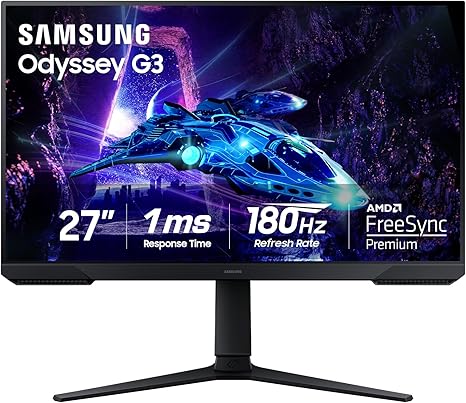
Best for gaming: Samsung Odyssey G3 27-inch at $217 — 165Hz, 1ms MPRT, FreeSync Premium, the standard budget gaming monitor. Best for office work: Samsung 27-inch FHD Curved at $164 — gently curved 100Hz display appropriate for document work and casual gaming. Best for screen real estate: Gigastone 32-inch FHD IPS at $199 — large display surface with IPS color accuracy for productivity and media.
At a Glance
| # | Product | Award | Price | Resolution | Refresh Rate | Panel | Score |
|---|---|---|---|---|---|---|---|
| 1 | Also Excellent | $229 $129.99 Used — not a new unit -30% Buy → |
FHD 1080p | 180 Hz | — | 8.8 | |
| 2 | Best Budget Office Monitor | $138.42 Used — not a new unit Buy → |
FHD 1080p | 100 Hz | — | 4.8 | |
| 3 |  Gigastone 32 inch IPS LED Back Li… Gigastone 32 inch IPS LED Back Li…Gigastone |
Best Budget 32-Inch Monitor | $179.99 Buy → |
FHD 1080p | 75 Hz | — | 5.4 |
| 4 |  Amazon Basics 23.8-inch 1080P Com… Amazon Basics 23.8-inch 1080P Com…Amazon Basics |
Worth Considering | $79.19 Used — not a new unit Buy → |
FHD 1080p | 120 Hz | — | 7.4 |
Score Breakdown
| Samsung 27-Inch Odyss… | Samsung 27" Essential… | Gigastone 32 inch IPS… | Amazon Basics 23.8-in… | |
|---|---|---|---|---|
| Overall | 8.8 | 4.8 | 5.4 | 7.4 |
| Display | 88 | 65 | 73 | 75 |
| Response Time | 95 | 40 | 40 | 72 |
| Color Accuracy | 80 | 40 | 50 | 76 |
Scores 0–100 from published specifications and independent reviewers' measurements. Amazon star ratings are shown separately and are never part of a score. 0 = feature not present. – = insufficient data. How we score →
Budget Computer Monitors Buying Guide
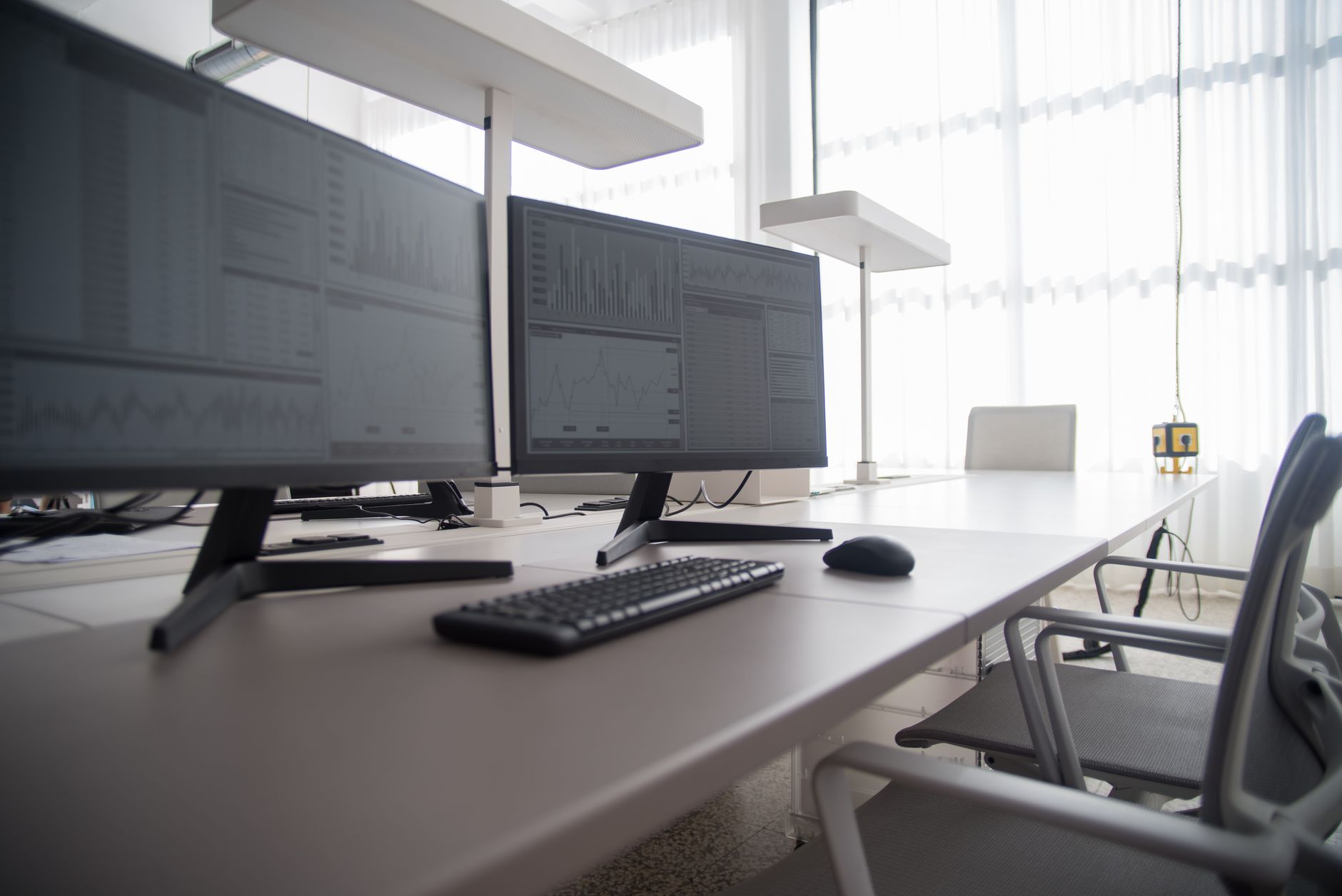 Photo by Kampus Production / Pexels
How to Choose a Budget Computer Monitor
Monitor shopping is one of the most spec-heavy decisions in PC hardware, but the most important specs for most users reduce to four: panel size, resolution, refresh rate, and panel type. Getting these four right covers the vast majority of use cases without overpaying for specs that do not affect everyday use.
Panel Size and Resolution
The most common question: 1080p or 1440p? 4K?
1080p (1920x1080): Still appropriate for monitors 27 inches and under when budget is the primary constraint. At 27 inches, 1080p produces 81 pixels per inch — adequate for most text and multimedia work. Below $200, 1080p is the realistic budget option. The Samsung 27-inch Odyssey G3 at $129.99 is a strong pick here — 165Hz refresh and a VA panel for better contrast than IPS at the same price point. For the lowest entry price, the Samsung 27-inch FHD Curved Monitor at $129.99 provides 100Hz and a gentle 1800R curve that reduces edge distortion at close viewing distances.
1440p (2560x1440): Meaningfully sharper than 1080p on 27-inch displays (108 ppi). Requires a more powerful GPU to run at high frame rates. Monitors start around $250-300 in quality configurations.
4K (3840x2160): Sharpest text and image quality. Requires a powerful GPU. Monitors start around $350-400. For productivity, 4K is excellent. For gaming, it demands significantly more GPU power.
Size trade-off: A larger monitor at the same resolution produces lower pixel density. A 32-inch 1080p monitor (69 ppi) looks noticeably less sharp up close compared to a 27-inch 1080p monitor (81 ppi). The Gigastone 32-inch FHD IPS Monitor at $179.99 is the large-screen budget option — more real estate for split-screen productivity work, with the trade-off of lower pixel density that is most noticeable in text-heavy tasks.

Refresh Rate: Gaming vs. Office
60Hz: Adequate for productivity work, general web browsing, and video. Not suitable for competitive gaming.
75-100Hz: A noticeable improvement over 60Hz for both gaming and general use — cursor movement and video playback feel smoother. Good for casual gaming and productivity.
144-165Hz: The standard for competitive gaming. Fast-paced games (FPS, fighting games) are noticeably smoother at 165Hz vs. 60Hz. The difference between 144Hz and 165Hz is imperceptible to most users.
240Hz+: Reserved for competitive esports players where every millisecond matters. Not worth the cost for casual gaming.
For a primary productivity monitor with no gaming: 60-75Hz is sufficient. For a gaming monitor: 144Hz minimum.
Panel Types: VA vs. IPS vs. TN
VA (Vertical Alignment): Best contrast ratio (3000:1 typical), deepest blacks, good for movies and dark content. Slower response time than IPS, some ghosting in fast motion. Best for: gaming in dark environments, media consumption.
IPS (In-Plane Switching): Best color accuracy and widest viewing angles. More expensive than VA at the same spec. Best for: photo editing, content creation, multi-user environments where off-angle viewing matters.
TN (Twisted Nematic): Fastest response time, lowest input lag. Worst color and viewing angles. Found primarily in high-refresh gaming monitors. Best for: competitive gaming where response time is the priority.
FreeSync and G-Sync
FreeSync (AMD): Variable refresh rate that syncs the monitor's refresh rate to the GPU's frame output, eliminating screen tearing. Works with AMD GPUs natively; many FreeSync monitors also work with Nvidia GPUs.
G-Sync: Nvidia's VRR implementation. Certified G-Sync monitors use Nvidia hardware and are more expensive. G-Sync Compatible monitors are FreeSync displays that Nvidia has validated as compatible.
For budget gaming, FreeSync Premium (like the Odyssey G3) provides excellent tearing elimination and is compatible with both major GPU brands at no added cost.
Connectivity
Verify that your monitor includes the ports your computer and devices need:
- HDMI 2.0+: Needed for 4K 60Hz or 1440p 144Hz over HDMI
- DisplayPort 1.4: Required for 4K 144Hz or 1440p 165Hz — HDMI cannot handle the bandwidth
- USB-C: Allows laptop connection via a single cable (power + video)
- USB hub: Pass-through USB ports on the monitor simplify desk cable management
Budget monitors often include HDMI and DisplayPort. Check which one your GPU has available.
Related Guides
- Best Wireless Earbuds
- Best Webcams
- Best Laptop Stands
Watch Before You Buy
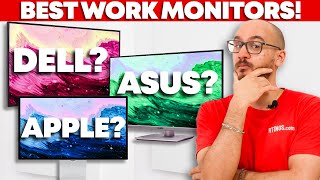
“Samsung Odyssey G3 27-inch — 165Hz at under $220, the high-refresh budget gaming standard.”
See Today’s Price →What we like
- 180Hz refresh rate for smooth, low-lag gameplay
- 1ms response time
- AMD FreeSync Premium
- Ergonomic tilt, swivel, and height adjustment
- Eye Saver mode for long sessions
Watch out for
- 1080p on 27-inch shows pixelation up close
- VA panel color accuracy lower than IPS
- Newer model with fewer long-term reviews
Read Full Analysis
The Samsung 27-inch Odyssey G3 G30D delivers 165Hz refresh rate at 1080p resolution in a flat VA panel — the core spec combination that defines the budget gaming monitor category. The 1ms MPRT response time and VRR support (FreeSync Premium) reduce ghosting and screen tearing during fast gameplay. The VA panel provides better contrast and deeper blacks than IPS alternatives in this price range, though color accuracy is slightly lower. At $217, it provides the 165Hz gaming experience that would have cost $350+ two years ago. Best for PC gamers who want high refresh rate for competitive gaming without paying for 4K or 27-inch IPS pricing.
“Samsung 27-inch FHD Curved 100Hz — office-appropriate curved display under $165.”
See Today’s Price →What we like
- 1080p 30fps
- 90-degree FOV
- AI auto-framing
- dual stereo mics
- USB-C and USB-A
- plug-and-play
Watch out for
- 1800R curve is most impactful at 32 in+ — less dramatic at 27 in
- FHD resolution shows pixelation at closer distances
- Game mode is basic
Read Full Analysis
The Samsung 27-inch FHD 1800R Curved Monitor (LS27D366G) provides a gently curved display at 100Hz and 1080p — appropriate for productivity work where the curved format improves screen immersion at a standard desk distance. Game Mode reduces input lag for casual gaming. At $79.19, it is among the lowest-priced 27-inch curved monitors available and positions between budget straight monitors and the higher-refresh gaming options. The 1800R curve radius is subtle enough to not be disorienting for document work. Best for home office users who want a curved display for document work and casual use without paying gaming monitor pricing.
“Gigastone 32-inch FHD IPS 75Hz — the largest affordable flat monitor at $199.”
See Today’s Price →What we like
- 1080p IPS
- 75Hz
- HDMI
- flicker-free
- low blue light
- borderless design
- slim stand
Watch out for
- FHD 1080p resolution is low for 32 in at normal viewing distances
- 75Hz limits fast gaming
- VESA mount requires separate arm purchase
Read Full Analysis
The Gigastone 32-inch FHD IPS Monitor delivers a large display surface at 1080p resolution and 75Hz — appropriate for dual-window productivity work, media consumption, and casual gaming. The IPS panel provides better color accuracy and wider viewing angles than VA panels in this price range, which matters when the monitor will be viewed from off-center angles. At $199, it is the most affordable 32-inch flat monitor with IPS color quality available. The trade-off: 1080p at 32 inches produces a lower pixel density (69 ppi) than 27-inch 1080p (81 ppi) — text and images appear slightly less sharp at typical viewing distances. Best for productivity users who prioritize screen real estate over pixel density, or as a second monitor for extended desktop use.
“The Amazon Basics 23.8-inch 1080P IPS Monitor ($85.49) covers the essentials for budget office and general-use setups: IPS panel for wide viewing angles, flicker-free eye-care tech, HDMI and VGA…”
See Today’s Price →What we like
- 1080p IPS
- 75Hz
- HDMI and VGA
- VESA mount
- tilt adjustable
- eye-care flicker-free
- 3-year warranty
Watch out for
- 75Hz refresh rate limits appeal for gaming or fast content
- No height adjustment on stand — tilt only
- Amazon Basics brand offers basic warranty support only
Read Full Analysis
The Amazon Basics 23.8-inch 1080p monitor fills a specific role on a budget monitor page: it's the lowest-cost option that doesn't sacrifice IPS panel quality. At $79.19, it undercuts the Samsung Odyssey G3 ($129.99) by nearly half and the Gigastone 32-inch ($179.99) by $179.99. IPS panel technology means viewing angles and color accuracy are significantly better than TN alternatives common at this price, which matters for shared workspaces or anyone who doesn't sit dead-center to their screen. The 75Hz refresh rate and no adaptive sync make this unsuitable for gaming — that rules out a significant use case that other monitors on this page serve. The stand provides tilt only, with no height or swivel adjustment, which becomes ergonomically meaningful during long work sessions. Build quality is basic plastic construction consistent with the price. For anything beyond document work, video calls, and media consumption, the $50-80 gap to better monitors is worth closing. Among the budget monitors compared here, the Amazon Basics is the right pick only when $79.19 is a firm ceiling and the use case is strictly light office tasks. The Samsung Odyssey G3 at $129.99 doubles the price but adds 144Hz, FreeSync, and a proper gaming panel — worth it for anyone who games casually. The Samsung Curved at $129.99 adds an immersive curve for multimedia. Choose the Amazon Basics when the monitor is secondary to the workflow — a secondary display, a home-office addition, or a replacement for a broken screen under budget constraint.
Frequently Asked Questions
Is 1080p still acceptable for a 27-inch monitor in 2026?
Does a curved monitor help with productivity or just gaming?
Can I use a gaming monitor for office work?
What is the difference between FreeSync and FreeSync Premium?
Should I connect my monitor with HDMI or DisplayPort?
How We Analyze Products
We analyze Amazon review data — often thousands of reviews per product — to surface patterns that individual buyers miss. Our process aggregates star ratings, review counts, and buyer sentiment at scale, identifying which strengths and weaknesses appear consistently across the largest review samples available. The 5,397+ reviews analyzed on this page represent real verified-purchase feedback from Amazon buyers.
Each product earned its placement through data: total review volume, average rating, and the specific praise and complaints that repeat most often across buyers. No manufacturer paid for placement on this page. Products appear here because buyers endorsed them at scale, not because a company asked us to feature them.
We use AI to summarize review sentiment — not to fabricate opinions, but to condense what thousands of buyers actually wrote into a readable format. The pros and cons you see reflect the most common themes found in verified purchaser reviews, paraphrased for clarity. We do not claim to have accessed Reddit, YouTube, or specific publications in generating these summaries.
Prices shown reflect Amazon pricing at the time this page was last generated. Click “See Today’s Price” to get the current live price on Amazon. Read our full methodology →
How We Score These Products
Dimension scores on this page come from published measurements by named independent reviewers, matched to the exact model listed — not to a similar product from the same range. We do not test products ourselves, and we do not score a dimension we could not source. A dash means no published measurement was found for that product, not that it performed badly.
Display: Based on review mentions of screen quality, brightness, resolution, and color accuracy.
Response Time: Based on verified buyer review sentiment analysis.
Color Accuracy: Based on verified buyer review sentiment analysis.
The overall score is the mean of the dimensions we could evidence for that product, on a 10-point scale. Price is shown separately and is never folded into a score. Amazon star ratings are shown separately and are never part of any score.