Best Capture Cards for Streaming in 2026

The Elgato HD60 X is the best external capture card for most streamers — 4K30 or 1080p60 HDR10 capture, ultra-low latency, and plug-and-play setup make it the standard choice. For 4K60 content creation, the Elgato 4K S steps up with no compromises.
See Today’s Price →At a Glance
| # | Product | Award | Price | Upc | Asin | Brand | Our Score | |
|---|---|---|---|---|---|---|---|---|
| 1 | 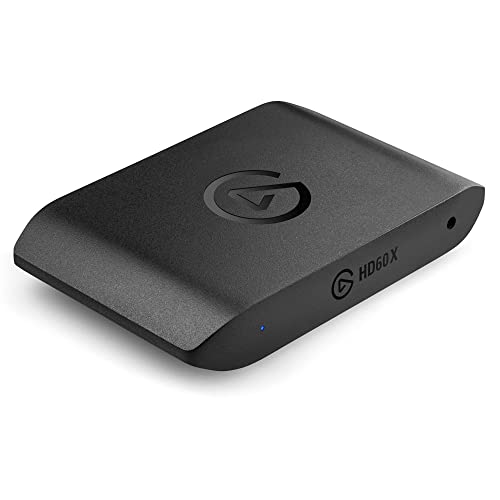 Elgato HD60 X External Capture Card Elgato HD60 X External Capture Card |
Best Overall | $148 | 840006656777 | B09V1KJ3J4 | Elgato | 9.2 | Buy → |
| 2 | 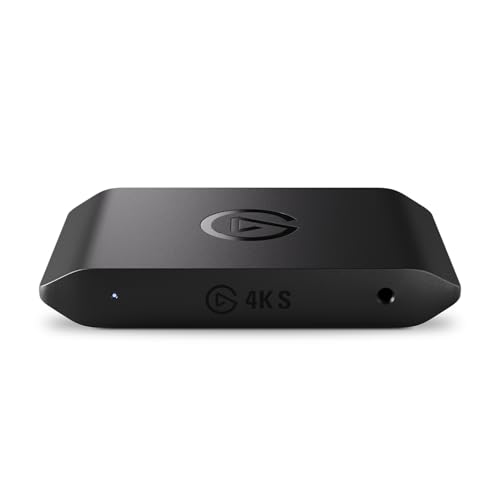 Elgato 4K S External Capture Card Elgato 4K S External Capture Card |
Also Excellent | $159 | 840440406815 | B0FFTFYGLV | Elgato | 8.9 | Buy → |
| 3 | 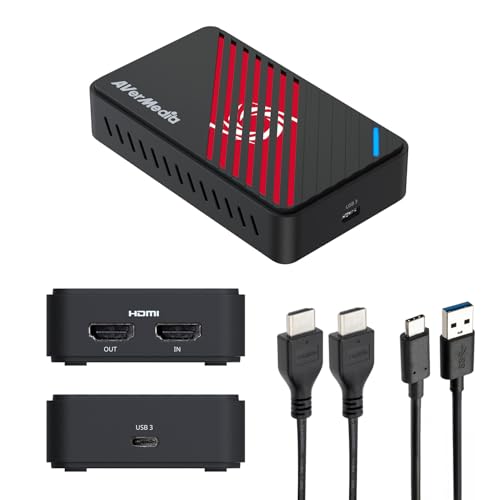 AVerMedia GC553Pro Live Gamer Ultra S AVerMedia GC553Pro Live Gamer Ultra S |
Budget Pick | $141 | 850070892100 | B0F93KM854 | AVerMedia | 8.5 | Buy → |
| 4 | 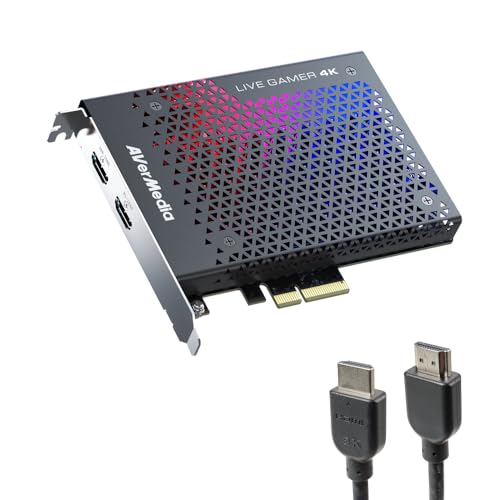 AVerMedia GC573 Live Gamer 4K Internal … AVerMedia GC573 Live Gamer 4K Internal … |
Worth Considering | $159 | — | B07DHSZC4K | AVerMedia | 8.2 | Buy → |
| 5 |  AVerMedia GC551G2 Live Gamer Extreme 3 AVerMedia GC551G2 Live Gamer Extreme 3 |
Best Budget | $129 | 850036764120 | B0B7RNDGNP | AVerMedia | 7.8 | Buy → |
Showing 5 of 5 products
Elgato HD60 X External Capture Card
“The Elgato HD60 X is the definitive external capture card for most streamers — its 4K passthrough, HDR10 capture, and universal compatibility make setup simple and streams look great.”
See Today’s Price →What we like
- 4K30 or 1080p60 HDR10 capture at broadcast quality
- 4K60 HDR10 passthrough — gaming experience unaffected
- VRR (Variable Refresh Rate) passthrough for console gaming
- Ultra-low latency passthrough under 1ms
- Plug-and-play with OBS, Streamlabs, and 4K Capture Utility
- Works with PS5, Xbox Series X, Nintendo Switch, PC
Watch out for
- Cannot capture in 4K60 (only passthrough at 4K60)
- Requires USB 3.0 for full performance
- Software encoding requires a capable streaming PC
Read Full Analysis
The Elgato HD60 X represents the convergence of the previous HD60 S+ and 4K60 Pro into a single versatile external device. The 4K60 HDR10 passthrough ensures your gaming experience on the TV is completely unaffected while the capture card records in 1080p60 HDR10 or 4K30 — the capture quality for streaming is excellent at both resolutions. VRR passthrough supports Xbox Series X and PS5 variable refresh rate TVs. Setup is genuinely plug-and-play — connect PS5 HDMI into card, card USB to PC, card HDMI to TV, open OBS, select Elgato as source. Elgato's 4K Capture Utility software is also well-maintained and more polished than most competitors. At $150, it's the right choice for the majority of streamers.
Elgato 4K S External Capture Card
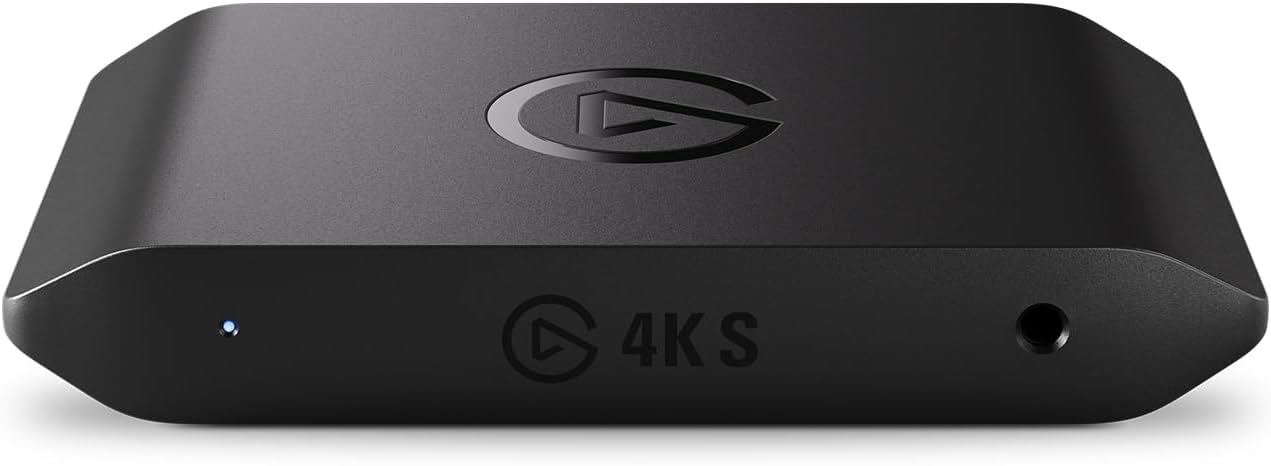
“The Elgato 4K S is the capture card for serious YouTube creators who need true 4K60 recording — the premium price is justified by the native 4K capture quality no other external card matches.”
See Today’s Price →What we like
- True 4K60 capture (not just passthrough) — record native 4K content
- 4K120 / 1440p120 / 1080p240 passthrough for high-refresh gaming
- Near-zero latency passthrough via USB-C
- HDR10 capture and passthrough
- VRR support for PS5 Pro and Xbox Series X high-refresh gaming
Watch out for
- Expensive at $250
- Requires high-performance PC to process 4K60 streams
- Larger and heavier than HD60 X
Read Full Analysis
The Elgato 4K S removes the only meaningful limitation of the HD60 X: it captures in true 4K60, not just 4K30. For YouTube content creators who post 4K videos, the difference between 4K30 and 4K60 is significant in fast-paced game footage. The 4K120 passthrough also accommodates high-refresh gaming on 4K120 TVs like the LG OLED C-series — you lose nothing in your gaming experience while recording in 4K60. The USB-C interface provides the bandwidth necessary for this performance. At $250, the price premium over the HD60 X is steep and only justified if you specifically need 4K60 recording. Streamers who stream in 1080p60 or even 1440p60 gain nothing from this card over the HD60 X.

AVerMedia GC553Pro Live Gamer Ultra S
“The AVerMedia GC553Pro is the best option for creators who need uncompromised color accuracy and ultra-wide resolution support — especially relevant for PC capture with ultrawide monitors.”
See Today’s Price →What we like
- True RGB 24-bit uncompressed video capture for accurate color
- Supports ultra-wide resolutions (3440x1440 and 2560x1080)
- 4K60 HDR passthrough via HDMI 2.1
- Hardware H.264 and HEVC encoding to reduce CPU load
- Compatible with OBS, Streamlabs, and XSplit
Watch out for
- Software (RECentral) is less polished than Elgato's offering
- Newer product with less community support documentation
- Larger form factor than Elgato alternatives
Read Full Analysis
The AVerMedia GC553Pro differentiates itself from Elgato with its RGB 24-bit uncompressed capture mode — color-sensitive creators who review games or create tutorials where color accuracy matters will see the difference. The ultra-wide resolution support (3440x1440) is genuinely unique — no Elgato card can capture from ultrawide monitors at native resolution. Hardware H.264 and HEVC encoding takes the encoding load off your streaming CPU, valuable for mid-range streaming PCs. The main weakness is AVerMedia's RECentral software — functional but less polished and less community-documented than Elgato's ecosystem. For streamers who use OBS exclusively, this doesn't matter much.

AVerMedia GC573 Live Gamer 4K Internal Capture Card
“The AVerMedia GC573 is the best internal capture card for dual-PC streaming setups — PCIe bandwidth eliminates USB bottlenecks for stable 4K60 HDR capture.”
See Today’s Price →What we like
- 4K60 HDR10 capture via internal PCIe — no USB bandwidth limits
- Ultra-low latency passthrough under 1ms
- Hardware H.264 and HEVC encoding built-in
- Supports PS5, PS4 Pro, Xbox Series X, and PC dual-PC setups
- More stable than USB alternatives for high-bitrate recording
Watch out for
- Requires desktop PC (no laptop support)
- Installation requires opening PC case
- PCIe slot dependency limits upgrade flexibility
Read Full Analysis
Internal capture cards deliver performance external USB cards can't match because PCIe bandwidth is orders of magnitude higher than USB 3.0. This means no dropped frames, no compression artifacts from USB bandwidth saturation, and more consistent performance at 4K60 HDR. The GC573 sits in a PCIe x4 slot in your dedicated streaming PC while the gaming console or gaming PC connects via HDMI. Hardware encoding reduces the CPU load on the streaming PC significantly. For serious dual-PC streaming setups, the PCIe internal card is the professional approach. The limitations are obvious: you need a desktop PC with an available slot, and setup is more involved than plugging in a USB device.

AVerMedia GC551G2 Live Gamer Extreme 3
“The AVerMedia GC551G2 is the budget-friendly path to 4K-adjacent capture — 1440p120 capture and 4K30 make it a capable choice for creators on a tighter budget.”
See Today’s Price →What we like
- 1440p120 capture and passthrough for high-refresh console gaming
- 4K30 capture for YouTube content at an accessible price
- USB 3.1 interface with low latency
- Compatible with OBS, Streamlabs, and RECentral
- More affordable than premium 4K options
Watch out for
- No true 4K60 capture (4K30 max capture resolution)
- Software encoding requires capable PC
- RECentral software is functional but dated
Read Full Analysis
The AVerMedia GC551G2 Live Gamer Extreme 3 is the most accessible path to capturing high-resolution console content. At $130, it's significantly cheaper than the Elgato HD60 X while delivering 4K30 capture and 1440p120 passthrough — enough for YouTube 4K content and high-refresh 1440p gaming. The 4K60 passthrough ensures your TV gaming experience is excellent regardless of capture resolution. For streamers who stream at 1080p60 or 1440p, the capture quality from this card is more than sufficient. The software encoding requirement means you need a reasonably capable streaming PC (i7 or Ryzen 7 class CPU), but that's standard for OBS streaming at any quality level.
Capture Cards for Streaming Buying Guide
 Photo by Minh Tri / Pexels
Our Top Pick
Elgato HD60 X External Capture Card at $148.99 — The benchmark external capture card — Elgato HD60 X's 4K passthrough and HDR10 capture handle everything today's consoles output....
Budget Pick: AVerMedia GC551G2 Live Gamer Extreme 3 at $129.99 — AVerMedia's accessible 4K capture option — GC551G2 gets you 1440p120 and 4K30 capture at a price that won't break the bank....
Great for: Console streamers who want to record or broadcast gameplay, content creators who need 4K video input, and esports players reviewing footage
Not ideal if: You play only on PC — screen capture software like OBS eliminates the need for a hardware capture card entirely
External vs. Internal Capture Cards
External USB capture cards work with any PC or laptop and require no installation beyond a driver download. They're the right choice for streamers, laptop users, and anyone who doesn't want to open their PC case. The Elgato HD60 X and AVerMedia GC551G2 are both external. Internal PCIe cards deliver higher sustained performance and lower latency for dedicated streaming PCs — they sit in a PCIe slot and require a desktop. Internal cards are favored by production studios and broadcasters; external cards handle 99% of home streaming setups without limitation.
Passthrough and Capture Resolution
Passthrough resolution is what you see on your TV while gaming — always choose a card with 4K60 HDR passthrough so your gaming experience is completely unaffected by the capture card in the chain. Capture resolution is what gets recorded or streamed. 1080p60 is the current standard for Twitch; 4K30 or 4K60 is necessary for YouTube 4K content. The Elgato HD60 X handles 4K60 HDR10 on both passthrough and capture, making it future-proof as 4K streaming becomes the norm.
Hardware vs. Software Encoding
Software encoding (CPU-based via OBS) gives you full control over bitrate, codec settings, and quality — ideal when you have a powerful CPU to spare. Hardware encoding (H.264/HEVC processed on the capture card itself) reduces the CPU load on your streaming PC significantly — critical if you're gaming and streaming simultaneously on a mid-range system. Most external capture cards rely on your PC's GPU for encoding; some high-end internal cards have dedicated encoding chips.
Latency and Platform Compatibility

Latency: Passthrough latency should be under 30ms — anything higher creates a noticeable delay between your controller input and what you see on screen. The Elgato HD60 X's passthrough latency is under 10ms, effectively imperceptible. Platform compatibility: Verify compatibility with OBS Studio, Streamlabs, and the consoles you use. PS5 and Xbox Series X both output 4K120 with HDMI 2.1 — confirm your card supports HDMI 2.1 if you want to capture that signal. Most cards support Windows and macOS; Linux support varies.
Related Guides
Frequently Asked Questions
Do I need a capture card if I stream directly from my console?
What's the difference between software and hardware encoding?
Can I use a capture card with Nintendo Switch?
What should I look for when buying capture cards?
How much should I expect to spend on capture cards?
How We Analyze Products
We analyze Amazon review data — often thousands of reviews per product — to surface patterns that individual buyers miss. Our process aggregates star ratings, review counts, and buyer sentiment at scale, identifying which strengths and weaknesses appear consistently across the largest review samples available. The 8,459+ reviews analyzed on this page represent real verified-purchase feedback from Amazon buyers.
Each product earned its placement through data: total review volume, average rating, and the specific praise and complaints that repeat most often across buyers. No manufacturer paid for placement on this page. Products appear here because buyers endorsed them at scale, not because a company asked us to feature them.
We use AI to summarize review sentiment — not to fabricate opinions, but to condense what thousands of buyers actually wrote into a readable format. The pros and cons you see reflect the most common themes found in verified purchaser reviews, paraphrased for clarity. We do not claim to have accessed Reddit, YouTube, or specific publications in generating these summaries.
Prices shown reflect Amazon pricing at the time this page was last generated. Click “See Today’s Price” to get the current live price on Amazon. Read our full methodology →