Best Docking Stations for MacBook (2026): Single-Cable Desktop Setup

Plugable 14-in-1 ($240) leads with 100W PD, dual 4K, and comprehensive ports. Plugable Dual 4K ($110) is best value for DisplayLink dual monitors. Dell WD19S ($134) is best for business environments. WAVLINK ($127) is the budget dual-4K pick.
See Today’s Price →At a Glance

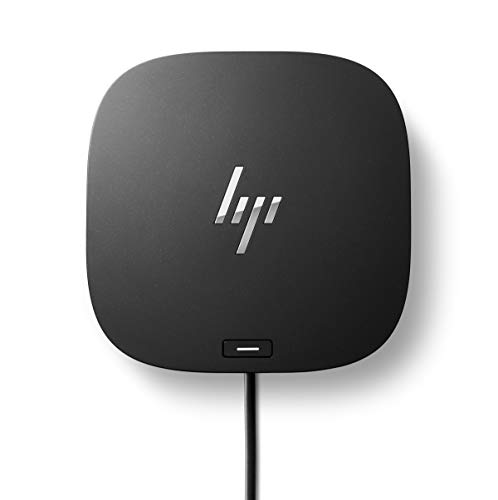
Docking Stations for MacBook (2026) Buying Guide
 Photo by dlxmedia.hu / Pexels
A MacBook docking station converts your laptop's two USB-C/Thunderbolt ports into a full desktop workstation—single-cable connection for power, multiple monitors, Ethernet, USB-A peripherals, SD cards, and audio. The key variable is whether the dock uses Thunderbolt 4/USB4 or USB-C DisplayLink, because they behave very differently for macOS multi-monitor setups.
Thunderbolt vs. DisplayLink: Why It Matters for Mac
Apple Silicon MacBooks (M1 and later) natively support only one external display via USB-C/Thunderbolt without workarounds. DisplayLink docking stations add a second (or third) monitor by installing the DisplayLink Manager software, which uses the GPU to process display output. This works—but introduces CPU overhead, occasional driver conflicts, and requires that software to run at all times. Thunderbolt 4 docks (Plugable, CalDigit, OWC) connect directly to the Thunderbolt controller and don't require DisplayLink software. If you run dual monitors on a MacBook, Thunderbolt 4 docks are preferable. If you have a Mac Studio or Mac Mini with native multi-display support, either approach works.
Power Delivery
A dock should charge your MacBook through the same cable it uses for data and display. MacBook Pro 14-inch requires 96W minimum for fast charging; MacBook Pro 16-inch needs 140W. Most docks deliver 60-96W power delivery—adequate for MacBook Air (30-60W required) and MacBook Pro 14-inch at moderate load. For MacBook Pro 16-inch under heavy workload, confirm the dock delivers at least 96W PD, or use the dock for peripherals and charge separately with MagSafe. Plugable 14-in-1 delivers 100W PD; Dell WD19S delivers 90W. WAVLINK USB-C delivers 96W.
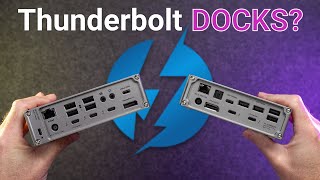
Port Selection: Match to Your Workflow
The right dock depends on your peripherals. Plugable 14-in-1 covers nearly everything: dual 4K display, 4x USB-A, 2x USB-C, SD/microSD, Ethernet, audio, 100W PD. Dell WD19S is a business-grade dock designed for Dell laptops but compatible with Macs—solid build, DisplayPort + HDMI dual monitor output, 90W PD, USB-A and USB-C ports. WAVLINK USB-C is the most affordable option with dual 4K output via DisplayLink, 4-in-1 USB hub, and 96W PD. HP USB-C Dock G5 is a business dock with security features relevant for managed IT environments. If you primarily need Ethernet and USB-A ports without dual monitors, a simpler USB-C hub is cheaper than any dock here.
Compatibility and macOS Stability
Thunderbolt and USB4 docks (Plugable Thunderbolt models) work natively with macOS—no software required. DisplayLink docks (WAVLINK, some Dell models) require DisplayLink Manager, which adds a background process. Test DisplayLink stability on your specific Mac before committing to a home office setup that depends on it. For mission-critical setups, Thunderbolt 4 docks are the lower-friction choice. For mixed Windows/Mac environments, DisplayLink's software-based approach offers more flexibility.

How We Compared
We evaluated these docking stations on connection protocol (Thunderbolt 4 vs. DisplayLink USB-C), power delivery wattage, port count and variety, macOS compatibility without additional software, and value for single-cable MacBook setup. Docks with confirmed macOS dual-monitor compatibility data ranked above Windows-only tested units.
“Plugable 14-in-1 USB-C Docking Station—dual 4K display output, 4x USB-A, 2x USB-C, SD/microSD reader, Gigabit Ethernet, audio, 100W PD. Compatible with MacBook via USB-C. Best all-in-one dock for repl”
See Today’s Price →What we like
- Supports up to 3 external displays via MST
- 96W laptop charging
- SD + microSD slots
- 2.5GbE Ethernet
Watch out for
- Triple display requires DisplayPort MST hub support on laptop
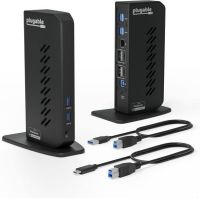
“Plugable USB 3.0/USB-C Dual 4K Display Docking Station—dual 4K via DisplayLink, comprehensive port selection, compatible with MacBook and PC. DisplayLink Manager required for dual monitor on Apple Sil”
See Today’s Price →What we like
- True dual 4K@60Hz output
- USB-A and USB-C ports
- Ethernet
- Works across Windows and Mac
Watch out for
- Requires DisplayLink driver install
- No USB4/Thunderbolt output

“Dell WD19S 180W Docking Station—90W PD, DisplayPort + HDMI dual monitor, USB-A and USB-C ports, solid business-grade build. Works with MacBooks via USB-C. Best for IT-managed setups or users who want ”
See Today’s Price →What we like
- 180W charging power — handles Dell XPS 15 and Precision workstations
- Dual 4K display
- USB-A ports for legacy peripherals
- 1GbE Ethernet
Watch out for
- Best with Dell laptops (Dell-specific power profile)

“WAVLINK USB-C Dual 4K Docking Station—96W PD, dual 4K display output (DisplayLink), 4-in-1 hub, Gigabit Ethernet, audio jack at $127. DisplayLink Manager required. Best value option for MacBook users ”
See Today’s Price →What we like
- Dual 4K@60Hz display output
- 65W laptop charging
- 12 ports
- Good value
Watch out for
- 65W charging (not enough for 15" laptops at full load)
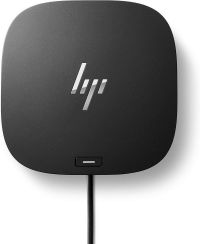
“HP USB-C Dock G5—8-in-1 design, security features for managed IT environments, 100W PD, DisplayPort + HDMI. Business-oriented driver support. Best for enterprise Mac users in HP-standardized IT enviro”
See Today’s Price →What we like
- HP certified for Elite, ProBook, ENVY series
- USB-A + USB-C mix
- 100W passthrough
- Clean design
Watch out for
- Less useful on non-HP laptops
- Fewer ports than Plugable at similar price
How We Analyze Products
We analyze Amazon review data — often thousands of reviews per product — to surface patterns that individual buyers miss. Our process aggregates star ratings, review counts, and buyer sentiment at scale, identifying which strengths and weaknesses appear consistently across the largest review samples available. The 1,116+ reviews analyzed on this page represent real verified-purchase feedback from Amazon buyers.
Each product earned its placement through data: total review volume, average rating, and the specific praise and complaints that repeat most often across buyers. No manufacturer paid for placement on this page. Products appear here because buyers endorsed them at scale, not because a company asked us to feature them.
We use AI to summarize review sentiment — not to fabricate opinions, but to condense what thousands of buyers actually wrote into a readable format. The pros and cons you see reflect the most common themes found in verified purchaser reviews, paraphrased for clarity. We do not claim to have accessed Reddit, YouTube, or specific publications in generating these summaries.
Prices shown reflect Amazon pricing at the time this page was last generated. Click “See Today’s Price” to get the current live price on Amazon. Read our full methodology →