Best Drawing Tablets 2026 — Pen & Display
Wacom Intuos Pro Medium (~$350) is the best drawing tablet for professionals. Best pen display: Huion Kamvas 13 Gen 3 (~$190). Budget pen tablet: XP-Pen Deco 01 V3 (~$60). Best entry: Wacom Intuos Small (~$90). Budget pen display: XP-Pen Artist 12 2nd Gen (~$140).
Drawing Tablets Buying Guide
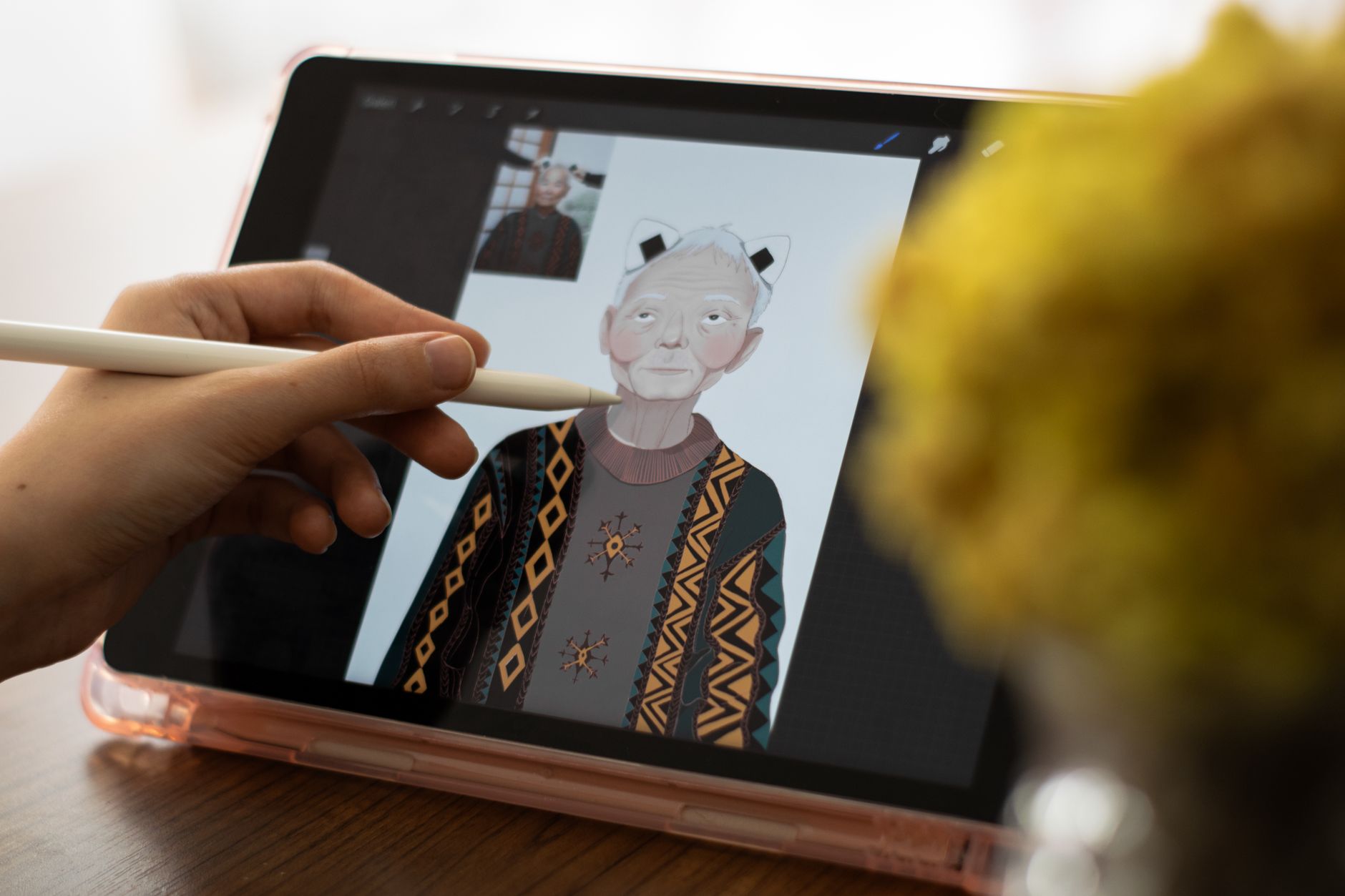 Photo by Berna / Pexels
Quick Verdict: Our top pick is the Wacom Intuos Pro Medium Graphics Tablet (Our Top Pick) — consistently top-rated in its category. Priced at $379.95.
Budget Pick: The Wacom Intuos Small Drawing Tablet with Software Bundle CTL4100 at $39.95 — a solid choice for budget-conscious buyers.
Who This Guide Is For
This guide is for you if:
- You're buying a tech product and want to understand what specs actually matter
- You're confused by terminology and want plain-English explanation
- You want to avoid paying for features you don't need
Skip this guide if:
- You're a tech professional who already understands the specs
- You just want a product recommendation — see our comparison pages
Quick verdict: Wacom Intuos Pro Medium (~$350) is the best drawing tablet for professionals. Best pen display: Huion Kamvas 13 Gen 3 (~$190).
| Tablet | Type | Active Area | Pressure Levels | Screen | Price |
|---|---|---|---|---|---|
| Wacom Intuos Pro Med | Pen tablet | 8.82"x5.83" | 8192 | No (uses monitor) | ~$330 |
| XP-Pen Deco 01 V3 | Pen tablet | 10"x6.27" | 8192 | No (uses monitor) | ~$44 |
| Huion Kamvas 13 Gen 3 | Pen display | 13.3" screen | 8192 | 1920x1080 IPS | ~$229 |
| Wacom Intuos Small | Pen tablet | 6.0"x3.7" | 4096 | No (uses monitor) | ~$80 |
| XP-Pen Artist 12 2nd Gen | Pen display | 11.9" screen | 8192 | 1920x1080 IPS | ~$160 |
How to Choose the Best Drawing Tablet in 2026
Pen Tablet vs Pen Display — The Most Important Decision
This is the first and most consequential choice in the drawing tablet category:- Pen tablet (no screen): A flat surface you draw on while looking at your computer monitor. The stylus movement maps to cursor position on your display. Takes time to adjust to the hand-eye coordination split. All Wacom Intuos and XP-Pen Deco models are pen tablets. Advantage: lower cost, longer battery life (some are battery-free), lighter and more portable.
- Pen display: A monitor you draw directly on — the stylus touches the screen where you want to paint or draw. Feels closer to drawing on paper or an iPad. Huion Kamvas and XP-Pen Artist models are pen displays. Advantage: more natural for artists transitioning from traditional media. Disadvantage: higher cost, requires a computer to drive (not standalone), you may block parts of the screen with your hand while drawing.
Pressure Levels — 4096 vs 8192 vs 16384
Pressure sensitivity determines how fine-grained the stylus can detect the difference between a light touch and a firm press:- 4096 levels: Entry standard. Sufficient for most digital painting and illustration. Older Wacom entry models use this.
- 8192 levels: Current professional standard. The Wacom Intuos Pro Medium's Pro Pen 2 and XP-Pen Artist 12 2nd Gen both use 8192. Difference from 4096 is subtle but noticeable in very light, feathered strokes.
- 16384 levels: Found on XP-Pen Deco 01 V3 and Huion Kamvas 13 Gen 3. The practical difference from 8192 is minimal for most artists — software interpolation reduces the perceptible gap. The jump from 4096 to 8192 is more meaningful than 8192 to 16384.
Watch Before You Buy

At a Glance
| # | Product | Award | Price | Resolution | Refresh Rate | Panel | |
|---|---|---|---|---|---|---|---|
| 1 | 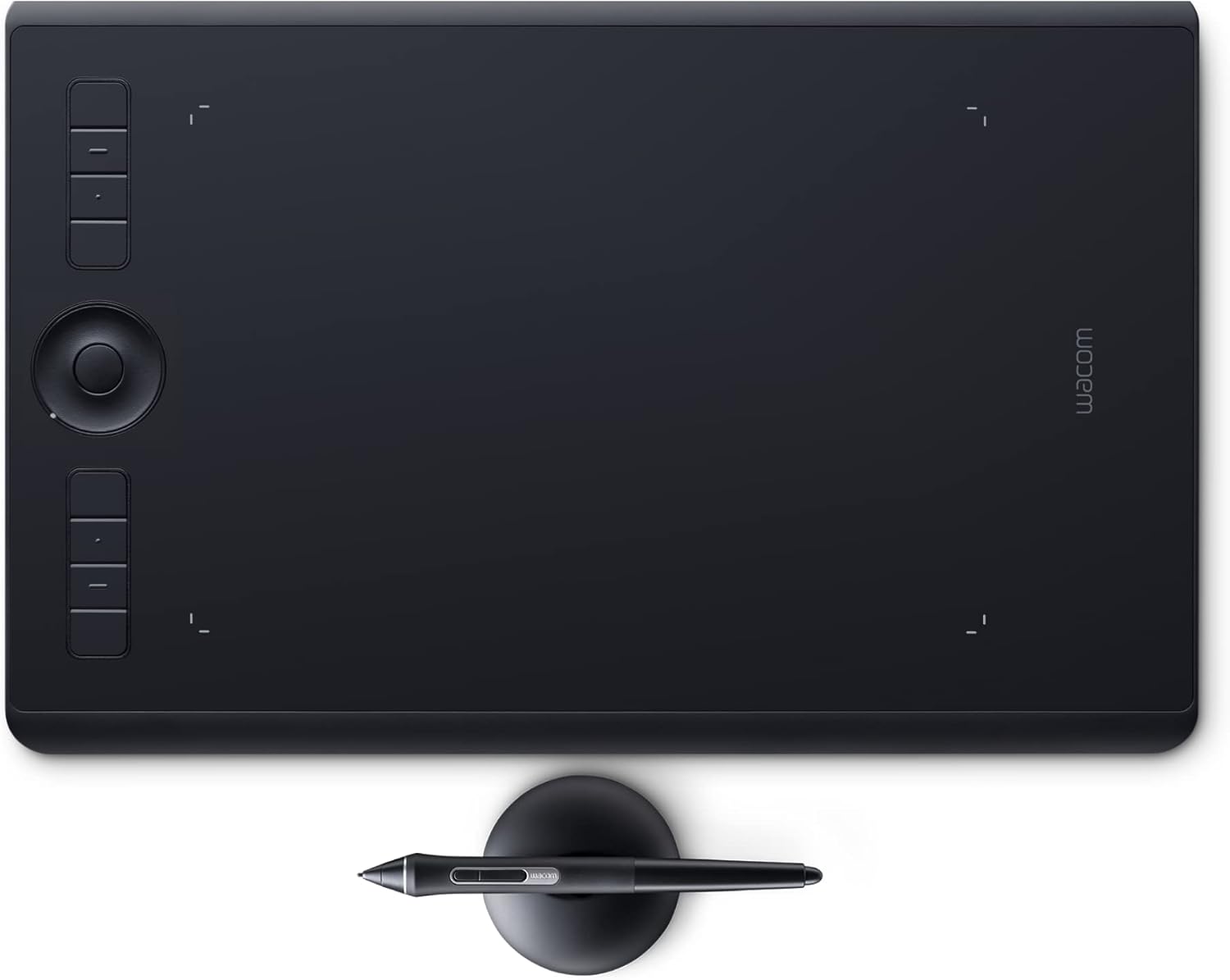 Wacom Intuos Pro Medium Graphics Tablet Wacom Intuos Pro Medium Graphics Tablet |
Best Overall | $379 | — | — | — | Buy → |
| 2 |  XP-Pen Deco 01 V3 Drawing Tablet XP-Pen Deco 01 V3 Drawing Tablet |
Also Excellent | $41 | — | — | — | Buy → |
| 3 |  Huion Kamvas 13 Gen 3 Pen Display Huion Kamvas 13 Gen 3 Pen Display |
Best Value | $209 | — | — | — | Buy → |
| 4 | 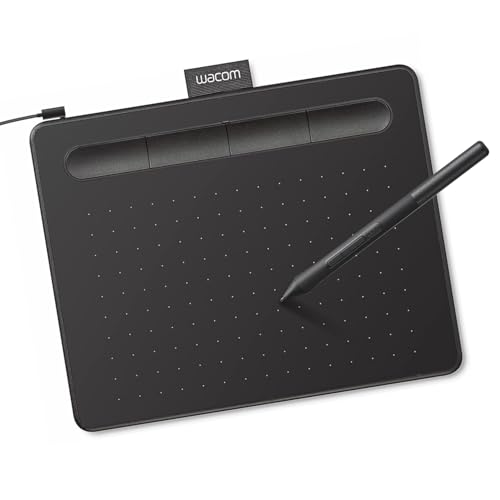 Wacom Intuos Small Drawing Tablet with … Wacom Intuos Small Drawing Tablet with … |
Budget Pick | $39 | — | — | — | Buy → |
| 5 |  XP-Pen Artist 12 2nd Gen Pen Display XP-Pen Artist 12 2nd Gen Pen Display |
Worth Considering | $142 | — | — | — | Buy → |
Showing 5 of 5 products
Wacom Intuos Pro Medium Graphics Tablet
“The Wacom Intuos Pro Medium is the gold standard for professional digital artists — Pro Pen 2 accuracy with tilt support and Bluetooth wireless in the brand that defined the pen tablet category.”
See Today’s Price →What we like
- Pro Pen 2 with 8192 pressure levels and tilt recognition
- Bluetooth wireless
- 8.7"×5.8" active area
- Customizable ExpressKeys and Touch Ring
- Works with macOS, Windows, and Android
Watch out for
- No built-in screen (pen tablet only)
Read Full Analysis
The Wacom Intuos Pro Medium is the professional standard for pen tablet (no screen) digital art — 8192 pressure levels, tilt recognition at ±60°, and Wacom Pro Pen 2 with virtually no parallax or activation force. The medium size (active area 8.82" x 5.83") is the preferred size among professional illustrators for arm-movement drawing. Multi-touch surface enables pinch, zoom, and rotate gestures. ExpressKeys and touch ring along the left edge provide customizable shortcuts without keyboard reach. The USB or Bluetooth connection (wireless in Pro) enables cable-free use. Industry software (Photoshop, Illustrator, Clip Studio Paint, Procreate on iPad) is built around Wacom's driver API. At ~$330, it's the top-tier choice for professional illustrators who use a pen tablet daily.
XP-Pen Deco 01 V3 Drawing Tablet
“XP-Pen's Deco 01 V3 delivers a larger active area and higher pressure sensitivity than Wacom's budget alternatives at less than half the price — the right choice if you want to explore digital art wit”
See Today’s Price →What we like
- 10"×6" large active area (bigger than Wacom Intuos Small)
- 16384 pressure levels (more than Wacom entry-level)
- 8 customizable hotkeys
- Battery-free stylus
- USB-C connection
Watch out for
- Brand less established than Wacom
- Android support limited
Read Full Analysis
The XP-Pen Deco 01 V3 is the best budget pen tablet for digital art beginners — a large 10x6.27-inch active area (larger than Wacom Intuos Pro Medium) with 8192 pressure levels and a battery-free stylus at roughly one-quarter of the Wacom Intuos Pro's price. The X3 chip stylus has 60-degree tilt support and 0.01mm accuracy. 8 customizable express keys. Works with Photoshop, Clip Studio Paint, Krita, and all major creative applications. The driver quality and pressure curve consistency are slightly behind Wacom's driver maturity, which experienced artists will notice. For students and beginners who want to learn digital drawing without a $300+ investment, the Deco 01 V3 provides genuine professional-grade input hardware.
Huion Kamvas 13 Gen 3 Pen Display
“The Huion Kamvas 13 Gen 3 bridges the gap between pen tablets and standalone iPads — you draw directly on a 13" screen with full 99% sRGB color accuracy, and at $190 it is the most affordable way to e”
See Today’s Price →What we like
- 13.3" full-laminated display — draw directly on screen
- 99% sRGB color accuracy
- PenTech 4.0 stylus with 16384 pressure levels
- Tilt support
- 8 keys + 2 touch bars
Watch out for
- Requires a computer to use (not standalone)
Read Full Analysis
The Huion Kamvas 13 Gen 3 is a pen display (screen + stylus) — you draw directly on the screen rather than looking at a separate monitor. 13.3-inch Full HD IPS display at 1920x1080 with 145% sRGB coverage. PW600S stylus delivers 8192 pressure levels. The display connects via USB-C with a single cable for power and data on compatible laptops. At 13.3 inches, the screen size is adequate for reference drawing but some artists prefer 16+ inch displays for complex work. Key limitation vs pen tablets: parallax exists between the pen tip and the cursor because of the glass layer over the screen — reduced but not eliminated in the Kamvas 13. For artists who find the disconnection of drawing on a tablet while looking at a screen uncomfortable, a pen display directly solves that.
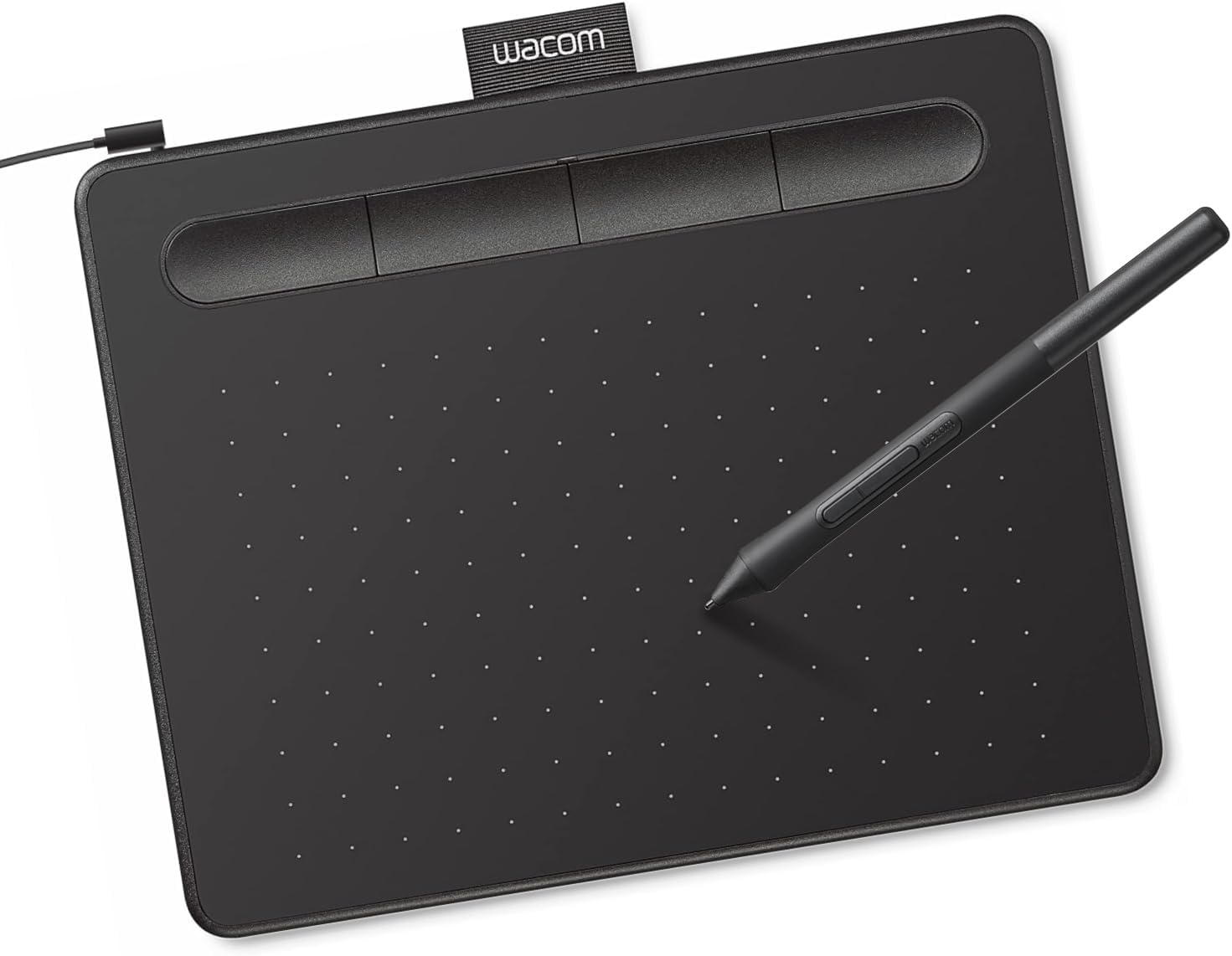
Wacom Intuos Small Drawing Tablet with Software Bundle CTL4100
“Best drawing tablet for beginners who want maximum software compatibility and the most reliable experience. The included software bundle alone justifies the price premium.”
See Today’s Price →What we like
- Includes Clip Studio Paint and Corel Painter Essentials ($100 value)
- 4096 pressure levels with tilt support
- Best driver stability across Windows, macOS, Linux
- 4 customizable express keys
Watch out for
- Smallest active area in the lineup (6x3.7 inches)
- No Bluetooth in wired version
- Higher price than non-Wacom options
Read Full Analysis
The Wacom Intuos Small (CTL-4100) is Wacom's entry-level pen tablet — 6.0x3.7-inch active area, 4096 pressure levels (half of the Pro model), and battery-free pen. It includes 4 bundled creative software programs (Corel Painter Essentials, Corel AfterShot Pro, Clip Studio Paint Pro, or similar depending on region/version). No touch capability and no tilt recognition. USB-only (no wireless). At ~$80, it's the most affordable route into Wacom's superior driver ecosystem and hardware quality for beginners who want Wacom reliability over budget alternatives. The small size limits hand movement range — the medium is preferred for illustration, but small is sufficient for photo retouching and light sketching.
XP-Pen Artist 12 2nd Gen Pen Display
“XP-Pen's Artist 12 2nd Gen is the most affordable entry into pen display drawing — a fully laminated screen with 127% sRGB color accuracy at $140, the alternative to spending $600 on an iPad with Appl”
See Today’s Price →What we like
- 11.9" full-laminated 1080p display
- 127% sRGB color
- X3 Smart Chip stylus
- 8192 pressure levels
- USB-C connection
- Compatible with Mac/Windows/Android
Watch out for
Read Full Analysis
The XP-Pen Artist 12 2nd Gen brings pen display capability to the sub-$160 price point — 11.9-inch 1920x1080 IPS display with 127% sRGB, X3 chip stylus (8192 levels, 60° tilt, no battery), and 8 customizable shortcut keys. Single USB-C connection on laptops that support it; three-in-one cable (USB-A + USB-C + HDMI) for older systems. The display lamination reduces parallax vs older pen displays. For video editors, photo retouchers, and digital artists who want on-screen drawing but have a limited budget, the Artist 12 provides core pen display functionality without the Wacom or Huion 13+ price premiums. The 11.9-inch screen is small for complex illustration but workable for photo editing and sketching.
Frequently Asked Questions
Should I get a drawing tablet or an iPad for digital art?
Do pressure levels actually matter — is 8192 better than 4096?
How large should my active area be?
Is Wacom really worth the premium over XP-Pen or Huion?
Can I use a drawing tablet without Photoshop?
How We Analyze Products
We analyze Amazon review data — often thousands of reviews per product — to surface patterns that individual buyers miss. Our process aggregates star ratings, review counts, and buyer sentiment at scale, identifying which strengths and weaknesses appear consistently across the largest review samples available. The 51,763+ reviews analyzed on this page represent real verified-purchase feedback from Amazon buyers.
Each product earned its placement through data: total review volume, average rating, and the specific praise and complaints that repeat most often across buyers. No manufacturer paid for placement on this page. Products appear here because buyers endorsed them at scale, not because a company asked us to feature them.
We use AI to summarize review sentiment — not to fabricate opinions, but to condense what thousands of buyers actually wrote into a readable format. The pros and cons you see reflect the most common themes found in verified purchaser reviews, paraphrased for clarity. We do not claim to have accessed Reddit, YouTube, or specific publications in generating these summaries.
Prices shown reflect Amazon pricing at the time this page was last generated. Click “See Today’s Price” to get the current live price on Amazon. Read our full methodology →