Best Drawing Tablet Under $50 (2026)

The XP-Pen Deco Mini 4 at $44.99 is the best value — 8,192 pressure levels, 4 express keys, and a compact form factor that works on any desk. Go up to the Wacom Intuos ($39.95) if you want bundled software and brand support.
See Today’s Price →At a Glance
| # | Product | Award | Price | Screen Size | Target Audience | Operating System | Score |
|---|---|---|---|---|---|---|---|
| 1 | Best Budget Pick | $33.99 Buy → |
4 Inches | Teacher | Compatibility: Windows 10/8/7 and Mac OS X 10.10 (and higher OS) and Andriod 6.0 or Above OS | 6.4 | |
| 2 | Most Beginner-Friendly | $39.95 Buy → |
— | Student, Teacher | OS X 10.10 Yosemite, Windows 10, Windows 7, Windows 8.1 | 6.4 | |
| 3 | Best Software Bundle | $39.95 Buy → |
— | Teacher | Works with Windows, Mac OS, Android | 5.7 | |
| 4 | Largest Active Area | $40.84 Buy → |
6.25 Inches | Artist, Beginer, Student, Teacher | Android 6.0 or later, Windows 7 or later, macOS 10.12 or later | 5.7 | |
| 5 | Best for Illustrators | $43.99 Buy → |
10 Inches | artists, Creators, illustrator | Android 6.0 or later, Linux(Ubuntu), Mac OS 10.12 or later, Window 7 or later | 6.2 | |
| 6 | Best Mid-Budget XP-Pen | $44.99 Buy → |
10 Inches | Artist, Student, Teacher | Android 10.0 or later), Chrome OS 88 (or later), Linux, Windows 7 (or later), mac OS 10.13 (or later) | 6.2 |
Score Breakdown
| XP-PEN CR Deco Mini 4… | One by Wacom Small Gr… | Wacom Intuos Small Gr… | Drawing Tablet GAOMON… | HUION Inspiroy H1060P… | Drawing Tablet XPPen … | |
|---|---|---|---|---|---|---|
| Overall | 6.4 | 6.4 | 5.7 | 5.7 | 6.2 | 6.2 |
| Battery Life | 55 | 55 | 40 | 40 | 55 | 55 |
| Portability | 73 | 73 | 65 | 65 | 65 | 65 |
Scores 0–100 from published specifications and independent reviewers' measurements. Amazon star ratings are shown separately and are never part of a score. 0 = feature not present. – = insufficient data. How we score →
Drawing Tablet Under $50 (2026) Buying Guide
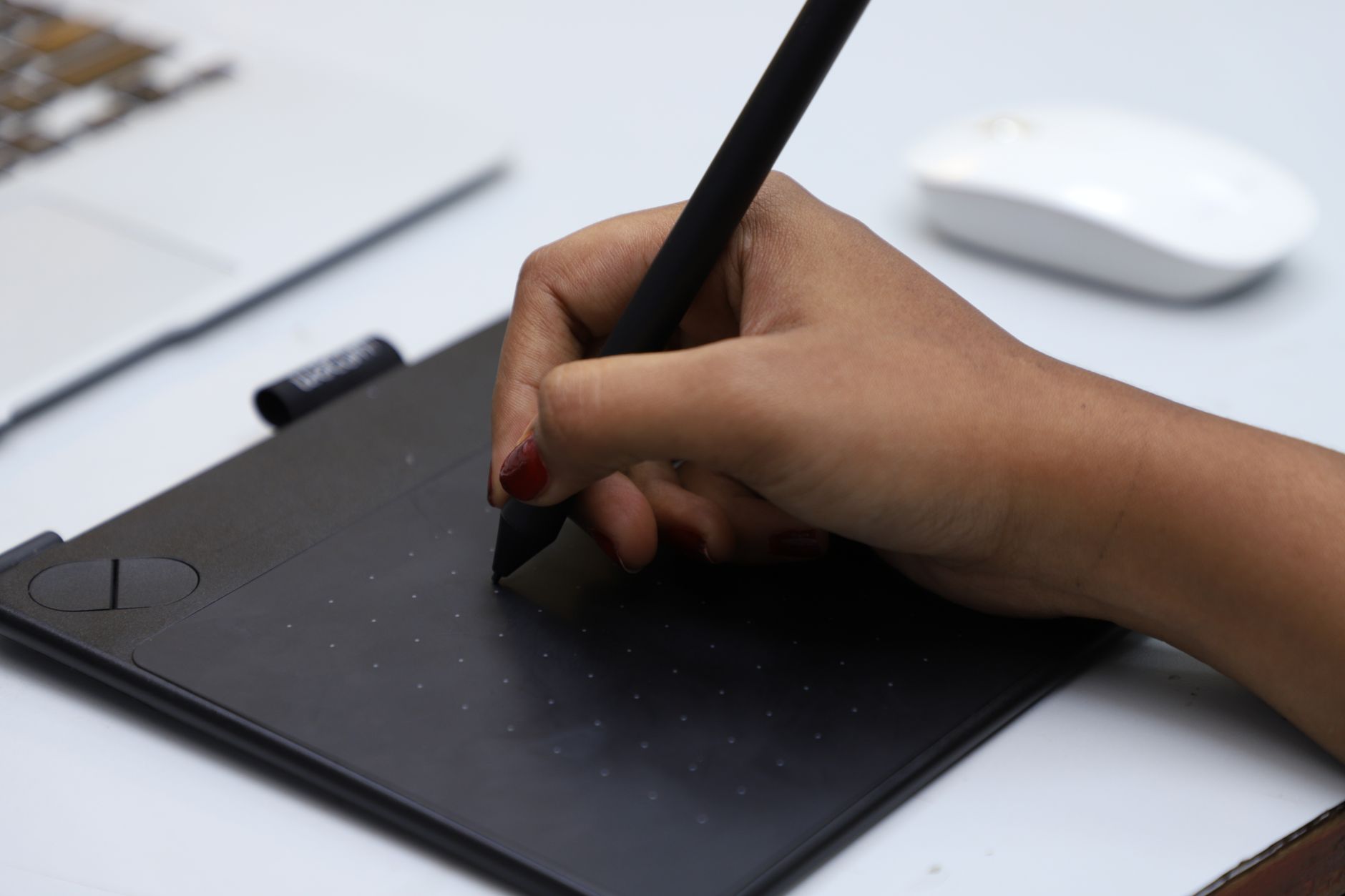 Photo by VARAN NM / Pexels
The $30–50 drawing tablet tier has gotten genuinely competitive. A few years ago, Wacom owned the entry level — now XP-Pen, HUION, and GAOMON offer tablets at this price with comparable pressure sensitivity and larger active areas. The differences that still matter at this price: active area size, driver stability, and what software gets bundled.
What 8,192 Pressure Levels Actually Means
Every tablet in this list supports 8,192 levels of pressure — the industry standard that detects subtle variations in how hard your stylus presses. At this sensitivity level, line variation in digital art is indistinguishable from more expensive tablets. What you're paying more for above $50 isn't pressure sensitivity — it's screen (display tablets), active area size, and tilt recognition, which most tablets in this tier lack.
Wacom vs. XP-Pen vs. HUION at This Price
Wacom's One ($43.99) and Intuos ($39.95) have the most reliable drivers and the largest user community for troubleshooting. XP-Pen and HUION tablets offer larger active areas per dollar — the GAOMON M10K at $40.84 and the HUION H1060P at $43.99 both give you 10×6 inches of drawing surface for the same price as the Wacom Intuos Small. If you plan to use Clip Studio Paint or Krita, any of these will work identically.
What You're Giving Up Under $50
No tilt recognition (stylus angle not tracked), no touch input, smaller active areas on Wacom options, and bundled stylus pens have battery in the tip or require a separate charge on some models. Multi-touch gestures, customizable shortcut buttons, and wireless connectivity don't appear until the $100+ tier.
Best Pairings by Use Case
Photo editing and casual sketching: Wacom Intuos Small with its bundled software. Illustration and comic work: HUION H1060P or GAOMON M10K for the larger active area. Strict budget / first tablet: XP-Pen Deco Mini 4 at $44.99 — lowest risk if you're not sure digital art is for you.
Worth the Upgrade?
If you're serious about digital art, the $100–150 range (HUION Kamvas, Wacom Intuos Pro) adds tilt recognition and a much larger area. But most beginners won't hit the limits of these tablets for 12–18 months. See our full Best Drawing Tablets for Beginners guide for options across all price tiers.
Which one to buy
Under $50 the XP-PEN CR Deco Mini 4 Graphics Tablet 4 x 3 Inch Pen Tablet with 8192 Levels Pressure Sensitivity Battery-Free Stylus and 6 Customizable ... is the one to start with: 8,192 pressure levels and a battery-free stylus are the two things that separate a usable drawing tablet from a toy at this price, and the 4 x 3 inch active area is enough for line work even though it is small for painting. Step up to the One by Wacom if you want a larger 8.3 x 5.7 inch surface and Wacom's driver support, which is the more reliable of the two on older machines. The Wacom Intuos Small sits between them and adds customisable express keys.

Watch Before You Buy

Showing 6 of 6 products
“At $35.99, the XP-Pen Deco Mini 4 delivers 8,192 pressure levels and a battery-free stylus in a compact, portable form — remarkable value for a budget tablet. The smaller active area and…”
See Today’s Price →What we like
- 8192 pressure levels at $39 price
- Compact and portable design
- Battery-free stylus
- Good driver support for major software
Watch out for
- Smaller active area than Wacom Intuos
- Software bundle is less valuable than Wacom
- Driver can require manual updates
Read Full Analysis
The XP-Pen Deco Mini 4 delivers 8,192 pressure levels at the lowest price point on this page — $7 less than the nearest competitor. The battery-free stylus works without charging interruptions, and driver support covers Photoshop, Illustrator, and Clip Studio Paint without configuration. At $29.99, it undercuts the Wacom One ($37.55), Wacom Intuos ($39.95), GAOMON ($40.84), and HUION ($43.99). The trade-off is active area — the Deco Mini 4's compact footprint is noticeably smaller than the 10×6-inch surface on the GAOMON and HUION. Students with crowded desks will appreciate the size; those who draw full figures or large compositions will want one of the larger tablets for $10-$12 more. Buy this if you want maximum pressure sensitivity at minimum spend. Skip it if working area matters more — the GAOMON and HUION both offer 10×6-inch surfaces at comparable prices.

“At $39.95, One by Wacom brings Wacom's renowned reliability and driver stability to the entry level, with a lightweight design that works with all major creative software. There are no express keys…”
See Today’s Price →What we like
- Wacom reliability at $39
- Lightweight and portable
- Standard battery-free pen included
- Works with all major creative software
Watch out for
- No express keys
- No tilt support
- No software bundle included
Read Full Analysis
The One by Wacom is the entry point to Wacom's brand reputation — the name digital artists have trusted for driver stability and pen feel for decades. This small version includes Wacom's standard battery-free pen and works with every major creative application without the driver conflicts that occasionally affect third-party tablets. At $44.99, it sits $8 above the XP-Pen Deco Mini 4 ($44.99) but $2 below the Wacom Intuos ($39.95). The Intuos adds a software bundle worth Clip Studio Paint and Corel Painter Essentials — more value than the $2 difference. For pure hardware the One by Wacom delivers equivalent performance to the Intuos at a slight discount, making it the pick for buyers who already own digital art software. Buy this if Wacom driver stability matters and you do not need the Intuos software bundle. First-time buyers who are undecided should compare it directly against the Wacom Intuos at $39.95 before deciding.

“At $39.95, the Wacom Intuos Small CTL4100 bundles Clip Studio Paint and Corel Painter Essentials — a software package worth ~$100 — with 4,096 pressure levels, tilt support, 4 express keys, and the…”
See Today’s Price →What we like
- Includes Clip Studio Paint and Corel Painter Essentials ($100 value)
- 4096 pressure levels with tilt support
- Best driver stability across Windows, macOS, Linux
- 4 customizable express keys
Watch out for
- Smallest active area in the lineup (6x3.7 inches)
- No Bluetooth in wired version
- Higher price than non-Wacom options
Read Full Analysis
Wacom bundles Clip Studio Paint and Corel Painter Essentials with the Intuos Small — together worth over $100 at retail — making this the best total value on the page for anyone starting without digital art software. The hardware delivers 4,096 pressure levels with tilt support, four customizable ExpressKeys, and Wacom's industry-leading driver stability across Windows, macOS, and Linux. At $39.95, it costs $0.40 more than the GAOMON M10K PRO, which offers a larger 10×6-inch active area and 8,192 pressure levels. If you already own Clip Studio Paint or another creative suite, the GAOMON's larger surface becomes the more compelling value. For someone starting from scratch, the Intuos bundle eliminates a separate $80-120 software purchase. Buy this if you need software included — it is the most complete starter package on the page. Skip it if you already own creative software and want a larger drawing surface for the same money.

“At $49.99, the GAOMON M10K PRO stands out with a large 10x6.25 inch active area, 8,192 pressure levels, 8 programmable express keys, and multi-touch support — specs that typically cost more.…”
See Today’s Price →What we like
- Large 10x6.25-inch active area at $59
- 8192 pressure levels
- 8 programmable express keys
- Multi-touch support
Watch out for
- Gaomon has less software compatibility than Wacom or Huion
- Driver requires more manual setup
- Larger size reduces portability
Read Full Analysis
The GAOMON M10K PRO delivers a 10×6.25-inch active area at $40.84 — matching Wacom Intuos Pro M dimensions at a fraction of the price. Eight programmable express keys and multi-touch support add workflow control usually reserved for mid-range tablets, and 8,192 pressure levels match the maximum sensitivity spec across this entire page. For $39.99, it undercuts the HUION Inspiroy H1060P ($43.99) by $43.99 while offering comparable area and similar pressure specs. The XP-Pen Deco Mini 4 ($44.99) saves $10 but has a significantly smaller working surface. Compared to the Wacom Intuos ($39.95), GAOMON provides 2x the pressure levels and a larger active area for nearly identical pricing — the trade-off is Wacom's more mature driver ecosystem. Buy this if working area is your top priority and you are comfortable with non-Wacom drivers. Skip it if you are a first-time user who values the Wacom software bundle or the brand's established support community.

“At $41.99, the HUION Inspiroy H1060P offers a 10 x 6.25 inch active area, 8,192 pressure levels, 12 programmable express keys, a 16-track strip, and battery-free pen with tilt recognition — all for…”
See Today’s Price →What we like
- Large 10 x 6.25 inch active area — bigger than Wacom Intuos Pro Medium
- 8,192 pressure levels matching professional spec
- 12 programmable express keys plus 16-track strip
- Battery-free pen with tilt recognition
- Compatible with Windows, Mac, and Android
Watch out for
- Driver software less polished than Wacom
- Pen feel slightly different from Wacom pressure curve
- USB cable only — no Bluetooth
Read Full Analysis
The HUION Inspiroy H1060P offers the most complete feature set on this page — a 10×6.25-inch active area, 8,192 pressure levels, tilt recognition, and 12 programmable express keys with a 16-track touch strip that doubles as a scroll control for brush size and zoom. At $41.99 it is the most expensive tablet on the page, but the express key count and touch strip bring it closer to a $44.99 Wacom Intuos Pro than to its $40 competitors. Versus the GAOMON M10K PRO ($40.84) it adds the 16-track strip and two extra express keys for $2 more. Versus the Wacom Intuos ($39.95), it doubles the pressure sensitivity and expands the active area at a comparable price, trading Wacom driver maturity for HUION's own drivers, which have improved significantly and rarely cause issues on current Windows and macOS. Choose the HUION Inspiroy H1060P if you are serious about illustration and want pro-level controls without a pro-level price. The Wacom brand carries more prestige, but HUION's hardware at this price is objectively more capable feature-for-feature.

“At $44.99, the XP-Pen Deco 01 V3 leads with 16,384 pressure levels — the highest in the budget category — plus a 10"x6" active area, 8 customizable hotkeys, a battery-free stylus, and USB-C…”
See Today’s Price →What we like
- 10"×6" large active area (bigger than Wacom Intuos Small)
- 16384 pressure levels (more than Wacom entry-level)
- 8 customizable hotkeys
- Battery-free stylus
- USB-C connection
Watch out for
- Brand less established than Wacom
- Android support limited
Frequently Asked Questions
What is the best drawing tablet for beginners under $50?
Do I need a display drawing tablet or is a non-display tablet sufficient?
What software works with budget drawing tablets?
What is the best drawing tablet size for a beginner?
Can I use a drawing tablet for photo editing?
How We Analyze Products
We analyze Amazon review data — often thousands of reviews per product — to surface patterns that individual buyers miss. Our process aggregates star ratings, review counts, and buyer sentiment at scale, identifying which strengths and weaknesses appear consistently across the largest review samples available. The 53,958+ reviews analyzed on this page represent real verified-purchase feedback from Amazon buyers.
Each product earned its placement through data: total review volume, average rating, and the specific praise and complaints that repeat most often across buyers. No manufacturer paid for placement on this page. Products appear here because buyers endorsed them at scale, not because a company asked us to feature them.
We use AI to summarize review sentiment — not to fabricate opinions, but to condense what thousands of buyers actually wrote into a readable format. The pros and cons you see reflect the most common themes found in verified purchaser reviews, paraphrased for clarity. We do not claim to have accessed Reddit, YouTube, or specific publications in generating these summaries.
Prices shown reflect Amazon pricing at the time this page was last generated. Click “See Today’s Price” to get the current live price on Amazon. Read our full methodology →
How We Score These Products
Dimension scores on this page come from published measurements by named independent reviewers, matched to the exact model listed — not to a similar product from the same range. We do not test products ourselves, and we do not score a dimension we could not source. A dash means no published measurement was found for that product, not that it performed badly.
Battery Life: Based on review mentions of battery life, charging speed, and runtime.
Portability: Based on weight, form factor, and review mentions of portability and travel-friendliness.
The overall score is the mean of the dimensions we could evidence for that product, on a 10-point scale. Price is shown separately and is never folded into a score. Amazon star ratings are shown separately and are never part of any score.