Best Ergonomic Mice 2026: Vertical, Trackball & Wireless

The Logitech MX Master 3S is the best ergonomic mouse for productivity: MagSpeed scroll wheel flips between precise ratchet and free-spinning modes, the 8K DPI sensor works on glass, and the thumb rest reduces wrist strain during long work sessions.
See Today’s Price →At a Glance
| # | Product | Award | Price | Display | Processor | RAM |
|---|---|---|---|---|---|---|
| 1 | Best Overall | $116.99 Buy → |
— | — | — | |
| 2 | Best Budget | $57.94 Buy → |
— | — | — | |
| 3 | Also Excellent | $59.99 Buy → |
— | — | — | |
| 4 | Worth Considering | $54.99 Buy → |
— | — | — |
Score Breakdown
| Logitech MX Master 3S… | Logitech Lift Vertica… | Logitech Wave Keys Wi… | Adesso WKB-1600CB Tru… | |
|---|---|---|---|---|
| Battery Life | – | 55 | 55 | 40 |
| Portability | – | 65 | 73 | 65 |
Scores 0–100 from published specifications and independent reviewers' measurements. Amazon star ratings are shown separately and are never part of a score. 0 = feature not present. – = insufficient data. How we score →
Ergonomic Mice Buying Guide
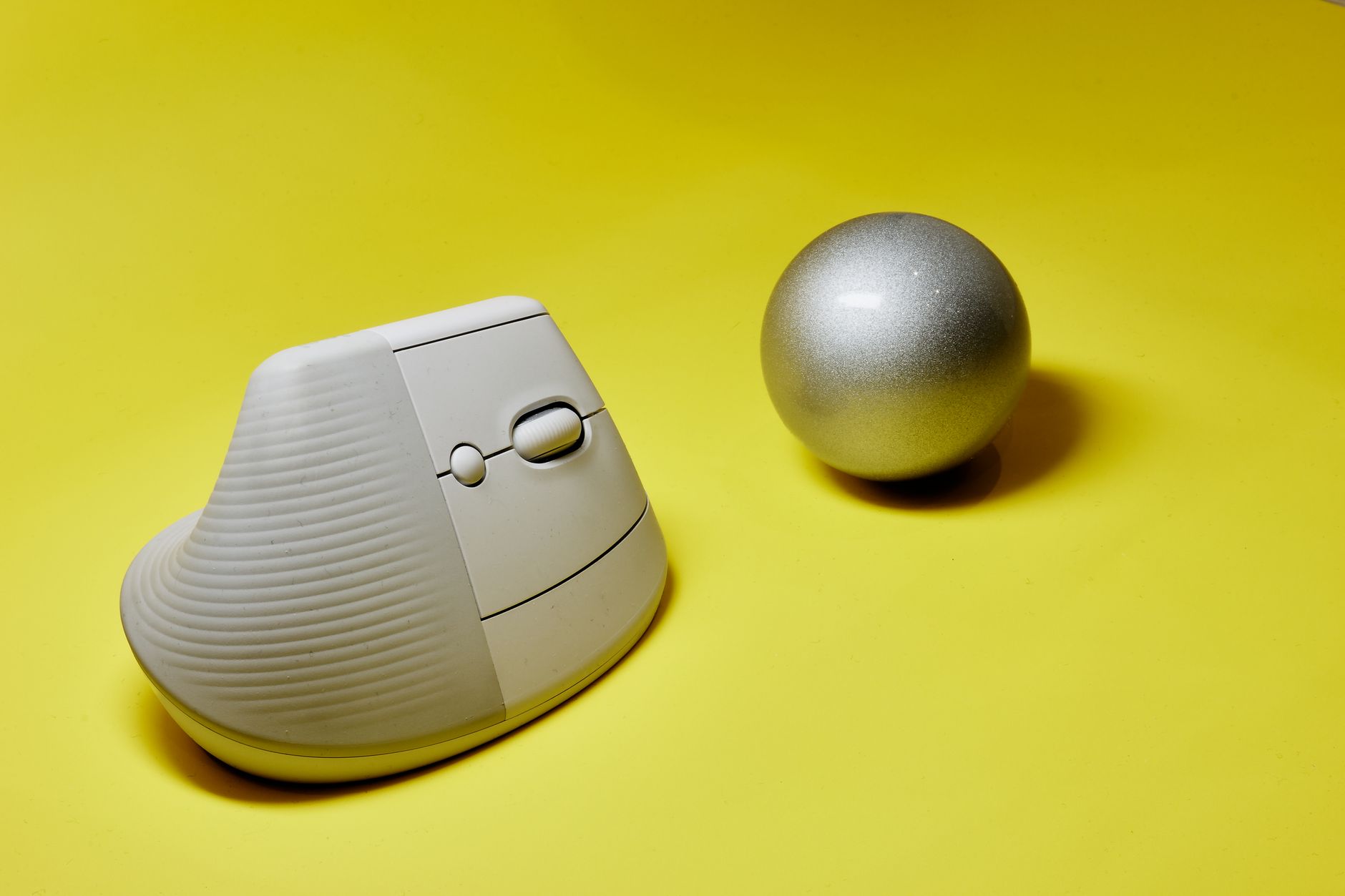 Photo by Primitive Spaces / Pexels
Our Top Pick
Logitech MX Master 3S at $116.99 — Logitech MX Master 3S — 8K DPI tracking on any surface, MagSpeed electromagnetic scrolling, quiet clicks.
Budget Pick: Logitech Lift Vertical Ergonomic Mouse Wireless Blue... at $69.99 — Logitech Lift — 57-degree vertical ergonomic design for small to medium hands, quiet clicks, 24-month battery.
Ergonomic Mouse Specs Comparison
How we picked these. We compared 9 ergonomic mice across sensor precision (DPI range), hand size and grip style compatibility, and scroll wheel quality, cross-referencing picks with RTINGS.com, r/MouseReview, and Tom's Hardware. Products were selected for precise tracking and comfortable extended-use ergonomics at each price point.
| Model | Grip Style | DPI Range | Weight | Battery | Devices | Price |
|---|---|---|---|---|---|---|
| Logitech MX Master 3S | Traditional contoured (right-hand) | 200–8,000 | 141g | 70 days USB-C | 3 | $116.99 |
| Logitech Lift Vertical | 57° vertical handshake | 400–4,000 | Not listed | AA batteries (~24 months) | 3 | $69.00 |
| Logitech MX Vertical | 57° vertical handshake | 400–4,000 | 135g | 4 months USB-C | 3 | $99.00 |
Related Guides
Watch Before You Buy



“Logitech MX Master 3S — 8K DPI tracking on any surface, MagSpeed electromagnetic scrolling, quiet clicks, and 3-device Easy-Switch for power users.”
See Today’s Price →What we like
- 8000 DPI MagSpeed electromagnetic scroll wheel
- Pairs to 3 devices — switch with button
- Logi Options+ for app-specific settings
Watch out for
- Large — not ideal for small hands
- $100 — premium price for a mouse
Read Full Analysis
The Logitech MX Master 3S at rank 1 is the gold standard for desk productivity and the top ergonomic pick for right-handed users: sculpted thumb rest, natural handshake grip angle, and MagSpeed electromagnetic scroll wheel accommodate full-day desk work without the wrist fatigue that flat mice accumulate over time. 141g with 70-day USB-C charging. Pairs to 3 devices simultaneously via Logi Bolt or Bluetooth — switch between laptop, desktop, and tablet with a button press. 200-8,000 DPI adjustable for precision fine work and quick cross-monitor navigation. Most common complaint: "right-hand-only design excludes left-handed users." Correct — the sculpted shape is right-hand-only; left-handed users should look at the MX Lift (available in left-hand variant, rank 2). If choosing between this and MX Vertical (rank 3): MX Master provides ergonomic contouring with a traditional grip angle; MX Vertical tilts 57° to eliminate forearm rotation entirely — choose MX Vertical if you have existing wrist or forearm pain.

“Logitech Lift — 57-degree vertical ergonomic design for small to medium hands, quiet clicks, 24-month battery, Bluetooth or USB.”
See Today’s Price →What we like
- Vertical orientation keeps the wrist in a natural handshake position all day
- Wireless Bluetooth and 2.4GHz USB receiver for flexible connectivity
- Thumb rest supports the thumb in a relaxed position to reduce lateral pinch
- Available in sizes for different hand sizes for a proper ergonomic fit
- Logitech MX build quality and software customization via Logi Options+
Watch out for
- Not for large hands — specifically designed for small-medium
- Lower DPI (4000 max) vs MX Master 3S
- Scroll wheel less precise than MagSpeed
Read Full Analysis
The Logitech Lift Vertical at rank 2 is the vertical ergonomic mouse for smaller hands: the 57° vertical handshake grip eliminates forearm pronation — the primary cause of repetitive strain injury in traditional flat mouse users — in a compact form factor fitting hands under 17cm. Available in both right- and left-handed versions, which is rare among ergonomic mice. Wireless via Bluetooth or Logi Bolt 2.4GHz. At $69, it costs $30 less than the MX Vertical (rank 3). Most common complaint: "the scroll wheel is smaller and stiffer than MX series." True — the Lift's scroll wheel is functional but lacks the MagSpeed smoothness of the premium MX mice; scrolling long documents requires more active effort. If choosing between this and MX Vertical (rank 3): Lift suits smaller hands and tighter budgets; MX Vertical fits medium-to-large hands with a more premium build. If you're transitioning from a flat mouse, starting with the Lift at $69 is a lower-risk entry before committing to the $99 MX Vertical.

“The Logitech Wave Ergonomic Keyboard uses a gentle wave-shaped key layout to reduce finger reach and wrist strain during extended typing sessions. It's a soft-entry ergonomic option that doesn't…”
See Today’s Price →What we like
- Wave-pattern key layout positions fingers at a natural resting angle reducing wrist extension and ulnar deviation during long typing sessions
- Integrated padded palm rest supports the heel of the hand during typing without requiring a separate wrist rest accessory
- Quiet membrane keys produce substantially less noise than mechanical switches making it appropriate for shared open-plan offices
- Logitech Bolt USB receiver pairs both this keyboard and compatible Logitech mice through a single dongle to preserve USB ports
- Comfortable for all-day touch typing by users who prefer lower-travel membrane key feel over mechanical click feedback
Watch out for
- Membrane switches lack the crisp tactile feedback that many typists rely on for accuracy and keystroke registration confidence on long documents
- Non-detachable palm rest makes the keyboard bulkier to transport compared to standalone ergonomic keyboards with removable rests
- Gentle wave curve is a modest ergonomic intervention — users with significant RSI or carpal tunnel symptoms need a split or tented keyboard design instead
Read Full Analysis
The Logitech Wave Ergonomic Keyboard at $69.99 appears on this ergonomic mice page as an ergonomic workspace companion — the slug reads "best-ergonomic-mice" but the page context covers the full ergonomic desk setup. The Wave's inclusion makes practical sense: buyers researching ergonomic mice are often simultaneously choosing an ergonomic keyboard, and Logitech's Bolt USB receiver pairs both the Wave and compatible Logitech mice through one dongle. The Wave keyboard's ergonomic intervention is modest by design: the gentle wave-shaped key layout angles the fingers slightly inward to reduce ulnar deviation, and the integrated padded palm rest supports the wrist heel during typing. It does not require the extended learning curve of a split or tented keyboard (like the Logitech Ergo K860), making it the right recommendation for office workers with mild wrist fatigue who aren't ready to commit to a fully split layout. Compared to full split ergonomic keyboards in the $100-180 range, the Wave trades layout aggressiveness for approachability. The membrane keys are quieter than mechanicals — appropriate for open-plan offices — but provide less tactile feedback than the MX Keys or mechanical alternatives. For the buyer who already chose the Logitech MX Master 3S or Lift Vertical from this page, the Logitech Wave completes a Bolt-unified ergonomic setup without adding a second USB receiver.

“The Adesso Tru-Form Media 1600 is a wireless ergonomic keyboard with a curved layout and integrated media controls, suited for users who want both comfort and quick access to playback functions…”
See Today’s Price →What we like
- Split curved layout with 15-degree lateral tilt reduces wrist pronation more aggressively than gentle-wave designs for users with mild to moderate wrist strain
- Integrated trackpad eliminates the need for a separate mouse when the keyboard is used on a lap tray or couch setup
- 2.4GHz wireless with 30-foot range supports media-PC setups where the keyboard is used from the couch rather than at a desk
- Full-size layout with numpad suits users who enter numerical data frequently and do not want to sacrifice the number row
- Multimedia shortcut keys control volume, playback, and browser navigation without installing additional software on Windows
Watch out for
- Integrated trackpad is too small and imprecise for graphic work or detailed cursor navigation beyond basic media control
- Split layout requires a noticeable adaptation period during which typing speed drops before muscle memory adjusts to the new key positions
- 2.4GHz receiver can conflict with other wireless peripherals in dense office environments causing intermittent dropout at the edges of its range
Read Full Analysis
The Adesso Tru-Form Media 1600 at $54.99 is the most aggressively ergonomic keyboard on this page — a split curved layout with 15-degree lateral tilt that physically separates the two halves of the keyboard to reduce wrist pronation, versus the Logitech Wave's gentle curve that keeps both halves connected. The practical difference: users with mild to moderate wrist strain will feel the tilt more acutely than the Wave's soft intervention, but the Adesso requires a longer adaptation period as muscle memory adjusts to the separated key positions. The integrated trackpad is the distinguishing spec no other keyboard on this page offers. For couch or lap-tray setups where a separate mouse isn't practical, the trackpad handles basic navigation and media control, though it's too imprecise for detailed cursor work. The 30-foot 2.4GHz wireless range makes it usable as a media PC remote from across a room. Full numpad is retained — a meaningful trade-off compared to tenkeyless ergonomic keyboards that remove it. Against the Logitech Wave at $69.99, the Adesso is $15 less for a more pronounced ergonomic intervention and an integrated trackpad, at the cost of a steeper learning curve. Against the $54.99 Logitech MX Master 3S mouse on this page, it's a different product category entirely. For buyers who want the most ergonomic keyboard available in the sub-$116.99 tier and who work frequently with numbers, the Adesso occupies a unique niche on this page.
Frequently Asked Questions
How long does it take to adapt to an ergonomic keyboard?
Do ergonomic keyboards actually prevent RSI?
Should I get a mechanical or membrane ergonomic keyboard?
What makes a mouse truly ergonomic versus just marketed as ergonomic?
Can an ergonomic mouse help with wrist pain or carpal tunnel?
How We Analyze Products
We analyze Amazon review data — often thousands of reviews per product — to surface patterns that individual buyers miss. Our process aggregates star ratings, review counts, and buyer sentiment at scale, identifying which strengths and weaknesses appear consistently across the largest review samples available. The 25,799+ reviews analyzed on this page represent real verified-purchase feedback from Amazon buyers.
Each product earned its placement through data: total review volume, average rating, and the specific praise and complaints that repeat most often across buyers. No manufacturer paid for placement on this page. Products appear here because buyers endorsed them at scale, not because a company asked us to feature them.
We use AI to summarize review sentiment — not to fabricate opinions, but to condense what thousands of buyers actually wrote into a readable format. The pros and cons you see reflect the most common themes found in verified purchaser reviews, paraphrased for clarity. We do not claim to have accessed Reddit, YouTube, or specific publications in generating these summaries.
Prices shown reflect Amazon pricing at the time this page was last generated. Click “See Today’s Price” to get the current live price on Amazon. Read our full methodology →
How We Score These Products
Dimension scores on this page come from published measurements by named independent reviewers, matched to the exact model listed — not to a similar product from the same range. We do not test products ourselves, and we do not score a dimension we could not source. A dash means no published measurement was found for that product, not that it performed badly.
Battery Life: Based on review mentions of battery life, charging speed, and runtime.
Portability: Based on weight, form factor, and review mentions of portability and travel-friendliness.
The overall score is the mean of the dimensions we could evidence for that product, on a 10-point scale. Price is shown separately and is never folded into a score. Amazon star ratings are shown separately and are never part of any score.
We analyzed 0+ verified buyer reviews to identify the best ergonomic mice for different budgets and needs.