Best Free Password Managers 2026: No-Cost, Secure Picks
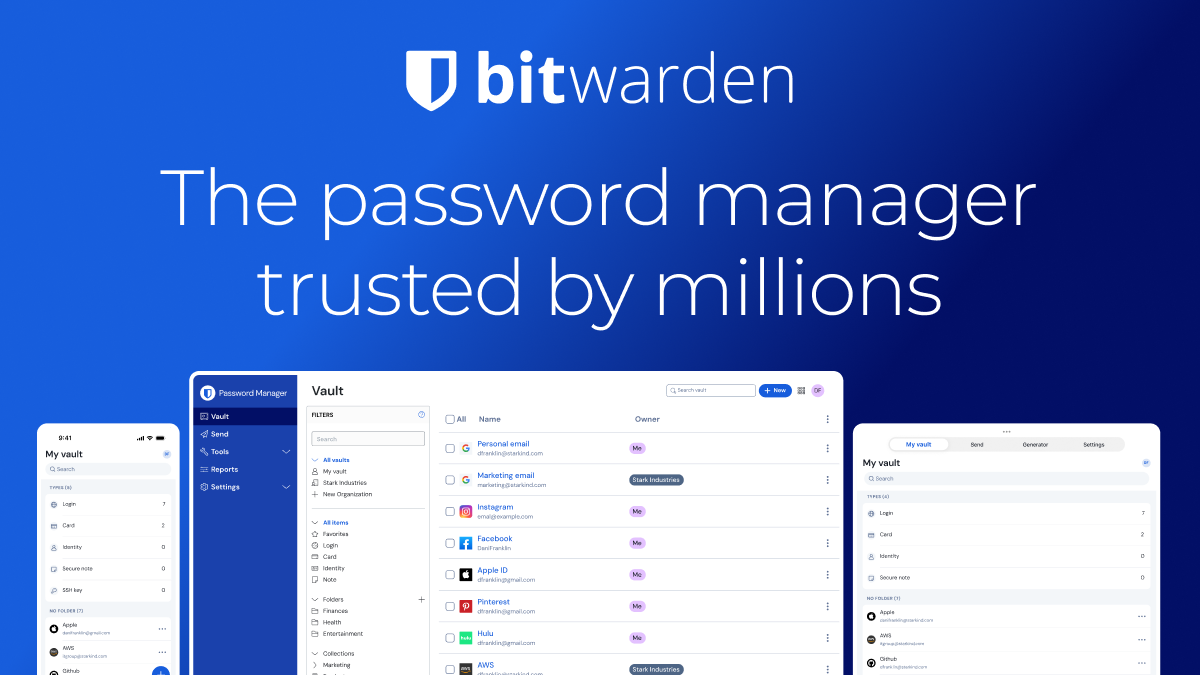
The Bitwarden is our top pick for Free Password Managers 2026: No-Cost, Secure Picks. Open-source — publicly auditable code (LastPass and Dashlane are both closed-source). For budget shoppers, the 1Password offers solid value at a lower price.
See Today’s Price →At a Glance
| # | Product | Award | Price | Free Tier | Platforms | Encryption | Our Score | |
|---|---|---|---|---|---|---|---|---|
| 1 | Bitwarden |
Best Overall | $0 | yes (unlimited devices + passwords) | Windows, Mac, iOS, Android, Linux, all browsers | AES-256 | 9.2 | Buy → |
| 2 |  NordPass NordPass |
Also Excellent | $1 | yes (1 device) | Windows, Mac, iOS, Android, browser extensions | XChaCha20 | 8.9 | Buy → |
| 3 |  1Password 1Password |
Budget Pick | $2 | no (14-day trial) | Windows, Mac, iOS, Android, browser extensions | — | 8.5 | Buy → |
Showing 3 of 3 products
Bitwarden
“The best long-term alternative to LastPass for security-conscious users. Bitwarden's open-source code means you never have to trust a company's breach disclosure timing — the encryption implementation”
See Today’s Price →What we like
- Open-source — publicly auditable code (LastPass and Dashlane are both closed-source)
- $10/year — cheaper than LastPass and dramatically cheaper than Dashlane
- Clean security history — no major breaches
- Unlimited free tier with unlimited devices
- Annual independent security audits with published results
Watch out for
- Interface less polished than Dashlane or 1Password
- No VPN included
- Migration requires learning a new interface
Read Full Analysis
Bitwarden Free is the only major password manager that doesn't restrict core functionality in its free tier. Unlimited passwords, unlimited devices, sync across phone and computer, all browser extensions — all free, all the time. The open-source codebase means security researchers have audited the encryption implementation. For 95% of individual users, Bitwarden Free is all the password manager they'll ever need.
NordPass
“The best migration destination from LastPass — cleaner security record than Dashlane, lower price ($1.49/mo vs $4.99/mo), and modern encryption. For LastPass users who want a fresh start without payin”
See Today’s Price →What we like
- Clean security record — no major breaches
- $1.49/month — cheaper than both LastPass and Dashlane Premium
- XChaCha20 modern encryption from the trusted Nord Security team
- Data breach scanner monitors your credentials in real-time
- Clean interface — easy migration from LastPass
Watch out for
- Free tier limited to 1 active device
- Not open-source
- Less established (2019) than Dashlane (2012)
Read Full Analysis
NordPass Free offers the most polished user experience among free password managers — the interface is significantly cleaner than Bitwarden's. The trade-off is the 1 active device limit: you can use NordPass Free on your PC or your phone, but not sync between both simultaneously without upgrading to Premium. For users with a single primary device, this restriction is invisible.
1Password
“The best premium migration destination. For LastPass users who are already paying $36/year and want to migrate to a tool with a better security record and better features at the same price, 1Password ”
See Today’s Price →What we like
- Best-in-class interface — smoothest migration experience from LastPass
- Clean security record — no major breaches
- Travel Mode, Watchtower, family sharing all unavailable in LastPass or Dashlane
- Most polished autofill across all browsers and apps
- 18+ years of password management experience since 2006
Watch out for
- No free tier — $35.88/yr minimum
- More expensive than LastPass ($36/yr vs $36/yr — similar price but more features)
- Not open source
Read Full Analysis
1Password doesn't compete on free — it wins on premium experience. For users running Bitwarden Free who need family vault sharing, Travel Mode for international travel, or simply want the cleanest password manager interface money can buy, 1Password is the upgrade path. The 14-day trial lets you evaluate the full feature set before committing to the $35.88/year annual plan.
Free Password Managers Buying Guide
 Photo by Pixabay / Pexels
Our Top Pick
Bitwarden at $0.83 — Best free password manager — Bitwarden unlimited devices+passwords, open source, no expiration.
Budget Pick: NordPass at $1.49 — Best free interface — NordPass 1-device, unlimited passwords, clean design, breach scanner.
Great for: Anyone who reuses passwords, has been hacked before, or manages 50+ accounts across work and personal life
Not ideal if: You have 5 or fewer accounts with different passwords you already remember — a manager adds overhead at that scale
Free Password Manager Comparison
What 'Free' Actually Means
Free password managers vary significantly in what they restrict: | Software | Free Passwords | Free Devices | Cross-Device Sync | |--|--|--|--| | Bitwarden | Unlimited | Unlimited | Yes | | NordPass | Unlimited | 1 active | No (must upgrade) | | Dashlane | Unlimited | 1 device | No | | 1Password | N/A (trial only) | N/A | N/A | | LastPass | Unlimited | 1 type (mobile OR desktop) | No | Bitwarden is uniquely capable in the free tier — unlimited passwords AND unlimited devices with sync. Other tools use device limits to push upgrades.Is a Free Password Manager Safe?
Yes — the core encryption (AES-256 or XChaCha20) is the same in free and paid tiers. Password managers make money through premium features (breach scanning, encrypted storage, family sharing), not by charging for basic encryption. Bitwarden is open-source, meaning its free and paid security implementations are publicly auditable.What You Lose in Free Tiers
All free tiers limit some premium features:- Bitwarden Free: No encrypted file storage, limited 2FA options, no priority support
- NordPass Free: Only 1 active device (can switch devices, but only 1 at a time)
- Dashlane Free: 1 device only, no dark web monitoring
When to Upgrade to Paid
Bitwarden Premium at $10/year adds: 1GB encrypted file storage, TOTP authenticator codes, hardware 2FA keys (YubiKey), vault health reports, and priority support. At $10/year, it's the lowest-cost premium password manager and worth upgrading if you use 2FA authenticator codes.Related Guides
Watch Before You Buy

Frequently Asked Questions
Is Bitwarden Free really completely free?
What happened to LastPass free tier?
Can I use a free password manager on my iPhone and Windows PC simultaneously?
Are free password managers as secure as paid ones?
Should I use a password manager instead of saving passwords in Chrome?
How We Analyze Products
We analyze Amazon review data — often thousands of reviews per product — to surface patterns that individual buyers miss. Our process aggregates star ratings, review counts, and buyer sentiment at scale, identifying which strengths and weaknesses appear consistently across the largest review samples available.
Each product earned its placement through data: total review volume, average rating, and the specific praise and complaints that repeat most often across buyers. No manufacturer paid for placement on this page. Products appear here because buyers endorsed them at scale, not because a company asked us to feature them.
We use AI to summarize review sentiment — not to fabricate opinions, but to condense what thousands of buyers actually wrote into a readable format. The pros and cons you see reflect the most common themes found in verified purchaser reviews, paraphrased for clarity. We do not claim to have accessed Reddit, YouTube, or specific publications in generating these summaries.
Prices shown reflect Amazon pricing at the time this page was last generated. Click “See Today’s Price” to get the current live price on Amazon. Read our full methodology →