Home › Tech › Best Gaming Mice 2026: Wireless, Wired & RGB Picks
Best Gaming Mice 2026: Wireless, Wired & RGB Picks
By MyAwesomeBuy Research Team · Updated April 8, 2026 · Our Methodology
4 models compared71,641+ reviews analyzed
No manufacturer paid for placement. Rankings based on verified buyer review data.
Quick Answer
The Logitech G305 LIGHTSPEED Wireless Gaming Mouse is our top pick for gaming mice, using Logitech's HERO 12K sensor with sub-1ms wireless response that matches the performance of wired mice without the cable drag. Its lightweight design and 250-hour battery life on a single AA battery make it the most practical wireless gaming mouse for long sessions.
Best for: Gamers wanting wireless performance without the premium price
“The Logitech G305 is the best-value wireless gaming mouse — LIGHTSPEED 1ms wireless technology at $40 is extraordinary, with a 250-hour battery on one AA.”
The Logitech G305 LIGHTSPEED wireless gaming mouse uses the HERO 12K DPI optical sensor — the same sensor found in $80+ gaming mice — delivering pro-level tracking accuracy at $26.99. The proprietary LIGHTSPEED wireless connection operates at 1ms report rate, eliminating the input latency of standard Bluetooth. A single AA battery provides 250 hours of play, meaning months between changes. At under $30, it's the definitive answer for gamers who want wireless freedom without compromising tracking performance or battery management. Best for FPS and competitive gaming on a budget.
Full Specs & Measurements
Dpi
12000
Upc
097855137692
Asin
B07CMS5Q6P
Brand
Logitech G
Color
Black
Range
1.0 meters
Theme
Gaming
Sensor
HERO
Battery
250 hours (1 AA)
Wireless
LIGHTSPEED 1ms
Model Name
G305 Mouse
Style Name
Mouse
Unit Count
1.0 Count
Item Weight
0.21 Pounds
Manufacturer
Logitech
Model Number
910-005280
Power Source
Battery Powered
Built-In Media
mouse, user guide
Item Type Name
Logitech 910-005280 G305 LIGHTSPEED Wireless Gaming Mouse, Black
Button Quantity
6
Antenna Location
Mouse
Hand Orientation
Ambidextrous
Operating System
Microsoft Windows
Best Sellers Rank
#8 in Video Games (See Top 100 in Video Games) #1 in PC Gaming Mice #1 in Mac Gaming Mice
Hardware Platform
PC/Mac
Compatible Devices
Laptop, Personal Computer
Enclosure Material
Plastic
Movement Detection
Optical
Additional Features
Wireless
Number Of Batteries
1 AA batteries required. (included)
Battery Average Life
250 Hours
Warranty Description
Manufacturer’s warranty can be requested from customer service.
Item Dimensions L X W
4.59"L x 2.45"W
Are Batteries Included
Yes
Are Batteries Required
Yes
Connectivity Technology
USB
Mouse Maximum Sensitivity
12000 Dots per Inch
Global Trade Identification Number
00097855137692
Eu Spare Part Availability Duration
9 Months
Best Budget
Logitech G203 LIGHTSYNC Gaming Mouse
$23
at Amazon
Best for: Left-handed gamers and budget players who want Logitech sensor reliability in an ambidextrous form factor
“The Logitech G203 is the best ambidextrous budget gaming mouse — Logitech sensor quality, zero smoothing, and ambidextrous design at $30.”
Razer Orochi V2 at $27.99 is the compact travel wireless gaming mouse in this comparison — designed for small hand sizes and on-the-go gaming. 4.4-star rating. Dual wireless modes: 2.4GHz low-latency and Bluetooth for multi-device use. 950-hour battery life on Bluetooth mode. Best for mobile gamers who prioritize portability over ergonomic full-size design.
Full Specs & Measurements
Upc
810056141356
Asin
B0916N2LPZ
Brand
Razer
Color
Classic Black
Range
10.0 meters
Model Name
Orochi V2
Style Name
Modern
Item Weight
2.08 ounces
Manufacturer
Razer
Model Number
RZ01-03730100-R3U1
Power Source
Battery Powered
Built-In Media
Mice
Item Type Name
Gaming Mice
Button Quantity
8
Antenna Location
Gaming
Hand Orientation
Right
Operating System
Windows, macOS
Best Sellers Rank
#89 in Video Games (See Top 100 in Video Games) #7 in PC Gaming Mice
Hardware Platform
PC
Compatible Devices
Personal Computer
Enclosure Material
Plastic
Movement Detection
Optical
Additional Features
5G Advanced 18K DPI Optical Sensor, Lightweight, Mechanical Mouse Switches, Up to 950hrs Battery Life, Wireless
Number Of Batteries
1 Lithium Metal batteries required. (included)
Battery Average Life
425 Hours
Warranty Description
2 year manufacturer
Item Dimensions L X W
4.26"L x 1.52"W
Are Batteries Included
Yes
Are Batteries Required
Yes
Connectivity Technology
Bluetooth
Mouse Maximum Sensitivity
16000 Dots per Inch
Worth Considering
Razer Basilisk V3 Gaming Mouse
$199
at Amazon
Best for: MMO and RTS gamers who need precise scroll control, multiple programmable buttons, and Razer's top-tier sensor in a wired ergonomic form
“The Razer Basilisk V3 is the best gaming mouse with advanced scroll wheel — HyperPrecision 3-mode wheel and Focus+ 26K sensor make it ideal for MMO, RTS, and productivity gaming.”
Razer Basilisk V3 at $36.95 provides 11 programmable buttons and a tilting scroll wheel for scroll-speed customization — significantly more input control than the Orochi V2. 4.6-star rating. Wired connection for consistent low-latency input. Ergonomic right-hand design for extended gaming sessions. Best for desktop gamers who want extensive button programmability.
Full Specs & Measurements
Upc
810056143336
Asin
B09C13PZX7
Brand
Razer
Color
Black
Range
5.0 meters
Theme
Video Game
Model Name
Basilisk V3
Style Name
Mouse
Unit Count
1.0 Count
Item Weight
3.56 Ounces
Manufacturer
Razer
Model Number
RZ01-04000100-R3U1
Power Source
Corded Electric
Built-In Media
Important Product Information Guide, Razer Basilisk V3
Item Type Name
PC Gaming Mouse
Button Quantity
11
Antenna Location
Gaming
Hand Orientation
Right
Operating System
Windows 10, Windows 11
Best Sellers Rank
#98 in Video Games (See Top 100 in Video Games) #2 in Mac Gaming Mice #9 in PC Gaming Mice
Hardware Platform
Mac, PC
Compatible Devices
Laptops, Personal Computer
Enclosure Material
Plastic
Movement Detection
Optical
Additional Features
Ergonomic Design
Number Of Batteries
1 Lithium Ion batteries required.
Warranty Description
2 year manufacturer
Item Dimensions L X W
5.12"L x 2.96"W
Are Batteries Included
No
Are Batteries Required
No
Connectivity Technology
USB
Mouse Maximum Sensitivity
26000 Dots per Inch
Gaming Mice Buying Guide
Photo by RDNE Stock project / Pexels
Gaming Mice Under $40: What You Get vs. What You Give Up
Budget gaming mice have improved dramatically — the sensors in the Logitech G203 ($23.99) and G305 ($26.99) are the same HERO-based optical sensors found in mice twice the price. What you give up at this tier: RGB lighting customization, extra programmable buttons, and premium materials. For competitive FPS gaming, a clean optical sensor at 400–800 DPI with minimal input lag matters far more than extras. Both Logitech options deliver this at an unbeatable price point.
The G203 ($23.99) is wired — no latency, no batteries, always ready. The G305 ($26.99) is wireless using Logitech's LIGHTSPEED 2.4GHz connection, which has sub-1ms latency in practice. The G305 runs on a single AA battery lasting up to 250 hours. For a $3 premium, wireless with LIGHTSPEED is the better buy for most setups where cable management is a nuisance. If you game at a desktop with organized cables and prefer zero battery management, the G203 is perfectly competitive.
Razer Alternatives: The Orochi V2 and Basilisk V3
The Razer Orochi V2 ($27.99) is unusually small and lightweight — it targets claw-grip and fingertip-grip players with smaller hands. Its dual wireless modes (Bluetooth and 2.4GHz) make it a strong option for people who switch between a gaming rig and a laptop. The Razer Basilisk V3 ($36.95) is the most feature-rich mouse here: a 26K DPI optical sensor, 11 programmable buttons, and a smart scroll wheel with both free-spin and clicky modes. For MMO players or those who want a proper right-hand ergonomic shape, the Basilisk earns the price premium.
How To Choose A Gaming Mouse (after 10 years of reviews!)
DPI (dots per inch) controls how far the cursor moves per inch of mouse movement — most competitive players use 400–1600 DPI, not the maximum. A higher polling rate (reports per second) means smoother cursor tracking; 1000Hz is the sweet spot and all four mice hit it. The most underrated spec is mouse weight: lighter mice (the Orochi V2 weighs 61g) reduce fatigue in long sessions. Sensor accuracy at your chosen DPI matters more than peak DPI numbers in marketing materials.
The Logitech G Pro X Superlight 2 ($150-$160) is considered the overall best wireless gaming mouse. The Razer DeathAdder V3 ($80-$90) leads for wired ergonomic mice. For budget gaming, the Logitech G203 ($25-$35) uses the same sensor quality as mice 5x its price. Most competitive gamers play at similar skill levels with mice across a wide price range.
How important is the sensor in a gaming mouse?
Very important, but the threshold for excellence is now reached at very low prices. Any gaming mouse above $25 from major brands (Logitech, Razer, SteelSeries) uses a top-tier optical sensor with near-zero acceleration and consistent tracking. The performance difference between a $30 and $150 sensor is negligible in practice. Shape, weight, and wireless latency matter more than sensor spec at this point.
Should I get a wireless gaming mouse?
Modern wireless gaming mice (Logitech Lightspeed, Razer HyperSpeed) have 1ms wireless latency indistinguishable from wired in blind tests. The freedom of movement and desk cleanliness advantages are real. Battery life is 70-100+ hours, eliminating daily charging concerns. Wireless gaming mice $60+ are recommended if budget allows; wired remains the budget value play under $50.
What DPI should I set my gaming mouse to?
Most competitive FPS players use 400-800 DPI with high in-game sensitivity. MOBA and RTS players often prefer 1000-1600 DPI. Marketing emphasis on 20,000+ DPI maximum specs is not relevant to gameplay. Experiment with lower DPI and higher in-game sensitivity (or vice versa) to find your preference. Consistent settings matter more than the number.
How much should I spend on a gaming mouse?
$25-$50 delivers excellent gaming performance for casual to intermediate players. $70-$120 adds wireless and specialized ergonomic shapes. Above $150, you get ultra-light construction under 60g and premium wireless. For most gamers, $40-$80 represents the best value. Performance improvements above $100 are largely imperceptible during actual gameplay.
We analyze Amazon review data — often thousands of reviews per product — to surface patterns
that individual buyers miss. Our process aggregates star ratings, review counts, and buyer
sentiment at scale, identifying which strengths and weaknesses appear consistently across
the largest review samples available. The 71,641+ reviews analyzed on this page represent real verified-purchase feedback from Amazon buyers.
Each product earned its placement through data: total review volume, average rating, and the
specific praise and complaints that repeat most often across buyers. No manufacturer paid for
placement on this page. Products appear here because buyers endorsed them at scale, not
because a company asked us to feature them.
We use AI to summarize review sentiment — not to fabricate opinions, but to condense what
thousands of buyers actually wrote into a readable format. The pros and cons you see reflect
the most common themes found in verified purchaser reviews, paraphrased for clarity. We do not
claim to have accessed Reddit, YouTube, or specific publications in generating these summaries.
Prices shown reflect Amazon pricing at the time this page was last generated. Click
“See Today’s Price” to get the current live price on Amazon.
Read our full methodology →
Affiliate disclosure: When you buy through our links, we may earn
a small commission at no extra cost to you. This helps us keep the reviews free and
the data updated. Our recommendations are based on data, not who pays us.
Learn more →

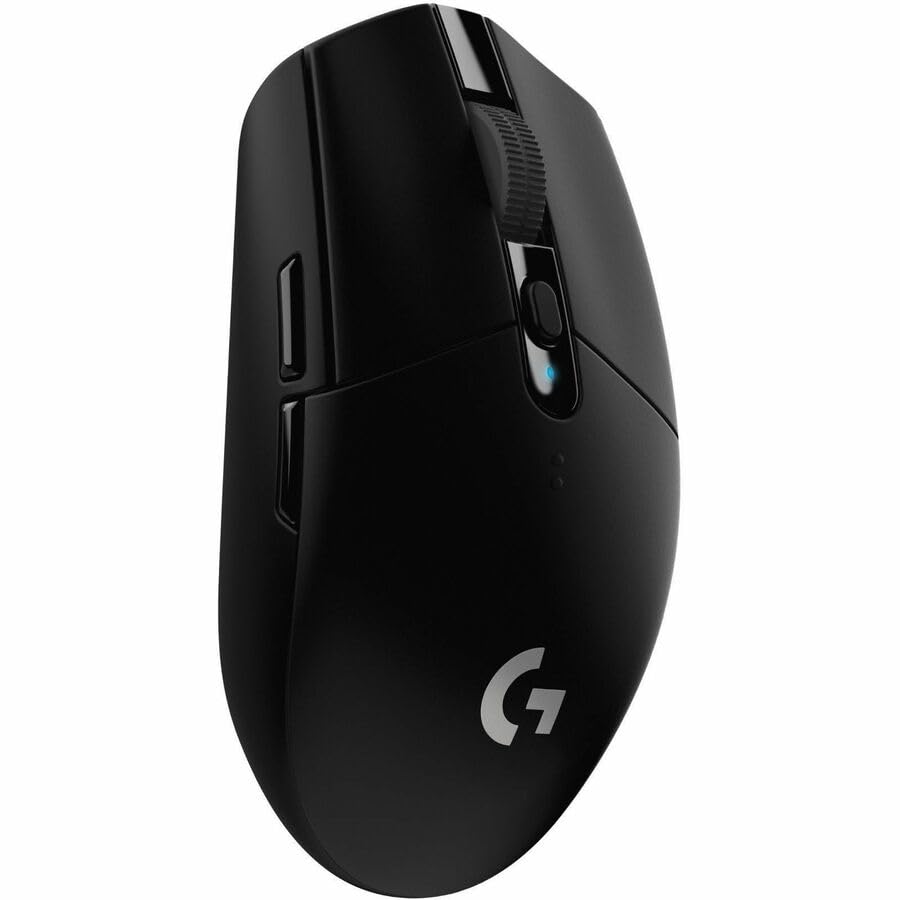 Logitech G305 LIGHTSPEED Wireless Gamin…
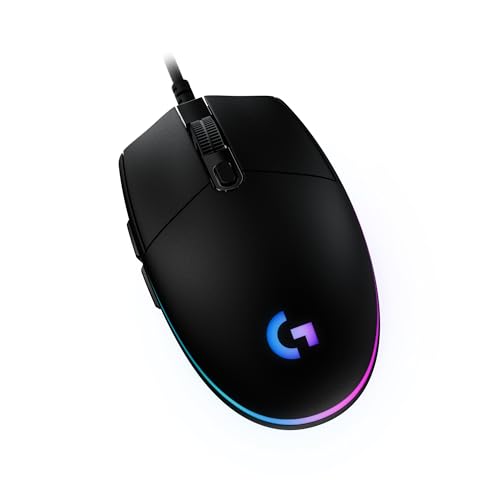 Logitech G203 LIGHTSYNC Gaming Mouse
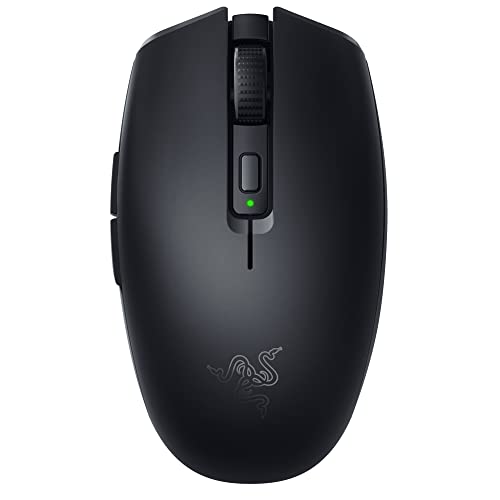 Razer Orochi V2 Mobile Wireless Gaming …
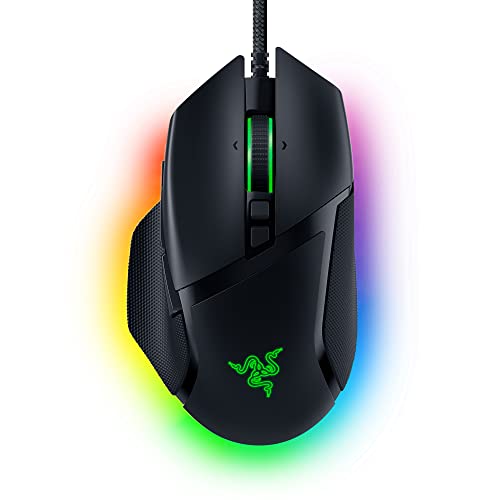 Razer Basilisk V3 Gaming Mouse


 Photo by RDNE Stock project / Pexels