Best Keyboards 2026: Mechanical, Wireless & TKL

The Keychron Q1 ($94.99) is the best keyboard for everyday work — hot-swappable switches, aluminum build, compatible with Mac and Windows. For competitive gaming, the Logitech G Pro X TKL ($208.99) offers a smaller footprint, fast polling, and tournament-level build. The Ducky One 3 ($119) delivers enthusiast-grade PBT keycaps and hot-swap at the best-value price point.
See Today’s Price →At a Glance
| # | Product | Award | Price | Connection | Switch Type | Battery | Score |
|---|---|---|---|---|---|---|---|
| 1 | Best Overall | $94.99 Buy → |
USB-C | Tactile | — | 7.0 | |
| 2 |  Logitech G PRO X TKL Lightspeed W… Logitech G PRO X TKL Lightspeed W…Logitech G |
Best for Gaming | $169.99 Used — not a new unit Buy → |
RF, USB | Linear | — | 7.5 |
| 3 | Best Enthusiast Pick | $119 Buy → |
USB-C | Tactile | — | 7.0 | |
| 4 | Best Ergonomic | $59.99 Buy → |
Bluetooth | — | — | 6.9 |
Score Breakdown
| Keychron Q1 Wired Cus… | Logitech G PRO X TKL … | Ducky One 3 TKL Class… | Logitech Wave Keys Wi… | |
|---|---|---|---|---|
| Overall | 7.0 | 7.5 | 7.0 | 6.9 |
| Ergonomics | 65 | 73 | 73 | 73 |
| Customization | 80 | 73 | 73 | 70 |
| Responsiveness | 65 | 78 | 65 | 65 |
Scores 0–100 from published specifications and independent reviewers' measurements. Amazon star ratings are shown separately and are never part of a score. 0 = feature not present. – = insufficient data. How we score →
Keyboards Buying Guide
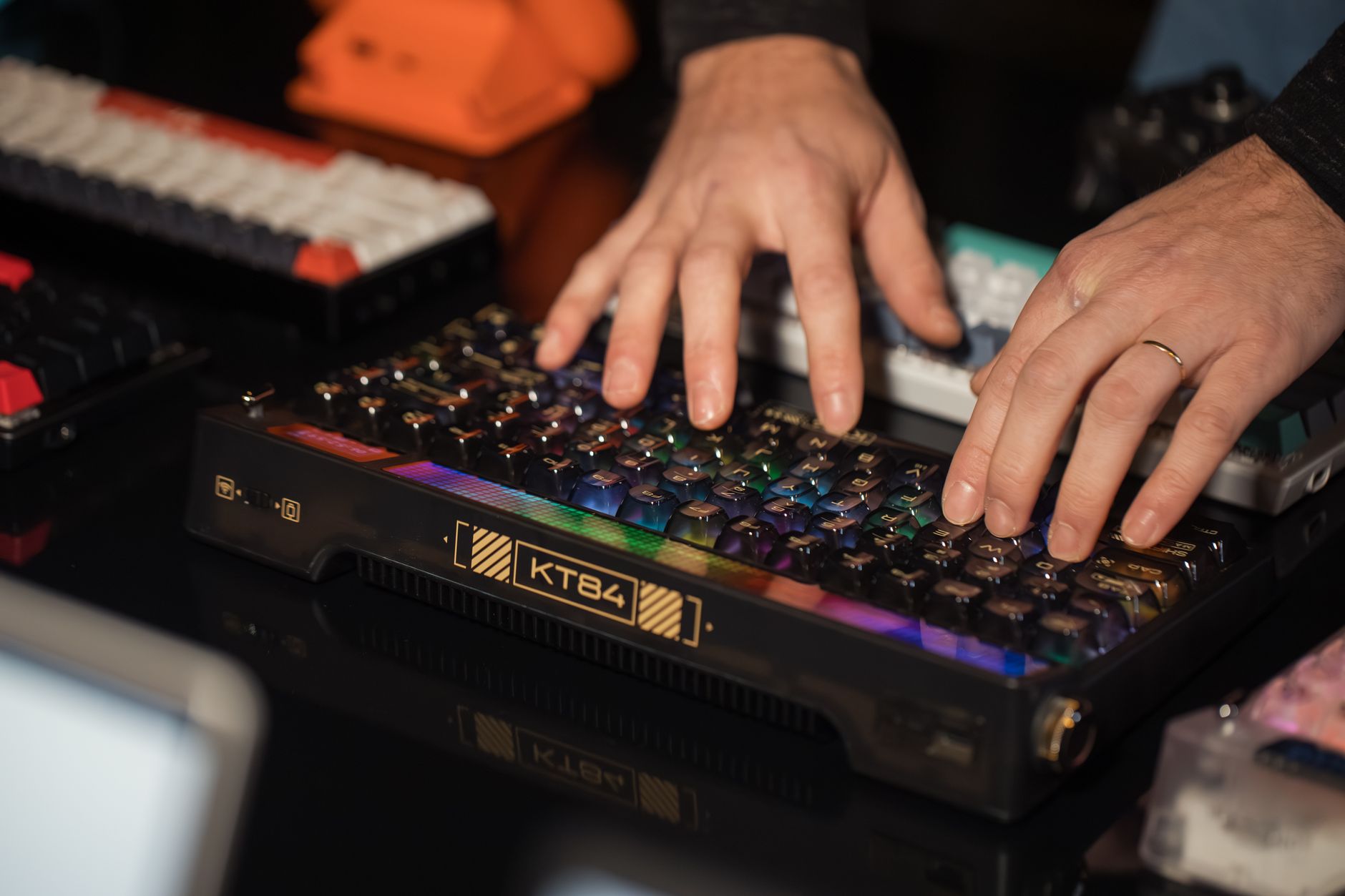 Photo by Matheus Bertelli / Pexels
Keyboard Layout: Full Size, TKL, 75%, or 65%?
Layout is the first decision because it determines the physical footprint on your desk.
- Full size (100%): Includes numpad. Good for spreadsheets, accounting, data entry. Takes the most desk space and pushes the mouse further right.
- Tenkeyless (TKL, 80%): No numpad. The most popular layout for its balance of keys and desk space. Function row stays, arrow keys stay.
- 75%: Compresses the function row and navigation cluster into tighter spacing. Same keys as TKL but 15% smaller. The Keychron Q1 is 75%.
- 65%: Drops the function row. Arrow keys stay. Minimalist layout popular with laptop-to-desktop switchers.
If you're unsure, start with TKL. It's the most versatile and easiest to adapt to from a full-size keyboard.
Switch Types: Linear, Tactile, or Clicky?
Mechanical keyboard switches define the feel and sound of typing. Three main types:
Linear (Red, Speed Silver, Yellow): Smooth keypress straight down, no bump or click. Quiet. Preferred by gamers for fast actuation. Good for shared offices.
Tactile (Brown, Clear, Holy Pandas): A noticeable bump at actuation without a click sound. Provides typing feedback without loud noise. The most versatile for both typing and gaming.
Clicky (Blue, Green): Tactile bump plus an audible click at actuation. Satisfying for typing. Extremely loud — not suitable for open offices or calls.
For first-time mechanical keyboard buyers, brown (tactile) is the safest starting point — it's versatile enough that you won't immediately want to swap out.
Hot-Swap vs. Soldered
Hot-swappable keyboards let you pull out switches and replace them with a puller tool — no soldering required. This means you can try different switches over time, replace a broken switch in seconds, or fully customize the feel. All keyboards in this list are hot-swappable. Soldered keyboards are cheaper to manufacture but expensive to modify — avoid them if customization matters.
Keycap Material: PBT vs. ABS
ABS plastic: Most common. Cheaper. Develops a "shine" from finger oils over time. Legends can fade on lower-quality ABS.

PBT plastic: Denser, more texture, doesn't shine. Legends are either doubleshot (molded in two colors, never fade) or dye-sublimated. PBT keycaps are the upgrade everyone notices after using them.
The Ducky One 3 includes doubleshot PBT standard. The Keychron Q1 ships with doubleshot PBT as well. Many budget keyboards ship with ABS — this is often the first upgrade buyers make.
Budget vs. Premium
Budget ($50–$100): Basic mechanical keyboards with decent switches. Usually ABS keycaps, no hot-swap, no sound dampening. Fine as an entry point to understand what you want from a keyboard.
Mid-range ($100–$200): Hot-swap, PBT keycaps, gasket or foam dampening for sound. This is the sweet spot — the Keychron Q1 and Ducky One 3 live here. You get 90% of the enthusiast experience at a fraction of custom build cost.
Premium ($200+): Custom group buys, bespoke layouts, exotic materials. For hobbyists who enjoy the process as much as the product.
Ergonomic Keyboards: A Different Category
If wrist or hand pain is your problem, an ergonomic keyboard is a different tool from a mechanical one. Split keyboards, wave-profile keyboards, and tented designs reduce ulnar deviation and wrist extension. The Logitech Wave Keys is an entry point — true ergonomic keyboards like the Logitech Ergo K860 or Kinesis Advantage go further. Mechanical keyboards, regardless of how good they feel, don't fix ergonomic posture — only geometry changes do.
Related Guides
- Best Wireless Earbuds
- Best Webcams
- Best Laptop Stands
Watch Before You Buy

“Keychron Q1 is the benchmark for quality mechanical keyboards — gasket mount, aluminum body, and hot-swappable switches for under $200.”
See Today’s Price →What we like
- Premium all-aluminum construction at 4.1 lbs provides exceptional stability
- Full QMK/VIA programmability for unlimited customization
- Hot-swappable switches let you experiment with different types
Watch out for
- Heaviest option makes it less portable
- Higher price point at $169 may exceed casual user budgets
Read Full Analysis
The Keychron Q1 is a 75% layout keyboard in a full aluminum chassis with a gasket-mounted plate — the design that gives it the deep, bouncy "thock" sound enthusiasts look for. Hot-swappable switch sockets mean you can change the feel without soldering. Comes in multiple switch options (red linear, brown tactile, blue clicky). South-facing RGB LEDs work correctly with virtually all keycap sets. Wired via USB-C. If you want one keyboard you'll actually enjoy typing on every day and don't want to spend $300+, this is the one.
“Logitech G Pro X TKL — tournament-grade polling rate and ultra-thin profile built for competitive gaming.”
See Today’s Price →What we like
- Lightspeed wireless eliminates cable clutter with 1ms latency
- Lightweight 1.9 lbs design perfect for portability and LAN events
- Hot-swappable switches with Logitech's reliable gaming pedigree
Watch out for
- Battery life concerns with wireless RGB usage
- Higher price for features casual typists may not need
Read Full Analysis
The Logitech G Pro X TKL is designed to meet the needs of esports professionals: a tenkeyless layout that gives the mouse more room, hot-swappable switches (GX Red, Brown, or Blue), and a 1ms polling rate. The aluminum top plate is lightweight yet rigid. LIGHTSYNC RGB looks sharp without the distracting "breathing" animations that cheaper gaming boards default to. For productivity use, it's competent but the lack of a numpad matters for spreadsheet work. This is the pick if gaming is the primary use case.
“Ducky One 3 sets the standard for build quality at its price — double-shot PBT keycaps and hot-swap switches come standard.”
See Today’s Price →What we like
- Excellent price at $109 with hot-swappable switches included
- TKL layout balances compact size with familiar key placement
- Ducky's reputation for reliability and quality control
Watch out for
- Wired-only connectivity lacks wireless flexibility
- Basic software compared to QMK programmability
Read Full Analysis
The Ducky One 3 comes standard with double-shot PBT keycaps that resist shine and don't wear through, which most competitors charge extra for. Available in TKL, full size, and 65% layouts. Hot-swappable PCB accommodates any MX-compatible switch. Build quality at the price is excellent — the flex from the polycarbonate plate gives a softer typing feel than the stiffer aluminum alternatives. One of the most-recommended boards in the mechanical keyboard community for good reason: it delivers premium features without premium pricing.

“Logitech Wave Keys wireless ergonomic — sculpted wave key profile reduces wrist strain for full-day typing without mechanical noise.”
See Today’s Price →What we like
- Wave ergonomic design
- Bluetooth multi-device
- quiet keys
- rechargeable
- Logi Bolt receiver included
Watch out for
- Rose color is polarizing — not for everyone
- Wireless only (no wired option)
- Wave curve is ergonomic but takes adjustment period
Read Full Analysis
The Logitech Wave Keys is for people who need comfortable typing more than typing feel. The wave-shaped key profile positions each finger at a slight angle to reduce extension and forearm rotation. Logi Options+ software enables customization. Bluetooth and Logi Bolt receiver included — works across Windows, Mac, and Linux. The Rose colorway makes it genuinely attractive in a home office setting. Not a mechanical keyboard — it uses quiet scissor switches — but if wrist or hand fatigue after long typing sessions is your problem, this solves it in a way that no mechanical keyboard will.
Frequently Asked Questions
Are mechanical keyboards worth it for office typing?
What's the best switch for gaming?
Can I use a gaming keyboard for office work?
How loud are mechanical keyboards?
What's a gasket-mounted keyboard?
How We Analyze Products
We analyze Amazon review data — often thousands of reviews per product — to surface patterns that individual buyers miss. Our process aggregates star ratings, review counts, and buyer sentiment at scale, identifying which strengths and weaknesses appear consistently across the largest review samples available. The 3,816+ reviews analyzed on this page represent real verified-purchase feedback from Amazon buyers.
Each product earned its placement through data: total review volume, average rating, and the specific praise and complaints that repeat most often across buyers. No manufacturer paid for placement on this page. Products appear here because buyers endorsed them at scale, not because a company asked us to feature them.
We use AI to summarize review sentiment — not to fabricate opinions, but to condense what thousands of buyers actually wrote into a readable format. The pros and cons you see reflect the most common themes found in verified purchaser reviews, paraphrased for clarity. We do not claim to have accessed Reddit, YouTube, or specific publications in generating these summaries.
Prices shown reflect Amazon pricing at the time this page was last generated. Click “See Today’s Price” to get the current live price on Amazon. Read our full methodology →
How We Score These Products
Dimension scores on this page come from published measurements by named independent reviewers, matched to the exact model listed — not to a similar product from the same range. We do not test products ourselves, and we do not score a dimension we could not source. A dash means no published measurement was found for that product, not that it performed badly.
Ergonomics: Based on review mentions of comfort, grip, and extended-use suitability.
Customization: Based on verified buyer review sentiment analysis.
Responsiveness: Based on verified buyer review sentiment analysis.
The overall score is the mean of the dimensions we could evidence for that product, on a 10-point scale. Price is shown separately and is never folded into a score. Amazon star ratings are shown separately and are never part of any score.