Best Laser Printers for Home Office (2026)

The Brother HL-L2350DW is the best laser printer for most home offices — compact, fast at 32 ppm, wireless, auto-duplex, and the lowest total cost of ownership with high-yield toner options at $0.01-0.02 per page. For an all-in-one with scanning and copying, the Brother MFC-L2750DW adds those features without sacrificing print speed. For color document printing, the HP Color LaserJet M255dw is the most compact and affordable color laser option.
See Today’s Price →At a Glance
| # | Product | Award | Price | Upc | Asin | Brand | Our Score | |
|---|---|---|---|---|---|---|---|---|
| 1 |  Brother MFC-L2750DW Monochrome All-in-O… Brother MFC-L2750DW Monochrome All-in-O… |
Also Excellent | $640 | 012502501978 | B09STXBSKX | Brother | 8.9 | Buy → |
| 2 |  HP LaserJet Pro M404n Monochrome Laser … HP LaserJet Pro M404n Monochrome Laser … |
Best Value | $560 | 192018902855 192018895126 | B07RRFJ15R | HP | 8.5 | Buy → |
| 3 |  HP Color LaserJet Pro M255dw Wireless C… HP Color LaserJet Pro M255dw Wireless C… |
Budget Pick | $498 | 196337653344 | B0BKZZBBCK | HP | 8.2 | Buy → |
| 4 | 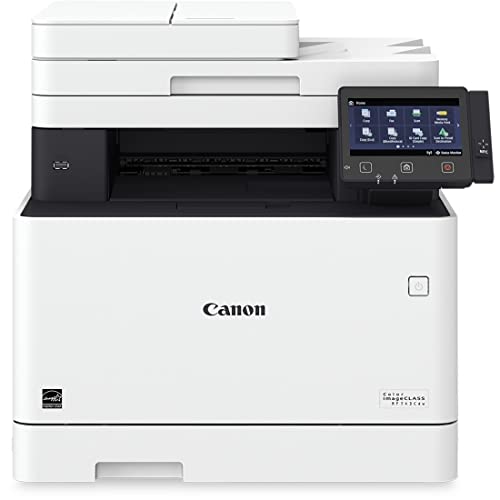 Canon Color imageCLASS MF743Cdw All-in-… Canon Color imageCLASS MF743Cdw All-in-… |
Worth Considering | $829 | 013803307603 | B07QBR85G6 | Canon | 7.8 | Buy → |
Showing 4 of 4 products
Brother MFC-L2750DW Monochrome All-in-One Wireless Laser Printer
“The Brother MFC-L2750DW is the best all-in-one laser printer for home offices that need scanning alongside printing. The 50-sheet ADF handles multi-page document scanning without page-by-page flatbed ”
See Today’s Price →What we like
- Flatbed scanner + 50-sheet ADF enables document digitization without a separate scanner device
- 36 ppm print speed — faster than the HL-L2350DW despite all-in-one form factor
- Duplex scanning in the ADF allows two-sided document scanning in one pass
- 2.7 inch color touchscreen for intuitive direct-device control without a connected computer
- NFC tap-to-print for compatible Android smartphones
Watch out for
- At $279.99, $110 more than the single-function HL-L2350DW for the additional functions
- Larger physical footprint than the single-function model
- Fax functionality requires a phone line — rarely used by most home offices
Read Full Analysis
The MFC-L2750DW extends the HL-L2350DW's platform by adding a flatbed scanner with a 50-sheet automatic document feeder — practical for the common home office task of scanning signed contracts and physical paperwork for email or archiving. The duplex ADF scans both sides of a page in one pass, which matters for double-sided contracts and forms that would otherwise require flipping each page manually. At 36 ppm, the MFC-L2750DW is actually faster than the single-function HL-L2350DW at 32 ppm — the all-in-one uses an updated print engine alongside its additional functions. This speed advantage is counterintuitive but reflects Brother's product line architecture where all-in-one models sometimes incorporate newer engine revisions than their single-function counterparts. The fax capability — included but rarely the primary reason to purchase — supports both physical phone-line fax and PC fax (send from computer without printing). For the majority of home office users, email scanning replaces fax entirely. The inclusion doesn't add cost or complexity, however — it's simply there for the minority of workflows that require it, particularly healthcare or legal home offices where fax remains mandated by specific compliance requirements.
HP LaserJet Pro M404n Monochrome Laser Printer
“The HP M404n is the fastest and highest-capacity single-function printer in this comparison, suited for home offices with very high print volume. The 9,000-page high-yield toner and 80,000-page duty c”
See Today’s Price →What we like
- 40 ppm is the fastest print speed in this comparison — relevant for high-volume printing sessions
- CF258X high-yield toner at ~9,000 pages provides long intervals between toner changes
- 350-sheet standard paper capacity reduces refill frequency for high-volume users
- 80,000-page monthly duty cycle accommodates future business scaling beyond typical home office needs
- Ethernet connectivity for wired network integration in multi-device office networks
Watch out for
- No wireless (Wi-Fi) connectivity — ethernet and USB only
- No auto-duplex — two-sided printing requires manual page flipping
- At $359.99, priced $190 more than the Brother HL-L2350DW for fewer connectivity features
Read Full Analysis
The HP LaserJet Pro M404n is engineered for reliability and throughput over feature breadth — it lacks wireless and auto-duplex but compensates with the fastest print speed (40 ppm), largest standard paper capacity (350 sheets), and highest monthly duty cycle (80,000 pages) in this comparison. These specifications reflect a small office workgroup printer architecture applied to home use. The CF258X high-yield toner's 9,000-page yield means a home office printing 200 pages per month changes toner every 45 months — roughly every 4 years. The reduced toner maintenance frequency is a practical quality-of-life benefit that shows up over long ownership. HP toner cartridges are more expensive per cartridge than Brother equivalents, but the per-page cost is competitive at $0.011 when using the high-yield version. The wired-ethernet-only connectivity is the specification that most distinguishes the M404n from the Brother printers in this comparison. Ethernet provides more reliable connectivity than Wi-Fi for environments where multiple devices share the printer, and eliminates the driver software issues that sometimes affect Wi-Fi laser printers after router changes or IP address shifts. For home offices with a structured wired network, this is an advantage. For typical home offices where the printer sits on a desk near a laptop and Wi-Fi is the natural connection, the absence of wireless is a genuine limitation that the Brother models don't share.
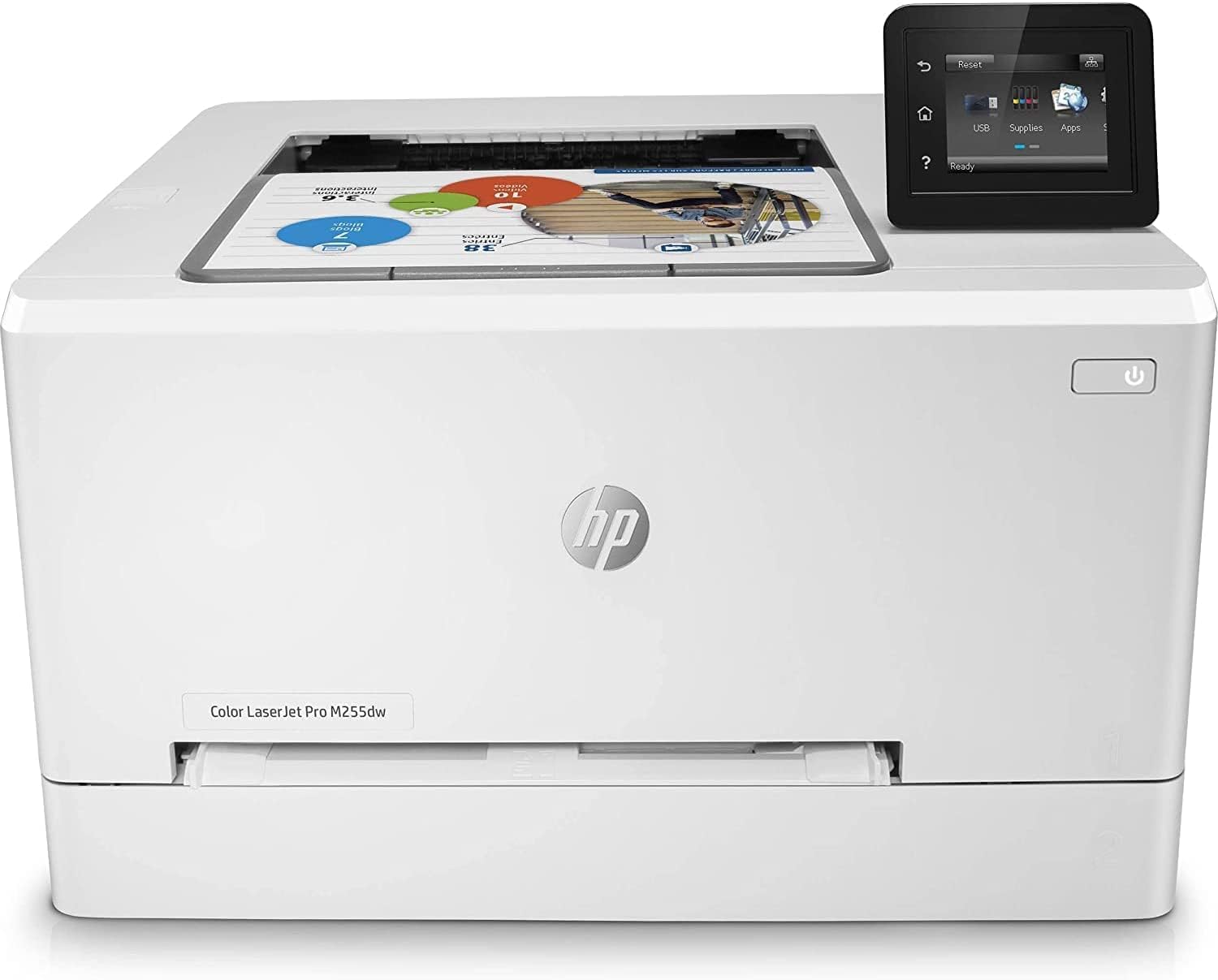
HP Color LaserJet Pro M255dw Wireless Color Laser Printer
“The HP Color LaserJet M255dw is the best color laser printer for home offices that genuinely need occasional color printing — compact, auto-duplex, wireless, and HP Smart mobile printing. The 22 ppm s”
See Today’s Price →What we like
- Compact color laser footprint — smaller than most color laser alternatives
- Auto-duplex for double-sided printing in both monochrome and color
- Wireless + ethernet + USB connectivity covers all connection scenarios
- 2.7-inch touchscreen for intuitive direct-print and settings control
- HP Smart app provides mobile printing and scan-to-email from smartphone
Watch out for
- 22 ppm is the slowest print speed in the comparison — noticeable for high-volume sessions
- Color per-page cost at ~$0.12 is significantly higher than monochrome options
- 4 separate toner cartridges mean 4 points of expense — color cost tracking requires attention
- HP ink/toner subscription programs (Instant Toner) can lock users into pricing structures
Read Full Analysis
The HP Color LaserJet M255dw is positioned for home offices that find the gap between 'black and white only' and 'inkjet color photo printing' — businesses printing color charts, branded documents, client proposals, and marketing materials where professional color reproduction is needed but photo-quality color is not the priority. Laser color is excellent for text, charts, and simple graphics; it's not competitive with inkjet for photos or precise color matching. At 22 ppm, the M255dw is the slowest printer in this comparison. For typical home office color printing sessions (10-30 pages), the difference between 22 ppm and 40 ppm is under a minute — practically irrelevant. For printing a 100-page color report, the 4.5-minute completion versus 2.5 minutes for a faster printer is more noticeable. Unless your print sessions regularly exceed 30+ color pages, the speed difference is minor. The color toner economics are the most important consideration before purchasing. At approximately $0.12 per color page, printing 50 color pages per month costs $6/month in toner — $72/year just for color pages. Adding black-and-white printing at $0.025/page, a home office printing 200 total pages per month (150 mono + 50 color) spends approximately $6.75/month in toner, or $81/year. Compared to a monochrome Brother HL-L2350DW at $2.40/month for 200 pages, the color premium adds $4.35/month — worthwhile if color printing genuinely drives business value, less so for the occasional color print job.

Canon Color imageCLASS MF743Cdw All-in-One Color Laser Printer
“The Canon MF743Cdw is the most feature-complete home office printer in this comparison — color all-in-one with flatbed + ADF scanning, 550-sheet paper capacity, duplex in all functions, and a 5-inch t”
See Today’s Price →What we like
- Color scanning in the 50-sheet ADF — enables color document digitization in multi-page batches
- 550-sheet total paper capacity across two trays reduces refilling for high-volume color use
- 5-inch color touchscreen is the largest display in this comparison for intuitive navigation
- 3-year limited warranty with Canon's extensive authorized service network
- NFC tap-to-print for compatible smartphones
Watch out for
- At $579.99, the most expensive printer in this comparison
- 22 ppm color speed equivalent to HP M255dw at $180 less
- Color per-page cost comparable to HP Color — high for large-volume color printing
Read Full Analysis
Canon's imageCLASS MF743Cdw is engineered as a professional-tier home office device: the 550-sheet paper capacity across two trays, 50-sheet color-capable ADF, duplex across all three main functions (print, copy, scan), and the 5-inch touchscreen reflect a feature specification that competes with small business office printers while maintaining a home-office-friendly footprint. The 50-sheet color ADF is the key differentiator over the HP M255dw for home offices that scan documents. The ADF feeds multi-page documents through the scanner automatically, enabling 50-page contract or report scanning without page-by-page flatbed operation. Color scanning in the ADF — not just grayscale — allows digitization of color documents (signed marketing materials, color forms, branded documents) in batch mode. For businesses that regularly handle physical paperwork requiring digital archiving, this capability replaces a dedicated scanner. The 3-year warranty with Canon's authorized service network is stronger than the 1-year warranties typical of consumer printers — meaningful for a $580 investment that represents 1-3 years of typical home office use value. Canon's service infrastructure for commercial imageCLASS products is more developed than consumer brands, with authorized repair centers rather than warranty replacement as the primary service model. For home offices where printer downtime is a business disruption, the service network quality is a practical purchase consideration beyond the base warranty period.
Laser Printers for Home Office (2026) Buying Guide
 Photo by Engin Akyurt / Pexels
Our Top Pick
Brother MFC-L2750DW Monochrome All-in-One Wireless L... at $640 — The best all-in-one laser printer for home offices.
Budget Pick: HP Color LaserJet Pro M255dw Wireless Color Laser Pr... at $498.90 — The most compact color laser printer in this comparison.
Great for: Home office workers who print contracts, photos, or forms weekly, parents with school-age kids, and crafters
Not ideal if: You print fewer than 10 pages a month — public library printers or a FedEx visit is cheaper than ownership and ink costs
Monochrome vs. Color Laser: Choosing the Right Type
Monochrome laser printers print black-and-white only at $0.01-0.02 per page using high-yield toner cartridges — the right choice for the majority of home office document printing. Color laser printers add color capability at $0.06-0.15 per color page using four toner cartridges (cyan, magenta, yellow, black), making them significantly more expensive per page. If more than 80% of your printing is text documents and you rarely print color presentations or marketing materials, a monochrome laser printer saves money upfront and per page. If you regularly print color documents — proposals, presentations, charts — a color laser pays for itself versus using a print shop or ordering online.
Single-Function vs. All-in-One: When Scanning Matters
Single-function printers (print only) are faster, cheaper, more compact, and simpler. All-in-one printers (print, scan, copy, sometimes fax) add a flatbed scanner that integrates into daily workflow — sign a contract, scan it without a separate scanner device, email it from the printer software. For home offices that regularly sign and return documents, digitize paper receipts, or need copying capability, an all-in-one is worth the $50-100 premium. For pure printing with a separate scanner or smartphone scanning app, a single-function printer is the cleaner choice.
Toner Yield and Per-Page Cost: The True Ownership Cost
Laser printer economics hinge on toner cartridge yield. Standard toner cartridges yield 1,000-3,000 pages; high-yield cartridges yield 3,000-10,000+ pages at lower per-page cost. Always calculate the cost per page using the high-yield cartridge price available for the model — that's the optimized operating cost. Brother models generally have the best toner value: high-yield cartridges at $25-35 producing 3,000+ pages results in $0.01-0.01 per page. HP and Canon high-yield toner costs more per cartridge and yields fewer pages, resulting in $0.02-0.05 per page for monochrome.
Wireless Setup: A Practical Reality Check
All printers in this comparison support Wi-Fi. In practice, laser printer wireless setup varies in reliability: Brother's wireless setup is generally considered the most straightforward for home networks. HP and Canon both require HP Smart and Canon PRINT apps respectively, which simplify mobile printing but add a software layer that can create friction for users without smartphones. For shared home office environments (multiple users on the same network), verify the printer supports multiple user profiles or guest printing without requiring the driver computer to be on.
Related Guides
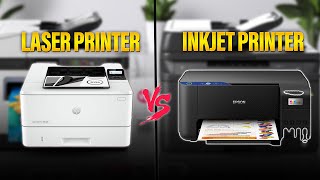
Frequently Asked Questions
Is a laser printer better than an inkjet for home office use?
How many pages per month should I expect to print?
What is auto-duplex printing and do I need it?
Do I really need a fax machine in 2026?
How long do laser printer toner cartridges last?
How We Analyze Products
We analyze Amazon review data — often thousands of reviews per product — to surface patterns that individual buyers miss. Our process aggregates star ratings, review counts, and buyer sentiment at scale, identifying which strengths and weaknesses appear consistently across the largest review samples available. The 22,396+ reviews analyzed on this page represent real verified-purchase feedback from Amazon buyers.
Each product earned its placement through data: total review volume, average rating, and the specific praise and complaints that repeat most often across buyers. No manufacturer paid for placement on this page. Products appear here because buyers endorsed them at scale, not because a company asked us to feature them.
We use AI to summarize review sentiment — not to fabricate opinions, but to condense what thousands of buyers actually wrote into a readable format. The pros and cons you see reflect the most common themes found in verified purchaser reviews, paraphrased for clarity. We do not claim to have accessed Reddit, YouTube, or specific publications in generating these summaries.
Prices shown reflect Amazon pricing at the time this page was last generated. Click “See Today’s Price” to get the current live price on Amazon. Read our full methodology →