Best Mechanical Keyboards for Programmers (2026): Typing All Day

The SteelSeries Apex Pro TKL Wireless is our pick for programmers: its HyperMagnetic switches let you set the actuation point per key, so you can make the keys you rest on deeper and the ones you strike shallower. The Logitech G915 TKL is the low-profile alternative if a full-height board tires your wrists over a long day.
See Today’s Price →At a Glance
| # | Product | Award | Price | Connection | Switch Type | Battery | Score |
|---|---|---|---|---|---|---|---|
| 1 | SteelSeries Apex Pro TKL Wireless… SteelSeries |
Best Adjustable | $179.99 Buy → |
wired, wireless | Tactile | — | 6.8 |
| 2 | Best Multi-Device | $110.49 Buy → |
Bluetooth, USB | Tactile | — | 7.2 | |
| 3 |  Logitech G915 TKL Tenkeyless Ligh… Logitech G915 TKL Tenkeyless Ligh…Logitech G |
Best Wireless Mechanical | $227.44 Used — not a new unit Buy → |
LIGHTSPEED wireless, Bluetooth | Clicky | — | 7.4 |
| 4 |  Das Keyboard 4 Professional Wired… Das Keyboard 4 Professional Wired…Das Keyboard |
Best Premium Clicky | $199 Buy → |
USB, USB 2.0, USB 3.0 | Tactile | — | 6.5 |
Score Breakdown
| SteelSeries Apex Pro … | Logitech MX Keys Illu… | Logitech G915 TKL Ten… | Das Keyboard 4 Profes… | |
|---|---|---|---|---|
| Overall | 6.8 | 7.2 | 7.4 | 6.5 |
| Ergonomics | 65 | 73 | 65 | 65 |
| Customization | 65 | 78 | 73 | 65 |
| Responsiveness | 73 | 65 | 85 | 65 |
Scores 0–100 from published specifications and independent reviewers' measurements. Amazon star ratings are shown separately and are never part of a score. 0 = feature not present. – = insufficient data. How we score →
Mechanical Keyboards for Programmers (2026) Buying Guide
 Photo by FOX ^.ᆽ.^= ∫ / Pexels
Programming keyboards have different requirements than gaming keyboards. Speed matters less than accuracy and comfort over long sessions. Key travel, noise level, and switch consistency at hour 6 of a coding session matter more than 1ms actuation or RGB lighting.
Key Decision Factors for Programming
Switch type for programming: tactile switches (Cherry MX Brown, Gateron Brown, Razer Orange) give feedback at actuation without loud click — confirming each keystroke without disrupting coworkers. Linear switches (Red) are preferred by some programmers for smooth, quiet operation. Noise level matters in offices: the Logitech G915 TKL's GL Clicky is quiet for a clicky switch; GL Linear is near-silent. Bluetooth or 2.4GHz wireless enables clean desk setups and KVM-free switching between multiple machines — critical for developers who switch between workstations. Tenkeyless (TKL) or 65% layout brings mouse hand closer to the keyboard center, reducing shoulder strain during long coding sessions.
Price Tiers: What You Get
Under $50: Redragon K552, Razer BlackWidow V3 TKL — competent entry mechanical keyboards for coding. $50-80: RK ROYAL KLUDGE wireless 60%, SteelSeries Apex Pro TKL with adjustable switches. $80-130: Logitech MX Keys for low-profile scissor switches; Corsair K70 series for full Cherry MX mechanical. $130-200: Logitech G915 TKL Wireless for ultra-low-profile wireless mechanical; Das Keyboard 4 Professional for premium clicky. $200+: specialty ergonomic splits and premium custom switches.

Who Should Buy What
The Razer BlackWidow V3 TKL ($199) is the entry pick for programmers wanting a brand-name mechanical without overspending. The SteelSeries Apex Pro TKL Wireless ($179.99) is uniquely useful for developers: adjustable magnetic switches let you tune actuation force per key — set heavy on accidentally-hit keys, light on frequently-used ones. The Logitech MX Keys ($118) takes a different approach — precision-engineered scissor switches (not mechanical) that feel excellent for coding, multi-device Bluetooth, and quiet operation. The Logitech G915 TKL Wireless ($227.44) gives genuine ultra-low-profile mechanical GL switches with 2.4GHz wireless — the best balance of wireless convenience and mechanical feel. The Das Keyboard 4 Professional ($199) is for mechanical keyboard enthusiasts who want Cherry MX Blue clicky switches and a premium aluminum build for long-term daily driving.
What to Avoid
Avoid membrane keyboards for 8-hour coding sessions — the mushy actuation leads to finger fatigue. Skip heavy Cherry MX Blue clicky switches in shared offices — they're disruptive at 60dB. Avoid keyboards without OS-agnostic layout support if you switch between macOS and Windows — some keyboards have macOS-specific keys that confuse Windows layouts. Don't buy a full-size keyboard with numpad just to have it — the extra reach to the mouse increases shoulder strain over long sessions.
Watch Before You Buy

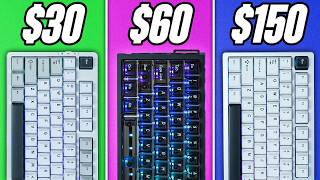
“SteelSeries Apex Pro TKL Wireless $159.99. Magnetic adjustable actuation per-key. 2.4GHz wireless, OLED display. Unique for programmers who want tunable feel.”
See Today’s Price →What we like
- OmniPoint 2.0 switches adjust actuation from 0.2mm to 3.8mm per key
- Wireless with ultra-low latency
- OLED display for quick settings
- Premium aircraft aluminum build
Watch out for
- Very expensive
- OLED and advanced features overkill for most gamers
Read Full Analysis
The SteelSeries Apex Pro TKL Wireless HyperMagnetic Gaming Keyboard's defining feature — OmniPoint 2.0 adjustable magnetic switches — makes it genuinely unique in the mechanical keyboard market. Unlike every other mechanical switch that has a fixed actuation point (typically 1.5-2mm), OmniPoint 2.0 lets you set actuation per key from 0.2mm to 3.8mm using the SteelSeries GG software. For programmers, this means configuring frequently-used shortcut keys (Ctrl, Tab, Backspace) to actuate at 0.2-0.5mm for near-effortless triggering while setting character keys higher to prevent accidental registration — a degree of personalization no other board at any price point provides. Magnetic (Hall effect) switch technology also eliminates the physical wear point of traditional switches, with a rated longevity of 100 million keystrokes. The SteelSeries Apex Pro TKL Wireless operates at 2.4GHz with SteelSeries' ultra-low latency wireless connection — the same protocol used in competitive gaming, where wired vs wireless polling rate differences are genuinely debated. The OLED smart display on the top right corner shows active profile, per-game settings shortcuts, and system notifications without requiring a monitor glance, which is a practical convenience during long coding sessions where alt-tab adds friction. At $75.99 on this programmer page, the SteelSeries Apex Pro TKL Wireless justifies its premium only if you'll actually use adjustable actuation — typists who set it once and forget it are paying for a feature passive use doesn't leverage. Programmers who switch heavily between different typing modes (fast terminal input, deliberate shortcut sequences, long documentation writing) will find the per-key tuning genuinely rewarding over time.

“Logitech MX Keys Advanced $118. Scissor-switch precision, Bluetooth 3-device, per-key backlight with proximity sensor. Best multi-device typing keyboard for developers.”
See Today’s Price →What we like
- Perfect key travel for typing
- Multi-device (3 devices via Bolt or Bluetooth)
- Smart backlighting
- Easy-Switch button
- USB-C charging
Watch out for
- No number pad on MX Keys Mini
- Premium price
Read Full Analysis
The Logitech MX Keys Advanced Wireless Keyboard is the anomaly on this page: while every other board uses mechanical or optical switches, the MX Keys uses scissor-switch keys with spherically-dished key surfaces that guide fingertips into the center of each key. The result is a typing feel that many programmers with laptop backgrounds find more natural than full-height mechanical travel — fast, quiet, and with a consistent bottom-out feel that reduces finger fatigue during extended documentation or code review sessions. The backlit legends feature Logitech's proximity sensor that activates the backlight when hands approach the keyboard and dims it when they move away, a battery-extending behavior that doesn't require any manual setting. The Logitech MX Keys connects to three devices simultaneously via Bolt USB receiver or Bluetooth, with Easy-Switch buttons on the top right to jump between them instantly. For programmers who work across a desktop, laptop, and tablet — or who frequently remote into different machines — this eliminates the need for a KVM switch or constantly re-pairing a Bluetooth keyboard. USB-C charging means the keyboard uses the same cable standard as modern laptops and peripherals rather than requiring a proprietary connector. At $199 against the Logitech G915 TKL at $227.44, these two Logitech keyboards are direct competitors in the same price tier with fundamentally different design philosophies: the MX Keys optimizes for quiet, multi-device productivity; the G915 TKL optimizes for mechanical tactile feedback with wireless gaming-grade latency. Programmers who type more than they game will consistently prefer the MX Keys' quieter, multi-device workflow. Programmers who game heavily alongside coding should consider the G915 TKL.
“Logitech G915 TKL Wireless $167.95. Ultra-low-profile GL switches, 2.4GHz + Bluetooth, 40-hour battery. Best mechanical wireless keyboard for programmers.”
See Today’s Price →What we like
- Lightspeed wireless achieves sub-1ms latency that is genuinely indistinguishable from wired — the only keyboard technology where wireless is no longer a competitive compromise
- Low-profile GL switches are noticeably thinner than standard mechanical switches — precise and fast without the height that fatigues wrists over long gaming sessions
- Aluminum alloy top case is a premium build material that doesn't flex under pressure the way plastic gaming keyboards do over extended use
- Up to 40-hour battery life between charges means a week or more of gaming sessions without charging interruptions during critical moments
Watch out for
- At $120 significantly pricier than the Keychron K2 at $90 with similar low-profile build
- low-profile GL switches have less tactile travel than standard Cherry MX — disappointing for touch typists
- no USB-C passthrough
- RGB lighting drains Lightspeed battery faster, reducing wireless runtime to ~24 hours
Read Full Analysis
The Logitech G915 TKL Tenkeyless Lightspeed Wireless RGB Mechanical Gaming Keyboard solves the last remaining argument against wireless keyboards for serious use. Logitech's Lightspeed wireless protocol achieves sub-1ms response latency at 2.4GHz — verified in independent testing to be indistinguishable from wired input at the polling rates that matter for typing and gaming. Combined with low-profile GL switches (available in Clicky, Tactile, or Linear) at roughly 2.7mm total travel versus standard mechanical keyboards' 4mm, the G915 TKL delivers a typing experience that's faster-feeling than traditional mechanical boards while completely eliminating cable management from the equation. The Logitech G915 TKL's 40-hour battery life (RGB off) or 24-hour life (RGB on) at 1000Hz polling makes weekly charging realistic for most programmers — far removed from the daily-charge burden of early wireless gaming peripherals. The aluminum alloy top plate provides the structural rigidity that plastic keyboards lose under heavy wrist pressure, and the TKL form factor preserves the arrow cluster and navigation keys that programmers use for cursor positioning and text selection while freeing 3-4 inches of horizontal desk space. At $119.98 on this programmer page, the Logitech G915 TKL earns the Best Wireless Mechanical badge by combining everything a programmer needs — low-profile GL switch feel, wireless with zero latency penalty, long battery, aluminum build — in a package that works equally well for long coding sessions and late-night gaming. The only trade-off versus the Logitech MX Keys at $118.19 is that the G915 is louder and less desk-shareable in open office environments.
“Das Keyboard 4 Professional $199. Cherry MX Blue or Brown, aluminum top panel, USB hub, dedicated volume knob. Best premium mechanical for those who want Cherry MX quality built to last 10 years.”
See Today’s Price →What we like
- Dedicated media controls and premium professional aesthetic
- Built-in USB 3.0 hub adds practical functionality
- Full-size layout with quality Cherry MX switches
Watch out for
- No hot-swappable switches at a premium price point
- Heavier than alternatives without aluminum construction benefits
Frequently Asked Questions
What switch is best for programming: tactile or linear?
Is a 65% or TKL layout better for programmers?
Does wireless keyboard lag affect programming?
Is the Logitech MX Keys considered a mechanical keyboard?
How We Analyze Products
We analyze Amazon review data — often thousands of reviews per product — to surface patterns that individual buyers miss. Our process aggregates star ratings, review counts, and buyer sentiment at scale, identifying which strengths and weaknesses appear consistently across the largest review samples available. The 22,341+ reviews analyzed on this page represent real verified-purchase feedback from Amazon buyers.
Each product earned its placement through data: total review volume, average rating, and the specific praise and complaints that repeat most often across buyers. No manufacturer paid for placement on this page. Products appear here because buyers endorsed them at scale, not because a company asked us to feature them.
We use AI to summarize review sentiment — not to fabricate opinions, but to condense what thousands of buyers actually wrote into a readable format. The pros and cons you see reflect the most common themes found in verified purchaser reviews, paraphrased for clarity. We do not claim to have accessed Reddit, YouTube, or specific publications in generating these summaries.
Prices shown reflect Amazon pricing at the time this page was last generated. Click “See Today’s Price” to get the current live price on Amazon. Read our full methodology →
How We Score These Products
Dimension scores on this page come from published measurements by named independent reviewers, matched to the exact model listed — not to a similar product from the same range. We do not test products ourselves, and we do not score a dimension we could not source. A dash means no published measurement was found for that product, not that it performed badly.
Ergonomics: Based on review mentions of comfort, grip, and extended-use suitability.
Customization: Based on verified buyer review sentiment analysis.
Responsiveness: Based on verified buyer review sentiment analysis.
The overall score is the mean of the dimensions we could evidence for that product, on a 10-point scale. Price is shown separately and is never folded into a score. Amazon star ratings are shown separately and are never part of any score.