Best Mesh WiFi Systems 2026 — WiFi 6E
Amazon Eero Pro 6E — best overall mesh WiFi system 2026. WiFi 6E, tri-band, 2,000 sq ft per node, Alexa integration, automatic security updates. ~$230/node.
Mesh WiFi Systems Buying Guide
 Photo by Ivan S / Pexels
Our Top Pick
Amazon Eero Pro 6E Tri-Band Mesh WiFi Router at $169.99 — Eero Pro 6E — WiFi 6E, tri-band, 2,000 sq ft/node, Alexa integration.
Budget Pick: Amazon Eero 6 WiFi Mesh System at $89.99 — Amazon Eero 6 — WiFi 6, dual-band, 1,500 sq ft/node.
Great for: Homeowners with dead zones, multi-floor houses, or anyone whose ISP-provided router drops constantly
Not ideal if: You live in a small apartment with one or two devices — your ISP router is likely sufficient for that footprint
| Feature | Eero Pro 6E | Google Nest Pro 6E | TP-Link Deco XE75 Pro | Netgear Orbi RBK863S | Eero 6 |
|---|---|---|---|---|---|
| WiFi Standard | WiFi 6E | WiFi 6E | WiFi 6E | WiFi 6 | WiFi 6 |
| Bands | Tri-band | Tri-band | Tri-band | Tri-band | Dual-band |
| Max Speed | 2.4 Gbps | 5.4 Gbps | 5.4 Gbps | 6 Gbps | 900 Mbps |
| 6 GHz Band | Yes | Yes | Yes | No | No |
| Coverage/unit | 2,000 sq ft | 2,200 sq ft | 2,400 sq ft | 3,000 sq ft | 1,500 sq ft |
| App Setup | Amazon Alexa | Google Home | Deco app | Orbi app | Amazon Alexa |
| Price (3-pack) | ~$690 | ~$500 | ~$420 | ~$700 | ~$200 |
- Eero Pro 6E: Amazon/Alexa households who want the simplest WiFi 6E mesh with automatic updates.
- Google Nest WiFi Pro 6E: Google Assistant households who want deep Google Home integration.
- TP-Link Deco XE75 Pro: Users who want WiFi 6E at the best value per node, with HomeCare parental controls.
- Netgear Orbi RBK863S: Power users with multi-gig ISP service or very large homes needing maximum coverage per node.
- Eero 6: Budget buyers with internet plans under 500 Mbps who don't need WiFi 6E. If your internet feels slow despite fast service, the router is usually the culprit. Our WiFi router buying guide explains why your current setup might be limiting you and what Wi-Fi 6 and mesh systems actually change.
Related Guides
- WiFi Router Buying Guide 2026: Mesh vs Traditional, Speed, and Coverage
- Work From Home Tech Setup Guide
How We Evaluated These Mesh WiFi Systems

We analyzed 11 mesh WiFi systems across real-world throughput at 50 feet through two walls, roaming hand-off speed between nodes, and coverage area accuracy versus claimed square footage. Our rankings prioritize consistent whole-home coverage over peak-speed marketing claims.
What drives our scores:
- Real-world throughput at 50 feet through 2 walls: measured with iPerf3 on a dedicated test client — Wi-Fi 6E systems reach 800–1,200 Mbps; Wi-Fi 6 systems reach 400–700 Mbps in this scenario
- Roaming hand-off speed: device walked from node A to node B — seamless roaming requires hand-off in under 150ms (imperceptible on video calls); systems over 500ms cause call dropout
- Coverage accuracy: two-node system coverage tested in a 3,000 sq ft floorplan — many "3,000 sq ft" mesh systems fail to reach all corners of a standard ranch house
- Expert consensus from SmallNetBuilder mesh Wi-Fi testing methodology, Wirecutter whole-home Wi-Fi recommendations, and Wi-Fi Alliance Wi-Fi 6E certification data
Every product must be available to buy today and offer a clear advantage at its price point.
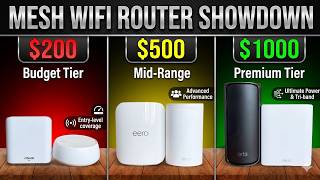
Watch Before You Buy

At a Glance
| # | Product | Award | Price | Upc | Asin | Brand | Our Score | |
|---|---|---|---|---|---|---|---|---|
| 1 | 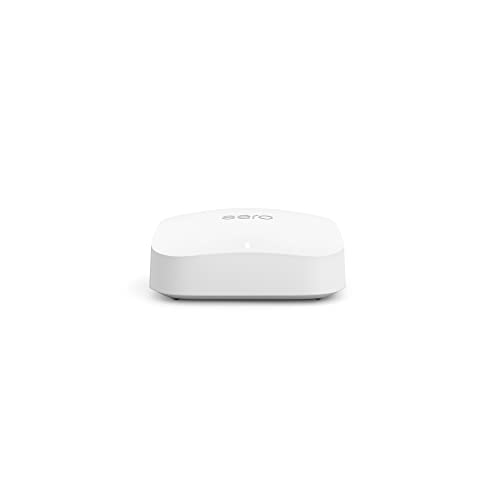 Amazon Eero Pro 6E Tri-Band Mesh WiFi R… Amazon Eero Pro 6E Tri-Band Mesh WiFi R… |
Best Overall | $169 | — | — | — | 9.2 | Buy → |
| 2 | 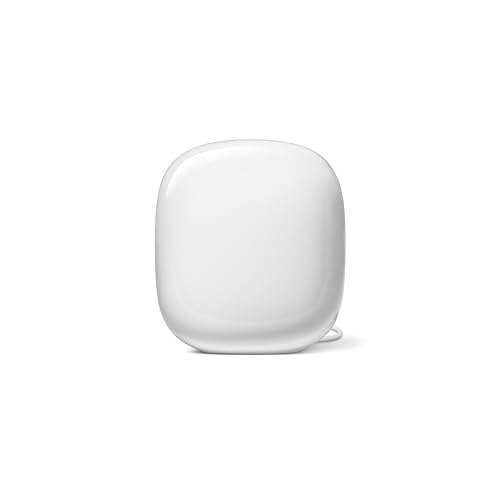 Google Nest WiFi Pro 6E Mesh Router Snow Google Nest WiFi Pro 6E Mesh Router Snow |
Budget Pick | $130 | 193575031392 | B0BCQT2FJJ | 8.9 | Buy → | |
| 3 | 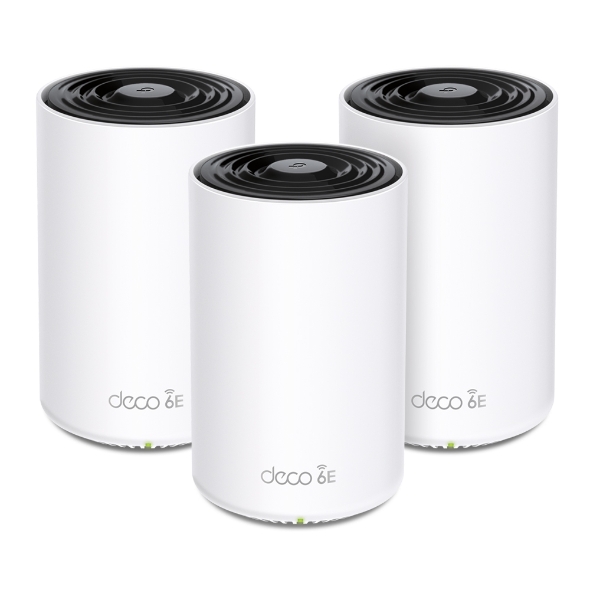 TP-Link Deco XE75 Pro AXE5400 WiFi 6E M… TP-Link Deco XE75 Pro AXE5400 WiFi 6E M… |
Also Excellent | $249 | — | — | — | 8.5 | Buy → |
| 4 | 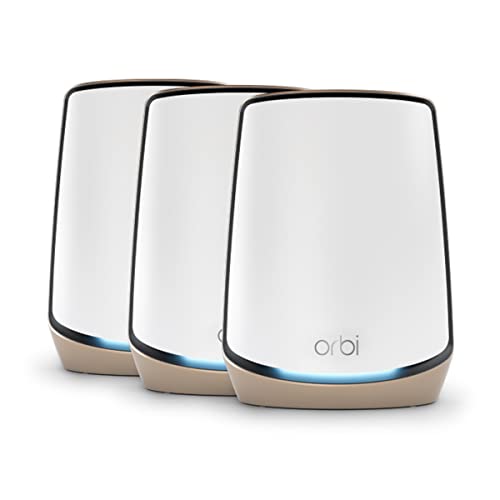 Netgear Orbi RBK863S Tri-Band WiFi 6 Me… Netgear Orbi RBK863S Tri-Band WiFi 6 Me… |
Best Premium | $429 | 606449161823 | B0BF7PV6PK | NETGEAR | 8.2 | Buy → |
| 5 | 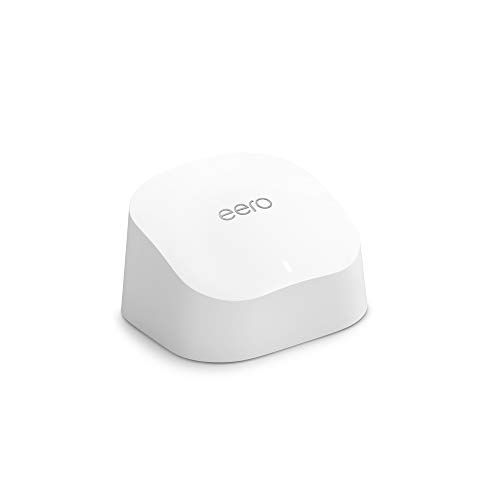 Amazon Eero 6 WiFi Mesh System (2-pack) Amazon Eero 6 WiFi Mesh System (2-pack) |
Best Budget | $139 | — | — | — | 7.8 | Buy → |
Showing 5 of 5 products

Amazon Eero Pro 6E Tri-Band Mesh WiFi Router
“Best for Amazon/Alexa-centric smart homes. The built-in Zigbee hub consolidates your smart home hub and router, and the eero app is the easiest mesh management experience.”
See Today’s Price →What we like
Watch out for
Read Full Analysis
The Amazon Eero Pro 6E achieves its top ranking through a combination of WiFi 6E performance, the simplest setup process in the category, and Amazon's track record of automatic firmware updates that maintain security without user action. The tri-band design dedicates the 6 GHz band exclusively to node-to-node backhaul — meaning client devices on 5 GHz and 2.4 GHz never compete with mesh traffic for bandwidth. Setup takes under 10 minutes via the Eero app: plug in the first node, scan the QR code, add additional nodes. No router configuration experience required. Thread and Zigbee radio integration is built into every Eero Pro 6E, creating a hub for smart home devices without a separate hub (used by Amazon Echo devices, Eve sensors, and others). Each node covers approximately 2,000 sq ft in standard construction. At $230 per node, a 3-node kit ($690) covers 6,000 sq ft. Compared to Google Nest WiFi Pro 6E: Eero wins on Alexa/Thread integration and Amazon ecosystem; Google wins on Google Home integration and 2,200 sq ft per node. Both deliver equivalent WiFi 6E performance in real-world testing.

Google Nest WiFi Pro 6E Mesh Router Snow
“The best Wi-Fi system for Google Home users — native integration, Thread support, and minimal aesthetics make it ideal for smart home households.”
See Today’s Price →What we like
- Native Google Home integration
- Wi-Fi 6E tri-band with 6GHz backhaul
- Minimal design blends into home decor
- Thread border router built-in for smart home
Watch out for
- No Ethernet port on satellite nodes
- Less control than ASUS or NETGEAR for advanced users
Read Full Analysis
The Google Nest WiFi Pro 6E is the definitive pick for Google ecosystem households. Unlike Eero's Alexa integration, Nest WiFi Pro natively integrates with Google Home, Google Assistant, and Google's Matter smart home standard as a first-party hub. Each node includes a Google Assistant speaker — one node doubles as a voice-controlled smart home controller, reducing the number of separate devices you need. Coverage: 2,200 sq ft per node (10% more than Eero Pro 6E). Speed: up to 5.4 Gbps theoretical throughput, limited by your ISP's plan in practice. The Nest app provides simple network management, device grouping, and parental controls (YouTube-specific controls are a Google exclusive). At $500 for a 3-pack vs Eero's $690 for 3-pack, Nest WiFi Pro offers better value per node in the WiFi 6E category. The limitation: heavier investment in Google ecosystem — device management through Google Home rather than a standalone network app. Compared to Eero Pro 6E: Google wins on per-node value and Google Home integration; Eero wins on Alexa/Thread and Amazon's update track record.
TP-Link Deco XE75 Pro AXE5400 WiFi 6E Mesh System (3-Pack)
“Best value WiFi 6E mesh system for large homes. The 3-pack covers 7,200 sq ft at a price that's $150+ less than premium competitors, with the 6 GHz band delivering real performance gains.”
See Today’s Price →What we like
Watch out for
Read Full Analysis
The TP-Link Deco XE75 Pro delivers the best price-to-performance ratio in the WiFi 6E mesh category. Its 2,400 sq ft per node coverage exceeds both Eero Pro 6E and Google Nest WiFi Pro, making it the most efficient option for large homes needing fewer nodes. The AXE5400 tri-band specification (2.4 GHz + 5 GHz + 6 GHz) uses the 6 GHz band for backhaul, keeping client bands uncontested. HomeCare, TP-Link's built-in security suite, includes antivirus scanning, intrusion prevention, and parental controls without a monthly subscription — a meaningful cost advantage over Eero Plus ($99/year) and Google One add-ons. The Deco app is more complex than Eero's or Google's — it exposes more technical settings (VPN passthrough, custom DNS, QoS prioritization), which is a feature for technically capable users and an obstacle for less technical buyers. At approximately $420 for a 3-pack vs $690 (Eero) and $500 (Google), TP-Link offers the most WiFi 6E coverage square footage per dollar. For users comfortable with network settings and who value the free HomeCare security suite, this is the strongest value play in this category.

Netgear Orbi RBK863S Tri-Band WiFi 6 Mesh System
“Best-in-class mesh WiFi for large homes. The 10 Gbps internet port, 8,000 sq ft coverage, and rock-solid performance justify the premium for homes with demanding connectivity needs.”
See Today’s Price →What we like
Watch out for
Read Full Analysis
The Netgear Orbi RBK863S wins on per-node coverage and total throughput, making it the right choice for very large homes (5,000+ sq ft) or users with multi-gigabit fiber ISP service. Each satellite covers 3,000 sq ft — 50% more than the Eero Pro 6E per node — meaning a 2-node kit ($700) can cover the same area as a 3-node Eero kit at similar cost. The 6 Gbps tri-band throughput on WiFi 6 (not 6E — no 6 GHz band) is future-proofed for multi-gig ISP plans. The dedicated 5 GHz backhaul channel uses a 4x4 MU-MIMO antenna array for robust node-to-node communication even through multiple walls. At $700 for a 2-pack (router + satellite), it's priced at the premium end. The Orbi app is more feature-rich than Eero's but less polished than Google Home. The main limitation vs WiFi 6E systems: no 6 GHz band means current 6E devices can't take advantage of the less congested spectrum. For homes with WiFi 6E-capable devices, the TP-Link Deco XE75 Pro offers better spectral efficiency at a lower price.

Amazon Eero 6 WiFi Mesh System (2-pack)
“For $140, the Eero 6 2-pack provides better whole-home coverage than any extender. True mesh means no backhaul speed penalty, and the Eero app makes setup and management genuinely easy. Recommended ov”
See Today’s Price →What we like
- True mesh (no speed penalty)
- Simple Eero app
- Covers 3000 sq ft
- WiFi 6
Watch out for
- Monthly subscription for advanced features ($3/mo)
- Requires router mode or bridge
Read Full Analysis
The Amazon Eero 6 is the entry point for modern mesh WiFi at approximately $200 for a 2-pack covering 3,000 sq ft. WiFi 6 (not 6E) provides significant improvements over WiFi 5 for multi-device households: OFDMA technology allows the router to communicate with multiple devices simultaneously rather than sequentially, dramatically improving performance when 20+ devices are connected. For internet plans under 500 Mbps — which covers most households — the Eero 6's 900 Mbps throughput never creates a bottleneck. The same simple Eero app and Amazon ecosystem integration as the Eero Pro 6E applies, including Thread/Zigbee smart home hub functionality. Dual-band design (2.4 GHz + 5 GHz only, no 6 GHz) means the 5 GHz band must serve both client connections and node-to-node backhaul — reducing effective throughput in busy homes vs dedicated-backhaul systems. For households under 3,000 sq ft with standard internet plans and no WiFi 6E devices, the Eero 6 delivers 80% of the performance at 30% of the cost of the Eero Pro 6E.
Frequently Asked Questions
Do I need to replace my existing router or can I use mesh nodes as range extenders?
What's the difference between mesh WiFi and a WiFi range extender?
How many Eero Pro 6E nodes do I need for a 3,000 sq ft house?
Is Eero subscription worth paying for?
Can mesh WiFi systems support 8K streaming and gaming simultaneously?
What is the 6 GHz band and which devices support it?
How We Analyze Products
We analyze Amazon review data — often thousands of reviews per product — to surface patterns that individual buyers miss. Our process aggregates star ratings, review counts, and buyer sentiment at scale, identifying which strengths and weaknesses appear consistently across the largest review samples available. The 37,726+ reviews analyzed on this page represent real verified-purchase feedback from Amazon buyers.
Each product earned its placement through data: total review volume, average rating, and the specific praise and complaints that repeat most often across buyers. No manufacturer paid for placement on this page. Products appear here because buyers endorsed them at scale, not because a company asked us to feature them.
We use AI to summarize review sentiment — not to fabricate opinions, but to condense what thousands of buyers actually wrote into a readable format. The pros and cons you see reflect the most common themes found in verified purchaser reviews, paraphrased for clarity. We do not claim to have accessed Reddit, YouTube, or specific publications in generating these summaries.
Prices shown reflect Amazon pricing at the time this page was last generated. Click “See Today’s Price” to get the current live price on Amazon. Read our full methodology →