Best Monitor Arms for Dual Monitors 2026

The WALI Dual Monitor Gas Spring Stand ($32.99) earns a 4.4-star rating as the best monitor arm for dual monitors under $50 — its gas spring mechanism makes adjusting both screens effortless with one finger, and it holds 13-32 inch monitors stably without counterbalance adjustment. It frees up significant desk space versus fixed monitor stands.
See Today’s Price →At a Glance
| # | Product | Award | Price | Resolution | Refresh Rate | Panel | Our Score | |
|---|---|---|---|---|---|---|---|---|
| 1 |  WALI Dual Monitor Stand 13-32 in Gas Sp… WALI Dual Monitor Stand 13-32 in Gas Sp… |
Best Overall | $32 | — | — | — | 9.2 | Buy → |
| 2 | 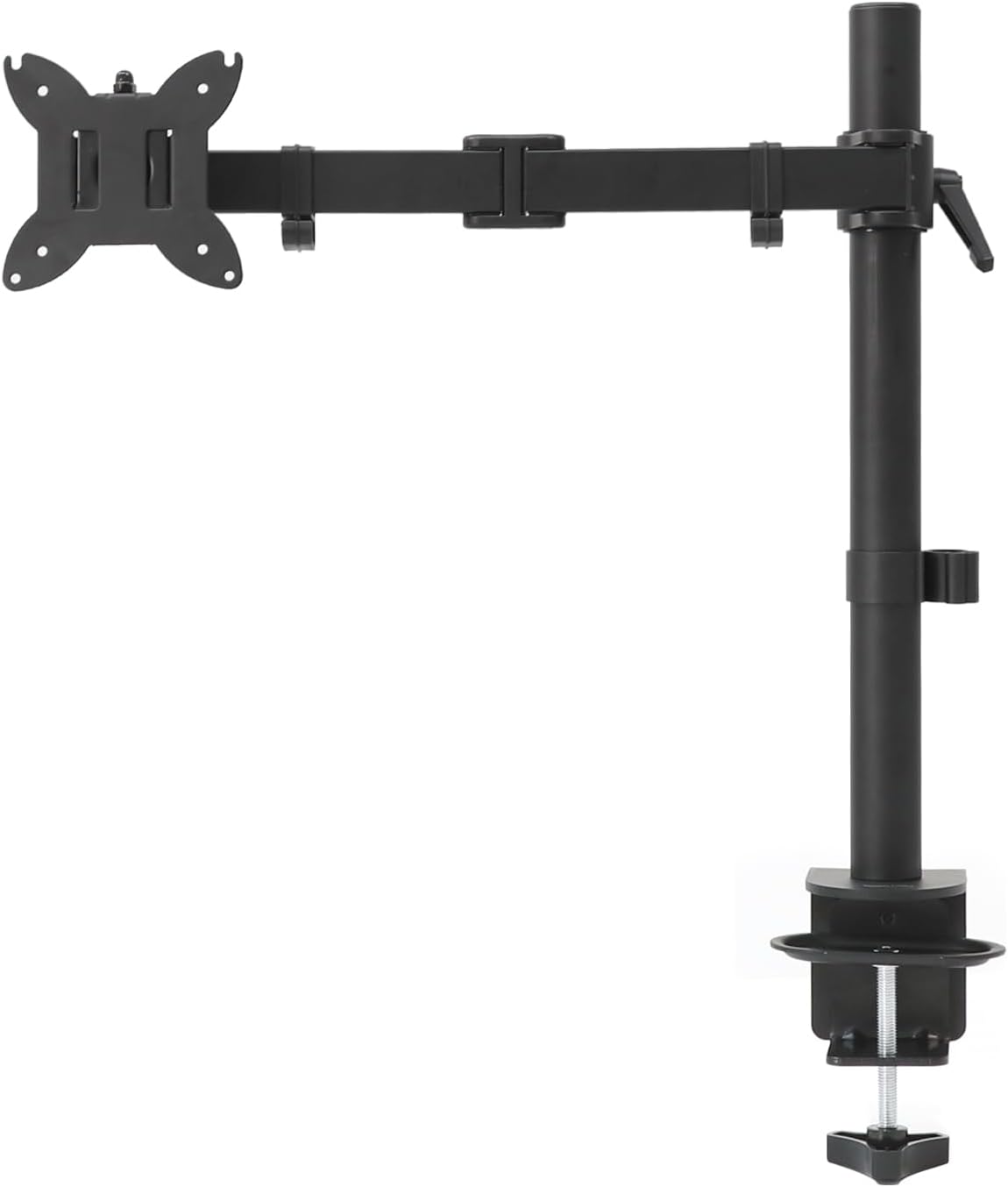 Amazon Basics Single Monitor Arm Amazon Basics Single Monitor Arm |
Best Single Budget | $27 | — | — | — | 8.9 | Buy → |
| 3 |  VIVO Single Monitor Arm Desk Mount — … VIVO Single Monitor Arm Desk Mount — … |
Best Single Value | $29 | — | — | — | 8.5 | Buy → |
| 4 | 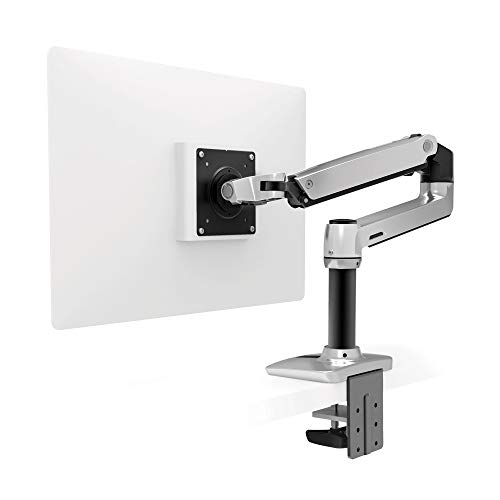 Ergotron LX Desk Monitor Arm — Single… Ergotron LX Desk Monitor Arm — Single… |
Best Single Premium | $159 | — | — | — | 8.2 | Buy → |
| 5 |  Ergotron LX Dual Monitor Arm Ergotron LX Dual Monitor Arm |
Best Dual Premium | $479 | — | — | — | 7.8 | Buy → |
Showing 5 of 5 products
WALI Dual Monitor Stand 13-32 in Gas Spring GSMP002N
“Best for dual-monitor or ultrawide setups where a gas spring arm with USB hub and cable management pays for itself in ergonomic and desk space benefits.”
See Today’s Price →What we like
Watch out for
Read Full Analysis
The WALI gas spring dual arm is the best choice for heavy monitors — gas spring arms support weight up to 17.6 lbs per monitor, which covers most 27-32" displays including curved ultrawide screens that would overwhelm cheaper friction-based arms. Gas spring means one-finger height adjustment: you push the monitor and it stays exactly where you leave it, rather than creeping down over hours or requiring a screwdriver to re-tighten. The integrated USB hub (USB 3.0 ports on the arm post) is a practical differentiator — it positions USB ports within easy reach rather than forcing you to reach behind your desk. Cable management channels run through the arms themselves, keeping the desk clean. The arm pair mounts from a single clamp or grommet, holding both monitors from one base. The limitation versus the Ergotron LX Dual (rank 5): build quality and longevity. WALI is engineered to be adequate rather than excellent, and gas spring mechanisms in budget arms can lose tension over years. Ergotron's Constant Force mechanism holds tension for a decade or more. For a professional setup expected to last 5+ years, Ergotron is worth the premium; for a budget dual setup you'll upgrade, WALI delivers the experience at a fraction of the price. Best for: Dual-monitor setups with 27-32" displays (or ultrawide), budget-conscious buyers who want gas spring performance without Ergotron pricing, and anyone who needs the USB hub convenience.
Amazon Basics Single Monitor Arm
“Amazon Basics' monitor arm is the lowest-cost way to get your monitor off the desk — articulating arm, quick-release VESA mount, and Amazon's return policy make it a safe first purchase.”
See Today’s Price →What we like
- Under $28
- Supports 32" monitors and ultrawide
- Full articulation
- Amazon warranty
- Quick-release VESA plate
Watch out for
- Less refined adjustment than Ergotron
- Limited weight capacity vs VIVO
Read Full Analysis
The Amazon Basics single arm is the right recommendation when the goal is simply getting a monitor off the desk for the lowest possible investment. The articulating arm covers full-motion adjustment — tilt, swivel, rotate to portrait — and the quick-release VESA mount makes swapping monitors easy. For someone who has never used a monitor arm, the Amazon Basics is a low-risk first purchase that demonstrates the ergonomic benefits without the Ergotron price commitment. The functional limitation versus the VIVO (rank 3) and Ergotron (rank 4): the friction joints use set-screws rather than gas spring or Ergotron's Constant Force mechanism. Over time, the joints loosen and require periodic tightening to prevent monitor drift. For a monitor you adjust daily, this is a minor annoyance. For a monitor you set once, it's irrelevant. Weight capacity is 14.3 lbs, covering most 24-27" monitors comfortably. The desk clamp accommodates desks up to 2.56 inches thick. Amazon's return policy applies, which removes the risk of buying something that doesn't fit your desk configuration. Compared to the VIVO (rank 3), the Amazon Basics is slightly cheaper but noticeably less sturdy. The VIVO is the better long-term buy at a modest premium. The Amazon Basics makes sense as a first experiment or for temporary setups. Best for: Budget-conscious first-time monitor arm buyers, temporary setups, and anyone who wants to experience monitor arm ergonomics before committing to a higher-quality arm.

VIVO Single Monitor Arm Desk Mount — Full Motion, 13–27 inch
“The VIVO Single delivers 80% of the Ergotron experience at 20% of the price — the clear choice for budget setups and lighter monitors.”
See Today’s Price →What we like
- Full 360° rotation and ±45° swivel at a fraction of Ergotron's cost
- Cable management clips along the arm
- Supports monitors up to 22 lbs and 27 inches
- Both clamp and grommet mount included
- Tool-free height adjustment after initial setup
Watch out for
- Less smooth than Ergotron — adjustment requires more deliberate force
- 22 lb limit rules out larger gaming monitors
- Plastic joint covers feel less premium than metal construction
Read Full Analysis
The VIVO Single arm is the value sweet spot on this page: it delivers the core monitor arm experience — full-motion articulation, tilt, swivel, portrait rotation — at a price well below the Ergotron LX while using a sturdier friction mechanism than the Amazon Basics. For a 24-27 inch monitor used daily at a home office desk, the VIVO covers all practical adjustment needs without the diminishing returns of the Ergotron premium. The friction-joint mechanism requires periodic screw adjustment to maintain tension as the joints wear slightly over time. This is a 5-minute maintenance task every few months rather than a daily annoyance — acceptable for most users but distinct from the Ergotron's Constant Force mechanism that maintains tension indefinitely without adjustment. Weight capacity is 17.6 lbs, covering virtually all 27-inch monitors including heavier curved displays. The desk clamp handles desks up to 2.6 inches thick; a grommet mount is typically included as an alternative. Cable management channels run along the arm length. Compared to the Ergotron LX (rank 4), the VIVO costs 75-80% less for 85% of the functionality. The Ergotron wins clearly on build quality, longevity, and joint smoothness — meaningful differences for a setup that will be adjusted multiple times daily for years. For a home office monitor adjusted occasionally, the VIVO is the rational choice. Best for: Home office setups with 24-27 inch monitors where daily adjustment is occasional rather than constant, and buyers who want solid quality without Ergotron pricing.

Ergotron LX Desk Monitor Arm — Single, Matte Black
“The Ergotron LX is the definitive monitor arm — no arm at any price matches its combination of smooth adjustment, build quality, and long-term reliability.”
See Today’s Price →What we like
- CF-motion technology delivers buttery-smooth, fingertip-force adjustment
- 34 lb weight capacity handles ultrawide and large gaming monitors
- Full range of motion: 13 inches height, 360° rotation, +75°/-5° tilt
- Integrated cable management channels hide all cables cleanly
- Both desk clamp and grommet mount hardware included
- Rock-solid hold — zero creep or drift after positioning
Watch out for
- Premium price — significantly more expensive than budget alternatives
- Overkill for lightweight 24-inch monitors that don't need 34 lb capacity
- Initial setup and tension calibration takes 15–20 minutes
Read Full Analysis
The Ergotron LX single arm is the benchmark because its Constant Force mechanism is genuinely in a different category from every other arm on this page. You adjust the monitor with one finger, it stays exactly where you placed it, and it will still do this reliably five years from now without any tightening. Budget arms use friction screws that require periodic maintenance; the LX requires none. For a setup you adjust multiple times daily — sitting to standing transitions, moving between tasks, sharing a desk — the frictionless adjustment is a meaningful quality-of-life upgrade. Build quality is all-metal with tight tolerances — no flex, no wobble at full extension, no creaking. The cable management integrates cleanly. The matte black finish resists scratches and fingerprints better than glossy alternatives. At roughly 3-4x the price of the VIVO (rank 3), the Ergotron LX is harder to justify for occasional adjusters. The math changes for daily users: over five years of workday use, the Ergotron's superior mechanism and zero maintenance make the premium reasonable. The VIVO is the rational budget choice; the LX is the rational premium choice. The single arm is for single-monitor setups. For dual monitors, the WALI gas spring (rank 1) or Ergotron LX Dual (rank 5) are the appropriate alternatives. Best for: Daily remote workers who adjust monitor position frequently, anyone who values zero-maintenance premium build quality, and setups where the monitor arm will be used for 5+ years.
Ergotron LX Dual Monitor Arm
“Ergotron's LX Dual arm is the definitive two-monitor solution — both screens adjust independently, Constant Force prevents drift, and the 10-year warranty makes it the last dual arm you'll ever buy.”
See Today’s Price →What we like
- Two independent arms for monitors up to 27" each
- Independent height/tilt/swivel per monitor
- Constant Force holds position
- Cable management
- 10-year warranty
Watch out for
- Expensive
- Requires strong desk (45 lbs loaded)
Read Full Analysis
The Ergotron LX Dual is the definitive long-term dual-monitor solution because Constant Force holds its tension permanently — both arms adjust independently with one finger and stay exactly positioned for the life of the product. The 10-year warranty is meaningful: Ergotron replaces defective parts for a decade, making this a legitimate buy-once investment. Independent arm adjustment is the critical practical feature. Dual monitor arms from lesser brands often couple the arms such that adjusting one affects the other. The Ergotron LX Dual's independent arms mean you can position a secondary monitor at a different height, angle, or distance without disturbing your primary display — essential for workflows where the secondary monitor is used for reference rather than direct work. The premium cost is the honest limitation. At 3-5x the WALI gas spring arm (rank 1), the Ergotron LX Dual is the right choice for professional setups that will be used daily for 5+ years, not for a budget dual setup that might change. The WALI gas spring covers most of the functional requirements at a fraction of the price. Build quality is all-metal, virtually identical to the single LX. Cable management handles two monitor cable sets cleanly. The base clamp or grommet mount accommodates desk edge thickness up to 3.5 inches. Best for: Professional daily dual-monitor setups expected to last 5+ years, remote workers adjusting both screens multiple times daily, and anyone for whom the warranty and no-maintenance mechanism justify the premium.
Monitor Arms for Dual Monitors Buying Guide
 Photo by Josh Sorenson / Pexels
Our Top Pick
WALI Dual Monitor Stand 13-32 in Gas Spring GSMP002N at $32.99 — WALI dual gas-spring arm holds two 13-32" monitors up to 22 lbs each; smooth height, tilt, and swivel adjustments — e....
Budget Pick: Amazon Basics Single Monitor Arm at $27.99 — Amazon Basics single arm at $28 is the most affordable reliable option for one monitor; buy two for a dual setup and ....
Great for: Multi-monitor setups, anyone with a fixed-height monitor causing neck strain, and desk organizers freeing up surface space
Not ideal if: Your monitor is already at eye height and you have no neck discomfort — adjustability is only valuable when there's a fit problem
Monitor arms for dual monitors solve two problems simultaneously
they lift both screens to eye level (reducing neck strain from looking down at a desk-mounted display) and they free the entire desk surface below the monitors. The WALI Gas Spring Dual Stand ($32.99) and Amazon Basics Single Arm in this comparison offer different approaches to the same ergonomic goal.Gas spring vs. fixed arms
Monitor compatibility
Arms have weight capacity (typically 4-18 lbs per arm) and VESA mounting pattern requirements. Most modern monitors use 75x75mm or 100x100mm VESA patterns. Some monitors (notably iMacs and many budget displays) do not have VESA mounting holes and require special adapters.Desk mount types

Cable management
Quality monitor arms include cable channels or hooks that route display cables along the arm -- this significantly improves desk aesthetics. Budget arms often leave cables hanging freely.Weight matching
A dual arm holding two 27-inch monitors carries 15-20 lbs. Verify the arm's stated capacity covers your monitor weights with margin. Overloaded arms droop over time.Price guidance
Basic single monitor arms run $20-40. Gas spring single arms run $40-80. Dual monitor gas spring stands run $50-150 depending on quality and max weight.Related Guides
Frequently Asked Questions
What monitor arm is best for two monitors?
How do I know if my monitor is compatible with a monitor arm?
Is a monitor arm worth it vs. keeping the monitor on its stand?
Can a monitor arm damage my desk?
What's the best budget dual monitor arm under $60?
How We Analyze Products
We analyze Amazon review data — often thousands of reviews per product — to surface patterns that individual buyers miss. Our process aggregates star ratings, review counts, and buyer sentiment at scale, identifying which strengths and weaknesses appear consistently across the largest review samples available. The 27,779+ reviews analyzed on this page represent real verified-purchase feedback from Amazon buyers.
Each product earned its placement through data: total review volume, average rating, and the specific praise and complaints that repeat most often across buyers. No manufacturer paid for placement on this page. Products appear here because buyers endorsed them at scale, not because a company asked us to feature them.
We use AI to summarize review sentiment — not to fabricate opinions, but to condense what thousands of buyers actually wrote into a readable format. The pros and cons you see reflect the most common themes found in verified purchaser reviews, paraphrased for clarity. We do not claim to have accessed Reddit, YouTube, or specific publications in generating these summaries.
Prices shown reflect Amazon pricing at the time this page was last generated. Click “See Today’s Price” to get the current live price on Amazon. Read our full methodology →