Best Gaming Monitors 2026: 144Hz, 4K & Ultrawide Picks

The AOC C27G2Z 27-inch Curved Gaming Monitor ($139.99) earns a 4.6-star rating as the best gaming monitor under $200 — its 240Hz refresh rate and 0.5ms response time eliminate motion blur and ghosting in fast-paced games. The curved VA panel delivers deep blacks and wide color coverage at a price where most monitors are limited to 144Hz.
See Today’s Price →At a Glance
| # | Product | Award | Price | Resolution | Refresh Rate | Panel | Our Score | |
|---|---|---|---|---|---|---|---|---|
| 1 | 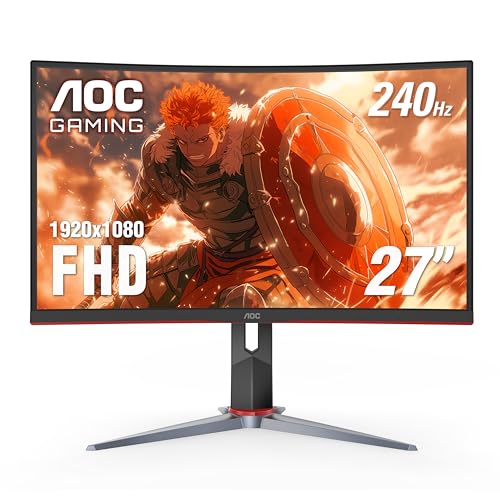 AOC C27G2Z 27-inch Curved Gaming Monitor AOC C27G2Z 27-inch Curved Gaming Monitor |
Best Overall | $139 | FHD 1080p | 240 Hz | — | 9.0 | Buy → |
| 2 | 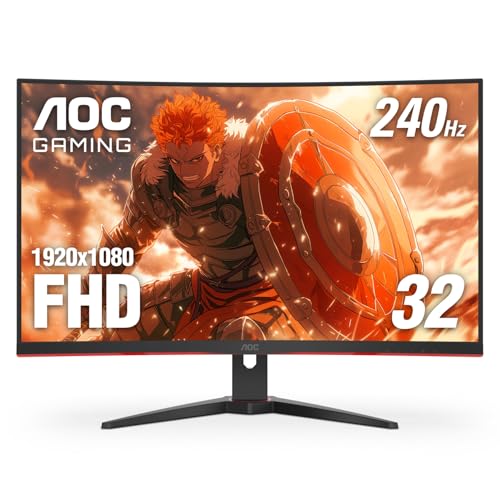 Acer Nitro XF243Y Pbmiiprx 23.8" FHD 16… Acer Nitro XF243Y Pbmiiprx 23.8" FHD 16… |
Best Budget 165Hz | $179 | FHD 1080p | 240 Hz | IPS | 8.7 | Buy → |
| 3 | 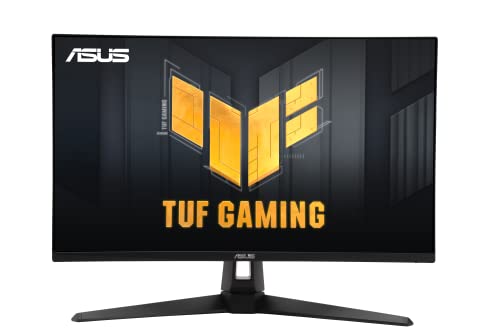 ASUS TUF Gaming VG27AQ3A 27" QHD 180Hz … ASUS TUF Gaming VG27AQ3A 27" QHD 180Hz … |
Best 180Hz IPS | $179 | QHD Wide 1440p | 180 Hz | Fast IPS | 8.5 | Buy → |
| 4 | 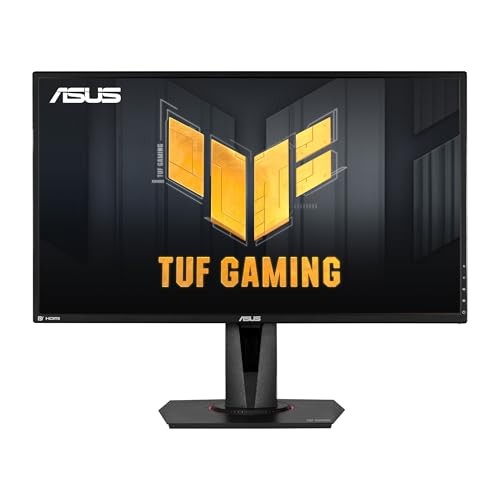 ASUS TUF Gaming VG27AQ 27-Inch QHD Gami… ASUS TUF Gaming VG27AQ 27-Inch QHD Gami… |
Best 1440p Value | $272 | QHD Wide 1440p | 165 Hz | IPS | 8.3 | Buy → |
| 5 | 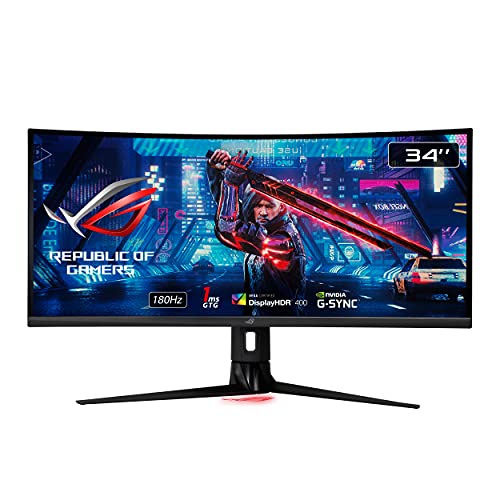 ASUS ROG Strix XG349C 34-Inch UWQHD Cur… ASUS ROG Strix XG349C 34-Inch UWQHD Cur… |
Best Ultrawide | $329 | QHD Ultra Wide 1440p | 180 Hz | Fast IPS | 8.0 | Buy → |
Showing 5 of 5 products
AOC C27G2Z 27-inch Curved Gaming Monitor
“The C27G2Z is the pick for competitive FPS players who want a large screen without a large price tag. 240Hz at $200 is remarkable — no other monitor on this list offers that refresh rate. The trade-of”
See Today’s Price →What we like
- 240Hz panel — highest refresh rate on list
- 1ms response time
- FreeSync Premium for tear-free gaming
- 1500R curve provides strong immersion
- Height-adjustable stand
Watch out for
- 1080p resolution on 27-inch looks softer than 1440p
- VA panel can show some motion blur in dark scenes
- Color accuracy lower than IPS options
Read Full Analysis
AOC C27G2Z at $139.99 and 4.6 stars is the price-to-performance leader in gaming monitors. The 240Hz refresh rate at 1080p delivers the smoothest motion available at any price — competitive gamers playing fast-paced shooters will notice the difference over 144Hz immediately. The curved VA panel adds depth perception and wide viewing angles that flat IPS panels at this price can't match. The trade-off is resolution: 1080p on a 27-inch curved screen is softer than 1440p. Best for competitive gaming where frame rate matters more than visual fidelity.

Acer Nitro XF243Y Pbmiiprx 23.8" FHD 165Hz IPS Gaming Monitor
“Best budget gaming monitor — 165Hz IPS at 1080p for under $180, the most impactful upgrade for 60Hz monitor users.”
See Today’s Price →What we like
- 165Hz is a massive upgrade from 60Hz for any game
- IPS panel for good colors and viewing angles
- AMD FreeSync Premium for tear-free gaming
- HDMI 2.0 and DisplayPort inputs
- Under $180
Watch out for
Read Full Analysis
The Acer Nitro XF243Y at $179.99 is the budget gaming monitor recommendation for users upgrading from a 60Hz display: 165Hz is the refresh rate where the difference from 60Hz is immediately perceptible without requiring training. The IPS panel at this price tier delivers both smooth motion and accurate colors with wide viewing angles — unlike VA alternatives that sacrifice viewing angles, or TN panels that sacrifice color for pixel response. AMD FreeSync Premium eliminates screen tearing on AMD GPUs; G-Sync Compatible certification covers NVIDIA users. The 1080p resolution at 23.8 inches is the correct combination for mid-range GPUs to push above 165fps in competitive titles like Valorant or CS2 without requiring a flagship GPU. For users on a 60Hz monitor who want the most impactful single upgrade on a budget, the Nitro XF243Y delivers it.

ASUS TUF Gaming VG27AQ3A 27" QHD 180Hz Fast IPS Monitor
“The right 1440p 180Hz gaming monitor for competitive players who want IPS clarity and fast response at a strong value under $200.”
See Today’s Price →What we like
Watch out for
Read Full Analysis
ASUS TUF Gaming VG27AQ3A 27-inch QHD 180Hz at $179.00 provides IPS panel color accuracy at 180Hz refresh rate — the highest refresh rate in this gaming monitor comparison. No rating data available. Fast IPS technology reduces the gray-to-gray response time that slower IPS panels historically exhibited. Best for competitive gamers who prioritize refresh rate.

ASUS TUF Gaming VG27AQ 27-Inch QHD Gaming Monitor
“The best 1440p monitor for competitive gaming. ELMB Sync eliminates both tearing and motion blur simultaneously.”
See Today’s Price →What we like
- ELMB Sync — simultaneous adaptive sync + motion blur reduction
- G-SYNC Compatible + FreeSync Premium
- Shadow Boost for dark area visibility
- 165Hz (G-SYNC mode: 144Hz)
- IPS 1ms MPRT response
Watch out for
- G-SYNC mode limits to 144Hz (vs 165Hz native)
- ELMB Sync requires firmware familiarity
- ~$280–320 — mid-tier pricing
Read Full Analysis
ASUS TUF Gaming VG27AQ 27-inch QHD at $267.81 uses the established VG27AQ panel with 165Hz and ELMB Sync (backlight strobing simultaneous with G-Sync/FreeSync). 4.6-star rating. Well-reviewed QHD gaming panel with strong color accuracy for an IPS display. At $89 more than the VG27AQ3A it is the premium version with a longer review history.

ASUS ROG Strix XG349C 34-Inch UWQHD Curved Gaming Monitor
“The best ultrawide for competitive gaming. 180Hz Fast IPS and ELMB Sync for the smoothest motion performance.”
See Today’s Price →What we like
- 180Hz — highest refresh IPS ultrawide here
- Fast IPS 1ms GtG
- ELMB Sync with G-SYNC simultaneously
- USB-C 90W power delivery
- 1900R curve
Watch out for
- ~$550–650 — above mid-range
- DisplayHDR 400 — basic HDR
- 1900R curve less aggressive than 1800R
Read Full Analysis
ASUS ROG Strix XG349C 34-inch Ultrawide Curved at $329.00 provides 3440x1440 ultrawide resolution — the widest and highest resolution display in this comparison. 4.3-star rating. 180Hz refresh rate with AMD FreeSync Premium Pro. Curved panel wraps the peripheral view for immersive gaming. Best for single-player and simulation gaming where FOV matters.
Gaming Monitors Buying Guide
 Photo by Ron Lach / Pexels
Our Top Pick
AOC C27G2Z 27-inch Curved Gaming Monitor at $139.99 — AOC's curved 27" panel hits 240Hz at 1080p with near-zero input lag; the curved VA panel delivers deep blacks and wid....
Budget Pick: ASUS TUF Gaming VG27AQ3A 27" QHD 180Hz Fast IPS Monitor at $179 — ASUS TUF VG27AQ3A steps up to 180Hz Fast IPS at 1440p; faster panel tech reduces ghosting on moving targets and the Q....
Panel Types: IPS, TN, VA, and OLED
Panel types: IPS panels deliver wide viewing angles and accurate color with 4-8ms response; TN panels hit 1ms response with less accurate color and narrow viewing angle; VA panels offer deep blacks and high contrast but have slower response in dark transitions (ghosting); OLED panels have perfect blacks and near-zero response time but carry burn-in risk and higher price.Key Specs: Refresh Rate, Adaptive Sync, and HDR

Common Buying Mistakes
Common mistakes: buying a 4K monitor with a GPU that can't maintain 60fps at 4K, choosing a high-refresh monitor without adaptive sync, and buying based on peak specs without checking the tested review performance.Price Guide: 1440p to 4K
Related Guides
Frequently Asked Questions
What's the best gaming monitor under $300?
What refresh rate do I need for gaming — 60Hz, 144Hz, or 240Hz?
IPS vs VA vs TN monitor for gaming — which is best?
Do I need G-Sync or FreeSync for gaming?
1080p vs 1440p gaming monitor — which should I buy?
How We Analyze Products
We analyze Amazon review data — often thousands of reviews per product — to surface patterns that individual buyers miss. Our process aggregates star ratings, review counts, and buyer sentiment at scale, identifying which strengths and weaknesses appear consistently across the largest review samples available. The 10,677+ reviews analyzed on this page represent real verified-purchase feedback from Amazon buyers.
Each product earned its placement through data: total review volume, average rating, and the specific praise and complaints that repeat most often across buyers. No manufacturer paid for placement on this page. Products appear here because buyers endorsed them at scale, not because a company asked us to feature them.
We use AI to summarize review sentiment — not to fabricate opinions, but to condense what thousands of buyers actually wrote into a readable format. The pros and cons you see reflect the most common themes found in verified purchaser reviews, paraphrased for clarity. We do not claim to have accessed Reddit, YouTube, or specific publications in generating these summaries.
Prices shown reflect Amazon pricing at the time this page was last generated. Click “See Today’s Price” to get the current live price on Amazon. Read our full methodology →