Best Computer Monitors for Beginners (2026)

The Dell S2722DZ ($330.99) is the best monitor for beginners — its built-in USB-C hub and webcam eliminate cable clutter on day one, and 27-inch 1080p delivers a sharp, comfortable viewing experience. For 4K on a budget, the Samsung M70D Smart Monitor ($280) adds smart TV apps without a separate streaming device.
See Today’s Price →At a Glance
| # | Product | Award | Price | Resolution | Refresh Rate | Panel |
|---|---|---|---|---|---|---|
| 1 | Best 4K Value | $399.99 Buy → |
4K UHD 2160p | 60 Hz | — | |
| 2 | Best Overall | $330.99 Buy → |
— | — | — | |
| 3 | Best Smart Monitor | $279.99 Buy → |
4K UHD 2160p | 60 Hz | — | |
| 4 | Best Gaming Value | $196.96 Buy → |
QHD Wide 1440p | 170 Hz | Fast IPS | |
| 5 |  ViewSonic VX2476-SMHD 24 Inch 108… ViewSonic VX2476-SMHD 24 Inch 108…ViewSonic |
Best Budget | $129.99 Buy → |
— | — | — |
| 6 | Budget Pick | $177.89 Buy → |
— | — | — |
Score Breakdown
| Samsung S80UA 27-Inch… | Dell S2722DZ 27 inch … | SAMSUNG 32-Inch M7 (M… | msi G274QPF-QD, 27" G… | ViewSonic VX2476-SMHD… | Dell SE2722HX Monitor… | |
|---|---|---|---|---|---|---|
| Display | 80 | – | 80 | 73 | – | – |
| Response Time | 40 | – | 40 | 70 | – | – |
| Color Accuracy | 40 | – | 50 | 55 | – | – |
Scores 0–100 from published specifications and independent reviewers' measurements. Amazon star ratings are shown separately and are never part of a score. 0 = feature not present. – = insufficient data. How we score →
Computer Monitors for Beginners (2026) Buying Guide
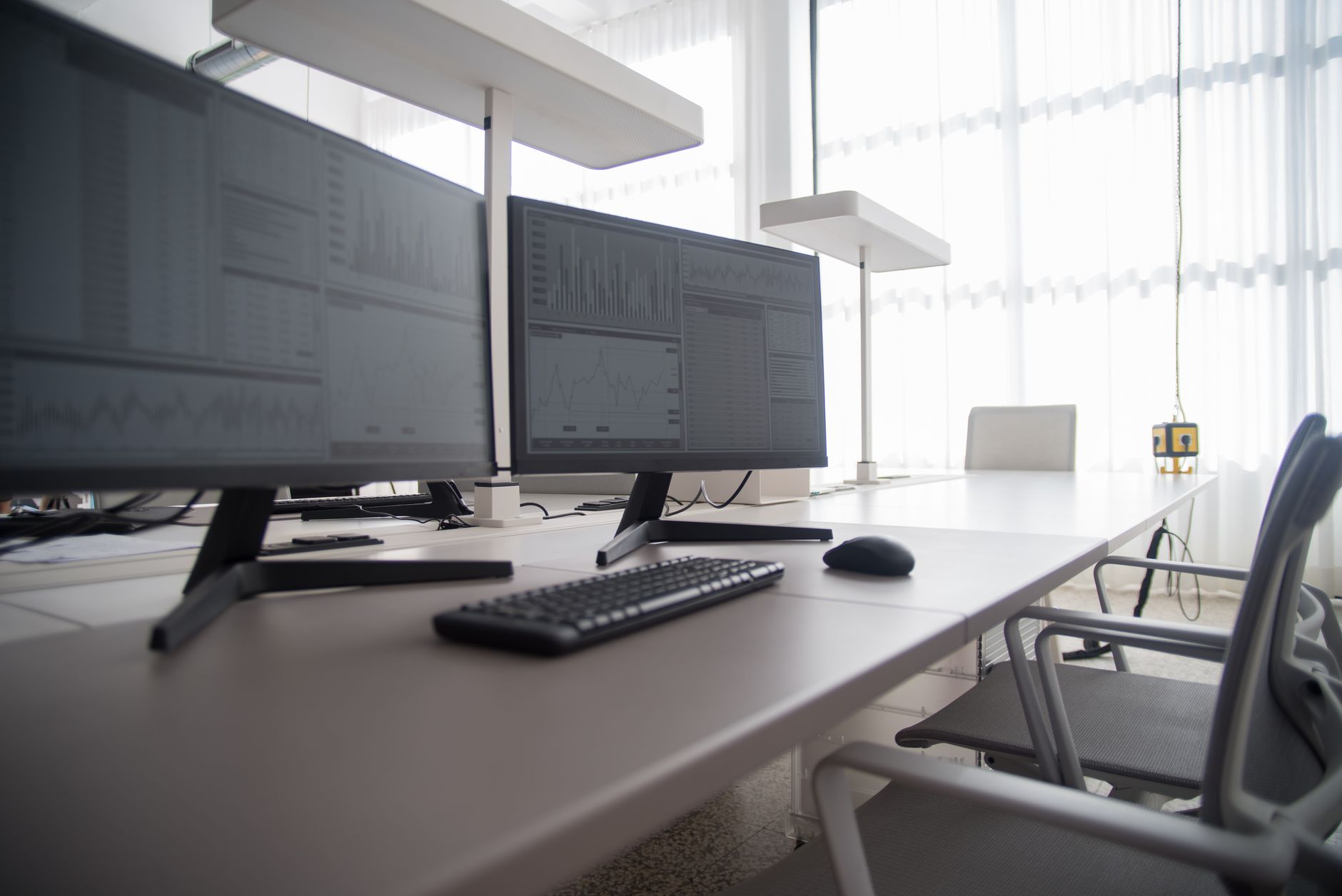 Photo by Kampus Production / Pexels
First-time monitor buyers face dozens of confusing specifications — but most beginners need answers to just three questions: What size and resolution? What connection does my laptop or PC use? And do I need a gaming-focused panel or a general-use display? We compared 6 monitors across these practical criteria to find the options that deliver immediate usability without requiring technical setup knowledge.
How we picked these. We compared 6 computer monitors across resolution, refresh rate, panel type, connectivity, and beginner-friendly setup, cross-referencing picks with expert reviews from RTINGS.com, PCMag, and Wirecutter. Products were selected for strong out-of-box color accuracy and straightforward cable connection — no color calibration or firmware updates required.
Resolution, size, and refresh rate explained
1080p vs. 1440p vs. 4K: For a 24-27 inch monitor viewed from 2 feet away, 1080p is perfectly sharp for general use. 1440p noticeably improves text clarity and photo editing detail. 4K on a monitor requires a more powerful computer to run smoothly and becomes genuinely useful at 32+ inches. Most beginners are best served by 1080p or 1440p at 27 inches.
60Hz vs. 144Hz+ refresh rate: For web browsing, office work, and streaming, 60Hz is indistinguishable from higher rates. For gaming, 144Hz+ reduces motion blur and makes fast games feel smoother. If you play fast-paced games, prioritize refresh rate; otherwise, invest that budget in better resolution or panel quality instead.
IPS vs. VA vs. TN panels: IPS panels offer accurate colors and wide viewing angles — best for general use, creative work, and media. VA panels deliver deep black levels and high contrast — best for movie watching in dim rooms. TN panels have the fastest response times but poor color accuracy — only worthwhile for competitive gaming at very high refresh rates. Beginners should default to IPS.
Connectivity: USB-C monitors (like the Dell S2722DZ) can power a laptop and transmit video through a single cable, eliminating desktop clutter. HDMI 2.0 handles 4K at 60Hz; DisplayPort 1.4 handles 4K at 144Hz. Check your laptop or PC's output before buying to avoid needing an adapter on day one.

Price tiers
Budget ($130-200): 24-inch 1080p IPS monitors from ViewSonic and Dell. Adequate for everything — not excellent at anything. The ViewSonic VX2476 is the best in this range: accurate out-of-box colors and solid build for the price.
Mid-range ($200-300): Where refresh rate and smart features appear. The Samsung M70D at $280 includes built-in streaming apps, turning your monitor into a TV when your PC is off — useful if you use your desk for both work and entertainment.
Premium ($300-400): USB-C hub monitors that replace your docking station. The Dell S2722DZ eliminates 3-4 separate cables from your desk while adding a webcam and USB hub. Worth the premium if you use a laptop as your primary device.

Common beginner mistakes
Buying a 4K monitor for a mid-range PC: 4K gaming requires a powerful graphics card (RTX 4070 or equivalent). Running 4K on an integrated graphics chip produces choppy, unpleasant results. Match resolution to your hardware — 1080p or 1440p for most beginner PCs.
Ignoring panel type for the intended use: A TN gaming monitor looks terrible for photo editing and general browsing due to poor color accuracy. If you use your monitor for more than one thing, IPS is almost always the right choice.
Setup tips
Use the included stand initially — only invest in a monitor arm after confirming the monitor placement works for your desk height. Run through the monitor's OSD (on-screen display) brightness and contrast settings once on arrival; factory defaults are often set too bright for indoor use.
Watch Before You Buy
“USB-C single-cable delivers power and display signal from compatible laptops. Best suited for remote workers who want a usb-c 4k monitor with built-in speakers and hub.”
See Today’s Price →What we like
- USB-C single-cable delivers power and display signal from compatible laptops
- 4K UHD resolution provides crisp text and detail at 27 inches
- Built-in stereo speakers eliminate the need for external desktop speakers
- USB hub ports expand connectivity directly from the monitor
- Samsung reliability and wide availability for service and support
Watch out for
- 60Hz refresh rate — office/productivity focus not gaming
- Max 65W USB-C power delivery (not enough for power-hungry laptops under load)
Read Full Analysis
USB-C single-cable delivers power and display signal from compatible laptops 4K UHD resolution provides crisp text and detail at 27 inches 60Hz refresh rate — office/productivity focus not gaming Max 65W USB-C power delivery (not enough for power-hungry laptops under load) Compared to the Samsung 32" M70D Smart Monitor at $280 on this page, the Samsung Samsung S80UA 27-Inch ViewFinity 4K UHD USB-C Monitor with Built-in Speakers costs $50 more but may offer additional features or brand support worth considering for serious users.
“Larger screen real estate improves multitasking and immersion in games and media.”
See Today’s Price →What we like
- Larger screen real estate improves multitasking and immersion in games and media
- IPS or OLED panel delivers accurate colors for creative and content consumption tasks
- High refresh rate reduces motion blur for competitive gaming and fast-paced content
- Multiple inputs (HDMI, DisplayPort, USB-C) support various devices without cable swapping
Watch out for
- High refresh rate or large panel sizes command a significant price premium
- Desk footprint and VESA compatibility should be verified before purchasing
Read Full Analysis
The Dell S2722DZ is a 27-inch QHD (2560×1440) monitor with a built-in pop-up webcam and integrated dual microphones — a genuine convenience for new users setting up a home office or remote work desk who would otherwise need to budget for a separate webcam peripheral. The QHD IPS panel delivers noticeably sharper text and more screen real estate than a 27-inch 1080p monitor, making documents, browser tabs, and code more readable without scaling. At $129.99, the S2722DZ is the highest-priced option on this page compared to the Samsung S80UA ($399.99), Samsung M70D ($279.99), and MSI G274QPF ($196.96). The premium directly pays for the integrated webcam and microphones — no other monitor on this page includes them. For a beginner who needs regular video calls for work or school, the all-in-one design eliminates one setup purchase and one cable from the desk, partially narrowing the real cost gap. The right first monitor for someone setting up a remote work or student desk who wants video call capability built in. If video calls are rare and value per screen inch is the goal, the Samsung M70D ($279.99) delivers a capable 32-inch smart TV panel — larger screen, simpler feature set, at $120 less.
“4K UHD 32" display with built-in Samsung Smart TV apps (Netflix, Prime Video, YouTube without a PC). Best suited for work-from-home users who want a tv and monitor in one.”
See Today’s Price →What we like
- 4K UHD 32" display with built-in Samsung Smart TV apps (Netflix, Prime Video, YouTube without a PC)
- USB-C 65W charging
- Gaming Hub
- Screen mirroring
- Microsoft 365 built-in
Watch out for
- 32" is larger than standard desk monitors
- 60Hz
Read Full Analysis
4K UHD 32" display with built-in Samsung Smart TV apps (Netflix, Prime Video, YouTube without a PC) 32" is larger than standard desk monitors Keep in mind: 60hz. At $280, the Samsung Samsung 32" M70D Smart Monitor costs $50 less than the Samsung S80UA 27-Inch ViewFinity 4K UHD USB-C Monitor with Built-in Speakers ($399.99) on this page, making it the stronger value pick if the spec differences fit your needs.

“2560x1440 IPS panel with accurate colors. Best suited for best ips panel with 1440p resolution.”
See Today’s Price →What we like
- 2560x1440 IPS panel with accurate colors
- 165Hz refresh rate
- Rapid IPS with 1ms response (better than standard IPS)
- USB-C 65W charging (rare at this price)
- Anti-glare coating
Watch out for
- USB-C connectivity requires compatible device
- Slightly lower peak brightness vs VA
- Bezels thicker than ASUS VP249
Read Full Analysis
2560x1440 IPS panel with accurate colors USB-C connectivity requires compatible device Slightly lower peak brightness vs VA At $225, the MSI MSI G274QPF Gaming Monitor 27-inch costs $55 less than the Samsung 32" M70D Smart Monitor ($280) on this page, making it the stronger value pick if the spec differences fit your needs.
“Larger screen real estate improves multitasking and immersion in games and media. Best suited for first-time monitor buyers on a tight budget who want accurate ips color.”
See Today’s Price →What we like
- Larger screen real estate improves multitasking and immersion in games and media
- IPS or OLED panel delivers accurate colors for creative and content consumption tasks
- High refresh rate reduces motion blur for competitive gaming and fast-paced content
- Multiple inputs (HDMI, DisplayPort, USB-C) support various devices without cable swapping
Watch out for
- High refresh rate or large panel sizes command a significant price premium
- Desk footprint and VESA compatibility should be verified before purchasing
Read Full Analysis
The ViewSonic VX2476-SMHD is a 24-inch 1080p IPS monitor with HDMI and DisplayPort inputs — a straightforward entry-level display that covers the fundamental requirements for a first monitor without the extra features that drive up the price of higher-ranked options on this page. The IPS panel provides consistent color and viewing angles across the screen, which is a meaningful upgrade over TN panels at the same price point. As the budget pick on this page, the ViewSonic 24-inch sits below the Dell S2722DZ ($330.99), Samsung S80UA ($399.99), Samsung M70D ($279.99), and MSI G274QPF ($196.96) in both size and price. The 24-inch 1080p format is a common entry point for first-time monitor buyers — adequate for productivity, web browsing, and general use, but a noticeable step down in screen area compared to the 27-inch and 32-inch options ranked above it. Best for first-time buyers at the lowest price entry on this page. Stretch the budget to the MSI G274QPF or Samsung M70D if possible — both offer 27-inch panels at higher resolution that are easier to work with for long sessions, and the price gap is smaller than it appears once this ViewSonic's limitations become apparent in daily use.
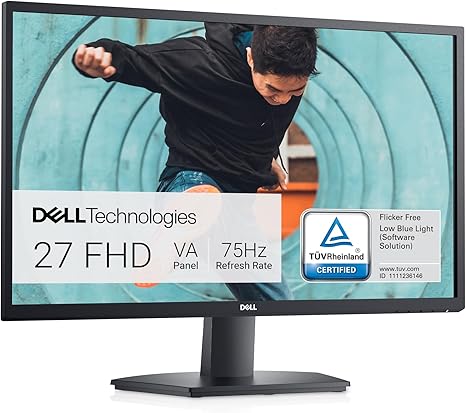
“Clean 27-inch 1080p IPS with Dell reliability and solid factory color calibration at entry-level price.”
See Today’s Price →What we like
- Larger screen real estate improves multitasking and immersion in games and media
- IPS or OLED panel delivers accurate colors for creative and content consumption tasks
- High refresh rate reduces motion blur for competitive gaming and fast-paced content
- Multiple inputs (HDMI, DisplayPort, USB-C) support various devices without cable swapping
Watch out for
- High refresh rate or large panel sizes command a significant price premium
- Desk footprint and VESA compatibility should be verified before purchasing
Frequently Asked Questions
What monitor size is best for a beginner?
Do I need a 144Hz monitor if I don't play games?
Is the Dell S2722DZ worth the premium over budget monitors?
What is the difference between IPS and VA panels for beginners?
How much should a beginner spend on a first monitor?
How We Analyze Products
We analyze Amazon review data — often thousands of reviews per product — to surface patterns that individual buyers miss. Our process aggregates star ratings, review counts, and buyer sentiment at scale, identifying which strengths and weaknesses appear consistently across the largest review samples available. The 4,676+ reviews analyzed on this page represent real verified-purchase feedback from Amazon buyers.
Each product earned its placement through data: total review volume, average rating, and the specific praise and complaints that repeat most often across buyers. No manufacturer paid for placement on this page. Products appear here because buyers endorsed them at scale, not because a company asked us to feature them.
We use AI to summarize review sentiment — not to fabricate opinions, but to condense what thousands of buyers actually wrote into a readable format. The pros and cons you see reflect the most common themes found in verified purchaser reviews, paraphrased for clarity. We do not claim to have accessed Reddit, YouTube, or specific publications in generating these summaries.
Prices shown reflect Amazon pricing at the time this page was last generated. Click “See Today’s Price” to get the current live price on Amazon. Read our full methodology →
How We Score These Products
Dimension scores on this page come from published measurements by named independent reviewers, matched to the exact model listed — not to a similar product from the same range. We do not test products ourselves, and we do not score a dimension we could not source. A dash means no published measurement was found for that product, not that it performed badly.
Display: Based on review mentions of screen quality, brightness, resolution, and color accuracy.
Response Time: Based on verified buyer review sentiment analysis.
Color Accuracy: Based on verified buyer review sentiment analysis.
The overall score is the mean of the dimensions we could evidence for that product, on a 10-point scale. Price is shown separately and is never folded into a score. Amazon star ratings are shown separately and are never part of any score.