Best Printer for Home Office (2026)
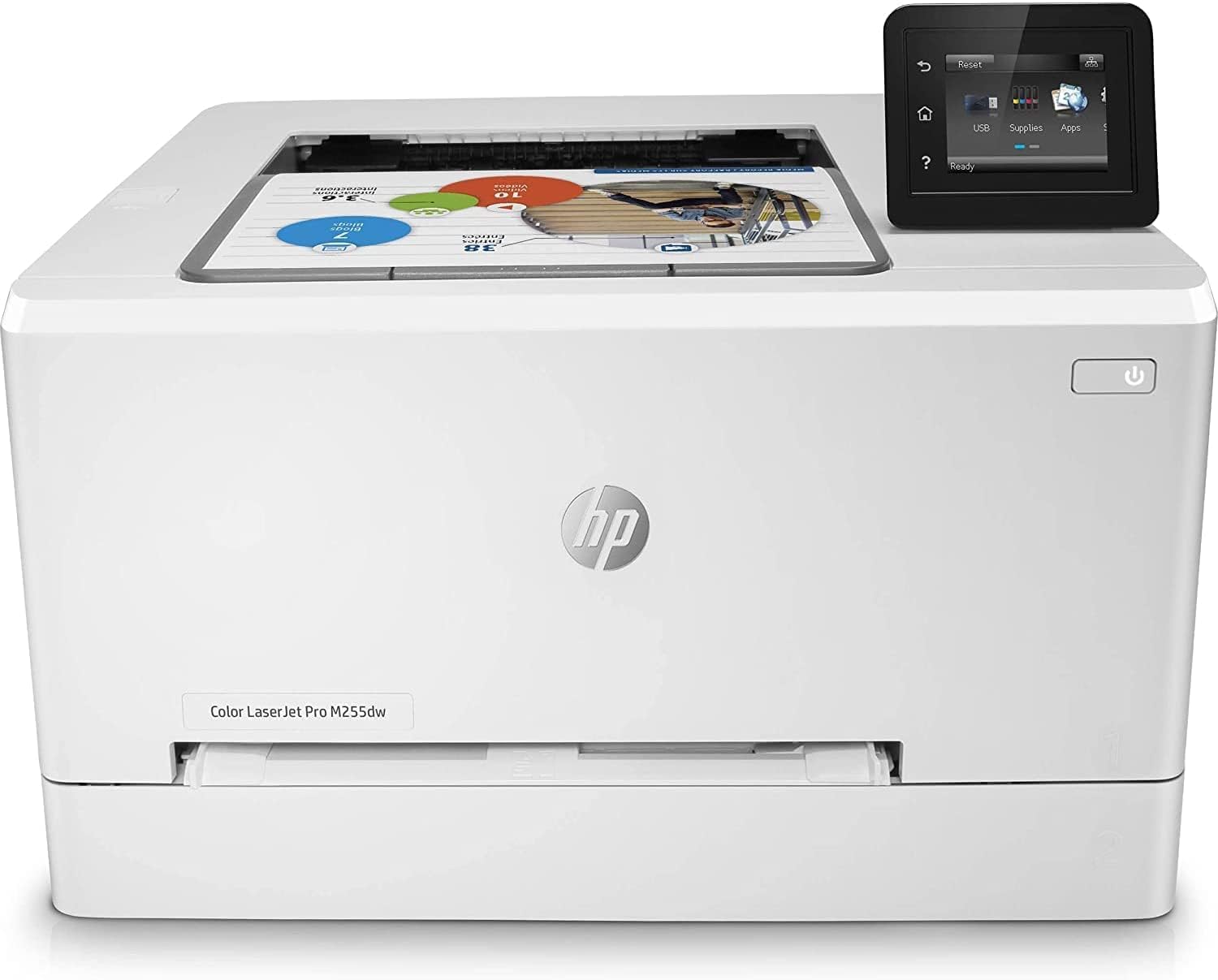
The HP Color LaserJet Pro M255dw is the best home office printer for document-heavy users — laser speed, zero ink costs, and wireless printing with a 5-star rating. For mixed color and scanning needs at lower volume, the Canon PIXMA TR8620a is the best all-in-one value under $120.
See Today’s Price →At a Glance
| # | Product | Award | Price | Upc | Asin | Brand | Our Score | |
|---|---|---|---|---|---|---|---|---|
| 1 |  HP Color LaserJet Pro M255dw Wireless C… HP Color LaserJet Pro M255dw Wireless C… |
Best Overall | $498 | 196337653344 | B0BKZZBBCK | HP | 9.2 | Buy → |
| 2 | 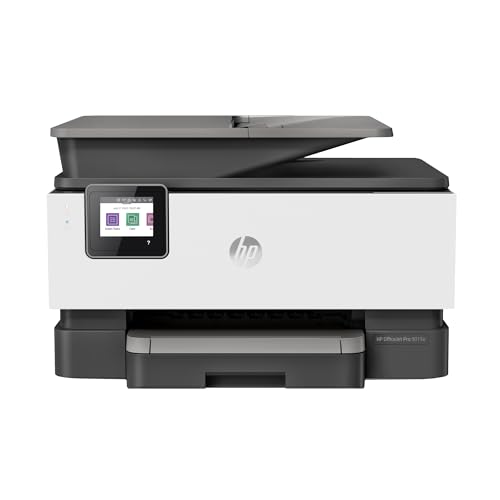 HP OfficeJet Pro 9015e All-in-One Wirel… HP OfficeJet Pro 9015e All-in-One Wirel… |
Best All-in-One | $219 | 195122387556 | B08QR6P8KV | HP | 8.9 | Buy → |
| 3 | 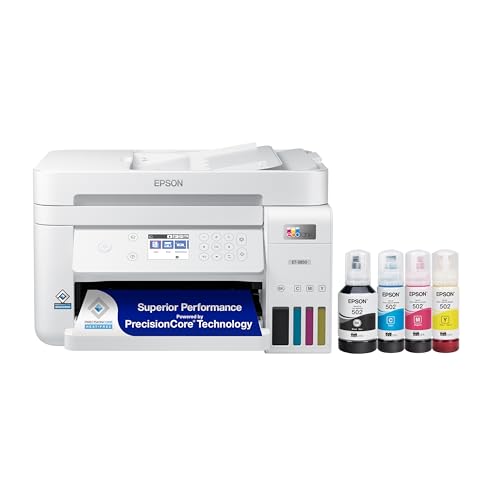 Epson EcoTank ET-3850 Wireless All-in-O… Epson EcoTank ET-3850 Wireless All-in-O… |
Best Long-Term Value | $219 | 010343957855 | B096N7TXR1 | Epson | 8.5 | Buy → |
| 4 | 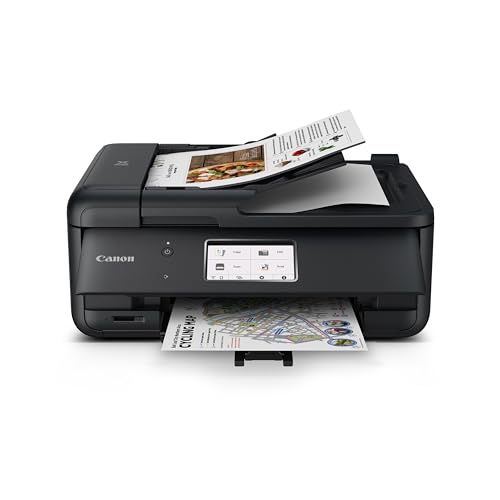 Canon PIXMA TR8620a All-in-One Wireless… Canon PIXMA TR8620a All-in-One Wireless… |
Best Budget Pick | $149 | 013803348323 | B09TRZLPXP | Canon | 8.2 | Buy → |
| 5 | 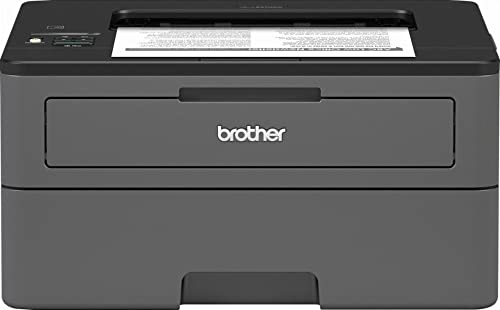 Brother HL-L2370DW Compact Monochrome L… Brother HL-L2370DW Compact Monochrome L… |
Best Compact Laser | $119 | 012502649656 | B076Q1FK19 | Brother | 7.8 | Buy → |
Showing 5 of 5 products
HP Color LaserJet Pro M255dw Wireless Color Laser Printer
“The HP Color LaserJet M255dw is the best color laser printer for home offices that genuinely need occasional color printing — compact, auto-duplex, wireless, and HP Smart mobile printing. The 22 ppm s”
See Today’s Price →What we like
- Compact color laser footprint — smaller than most color laser alternatives
- Auto-duplex for double-sided printing in both monochrome and color
- Wireless + ethernet + USB connectivity covers all connection scenarios
- 2.7-inch touchscreen for intuitive direct-print and settings control
- HP Smart app provides mobile printing and scan-to-email from smartphone
Watch out for
- 22 ppm is the slowest print speed in the comparison — noticeable for high-volume sessions
- Color per-page cost at ~$0.12 is significantly higher than monochrome options
- 4 separate toner cartridges mean 4 points of expense — color cost tracking requires attention
- HP ink/toner subscription programs (Instant Toner) can lock users into pricing structures
Read Full Analysis
The HP Color LaserJet M255dw earns best overall through a specific calculation: it's the smallest, most affordable color laser printer that doesn't compromise on the features a home office actually needs. Auto-duplex printing, wireless, HP Smart mobile app, and a 250-sheet tray cover the full range of home office tasks without requiring a commercial-grade machine. Color laser versus inkjet is the core decision. Color laser toner costs roughly $0.03 per black page and $0.12 per color page — more expensive per page than the EcoTank (rank 3), but toner doesn't dry out from infrequent use the way inkjet cartridges do. For home offices that print in bursts (quarterly reports, occasional proposals) rather than continuously, laser's resistance to drying is a significant practical advantage. The 22 pages per minute speed means a 10-page color document is done in under a minute. For offices occasionally printing polished color documents — client-facing materials, presentations, branded letterhead — the output quality is noticeably better than standard inkjet at this price range. Compared to the OfficeJet Pro 9015e (rank 2), this is the right choice when color document quality matters more than scan and copy features. The 9015e is an all-in-one with a flatbed scanner and feeder; the M255dw is a printer-only that does color better per page. Best for: Home offices that regularly print color documents where quality matters, professionals printing occasional client-facing materials, and anyone who needs reliable color output without a print shop run.

HP OfficeJet Pro 9015e All-in-One Wireless Printer
“The 9015e delivers professional-grade speed and features with HP Instant Ink support, making it ideal for moderate-to-heavy home office use.”
See Today’s Price →What we like
- Fast 22 ppm print speed
- HP Instant Ink compatible
- Auto duplex and 35-sheet ADF
- 6 months Instant Ink included
Watch out for
- At $220, costs $70–100 more than the HP OfficeJet 8015e — the premium buys automatic two-sided scanning and a 250-sheet paper tray versus 100-sheet on the 8015e
- HP+ enrollment locks the printer to HP-branded cartridges only — using third-party or refilled ink voids the HP+ subscription and the bundled 2-year warranty extension
- Wi-Fi connectivity requires the printer within 30 feet of the router without obstructions — printers placed in garages, basements, or far offices report dropped print jobs requiring a manual reconnect from the HP Smart app
Read Full Analysis
The HP OfficeJet Pro 9015e wins "Best All-in-One" because it genuinely consolidates four functions — print, scan, copy, fax — without sacrificing quality at any of them. The automatic document feeder handles 35 sheets for unattended multi-page scanning, which matters if you regularly digitize contracts, receipts, or multi-page documents. A flatbed scanner handles books and bound documents the ADF can't feed. HP Instant Ink support is the cost management feature: for $0.99-$9.99/month depending on volume tier, HP ships replacement cartridges before you run out, and you pay per page printed rather than per cartridge. For high-volume home offices, Instant Ink makes cost-per-page predictable and eliminates the mid-project cartridge emergency. The print speed of 22 ppm is solid for an inkjet all-in-one. Print quality on documents and professional graphics is good — not laser-sharp on fine text, but excellent for charts, photos, and mixed-content documents. Duplex scanning (scan both sides of a document in one pass) saves time on contracts and multi-page paperwork. Compared to the Color LaserJet M255dw (rank 1), the 9015e is the better choice when scan and copy functions are used regularly. A home office that only prints should consider the laser option; an office that also regularly scans gets substantially more utility from the 9015e. Best for: Home offices that use all four functions — printing, scanning, copying, and occasional fax — and want a high-volume capable machine with managed ink costs.

Epson EcoTank ET-3850 Wireless All-in-One Supertank Printer
“The ET-3850 costs more upfront but pays for itself quickly — ink refills cost pennies per page vs dollars per cartridge.”
See Today’s Price →What we like
- No cartridges — refillable ink tanks
- Prints up to 7,500 pages black per fill
- ADF and ethernet included
- Lowest long-term cost of any inkjet
Watch out for
- High upfront cost
- Larger footprint
- Slower than laser for text docs
Read Full Analysis
The Epson EcoTank ET-3850 inverts the printer economics model: high upfront cost (~$380), ultra-low ongoing cost (~$0.003 per black page, $0.01 per color page). The refillable ink tanks replace cartridges entirely — bottles of ink that refill the reservoir, costing $13-16 per color set, versus $35-60 for equivalent replacement cartridges in standard inkjet printers. Families and home offices that print heavily recoup the price difference in 6-12 months. The all-in-one feature set is complete: print, scan, copy, and auto-duplex across all three functions. 15 pages per minute is slightly slower than the OfficeJet Pro 9015e but adequate for home office work. The 250-sheet tray reduces refill frequency for high-volume users. Wireless and Ethernet connectivity cover all connection scenarios. The critical caveat is the same as all inkjet printers: inkjet nozzles can clog if the printer sits unused for extended periods. The EcoTank's reservoir system means you won't waste expensive cartridge ink on automated nozzle-cleaning cycles, but if the printer sits for 4-6 weeks, you may still face clogging. For households that print regularly (at least weekly), this isn't a problem. For infrequent printers, the Brother laser (rank 5) is more reliable. Compared to the OfficeJet Pro 9015e (rank 2), the EcoTank wins decisively on operating cost for high-volume users. The 9015e wins on per-page print quality and Instant Ink's cost predictability for moderate users. Best for: Households printing 500+ pages per month, families with school-age children, and home offices where ink cartridge costs are a recurring frustration.

Canon PIXMA TR8620a All-in-One Wireless Inkjet Printer
“The TR8620a delivers solid all-in-one home office performance at a reasonable price with auto duplex and a 20-sheet ADF for multi-page scanning.”
See Today’s Price →What we like
- Wireless and ADF included
- Auto duplex printing
- Compact all-in-one footprint
- Individual ink tanks save money
Watch out for
- Slower print speed than laser
- Ink costs add up without subscription
- No ethernet port
Read Full Analysis
The Canon PIXMA TR8620a earns "Best Budget Pick" on this page by being the most capable all-in-one inkjet at its price point. The 20-sheet automatic document feeder handles multi-page document scanning without babysitting the machine — important for home offices that regularly scan contracts, tax documents, and multi-page paperwork. Auto-duplex on both print and scan covers double-sided documents completely. Print quality is above average for its tier — Chromabook 6-ink system (versus the standard 4-ink in budget inkjets) produces better color accuracy for photos and graphics. For a home office that occasionally prints photos or polished color documents alongside standard black-and-white work, the 6-ink system is a meaningful upgrade from comparable-priced alternatives. Ink costs are the weakness: standard cartridges at the XL size run $18-25 per color set, and the printer lacks a low-cost-per-page option like HP Instant Ink or EcoTank's refillable system. For moderate print volumes (under 100 pages/month), this is fine. For high-volume users, the ongoing ink cost makes the EcoTank (rank 3) the better long-term investment despite the higher upfront cost. Compared to the OfficeJet Pro 9015e (rank 2), the TR8620a is cheaper upfront but lacks the 9015e's speed, Instant Ink support, and paper capacity. Right for budget buyers; the 9015e is better for heavier use. Best for: Home office users who want a capable all-in-one with excellent scan features at a lower price point, printing under 150 pages per month.

Brother HL-L2370DW Compact Monochrome Laser Printer
“The Brother HL-L2370DW is the best monochrome laser printer for home offices — fast, wireless, duplex-printing, and with per-page costs far below any inkjet. At 36 ppm, it prints a full 20-page docume”
See Today’s Price →What we like
- 36 ppm print speed — much faster than inkjet
- Automatic duplex (two-sided) printing
- Toner doesn't dry out during storage
- Very low per-page toner cost
- Wireless and mobile printing compatible
Watch out for
- Monochrome only — no color printing
- No scan or copy functions (printer only)
- Toner cartridge replacement costs more upfront than ink
Read Full Analysis
The Brother HL-L2370DW is the right answer to a specific but common problem: a home office that needs fast, reliable black-and-white document printing but goes weeks between jobs, finds inkjet cartridges dried out, and is tired of replacing them. Laser toner doesn't dry out — ever. A toner cartridge that sits for six months prints identically to one used daily. For intermittent home office use, this reliability alone justifies the switch from inkjet. 36 pages per minute is genuinely fast — a 20-page contract prints in about 35 seconds. Auto-duplex is standard. The wireless setup is simple. Print quality on text documents is excellent; laser print is sharper and more smudge-resistant than inkjet, important for anything that gets handled or stored. The limitations are structural: this is a monochrome-only printer. If your home office needs color printing — even occasionally — the Brother can't do it. There's no scanner, no copy function, no ADF. It is a printer and only a printer. Operating cost is low: Brother's TN760 high-yield toner at $28 prints 3,000 pages — less than $0.01 per page. For offices printing 50-200 pages per month, a toner cartridge lasts months. Compared to the Color LaserJet M255dw (rank 1), this is the right choice for text-only printing at lower cost. Compared to the EcoTank (rank 3) for high-volume households, laser wins on reliability; inkjet wins on color cost per page. Best for: Home offices printing primarily text documents who need reliability over feature breadth, especially those frustrated by dried inkjet cartridges between sporadic print sessions.
Printer for Home Office (2026) Buying Guide
 Photo by Engin Akyurt / Pexels
Our Top Pick
HP Color LaserJet Pro M255dw at $498.90 — Prints color laser documents at 22 ppm with no ink costs — the gold standard for document volume.
Budget Pick: Canon PIXMA TR8620a All-in-One Wireless Inkjet Printer at $149 — Wireless all-in-one with ADF and auto-duplex under $120 — best value all-in-one.
Great for: Home office workers who print contracts, photos, or forms weekly, parents with school-age kids, and crafters
Not ideal if: You print fewer than 10 pages a month — public library printers or a FedEx visit is cheaper than ownership and ink costs
Choosing the right home office printer comes down to two primary decisions: technology (laser vs inkjet) and volume (occasional vs daily).
Laser vs Inkjet: The Core Decision
Laser printers like the HP LaserJet M255dw produce crisp black-and-white text documents at speeds of 30+ pages per minute, with toner cartridges lasting thousands of pages. The cost-per-page for laser is typically 1-3 cents vs 4-10 cents for standard inkjet cartridges — a meaningful difference if you print 500+ pages per month. Inkjet all-in-ones like the Canon TR8620a and HP OfficeJet Pro 9015e offer scanning, copying, and faxing in a compact footprint, and handle color photos that laser printers cannot match.
EcoTank: The High-Volume Inkjet Option
The Epson EcoTank ET-3850 uses supertank refillable bottles costing around $12-15 that print up to 7,500 black pages or 6,000 color pages — the lowest cost-per-page of any inkjet. EcoTank has a high upfront cost ($379) but pays for itself if you print 200+ pages monthly.
Key Specs to Evaluate
Print speed in pages per minute (PPM), whether the printer includes an auto document feeder (ADF) for scanning multi-page documents without manual feeding, automatic duplex (two-sided) printing to cut paper use in half, and monthly duty cycle (how many pages it can handle before wearing). Wireless connectivity is now standard — check for both 2.4GHz and 5GHz WiFi, and Apple AirPrint and Google Print support for mobile printing.
Ink Subscriptions and Footprint
Ink subscription programs like HP Instant Ink can reduce cost-per-page but lock you into HP-brand cartridges — calculate the break-even point before subscribing. Footprint: laser printers tend to be bulkier than inkjet all-in-ones, though the HP M255dw is remarkably compact for a color laser. Prioritize the right technology for your volume before worrying about physical size.
Related Guides

Frequently Asked Questions
Is laser or inkjet better for home office?
What does ADF mean on a printer?
Is HP Instant Ink worth it?
How do I print from my phone wirelessly?
What is duplex printing?
How We Analyze Products
We analyze Amazon review data — often thousands of reviews per product — to surface patterns that individual buyers miss. Our process aggregates star ratings, review counts, and buyer sentiment at scale, identifying which strengths and weaknesses appear consistently across the largest review samples available. The 1,330+ reviews analyzed on this page represent real verified-purchase feedback from Amazon buyers.
Each product earned its placement through data: total review volume, average rating, and the specific praise and complaints that repeat most often across buyers. No manufacturer paid for placement on this page. Products appear here because buyers endorsed them at scale, not because a company asked us to feature them.
We use AI to summarize review sentiment — not to fabricate opinions, but to condense what thousands of buyers actually wrote into a readable format. The pros and cons you see reflect the most common themes found in verified purchaser reviews, paraphrased for clarity. We do not claim to have accessed Reddit, YouTube, or specific publications in generating these summaries.
Prices shown reflect Amazon pricing at the time this page was last generated. Click “See Today’s Price” to get the current live price on Amazon. Read our full methodology →