Best Photo Printers in 2026
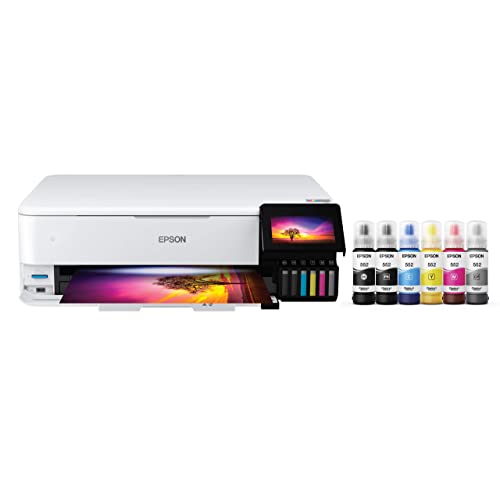
The Epson ET-8550 is the best photo printer for serious photographers — its 6-color EcoTank system handles 13-inch wide format output with accurate color and the lowest cost-per-print of any home photo inkjet. Casual users who want lab-quality 4x6 snapshots without ink maintenance should consider the Canon SELPHY CP1500 dye-sublimation printer instead.
See Today’s Price →At a Glance
Photo Printers Buying Guide
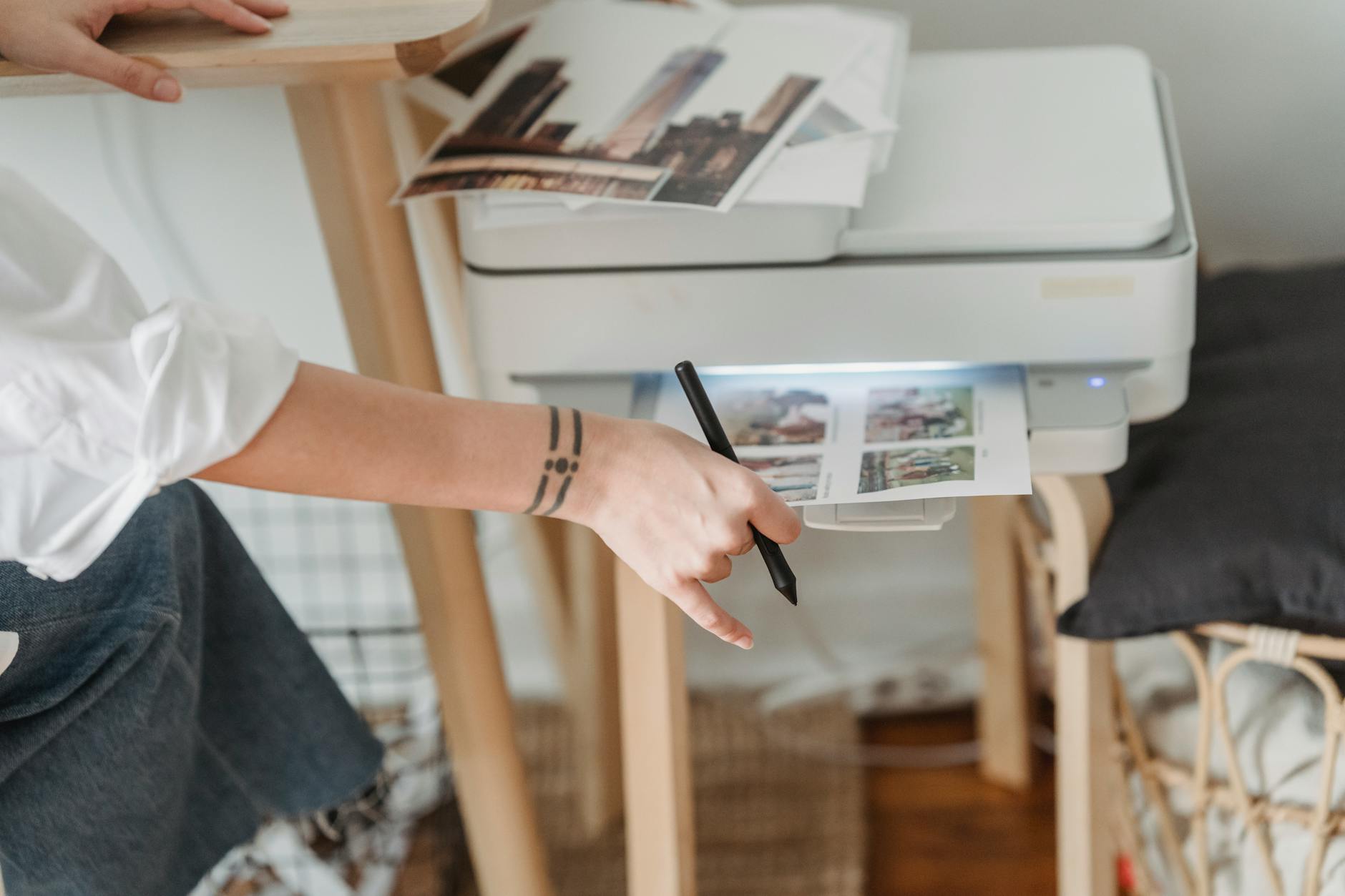 Photo by George Milton / Pexels
Photo printing divides into two very different markets: home photo printing for occasional prints and cards, and enthusiast or professional printing for gallery-quality output. Epson and Canon dominate both categories — not because of marketing, but because both companies have spent decades developing photo-specific ink and paper technologies that genuinely outperform general-purpose printer brands.
How we picked these. Products were selected for real-world print quality at each price point, not lab benchmark scores alone.
Inkjet vs Dye-Sublimation for Photo Printing
Inkjet printers spray microscopic droplets of ink onto paper. They produce the widest color gamut, handle a variety of paper types (matte, glossy, fine art), and can print large format. Most photo inkjets accept standard 4x6 to 8.5x11 paper; wide-format models like the Epson ET-8550 handle 13-inch wide media. Dye-sublimation printers (Canon SELPHY series) use heat to transfer dye from a ribbon to paper, producing continuous-tone prints that resist fingerprints and smudging. Dye-sub output looks more like a lab print; inkjet output can achieve higher resolution and more paper variety. For snapshots and family photos: dye-sub. For landscape photography and fine art: inkjet.
Color Ink Configuration: 4-Color vs 6-Color vs 8-Color
Entry-level photo inkjets use CMYK (4 ink cartridges). Mid-range adds light cyan and light magenta (6 colors) for smoother gradients in skin tones and skies. Professional photo inkjets use 8-12 colors including matte black, photo black, light light black for shadow gradients. The Epson ET-8550 uses a 6-color system — significantly better than 4-color competitors for smooth tonal transitions. The Canon PIXMA MG3620 uses a 2-cartridge system (black + tri-color) — adequate for documents, limited for photo quality. Match ink configuration to your output goals.
EcoTank vs Cartridge Systems
Traditional ink cartridge printers cost less upfront ($80-200) but more per page. Cartridge replacement for photo printing adds up quickly — a full cartridge set often costs $30-60 every few hundred prints. EcoTank systems (Epson ET series) use large refillable ink tanks that hold the equivalent of dozens of standard cartridges. The ET-8550 ships with enough ink for approximately 4,700 4x6 prints before refilling. The upfront cost is higher, but cost-per-print drops dramatically for high-volume users. If you print fewer than 100 photos per year, standard cartridges cost less over 3 years. If you print 500+, EcoTank pays for itself.
Print Permanence and Fade Resistance
Photo print longevity depends on ink chemistry and display conditions. Epson's UltraChrome pigment inks (used in their professional line) are rated for 200+ year indoor display resistance. Dye-based inks (used in most consumer inkjets) fade faster — typically 25-100 years under glass, away from direct sunlight. The Canon SELPHY's dye-sublimation output is rated at 100 years under standard display conditions. For archival prints meant to last decades without fading: choose pigment ink inkjet. For everyday family photo prints displayed in normal home conditions: dye-based is fine.

Wireless and Mobile Printing
Modern photo printers support Wi-Fi and Bluetooth printing from smartphones. Canon's PIXMA app and Epson's mobile print app let you select photos from your camera roll and print directly without a computer. Apple AirPrint and Mopria (Android) compatibility adds direct printing without manufacturer apps. The Canon PIXMA TR150 is the portable standout — battery-powered, compact enough for a bag, and Wi-Fi enabled for printing on location. Useful for photographers who need prints at events, real estate agents printing floor plans, or travelers wanting physical copies.
Paper Matters as Much as the Printer
First-party photo paper (Canon Photo Paper Pro, Epson Ultra Premium Photo Paper) is designed to match the printer's ink chemistry and color profiles. Using third-party paper with a manufacturer's color profile produces color shifts. If you use third-party paper regularly, download the custom ICC color profile for that paper from the manufacturer's website and load it in your print settings. Budget third-party paper also has lower coating density, producing less vivid colors and faster ink absorption that degrades edge sharpness. For casual prints, any glossy photo paper works. For important prints, use manufacturer paper.

Watch Before You Buy
“6-color EcoTank, 13-inch wide format, pigment and dye inks, Wi-Fi, includes 2-year ink supply.”
See Today’s Price →What we like
- 6-color individual ink tanks deliver photo-quality color accuracy at professional print lab standards
- Wide-format 13 × 19-inch maximum print size handles poster and fine art reproduction without sending out
- Refillable ink bottles eliminate cartridge waste — cost per page is a fraction of traditional ink cartridges
- Automatic 2-sided printing and flatbed scanner in a single all-in-one unit
Watch out for
- Advanced configuration may require technical knowledge to fully optimize
- Performance may lag behind premium models for intensive workloads
Read Full Analysis
The Epson ET-8550 is a wide-format photo printer using Epson's 6-color UltraChrome ET ink set — a pigment-based system that includes red and gray channels in addition to standard CMYK — allowing it to render skin tones, neutral shadow transitions, and saturated colors with a broader gamut than 4-color inkjet systems can achieve. It prints up to 13" wide, which is the primary differentiator on this photo page: an 13x19" borderless print on premium glossy or fine-art matte paper from the ET-8550 is a meaningful format step above the postcard-sized output from dedicated compact printers. Refillable ink tanks keep per-print costs low relative to cartridge-based competitors at this quality tier. Compared to the Canon SELPHY CP1500 on this page, the ET-8550 is a professional-grade wide-format device while the SELPHY is a compact dye-sub printer optimized for 4x6" to 5x7" output. The ET-8550 handles photo paper, fine-art media, canvas-finish papers, and borderless panoramics; the SELPHY does one thing (small glossy prints) extremely well for a fraction of the cost. There is no overlap in use case: the ET-8550 is for photographers producing display-size prints, the SELPHY is for everyday 4x6" snapshots. Buy the Epson ET-8550 if you print at 8x10" or larger regularly, care about color accuracy across a full gamut, and want the long-term cost efficiency of refillable tanks. Skip it if your photo printing is confined to wallet or postcard sizes — the SELPHY produces lab-comparable small prints for far less money.
Skip this if: Skip if you mainly print 4x6 snapshots — this wide-format printer is overkill for small prints.
“Dye-sublimation 4x6 prints, lab-quality output, Wi-Fi and AirPrint, fingerprint-resistant prints.”
See Today’s Price →What we like
- Dye-sublimation printing produces lab-quality 4×6" photos that resist fading for decades longer than inkjet photo paper
- Built-in 3.5-inch touchscreen lets you edit, crop, and reprint photos without a phone or computer connected
- SD card slot and USB port accept photos directly from cameras and drives without transferring to a laptop first
- Optional battery pack makes the printer functional at outdoor events, reunions, and gatherings without a wall outlet
Watch out for
- Advanced configuration may require technical knowledge to fully optimize
- Performance may lag behind premium models for intensive workloads
Read Full Analysis
The Canon SELPHY CP1500 is a compact dye-sublimation photo printer that produces 4x6", 5x7", and small-format prints using a ribbon-based thermal transfer process rather than inkjet. Dye-sub output on the SELPHY's dedicated photo paper is water-resistant, fingerprint-resistant, and laminated in a single pass — producing prints that are physically closer to minilab output than standard inkjet paper prints. The printer is lightweight and designed to travel: it can run on an optional battery pack and print directly from smartphones via Canon's SELPHY Photo Layout app over Wi-Fi. On this best-printer-for-photos page, the SELPHY sits at the compact/portable end of the spectrum while the Epson ET-8550 occupies the wide-format professional tier. The SELPHY cannot print larger than 5x7", has no option for fine-art paper or canvas media, and is not designed for high-volume output. What it does — produce consistently excellent small glossy prints quickly and portably — it does at a price point far below the ET-8550. The two printers serve fundamentally different photographers. Buy the Canon SELPHY CP1500 if you want lab-quality 4x6" prints at home or on the go without the complexity of a full-size photo printer. Skip it if you need larger print sizes, archival fine-art media options, or a device that also handles documents and everyday printing.
Skip this if: Skip if you need prints larger than 4x6 — SELPHY is dedicated to postcard-size output only.

“EcoTank system, scan and copy, high-resolution flatbed scanner, business and photo hybrid.”
See Today’s Price →Watch out for
- Advanced configuration may require technical knowledge to fully optimize
- Performance may lag behind premium models for intensive workloads
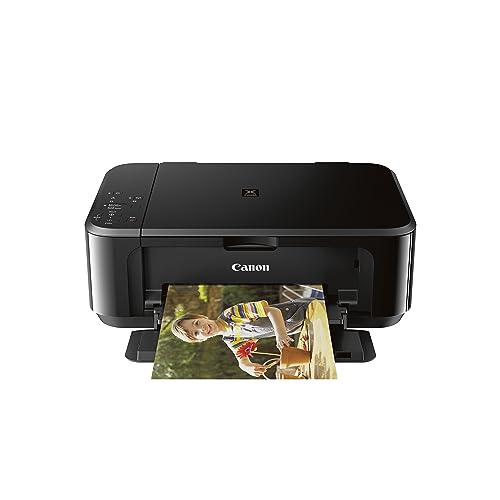
“Wireless all-in-one, basic photo printing, Amazon Dash Replenishment compatible, compact footprint.”
See Today’s Price →Watch out for
- Advanced configuration may require technical knowledge to fully optimize
- Performance may lag behind premium models for intensive workloads
Frequently Asked Questions
Is inkjet or dye-sublimation better for photo printing?
Is EcoTank worth it for photo printing?
Why do Epson and Canon dominate photo printing?
What is the best paper for home photo printing?
Can I print photos from my iPhone directly to a photo printer?
How long do home photo prints last before fading?
How We Chose These Products
We compare each product’s Amazon listing, the manufacturer’s published specifications and Amazon customer ratings, shown with their review counts as Amazon’s data, and rank the products on how well they answer this page’s question. We do not test products in hand and we do not run our own analysis of review text. A publication or expert is named only where we cite its published findings about that product. No manufacturer paid for placement on this page.
A price appears only when Amazon’s API supplied it within the last 24 hours, with the date and time beside it; otherwise use “Check price on Amazon” for the live price. Read our full methodology →