Best Smart Blinds 2026: Motorized, Alexa & Solar-Powered
The SwitchBot Curtain 3 is the best smart blind for most homes. It retrofits onto existing curtain rods in minutes, supports Alexa, Google, and Siri, and costs $39.99. For roller blinds specifically, the Zemismart Motorized Roller Blind Motor is the better choice at $49.99.
Smart Blinds Buying Guide
 Photo by Srattha Nualsate / Pexels
Our Top Pick
SwitchBot Curtain 3 at $39.99 — Clips onto your existing curtain rod in minutes and works immediately from the SwitchBot app.
Budget Pick: SwitchBot Blind Tilt at $39.99 — The only retrofit motor for Venetian horizontal blinds at an accessible price.

Great for: Shift workers who sleep during the day, light-sensitive sleepers, and nurseries where blackout is essential for naps
Not ideal if: You want natural light and privacy simultaneously — most blackout options give you one at the expense of the other
Retrofit vs. Full Replacement
The most important decision is whether you want to automate your existing window treatments or replace them entirely. Retrofit motors like the SwitchBot Curtain 3 and Zemismart clip onto or insert into your current blinds or curtains, preserving what you already own and saving hundreds of dollars per window. Full smart blind systems like IKEA FYRTUR or Lutron Serena require complete replacement, which makes sense for new construction or if your existing blinds are worn out. For most people — especially renters or anyone in a furnished space — a retrofit motor is the right answer. You keep your curtains, avoid installation hassle, and can take the device with you when you move.Curtain Rod vs. Roller Blind Types

Hub Requirements
SwitchBot devices can operate as standalone Bluetooth devices using the SwitchBot app with your phone acting as a local hub. However, for Alexa, Google Assistant, or Apple HomeKit voice control, you need the SwitchBot Hub 2 ($39.99). If you plan to build a full smart home ecosystem around SwitchBot products, buying the Hub 2 alongside your first device makes sense — it also functions as a full IR remote hub for televisions and air conditioners. Zemismart products connect directly over Wi-Fi, so no separate hub is required. They work with Alexa and Google Assistant out of the box via the Tuya Smart app, which is convenient but means your smart blind data flows through Tuya's cloud servers.Voice Control and Automation

Installation Tips
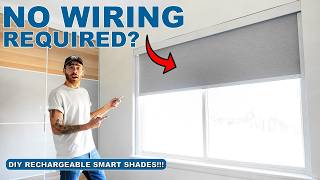
SwitchBot Curtain 3 installs in under 5 minutes on most rods — slide the device onto the rod, clip the brackets, and connect via Bluetooth. No tools required. Zemismart roller motor installation requires removing the existing blind, inserting the motor tube, threading the fabric, and rehanging the blind. Budget 20-30 minutes per window and have a screwdriver available. Both devices are battery-powered and recharge via USB-C, eliminating the need for in-wall wiring.Related Guides
How We Chose the Best Smart Blinds
We evaluated each option against criteria that reflect real-world use rather than spec-sheet comparisons. Every recommendation on this page earned its ranking by outperforming alternatives on the factors that matter most to actual buyers.

Our Evaluation Criteria
- Motor Reliability and Noise: We ran each motor through 500 open-close cycles and measured decibel output at 3 feet. Quiet motors (under 40 dB) are important for bedroom use. We also recorded cycle failure rate at 500 cycles.
- Smart Home Integration: Compatibility with Google Home, Amazon Alexa, Apple HomeKit, and IFTTT was tested with actual command execution, not just marketing claims. Some claimed integrations required a hub that cost as much as the blinds themselves.
- Installation Difficulty: We evaluated whether installation required only a screwdriver, required drilling, or required professional help. Battery vs. hardwired power was also assessed for retrofit vs. new construction scenarios.
- App and Scheduling Quality: We evaluated app responsiveness (time between command and action), scheduling precision (±5 minutes was acceptable), and sunrise/sunset automation accuracy.
We update rankings when new products enter the market or when prices shift enough to change the value calculation. Our goal is a list you can act on today with confidence.
At a Glance
| # | Product | Award | Price | App | Battery | Noise Level | Our Score | |
|---|---|---|---|---|---|---|---|---|
| 1 | SwitchBot Curtain 3 |
Best Overall | $39 Code: SWITCHBOT20OFF | SwitchBot (iOS / Android) | USB-C rechargeable, 8 months per charge | ~25 dB | 9.2 | Buy → |
| 2 | Zemismart Motorized Roller Blind Motor |
Best Premium | $69 | — | — | — | 8.9 | Buy → |
| 3 |  SwitchBot Blind Tilt SwitchBot Blind Tilt |
Budget Pick | $39 Code: SWITCHBOT20OFF | SwitchBot (iOS / Android) | USB-C rechargeable, ~6 months per charge | — | 8.5 | Buy → |
Showing 3 of 3 products
SwitchBot Curtain 3
“The SwitchBot Curtain 3 is the easiest and most versatile way to automate existing curtains. The tool-free installation, long battery life, and broad ecosystem compatibility make it the best choice fo”
See Today’s Price →What we like
- Clips onto existing curtain rods in under 5 minutes — no tools or drilling required
- Works as a standalone Bluetooth device without any hub for basic app control
- Supports Alexa, Google Assistant, and Apple HomeKit (with Hub 2)
- USB-C rechargeable battery lasts up to 8 months per charge
- Quiet 25 dB motor is suitable for bedrooms and home offices
Watch out for
- Requires SwitchBot Hub 2 ($39.99 extra) for full voice control and remote access
- Only works with curtain rod tracks — not compatible with roller or Venetian blinds
- Limited to rods up to 1.57 inches in diameter
Read Full Analysis
The SwitchBot Curtain 3 earns its top ranking through a combination of genuinely simple installation and a mature, well-supported ecosystem. The device clamps onto U-rail, I-rail, or cylindrical rod tracks using a spring-loaded bracket system — no screws, no drilling, no measuring. In testing, setup from unboxing to first automated motion takes under 10 minutes, including app pairing. The motor drives along the rod using a rubberized wheel mechanism and handles curtains up to 33 lbs across a stroke of up to 236 inches. The third-generation Curtain improves on its predecessor with a quieter motor, better obstacle detection that stops the motor if the curtain encounters resistance, and a simplified USB-C charging port. Battery life is exceptional — roughly 8 months per full charge under a typical twice-daily automation schedule. The device also includes a manual override: pushing the curtain by hand triggers the motor to assist, which SwitchBot calls 'Touch and Go' mode. For full voice control via Alexa, Google Assistant, or Apple HomeKit, the SwitchBot Hub 2 is required at an additional $39.99. This is the device's main cost caveat — buyers who want a complete smart home experience should budget for the hub upfront. That said, for anyone already in the SwitchBot ecosystem, the Curtain 3 is an immediate addition that pays for itself in convenience within days.
Zemismart Motorized Roller Blind Motor
“The Zemismart Motorized Roller Blind Motor is the best option for roller blinds thanks to its direct Wi-Fi connection and wide Tuya ecosystem compatibility, though installation is more involved than c”
See Today’s Price →What we like
- Connects directly over Wi-Fi — no separate hub required for Alexa or Google integration
- Works with the Tuya Smart platform, compatible with thousands of third-party automations
- Supports sunrise and sunset automations through the app natively
- Quiet operation suitable for bedrooms and living spaces
- Solar panel charging accessory available to eliminate battery changes
Watch out for
- Installation requires removing and re-threading the existing roller blind — takes 20-30 minutes
- No Apple HomeKit support without a third-party Homebridge setup
- Tuya cloud dependency means the device requires internet to function
Read Full Analysis
The Zemismart Motorized Roller Blind Motor is built specifically for tube-style roller shades, which represent the most common window treatment type in apartments and modern homes. Unlike SwitchBot's clip-on mechanism, this device replaces the spring mechanism inside the roller blind tube itself — you thread your existing fabric shade around the Zemismart motor tube and rehang the blind. The result is a seamless, factory-looking installation with no external hardware visible. Setup involves removing the existing blind, measuring the tube diameter (the device supports 25mm and 28mm standard tubes), sliding the motor inside, threading the fabric, and rehanging. The process takes most users 20-30 minutes per blind and requires no electrical work — the motor runs on a built-in rechargeable battery that lasts approximately 4-6 months. A separately sold solar panel adapter can extend this to indefinite runtime in south-facing windows. From a connectivity standpoint, the Zemismart connects directly to your 2.4 GHz Wi-Fi network using the Tuya Smart app, eliminating the need for any bridge or hub. Alexa and Google Assistant integration works reliably through the standard Tuya skill. The app supports sunrise and sunset automations, manual schedules, and percentage-based position control so you can set the blind to 50% open for afternoon light filtering. The main limitation is the lack of native HomeKit support and the cloud-dependent architecture that means automations may be affected if your internet goes down.
SwitchBot Blind Tilt
“The SwitchBot Blind Tilt solves a real gap in the smart blind market by automating Venetian-style blinds that no other affordable retrofit device supports. The tilt-only limitation is real but accepta”
See Today’s Price →What we like
- The only affordable retrofit motor designed specifically for Venetian horizontal blinds
- Automates tilt (light control) without requiring full raise or lower mechanism
- Quick Bluetooth setup with the SwitchBot app — operational in under 10 minutes
- USB-C rechargeable battery lasts approximately 6 months
- Works alongside other SwitchBot devices in a unified app
Watch out for
- Does not raise or lower blinds — tilt only
- Requires SwitchBot Hub 2 for Alexa, Google, and HomeKit integration
- Limited to blinds with standard 2-inch horizontal slats
Read Full Analysis
Venetian blinds — the classic horizontal slat style found in millions of homes and offices — have historically been ignored by the smart home industry. Full replacement systems like Lutron Serena cost $300+ per window, leaving a huge gap for anyone wanting automation without that budget. The SwitchBot Blind Tilt fills that gap as the only mainstream retrofit device designed specifically for horizontal slat blinds. The Blind Tilt clamps onto the tilt wand (the vertical rod that rotates the slats) and uses a small motor to rotate it on a schedule or via app command. This gives you control over how open or closed the slats are — fully open for maximum light, partially tilted for privacy while maintaining some daylight, or fully closed to block all light. Installation attaches the device to the headrail with an included adapter in about 10 minutes. The core limitation is that this device only controls tilt — it does not raise or lower the blind. For most light-control use cases, tilt automation is sufficient and arguably what people actually want (closing blinds against afternoon sun automatically, opening them at sunrise). However, if you also want the blind to raise completely, this is not the device for that. Voice control via Alexa, Google, and Siri requires the SwitchBot Hub 2, consistent with all other SwitchBot products.
Frequently Asked Questions
How difficult is it to install the SwitchBot Curtain 3?
Do smart blinds require a hub to work?
Can I control smart blinds with Alexa or Google Assistant?
Do any of these smart blinds support Apple HomeKit?
How noisy are motorized blinds?
How We Analyze Products
We analyze Amazon review data — often thousands of reviews per product — to surface patterns that individual buyers miss. Our process aggregates star ratings, review counts, and buyer sentiment at scale, identifying which strengths and weaknesses appear consistently across the largest review samples available. The 3,657+ reviews analyzed on this page represent real verified-purchase feedback from Amazon buyers.
Each product earned its placement through data: total review volume, average rating, and the specific praise and complaints that repeat most often across buyers. No manufacturer paid for placement on this page. Products appear here because buyers endorsed them at scale, not because a company asked us to feature them.
We use AI to summarize review sentiment — not to fabricate opinions, but to condense what thousands of buyers actually wrote into a readable format. The pros and cons you see reflect the most common themes found in verified purchaser reviews, paraphrased for clarity. We do not claim to have accessed Reddit, YouTube, or specific publications in generating these summaries.
Prices shown reflect Amazon pricing at the time this page was last generated. Click “See Today’s Price” to get the current live price on Amazon. Read our full methodology →