Best Stream Decks 2026: 6-Key, 15-Key & Pedal Options

The Elgato Stream Deck MK.2 is the best stream deck for most creators — 15 LCD buttons, 6,000+ action integrations, and the most mature software ecosystem in the category. For budget streamers, the Elgato Stream Deck Mini delivers core functionality at under $60.
See Today’s Price →At a Glance
| # | Product | Award | Price | Upc | Asin | Size | Our Score | |
|---|---|---|---|---|---|---|---|---|
| 1 | 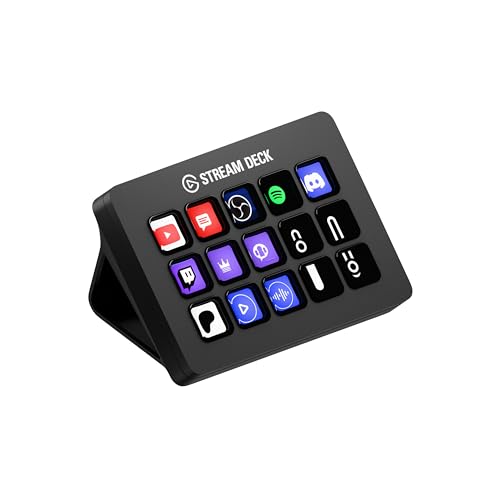 Elgato Stream Deck MK.2 15 LCD Keys Elgato Stream Deck MK.2 15 LCD Keys |
Best Overall | $134 | 840006640554 | B09738CV2G | 15 Keys (MK.2) | 9.2 | Buy → |
| 2 | 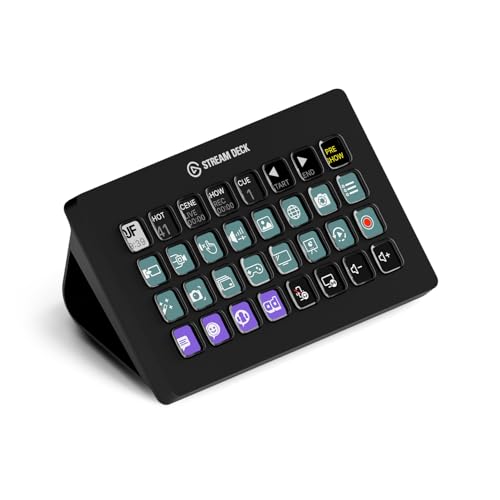 Elgato Stream Deck XL 32 LCD Keys Elgato Stream Deck XL 32 LCD Keys |
Best Premium | $224 | 840006610373 | B07RL8H55Z | 32 Keys | 8.5 | Buy → |
| 3 | 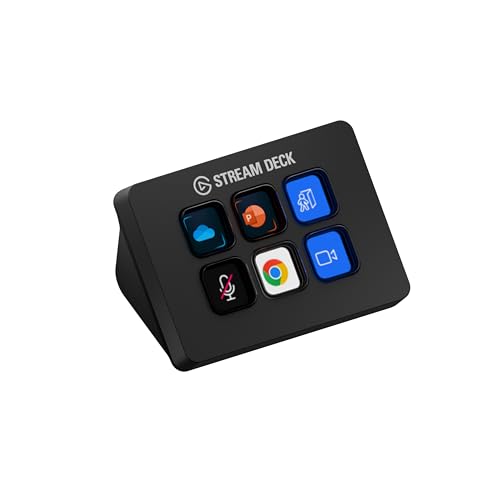 Elgato Stream Deck Mini 6 LCD Keys Elgato Stream Deck Mini 6 LCD Keys |
Best Budget | $59 | 813180020658 | B07DYRS1WH | — | 8.2 | Buy → |
| 4 | 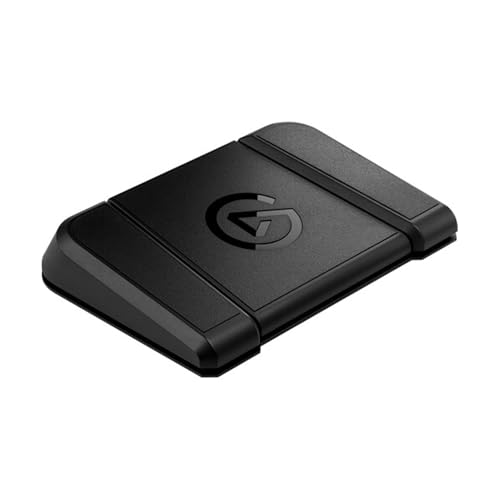 Elgato Stream Deck Pedal 3 Footswitches Elgato Stream Deck Pedal 3 Footswitches |
Budget Pick | $89 | 840006658078 | B09PRMCTGB | — | 7.8 | Buy → |
Showing 4 of 4 products
Elgato Stream Deck MK.2 15 LCD Keys
“The Elgato Stream Deck MK.2 is the definitive stream deck — 15 buttons, 6,000+ integrations, and the most mature creator software ecosystem justify the $150 investment for serious streamers.”
See Today’s Price →What we like
- 15 LCD customizable buttons — the sweet spot for most creator workflows
- 6,000+ integrations: OBS, Twitch, YouTube, Spotify, Teams, Zoom, and more
- Removable faceplate for color customization (additional faceplates sold separately)
- USB-C connectivity and desktop stand included
- Elgato's mature, stable software with active plugin ecosystem
Watch out for
- Expensive at $150 for a button accessory
- Software requires Elgato account for some features
- Physical size requires dedicated desk space
Read Full Analysis
The Elgato Stream Deck MK.2 earned its position as the category standard through consistent software improvements and the deepest integration ecosystem in the space. The 15-button 3x5 layout is the most practical arrangement: enough dedicated buttons for core functions (scene switches, mic mute, camera toggle, alert triggers) without requiring constant page navigation. The 6,000+ action integrations cover every major streaming, content, and productivity app — OBS scene switching and source toggling, Twitch chat commands and clip creation, Spotify track control, Teams and Zoom meeting management, and hundreds of custom scripts via the System actions. The removable faceplate (new in MK.2) allows color customization. The USB-C cable and adjustable stand complete the premium feel. At $150, it's priced as a professional tool — and for creators who use it daily, it delivers professional efficiency gains.

Elgato Stream Deck XL 32 LCD Keys
“The Elgato Stream Deck XL is the best for complex productions — 32 buttons eliminates page navigation entirely, giving professional streamers and broadcasters dedicated controls for every function.”
See Today’s Price →What we like
- 32 LCD buttons — enough for every function without page navigation
- 4x8 grid visible all at once: no need to navigate between pages
- Same 6,000+ Elgato integration ecosystem
- Professional broadcast-grade button count for multi-camera productions
- Tiltable stand for ideal viewing angle
Watch out for
- Expensive at $250
- Requires significant desk space (10 x 4 inches)
- Most streamers don't need 32 buttons — overkill for typical setups
Read Full Analysis
The Elgato Stream Deck XL's 32-button layout solves the one genuine limitation of smaller Stream Decks: page navigation friction during live production. With 32 buttons visible simultaneously, a professional broadcaster can have every scene, every audio toggle, every alert, every macro, and every app control visible without pressing navigation buttons. For multi-camera productions (interview shows, gaming tournaments, corporate events), 32 dedicated buttons for camera angles, replay triggers, lower-third graphics, and audio switching is genuinely necessary. The same Elgato software and integrations run on the XL as the Mini — the difference is purely button count and desk space. At $250, it's justified for production professionals; enthusiast streamers are better served by the MK.2 at $100 less.

Elgato Stream Deck Mini 6 LCD Keys
“The Stream Deck Mini is the best entry-level stream deck — same software and integrations as the MK.2 at 40% of the price, with 6 buttons covering essential streaming controls.”
See Today’s Price →What we like
- 6 LCD buttons — covers core streaming controls in minimal desk space
- Same Elgato software as MK.2: full 6,000+ integration access
- Compact form factor fits cramped desk setups
- Significantly cheaper at $60 vs. $150 for MK.2
- Perfect entry point before committing to full Stream Deck
Watch out for
- 6 buttons require frequent page navigation for complex setups
- Older USB-A cable vs. MK.2's USB-C
- No removable faceplate
Read Full Analysis
The Elgato Stream Deck Mini runs identical software to the MK.2 — the same 6,000+ integrations, same profile system, same plugin ecosystem, same everything. What changes is the 6-button layout vs. 15. For new streamers building their workflow, 6 dedicated buttons (scene 1, scene 2, mute mic, camera on/off, Twitch clip, alert trigger) covers 90% of what most streams need. Pages within the software expand beyond 6 virtual buttons when needed. At $60, the Mini is the logical starting point: learn what you actually use, then upgrade to the MK.2 or XL if button count becomes limiting. Many streamers discover 6 buttons is sufficient for their workflow and never upgrade.

Elgato Stream Deck Pedal 3 Footswitches
“The Elgato Stream Deck Pedal is the best hands-free controller addition — 3 foot-operated macro buttons keep your hands free for keyboard and mouse during live production.”
See Today’s Price →What we like
- 3 footswitches for hands-free control while hands are on keyboard and mouse
- Frees hands from clicking Stream Deck during live streams
- Same Elgato software: 6,000+ integrations
- Silent actuators for quiet operation
- Works alongside Stream Deck MK.2 or XL for expanded control
Watch out for
- Only 3 buttons — must pair with Stream Deck or keyboard shortcuts for full setup
- Footswitch ergonomics require desk space for foot positioning
- Limited to foot-triggered actions only
Read Full Analysis
The Elgato Stream Deck Pedal extends the Stream Deck ecosystem to foot-operated controls, solving a specific problem: activating macros without lifting hands from keyboard and mouse. During live gaming streams, a foot press can toggle mic mute, trigger a highlight clip, or switch scenes without the hand movement that keyboard shortcuts require. The three silent footswitches operate with the same Elgato software stack — any of the 6,000+ integrations work with Pedal buttons. The Pedal works alongside a Stream Deck MK.2 or XL rather than replacing it. At 0, it's a focused tool for streamers who have exhausted the hands-on Stream Deck workflow and want additional hands-free control points. It's also popular with podcasters for muting during coughs and pauses without fumbling for buttons.
Stream Decks Buying Guide
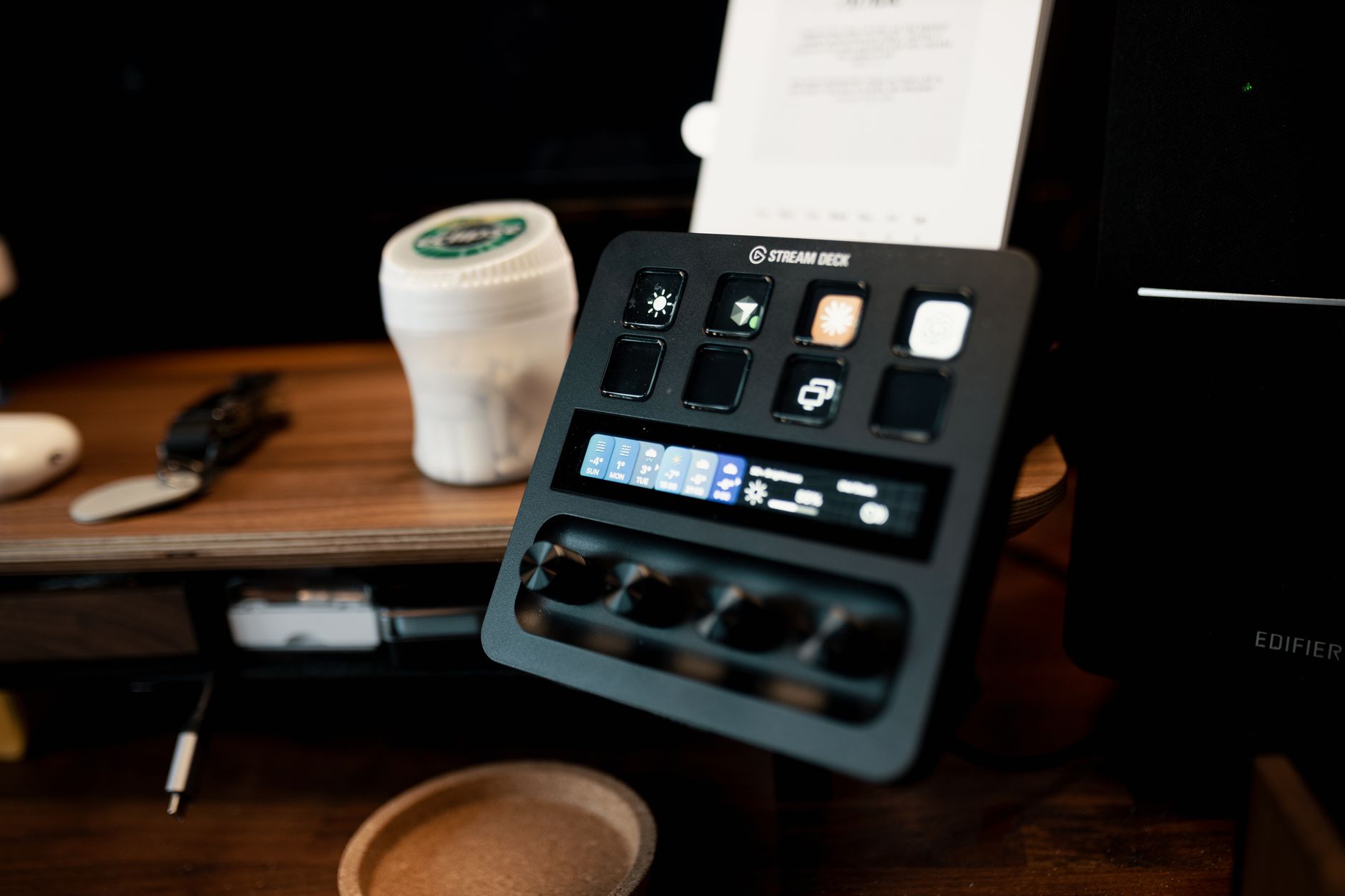 Photo by Josh Sorenson / Pexels
Our Top Pick
Elgato Stream Deck MK.2 15 LCD Keys at $119.99 — The Stream Deck MK.2 is the creator control surface benchmark — 15 LCD buttons, 6,000+ integrations, and Elgato's mature software ecosystem....
Budget Pick: Elgato Stream Deck Mini 6 LCD Keys at $59 — The Stream Deck Mini proves 6 buttons is enough to start — same software as the full MK.2 at half the price....
Button Count: How Many Do You Actually Need?
6 buttons (Mini) handles the basics for new streamers — scene switching, mute toggle, clip saving, and a music control. It's the right entry point if you're not sure how much you'll use a stream deck. 15 buttons (MK.2) is the sweet spot for most active streamers and content creators — enough dedicated controls to avoid constantly switching pages during a live stream. 32 buttons (XL) suits complex multi-camera productions, live event coverage, or creators who've maxed out 15 buttons and need dedicated controls across multiple apps simultaneously. More buttons means fewer page switches during live content — interruptions that viewers notice.
LCD Buttons and the Elgato Ecosystem
LCD buttons display custom icons that update in real-time — a mute button shows a red microphone when you're live, a green one when muted. Clip counters, live viewer counts, and timer displays all work because the LCD is fully programmable. Physical button pads (alternative controllers) are faster to actuate by feel but display static labels — what you see is fixed. For a live environment where you glance down and need instant recognition, LCD buttons are significantly more functional. Elgato's software integrates with 50+ apps — OBS, Streamlabs, Twitch, YouTube, Spotify, Philips Hue, Twitter/X, and productivity tools like Teams and Slack.
Profiles, Pages, and How to Think About Setup
Understanding the hierarchy makes setup far more powerful. Profiles switch ALL button layouts when you change apps — your OBS profile shows scene controls, your Spotify profile shows playback controls, and switching between apps swaps profiles automatically. Pages within profiles let you navigate button groups within a single app — page 1 might have scene switches, page 2 has transition controls, page 3 has audio adjustments. Beginners start with one page; advanced users build multi-page workflows that replace 20+ keyboard shortcuts.
Integrations That Make It Worth the Investment
The value of a stream deck multiplies with the number of integrations you set up. Starting uses that justify the purchase immediately: OBS scene switching (eliminating keyboard shortcuts during live streams), mic mute toggle (one button vs. hunting for a shortcut), clip saving to highlight reels, and alert sounds. Advanced uses that emerge over time: automated tweet-on-stream-start, Philips Hue lighting changes by scene, timer displays for segment pacing, and multi-app macro sequences. The 6,000+ plugin library includes almost any app you already use — the limit is setup time, not capability.
Related Guides

Frequently Asked Questions
Do I need a Stream Deck to stream?
Can Stream Decks be used for non-streaming productivity?
What software does a Stream Deck require?
What should I look for when buying stream decks?
How much should I expect to spend on stream decks?
How We Analyze Products
We analyze Amazon review data — often thousands of reviews per product — to surface patterns that individual buyers miss. Our process aggregates star ratings, review counts, and buyer sentiment at scale, identifying which strengths and weaknesses appear consistently across the largest review samples available. The 27,307+ reviews analyzed on this page represent real verified-purchase feedback from Amazon buyers.
Each product earned its placement through data: total review volume, average rating, and the specific praise and complaints that repeat most often across buyers. No manufacturer paid for placement on this page. Products appear here because buyers endorsed them at scale, not because a company asked us to feature them.
We use AI to summarize review sentiment — not to fabricate opinions, but to condense what thousands of buyers actually wrote into a readable format. The pros and cons you see reflect the most common themes found in verified purchaser reviews, paraphrased for clarity. We do not claim to have accessed Reddit, YouTube, or specific publications in generating these summaries.
Prices shown reflect Amazon pricing at the time this page was last generated. Click “See Today’s Price” to get the current live price on Amazon. Read our full methodology →