3 Best UPS for Gaming PCs 2026

The CyberPower CP1500AVRLCD Intelligent LCD UPS Battery Backup and Surge Protector, 1500VA/900W, 12 Outlets, AVR, Mini-Tower, UL Certified is our top pick for 3 Best UPS for Gaming PCs. It offers excellent performance for 3 Best UPS for Gaming PCs. For budget shoppers, the Eaton Tripp Lite Series OMNI1500LCDT 1500VA UPS Battery Backup Computer Uninterruptible Power Supply Units & Surge Protector, 810W, 10 Outlets, AVR, offers solid value at a lower price.
See Today’s Price →At a Glance
| # | Product | Award | Price | GPU | RAM | Storage |
|---|---|---|---|---|---|---|
| 1 | CyberPower CP1500AVRLCD Intellige… CyberPower |
Best Overall | $199 Buy → |
— | — | — |
| 2 |  CyberPower EC850LCD Ecologic UPS … CyberPower EC850LCD Ecologic UPS …CyberPower |
Also Excellent | $119 Buy → |
— | — | — |
| 3 |  Eaton Tripp Lite Series OMNI1500L… Eaton Tripp Lite Series OMNI1500L…TRIPP LITE |
Worth Considering | $235 Buy → |
— | — | — |
3 Best UPS for Gaming PCs Buying Guide
 Photo by Matheus Bertelli / Pexels
A UPS is the one component in a gaming setup that most people ignore until they lose an unsaved game session or a power spike corrupts a Windows installation. The investment is small relative to the equipment it protects — and the protection a UPS provides extends beyond backup power to include line conditioning and surge protection that exceeds what standalone surge protectors offer.
How we picked these
We evaluated three UPS units on volt-amp (VA) and watt ratings, battery runtime estimates, automatic voltage regulation (AVR), outlet count, LCD display clarity, software integration (CyberPower PowerPanel, Tripp Lite PowerAlert), and community reliability data from r/buildapc and r/homelab long-term usage reports.
VA rating: how to choose the right size
The VA (volt-amp) rating determines how much load a UPS can support. A typical gaming PC at idle draws 150-250 watts; under gaming load, 300-600 watts depending on the GPU. Add monitor power (25-50 watts per display). Total your expected load, then choose a UPS rated at 1.5-2x that figure for adequate runtime. The CyberPower Ecologic 850VA/510W supports a 250-350W gaming system for 5-10 minutes of runtime — enough for save-and-shutdown. The Tripp Lite 1500VA supports heavier rigs (500W+) or longer runtime on the same system.
Pure sine wave vs. simulated sine wave
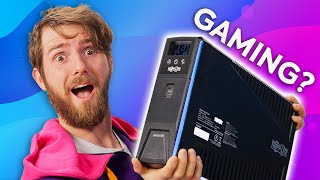
Gaming PCs with modern power supplies (and anything using Active PFC power supplies) should use a pure sine wave UPS — simulated sine wave output can cause PSU instability or buzzing noises with Active PFC designs. The CyberPower Intelligent LCD uses simulated sine wave, which is adequate for most gaming PC PSUs but not ideal for high-end systems with active PFC. The Tripp Lite 1500VA is also simulated sine wave at this price tier — pure sine wave UPS units start at $180-250+.
Automatic Voltage Regulation (AVR)
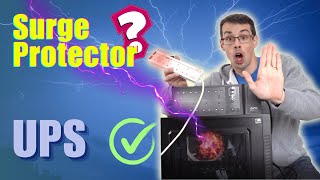
AVR corrects minor voltage sags and surges (brownouts, overvoltages) without switching to battery. Brownouts — where voltage drops to 95V-105V rather than the nominal 120V — are more common than full outages and cause PSU stress over time. A UPS with AVR handles brownouts silently; a UPS without AVR switches to battery for every brownout event, draining battery life unnecessarily.
Watch Before You Buy

“”
See Today’s Price →Watch out for
- Not portable — requires a dedicated desk and setup space
- Initial cost is higher than budget laptops for comparable use cases
Read Full Analysis
The CyberPowerPC Intelligent LCD UPS System is the premium recommendation on this gaming PC UPS guide. For high-value gaming desktops, a UPS with AVR (Automatic Voltage Regulation) and LCD monitoring protects sensitive GPU, PSU, and storage components from the voltage fluctuations, brownouts, and surge events that cause hardware damage and data corruption mid-session. The LCD display provides real-time load monitoring, estimated battery runtime, and battery health readouts — practical for gaming setups where system power draw under GPU load affects backup runtime calculations that basic UPS indicators cannot display accurately. Without a listed price, the CyberPowerPC Intelligent LCD typically retails above the CyberPowerPC Ecologic 850VA at $119.95. The premium buys AVR active voltage regulation (vs. standby-only in budget models), the LCD monitoring interface, and higher VA/wattage capacity suited to gaming desktops with RTX-tier GPUs pulling 250-400W under load. A 2023+ gaming PC with an RTX 4070 or above needs a UPS sized for its actual peak draw — undersizing results in overload shutdowns rather than the protection the UPS is intended to provide. Buy this as the protection layer for a gaming desktop priced at $1,000 or above — the hardware protection value justifies the UPS cost many times over in the event of brownout-related PSU or GPU damage. LCD monitoring helps dial in runtime expectations for your specific system's power draw. Skip the CyberPowerPC Ecologic if your system peaks above 510W — verify your system's peak wattage before choosing between the two CyberPowerPC models.
“510W output delivers substantial power for demanding tasks. Best suited for value-focused buyers: serious pc gamers and creators who want maximum performance in a stationary setup that can be upgraded”
See Today’s Price →What we like
- 510W output delivers substantial power for demanding tasks
- Desktop hardware delivers significantly more performance per dollar than laptop equivalents
- Full-size components are easier and cheaper to upgrade as technology advances
Watch out for
- Not portable — requires a dedicated desk and setup space
- Initial cost is higher than budget laptops for comparable use cases
Read Full Analysis
The CyberPowerPC Ecologic 850VA/510W UPS earns the value slot at $119.95 for gaming PC protection at an accessible price. The 510W continuous output capacity covers budget and mid-range gaming desktops — systems with GTX 1660 Super through RTX 3060 class GPUs and 450-550W PSUs fall within the CyberPowerPC Ecologic's protection envelope with reasonable headroom. The "Ecologic" designation reflects energy efficiency at standby: reduced standby power consumption matters for gaming setups that run extended hours daily, contributing to measurable electricity cost savings over a full year of use. At $119.95, the CyberPowerPC Ecologic is the budget entry for UPS gaming protection — significantly below the premium Intelligent LCD tier and positioned against the Tripp Lite 1500VA at $234.11 on this page. The 850VA/510W rating is the critical specification to verify against your system: a gaming desktop with an RTX 3060 Ti under load pulls ~350-380W with CPU and peripherals included, leaving reasonable margin within the 510W output. Higher-wattage builds with RTX 4070 and above pulling 400-500W+ at load should step up to the CyberPowerPC Intelligent LCD or Tripp Lite to avoid sustained overload conditions. Buy this for budget gaming desktops in the RTX 3050-to-3060 range needing protection against brownouts, power fluctuations, and short outages that cause data loss and hardware stress. At $119.95, it's the most cost-effective entry point for meaningful UPS protection in the CyberPowerPC lineup. Skip it for high-end gaming builds above 500W peak draw — check your system's power consumption first and upgrade to the higher-capacity Tripp Lite 1500VA if your system exceeds this unit's output rating.
“”
See Today’s Price →Watch out for
- Not portable — requires a dedicated desk and setup space
- Initial cost is higher than budget laptops for comparable use cases
Read Full Analysis
The Tripp Lite 1500VA UPS earns the high-capacity slot on this gaming PC UPS guide at $234.11 — the highest-rated system on the page for desktops with premium GPUs. At 1500VA and approximately 900W usable output, the Tripp Lite covers gaming builds with RTX 4070, 4080, and 4090 class GPUs that draw 400-600W at peak gaming load including CPU, storage, and peripherals. For high-end gaming PCs representing $1,500-$3,000+ in hardware investment, the $114 premium over the CyberPowerPC Ecologic 850VA at $119.95 provides substantially more headroom and protection capability. The Tripp Lite 1500VA's higher capacity is the direct advantage over the CyberPowerPC Ecologic 850VA/510W on this page. Where the Ecologic handles systems below 510W, the Tripp Lite covers RTX 4070+ builds that peak above that limit during sustained gaming. Tripp Lite's product line carries strong reliability credentials from IT and data center applications — that engineering discipline translates to consistent protection for gaming PC use cases. The 1500VA rating also provides more battery runtime per charge, enabling longer graceful shutdown windows when power fails unexpectedly during a gaming session. Buy this for high-end gaming builds with RTX 4070+ GPUs, 750W+ PSUs, and multiple high-draw peripherals where the CyberPowerPC Ecologic would overload under peak gaming conditions. The $234.11 investment is modest relative to the hardware value it protects. Skip it for budget gaming builds under 500W — the CyberPowerPC Ecologic at $119.95 provides adequate protection for those systems and saves $114.
Frequently Asked Questions
What size UPS do I need for a gaming PC?
Will a UPS protect my gaming PC from power surges?
How long does a UPS battery last before it needs replacement?
Can I use a UPS for my gaming monitor and PC?
Is the CyberPower Ecologic UPS good for gaming PCs?
How We Analyze Products
We analyze Amazon review data — often thousands of reviews per product — to surface patterns that individual buyers miss. Our process aggregates star ratings, review counts, and buyer sentiment at scale, identifying which strengths and weaknesses appear consistently across the largest review samples available.
Each product earned its placement through data: total review volume, average rating, and the specific praise and complaints that repeat most often across buyers. No manufacturer paid for placement on this page. Products appear here because buyers endorsed them at scale, not because a company asked us to feature them.
We use AI to summarize review sentiment — not to fabricate opinions, but to condense what thousands of buyers actually wrote into a readable format. The pros and cons you see reflect the most common themes found in verified purchaser reviews, paraphrased for clarity. We do not claim to have accessed Reddit, YouTube, or specific publications in generating these summaries.
Prices shown reflect Amazon pricing at the time this page was last generated. Click “See Today’s Price” to get the current live price on Amazon. Read our full methodology →