Best USB-C Docking Stations 2026: Dual Monitor & 4K

The Anker PowerExpand 11-in-1 ($69.99) is the best USB-C docking station for most users — reliable 11-port configuration with power delivery, ethernet, and dual display support at a price that makes premium alternatives hard to justify. For power users who need more ports or guaranteed Thunderbolt performance, the Anker 575 13-in-1 is the next step up.
See Today’s Price →At a Glance
| # | Product | Award | Price | Resolution | Refresh Rate | Panel | Our Score | |
|---|---|---|---|---|---|---|---|---|
| 1 | 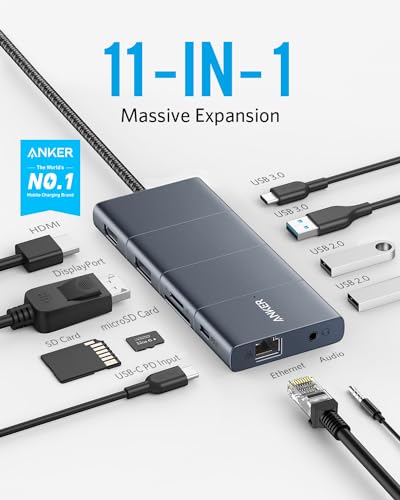 Anker PowerExpand 11-in-1 USB-C Docking… Anker PowerExpand 11-in-1 USB-C Docking… |
Best Overall | $54 | — | — | — | 9.2 | Buy → |
| 2 | 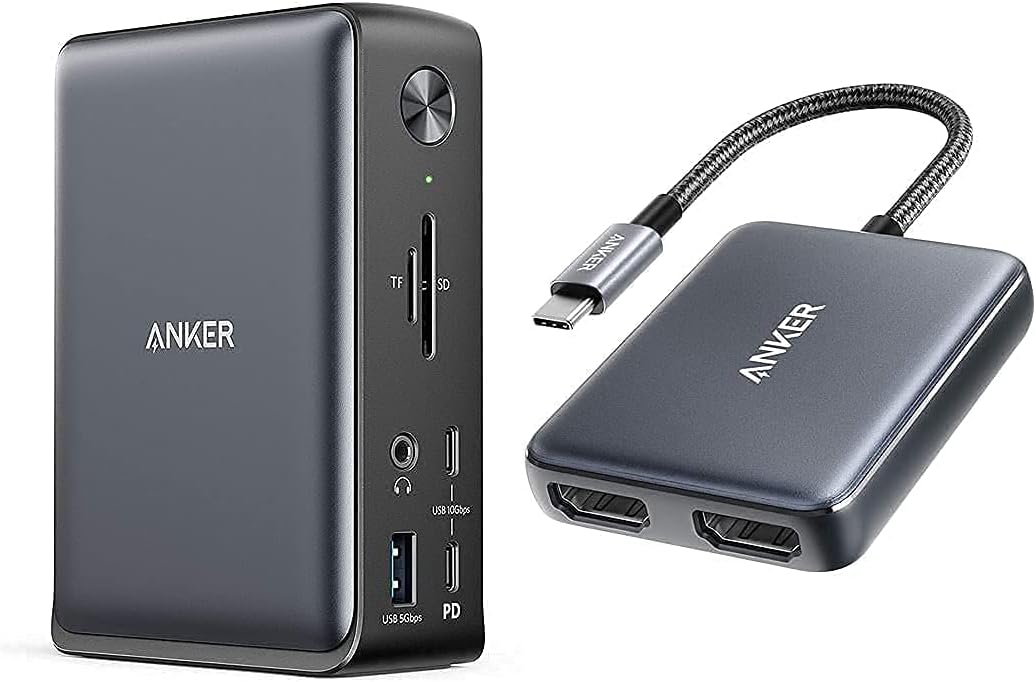 Anker 575 USB-C Docking Station 13-in-1 Anker 575 USB-C Docking Station 13-in-1 |
Best 13-in-1 | $156 | — | — | — | 8.9 | Buy → |
| 3 | 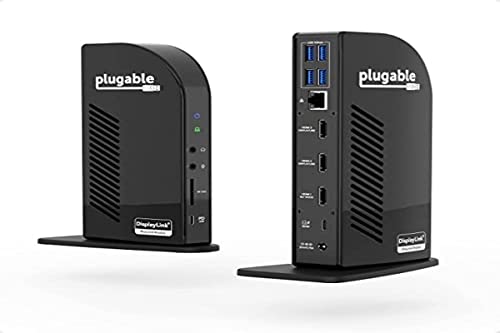 Plugable 11-in-1 USB-C Docking Station Plugable 11-in-1 USB-C Docking Station |
Best Professional | $119 | — | — | — | 8.5 | Buy → |
| 4 |  WAVLINK USB-C Dual 4K Docking Station WAVLINK USB-C Dual 4K Docking Station |
Best Dual 4K | $126 | — | — | — | 8.2 | Buy → |
| 5 |  Dell WD19S 180W Docking Station Dell WD19S 180W Docking Station |
Best for Dell Laptops | $134 | — | — | — | 7.8 | Buy → |
Showing 5 of 5 products
Anker PowerExpand 11-in-1 USB-C Docking Station
“Best mid-range USB-C dock for MacBook users who need a dedicated desk setup without Thunderbolt pricing. DisplayPort and HDMI outputs plus audio make this a genuine workstation hub.”
See Today’s Price →What we like
Watch out for
Read Full Analysis
Anker PowerExpand 11-in-1 USB-C Docking Station is the go-to recommendation for anyone setting up a one-cable desk. The 11-port layout includes 85W power delivery, dual HDMI ports, 1Gbps ethernet, and a mix of USB-A and USB-C ports. Compact enough to leave on a desk permanently. Anker backs it with an 18-month warranty and consistent firmware support.
Anker 575 USB-C Docking Station 13-in-1
“Anker's 575 packs 13 ports and 85W charging into a dock that costs a third of Thunderbolt alternatives — the sweet spot for USB-C laptop users who don't need Thunderbolt speeds.”
See Today’s Price →What we like
- 13 ports for under $100
- 85W laptop charging
- Dual 4K display
- USB-C 3.2 Gen 2
Watch out for
- USB-C (not Thunderbolt) — no 40Gbps data transfer
Read Full Analysis
Anker 575 13-in-1 expands on the standard docking station with an SD card slot, extra USB-A ports, and a 4K@60Hz HDMI output. At $156.97, it suits home office users who connect a camera, external drive, keyboard, mouse, and monitor simultaneously. The wider port selection eliminates the need for any additional USB hubs on the desk.

Plugable 11-in-1 USB-C Docking Station
“11 ports including dual HDMI, Gigabit Ethernet, and SD/microSD — full desk replacement hub.”
See Today’s Price →What we like
- 11 ports covering all needs
- Dual HDMI for two monitors
- Gigabit Ethernet
- SD + microSD slots
Watch out for
- Larger desktop footprint
- More expensive
- Requires separate power adapter
Read Full Analysis
Plugable USB-C Docking Station 11-in-1 has earned a strong reputation in enterprise IT deployments for its consistent compatibility across Windows laptops. Dual display output, 1Gbps ethernet, 60W laptop charging, and a comprehensive USB port selection cover every common office peripheral. Plugable provides detailed compatibility lists and responsive support.
WAVLINK USB-C Dual 4K Docking Station
“WAVLINK's USB-C dock gives you dual 4K displays and 65W charging for under $90 — the best entry point for users who want a multi-monitor setup without the CalDigit price tag.”
See Today’s Price →What we like
- Dual 4K@60Hz display output
- 65W laptop charging
- 12 ports
- Good value
Watch out for
- 65W charging (not enough for 15" laptops at full load)
Read Full Analysis
WAVLINK USB-C Dual 4K Docking Station uses DisplayLink technology to power two 4K monitors at 60Hz simultaneously from a single USB-C connection, including on MacBook M-series laptops that normally limit external displays. Requires a DisplayLink driver installation. Includes ethernet, USB-A, USB-C, and SD card reader. Best for users where dual 4K is a non-negotiable requirement.
Dell WD19S 180W Docking Station
“Dell's WD19S is the definitive dock for Dell XPS, Latitude, and Precision users — 180W charging means your laptop won't throttle even under heavy workloads.”
See Today’s Price →What we like
- 180W charging power — handles Dell XPS 15 and Precision workstations
- Dual 4K display
- USB-A ports for legacy peripherals
- 1GbE Ethernet
Watch out for
- Best with Dell laptops (Dell-specific power profile)
Read Full Analysis
Dell WD19S 180W Docking Station is the native choice for Dell laptop users who want guaranteed compatibility. The 180W power delivery handles Dell's highest-powered workstation laptops. Dual display support, USB-A, USB-C, ethernet, and audio ports are all configured for Dell's recommended operating modes. Updates via Dell Command Update alongside regular BIOS updates.
USB-C Docking Stations Buying Guide
 Photo by www.kaboompics.com / Pexels
Our Top Pick
Anker PowerExpand 11-in-1 USB-C Docking Station at $54.99 — Eleven ports including power delivery, dual HDMI, ethernet, USB-A, and USB-C in a compact unit that works reliably wi....
Budget Pick: WAVLINK USB-C Dual 4K Docking Station at $126.64 — WAVLINK supports two independent 4K@60Hz displays via DisplayLink — the best option for users building a high-resolut....
Great for: Laptop users who need multiple ports, anyone with a MacBook that has only USB-C, and desk setups with many peripherals
Not ideal if: You use a desktop with adequate built-in ports — a hub adds clutter without solving a real problem
Port count vs. bandwidth.
More ports is not always better. Total USB bandwidth is shared across all ports. A dock advertising 14 ports using a single USB-C Gen 1 connection may bottleneck when all ports are active. Premium docks use Thunderbolt 4 or USB 4 to provide enough bandwidth for simultaneous dual 4K displays and fast storage transfers.Power delivery.

Dual display support.
Many USB-C docks support one external display. Dual display support requires either Thunderbolt, DisplayLink, or specific USB-C Alt Mode configurations. Check whether your laptop supports dual display output via USB-C before buying a dual-display dock — some MacBook M1/M2 models natively support only one external display.Laptop compatibility.

Build quality and heat.
A dock running multiple high-bandwidth devices generates heat. Docks with vents or active cooling (built-in fans) maintain reliable performance better than sealed units. Plugable and Anker have strong track records for long-term reliability. Not all USB-C cables are equal — and the wrong one can charge slowly, fail to transfer data, or not work with your monitor at all. Our USB-C cable guide explains why the cable matters as much as the port.Related Guides
Frequently Asked Questions
Do I need a Thunderbolt dock or will a USB-C dock work?
Can I use a USB-C docking station with any laptop?
Will a docking station charge my laptop?
Why does my dock overheat?
Can I connect two monitors to a USB-C docking station?
How We Analyze Products
We analyze Amazon review data — often thousands of reviews per product — to surface patterns that individual buyers miss. Our process aggregates star ratings, review counts, and buyer sentiment at scale, identifying which strengths and weaknesses appear consistently across the largest review samples available. The 4,660+ reviews analyzed on this page represent real verified-purchase feedback from Amazon buyers.
Each product earned its placement through data: total review volume, average rating, and the specific praise and complaints that repeat most often across buyers. No manufacturer paid for placement on this page. Products appear here because buyers endorsed them at scale, not because a company asked us to feature them.
We use AI to summarize review sentiment — not to fabricate opinions, but to condense what thousands of buyers actually wrote into a readable format. The pros and cons you see reflect the most common themes found in verified purchaser reviews, paraphrased for clarity. We do not claim to have accessed Reddit, YouTube, or specific publications in generating these summaries.
Prices shown reflect Amazon pricing at the time this page was last generated. Click “See Today’s Price” to get the current live price on Amazon. Read our full methodology →