Home › Tech › Best USB Hubs for MacBook 2026: 7-Port, HDMI & Thunderbolt
Best USB Hubs for MacBook 2026: 7-Port, HDMI & Thunderbolt
By MyAwesomeBuy Research Team · Updated April 8, 2026 · Our Methodology
4,369+ reviews analyzed
No manufacturer paid for placement. Rankings based on verified buyer review data.
Quick Answer
The Satechi USB-C Hub Slim V2 is the best MacBook hub — bus-powered convenience with 4K HDMI output, USB-A ports for legacy peripherals, and an SD card reader for photographers in one slim unit.
Best for: Power users wanting premium USB-C hub with DisplayPort and fast charging
“Best-looking, most portable USB-C hub for MacBook. The Satechi V2 slim design looks like it belongs on your MacBook - perfect for users who value aesthetics and portability over port count.”
Best for: MacBook and iPad users needing a slim multiport hub with USB-C passthrough
“Best compact hub for MacBook users who need Ethernet on the go. Satechi's aluminum build runs noticeably cooler than plastic competitors, and 4K@60Hz HDMI works reliably.”
The CalDigit TS4 is the dock M-series Mac owners buy when they've outgrown cable management compromises. With 18 ports including four Thunderbolt 4 downstream connections, five USB-A ports, 2.5GbE ethernet, and a front-panel SD/microSD reader, it handles the connectivity demands of video editors, photographers, and developers who genuinely use every connection simultaneously. 98W upstream charging fully powers any M-series MacBook Pro without a second cable.
The Thunderbolt 4 spec justifies $379.99 relative to cheaper USB-C hubs. Total bandwidth of 40Gbps allows connecting two 4K external displays, a high-speed external SSD, and a high-bandwidth audio interface simultaneously — without the bandwidth contention that causes dropped frames on lesser docks. USB4 compatibility means the TS4 works with future hardware without replacement.
Build quality matches the price: an aluminum chassis with passive thermal management runs cool and quiet under heavy load, unlike plastic alternatives that throttle when warm. The front-facing 20W USB-C port handles quick device charging without reaching around to the back.
The realistic caveat: $379.99 is expensive for users connecting only power and a single display. A $50 USB-C hub is functionally equivalent for that use case. The TS4 makes sense specifically when you're running three or more high-bandwidth peripherals simultaneously and experiencing performance degradation or cable chaos with less capable options. If you regularly hit those limits, the TS4 eliminates the problem permanently.
Full Specs & Measurements
Asin
B09GK8LBWS
Brand
CalDigit
Color
Space Gray
Ports
18
Wattage
98 watts
Charging
98W
Bandwidth
Maximum
Unit Count
1.0 Count
Item Weight
1.41 Pounds
Thunderbolt
TB4
Manufacturer
CalDigit Inc.
Item Type Name
Thunderbolt 4 Docking Station
Number Of Ports
18
Total Usb Ports
3
Best Sellers Rank
#10,291 in Electronics (See Top 100 in Electronics) #174 in Laptop Docking Stations
Compatible Devices
Dell Latitude 7370, MacBook Air, MacBook Pro
Hardware Interface
USB
Item Dimensions L X W X H
4.46"L x 1.65"W x 5.55"H
USB Hubs for MacBook Buying Guide
Photo by Anzor Dukaev / Pexels
Our Top Pick
Satechi USB-C Hub Slim Multiport Adapter V2 at $67.99 — The Satechi USB-C Hub Slim V2 is the best MacBook hub — bus-powered convenience with 4K HDMI output, USB-A ports for ....
Budget Pick: Satechi USB-C Hub Multiport Adapter with Ethernet at $48.99 — a solid choice if you're watching your budget.
Great for: Students, remote workers, and anyone replacing a slow or dying machine — laptops are personal computing essentials
Not ideal if: You primarily work at a fixed desk — a desktop gives better performance per dollar for non-mobile workers
Modern MacBooks have 2-4 USB-C ports that can handle charging, display output, and data simultaneously — but connecting more than 2 devices requires a hub. USB-C hubs split into two categories: bus-powered hubs (draw power from the MacBook, no separate adapter needed, portable) and powered docks (require their own power adapter, support more bandwidth-intensive devices). For most users, a bus-powered hub adding HDMI, USB-A ports, and SD card is sufficient.
Key Considerations for MacBook Hubs
Key considerations for MacBook hubs: power delivery pass-through (lets you charge the MacBook through the hub while using it — look for 85W+ PD for M-series MacBooks), display output compatibility (4K/60Hz requires USB-C 3.1 Gen 2 or better — verify before buying), and heat dissipation (aluminum hubs run cooler than plastic under sustained load).
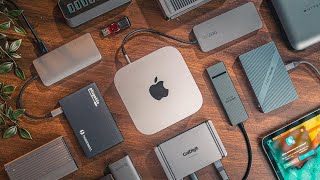
USB Hubs For Mac Explained: Don't Waste Your Money!
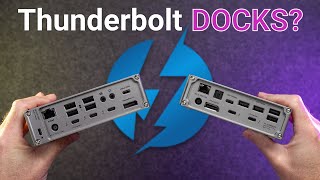
Thunderbolt 4 docks (CalDigit TS4) offer the most bandwidth for users with multiple 4K monitors or high-speed external SSDs, but cost significantly more.
Choosing by Use Case
For typical work-from-home setups with one monitor, a USB-A keyboard, and a card reader, a $50-70 bus-powered hub covers all needs. Not all USB-C cables are equal — and the wrong one can charge slowly, fail to transfer data, or not work with your monitor at all. Our USB-C cable guide explains why the cable matters as much as the port.
Not sure which laptop to choose? See our laptop buying guide for help making the right call.
Quick Decision: Budget matters most → Satechi USB-C Hub Multiport Adapter with Ethernet. Quality matters most → Satechi USB-C Hub Slim Multiport Adapter V2.
Almost any USB-C hub works with MacBook physically, but not all features are guaranteed to work correctly. HDMI output requires the hub to support the USB-C Alt Mode display standard, which most do. Thunderbolt-specific features (daisy-chaining, 40 Gbps speeds) require a Thunderbolt hub, not just USB-C.
Why does my MacBook hub get hot?
USB-C hubs concentrate power delivery and multiple simultaneous data streams through a single chip, which generates heat. Aluminum hubs dissipate heat better. Avoid covering the hub during use and ensure it has airflow.
How many watts of pass-through charging do I need for a MacBook?
MacBook Air needs 45-67W; MacBook Pro 14-inch needs 67-96W; MacBook Pro 16-inch needs 96-140W. Choose a hub with pass-through PD exceeding your charger's wattage. Many hubs cap pass-through at 85-100W.
Can I connect two monitors through a USB-C hub?
Most bus-powered hubs support only one display output. For dual-monitor setups, you need a powered dock (CalDigit, OWC, Anker 575) or a DisplayLink-based hub, which requires installing a software driver.
What is the difference between a USB-C hub and a Thunderbolt dock?
USB-C hubs support up to 10 Gbps (USB 3.1 Gen 2). Thunderbolt 4 docks support 40 Gbps with the ability to daisy-chain Thunderbolt devices and run two 4K displays simultaneously. TB4 docks cost 3-5x more but are needed for demanding setups.
We analyze Amazon review data — often thousands of reviews per product — to surface patterns
that individual buyers miss. Our process aggregates star ratings, review counts, and buyer
sentiment at scale, identifying which strengths and weaknesses appear consistently across
the largest review samples available. The 4,369+ reviews analyzed on this page represent real verified-purchase feedback from Amazon buyers.
Each product earned its placement through data: total review volume, average rating, and the
specific praise and complaints that repeat most often across buyers. No manufacturer paid for
placement on this page. Products appear here because buyers endorsed them at scale, not
because a company asked us to feature them.
We use AI to summarize review sentiment — not to fabricate opinions, but to condense what
thousands of buyers actually wrote into a readable format. The pros and cons you see reflect
the most common themes found in verified purchaser reviews, paraphrased for clarity. We do not
claim to have accessed Reddit, YouTube, or specific publications in generating these summaries.
Prices shown reflect Amazon pricing at the time this page was last generated. Click
“See Today’s Price” to get the current live price on Amazon.
Read our full methodology →
Affiliate disclosure: When you buy through our links, we may earn
a small commission at no extra cost to you. This helps us keep the reviews free and
the data updated. Our recommendations are based on data, not who pays us.
Learn more →


 Photo by Anzor Dukaev / Pexels