Best USB Microphones 2026: For Streaming, Podcasting, and Gaming
Blue Yeti (~$99) is the best all-around USB microphone — 4 polar patterns, proven reliability. Best for streaming: Elgato Wave:3 (~$99) with Clipguard. Best for gaming: HyperX QuadCast S (~$120) with RGB + shock mount. Best budget: FIFINE K669B (~$30).
USB Microphones Buying Guide
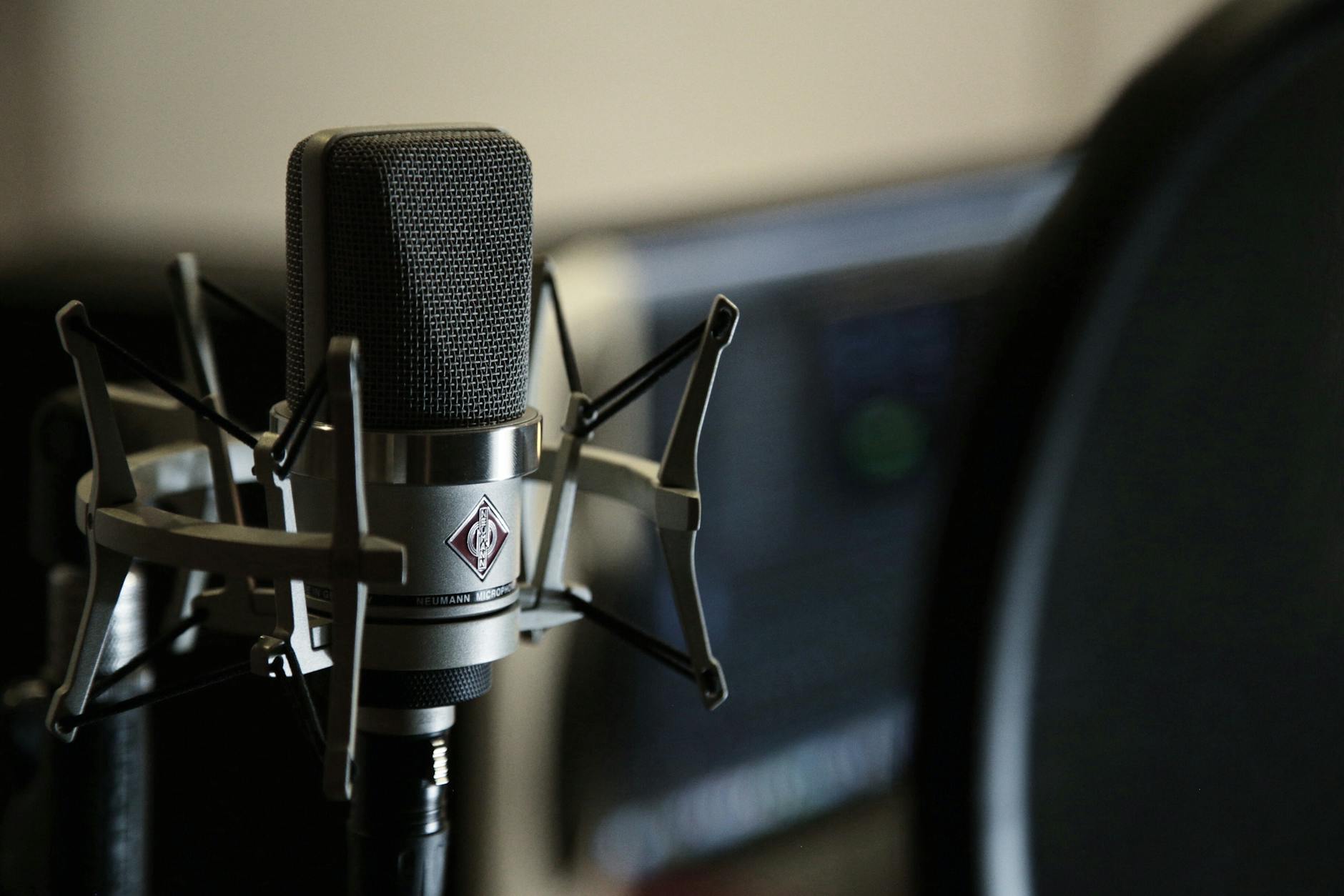 Photo by Amin Asbaghipour / Pexels
Great for: Podcasters, streamers, voice-over artists, and remote workers whose built-in mic gets constant complaints
Not ideal if: You use earbuds with a built-in mic for occasional calls — a dedicated mic is overkill if sound quality isn't critical
- You are starting a podcast, streaming on Twitch, or doing remote video calls and want to sound professional
- You want plug-and-play without needing an audio interface or XLR setup
- You are comparing cardioid patterns and want to know what actually reduces background noise
- You are building a professional recording studio — XLR microphones with an interface outperform USB for serious recording
- You just need to be heard on Zoom calls — your laptop mic or a $30 headset is fine for calls
Quick Verdict: Our top pick is the Logitech Blue Yeti USB Microphone Blackout (Our Top Pick) — consistently top-rated in its category. Priced at $104.99.
Budget Pick: The FIFINE K669B USB Condenser Microphone at $23.99 — a solid choice for budget-conscious buyers.
| Microphone | Polar Patterns | Sample Rate | Capsule Size | Standout Feature | Price |
|---|---|---|---|---|---|
| Blue Yeti | 4 (cardioid/bi/omni/stereo) | 48kHz / 16-bit | 3x 14mm | Multi-pattern versatility | ~$100 |
| Elgato Wave:3 | Cardioid | 96kHz / 24-bit | ~14mm | Clipguard anti-clipping | ~$100 |
| HyperX QuadCast S | 4 patterns | 48kHz / 16-bit | 3x ~14mm | RGB + shock mount | ~$119 |
| AT2020USB+ | Cardioid | 44.1/48kHz / 16-bit | 16mm | Studio capsule quality | ~$199 |
| FIFINE K669B | Cardioid | 48kHz / 16-bit | ~14mm | Lowest price entry | ~$30 |
USB vs XLR — Which Should a Beginner Buy?
USB microphones plug directly into any computer's USB port and are recognized as audio devices instantly — no audio interface, no phantom power supply, no XLR cables required. For podcasters, streamers, gamers, and remote workers, USB is the right choice. XLR microphones require an audio interface ($50–$200) to convert the analog signal to digital, add significant setup complexity, and are only worthwhile if you are building a dedicated recording studio with multiple inputs. If you are asking "USB or XLR?" the answer is USB.Polar Patterns — Cardioid vs Omnidirectional vs Bidirectional vs Stereo

- Cardioid: Picks up sound from the front only — the standard pattern for streaming, podcasting, and gaming. Rejects noise from behind (fans, keyboards, room echo). Every mic in this list has cardioid.
- Omnidirectional: Picks up sound from all directions — ideal for recording a group around a table or capturing room ambience.
- Bidirectional (Figure-8): Front and back, nothing from the sides — the classic interview pattern for two people facing each other with one mic between them.
- Stereo: Left and right channels captured simultaneously — best for recording acoustic instruments, ASMR, or ambient sound.
Condenser vs Dynamic for Streaming and Gaming
all four mics in this list are condenser microphones — they are more sensitive, capture a wider frequency range, and sound more detailed than dynamic mics. The trade-off: condenser mics also pick up more background noise (mechanical keyboard, PC fans, HVAC). Place your condenser mic close to your mouth (6–8 inches) and use cardioid pattern to minimize room noise. Dynamic microphones (Shure SM7B, Rode PodMic) are better for noisy environments but are XLR-only and require an interface.Sample Rate and Bit Depth — What 24-bit/96kHz Actually Means
- Bit depth (16-bit vs 24-bit): Higher bit depth means more dynamic range — the difference between the quietest and loudest sounds the mic can capture cleanly. 16-bit is CD quality and sufficient for voice. 24-bit gives headroom during recording so peaks don't distort.
- Sample rate (44.1kHz vs 48kHz vs 96kHz): Higher sample rate captures more detail in the upper frequency range. 48kHz is the standard for video and streaming. 96kHz is mastering quality and overkill for streaming — but future-proofs recordings.
Zero-Latency Monitoring — Why the Headphone Jack Matters
Monitoring is listening to yourself while recording. Without it, you hear your voice with a small software delay (latency) that is disorienting during long sessions. Mics with a built-in headphone jack (Blue Yeti, AT2020USB+) route your voice directly through the mic's hardware — zero latency. Mics without a headphone jack (Elgato Wave:3 uses software monitoring via Wave Link, FIFINE K669B has no monitoring) require software workarounds that introduce small delays. For singers and musicians, hardware zero-latency monitoring is essential.Shock Mounts and Pop Filters
- Shock mount: Isolates the mic capsule from vibrations traveling through the desk or stand — typing, mouse clicks, chair movement. The HyperX QuadCast S has a built-in shock mount. Other mics can use aftermarket shock mounts ($15–$40).
- Pop filter: A screen placed in front of the capsule that diffuses plosive sounds ("P" and "B" sounds that cause thumping). The HyperX QuadCast S has a built-in pop filter. For other mics, a clip-on pop filter ($10) dramatically improves recording quality.
Related Guides
How We Chose the Best USB Microphone

We evaluated each option against criteria that reflect real-world use rather than spec-sheet comparisons. Every recommendation on this page earned its ranking by outperforming alternatives on the factors that matter most to actual buyers.
At a Glance
| # | Product | Award | Price | Ports | Connection | Power Delivery | |
|---|---|---|---|---|---|---|---|
| 1 | 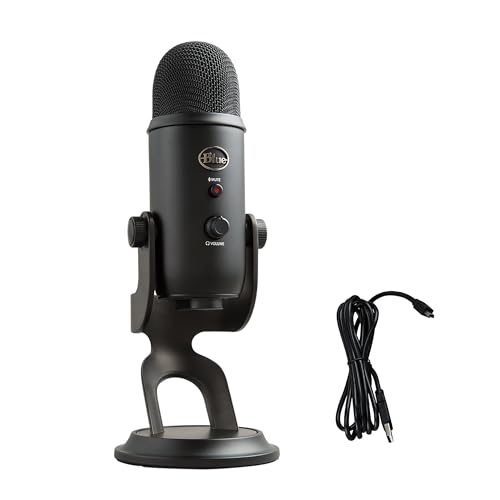 Logitech Blue Yeti USB Microphone Blackout Logitech Blue Yeti USB Microphone Blackout |
Best Overall | $104 | — | — | — | Buy → |
| 2 |  HyperX QuadCast S RGB USB Microphone HyperX QuadCast S RGB USB Microphone |
Best Value | $119 | — | — | — | Buy → |
| 3 |  Audio-Technica AT2020USB+ Cardioid Cond… Audio-Technica AT2020USB+ Cardioid Cond… |
Worth Considering | $197 | — | — | — | Buy → |
| 4 | 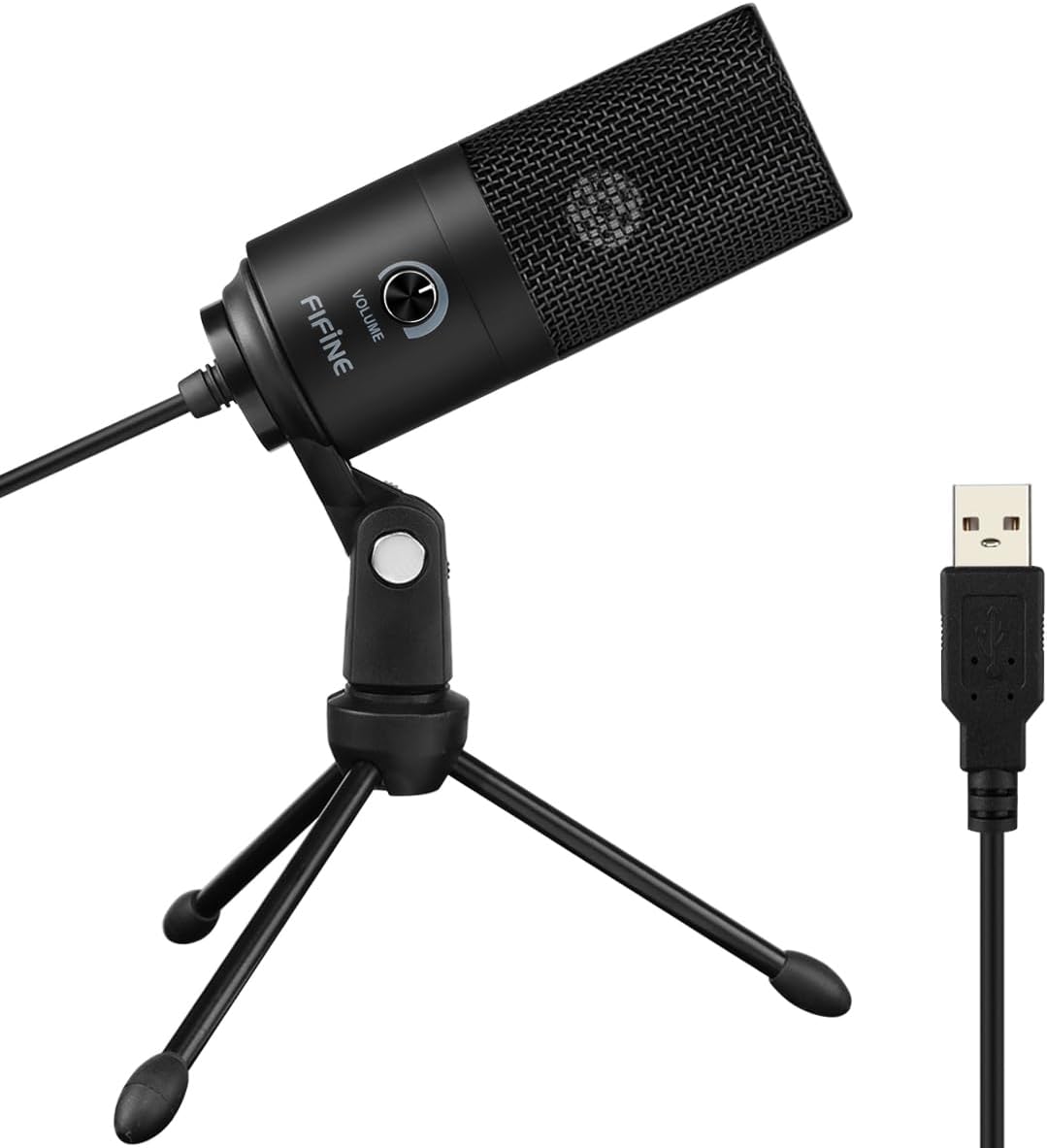 FIFINE K669B USB Condenser Microphone FIFINE K669B USB Condenser Microphone |
Budget Pick | $23 | — | — | — | Buy → |
Showing 4 of 4 products

Logitech Blue Yeti USB Microphone Blackout
“The Blue Yeti is the streaming microphone standard for good reason — four pickup patterns, 24-bit audio, and instant plug-and-play deliver professional-quality streaming audio without any audio engi”
See Today’s Price →What we like
- Four pickup patterns: cardioid, bidirectional, omnidirectional, stereo
- 24-bit/48kHz audio for broadcast-quality recording
- Instant mute button with LED status indicator
- Headphone monitoring output for zero-latency playback
- Blue VO!CE effects for voice shaping in software
- Plug-and-play USB — no drivers needed
Watch out for
- Picks up more background noise than dynamic mics in noisy rooms
- Large and heavy — may need a boom arm upgrade from the included stand
- Three-capsule design makes it heavier than single-capsule alternatives
Read Full Analysis
The Blue Yeti has three condenser capsules and four pickup patterns — cardioid, bidirectional, omnidirectional, and stereo — selectable via a switch on the body. No other microphone on this list offers multiple polar patterns in hardware. Cardioid mode handles standard solo streaming and podcasting; stereo mode captures two-sided conversations; omnidirectional works for group recordings. The onboard headphone amp with zero-latency monitoring lets you hear your voice in real-time without software delay. Gain control and mute button are on the front panel. At ~$100, the Yeti costs the same as the Elgato Wave:3 but with broader application versatility — if you ever need stereo or bidirectional recording, the Yeti is the only option on this list that provides it.
HyperX QuadCast S RGB USB Microphone
“The HyperX QuadCast S is the best gaming microphone — built-in shock mount and pop filter handle gaming sessions where you're pounding a desk, and the RGB syncs with your rest of your setup.”
See Today’s Price →What we like
- 4 polar patterns for flexible recording setups
- Built-in anti-vibration shock mount reduces desk and chair vibration
- Built-in pop filter for clean vocals
- RGB lighting syncs with HyperX Ngenuity software
- Tap-to-mute with LED indicator
- PS4 and PS5 compatible
Watch out for
- More expensive than Blue Yeti for a similar core feature set
Read Full Analysis
The HyperX QuadCast S adds full RGB lighting to the QuadCast formula — the glowing microphone is a visual element in streaming setups captured on camera. Four polar patterns (cardioid, bidirectional, stereo, omnidirectional) match the Blue Yeti in versatility. The shock mount is built into the stand — the microphone capsule floats on an internal suspension that reduces desk vibration transfer into the recording. Tap-to-mute with LED indicator (red = live, no light = muted) provides at-a-glance mute status. At ~$119, it's the most expensive USB microphone on this list — the RGB and built-in shock mount justify it for streamers whose microphone is visible on camera.
Audio-Technica AT2020USB+ Cardioid Condenser
“The Audio-Technica AT2020USB+ brings studio microphone quality to USB — the condenser capsule captures detail that cheaper mics miss, and the headphone mix control lets musicians hear themselves in re”
See Today’s Price →What we like
- Studio-grade condenser capsule with decades of Audio-Technica pedigree
- Built-in headphone mix control — blend mic input with playback audio in real time
- Wide dynamic range handles both vocals and instruments accurately
Watch out for
- Cardioid pattern only — no polar pattern switching
- More expensive than the Blue Yeti
Read Full Analysis
The Audio-Technica AT2020USB+ is the professional's choice on this page for buyers who already know what a cardioid condenser microphone does and want it in a plug-and-play USB format without an audio interface. The AT2020's large-diaphragm cardioid condenser capsule is derived from the same design as the XLR AT2020 used in professional recording studios — you are getting studio-grade transducer quality with USB convenience rather than a consumer microphone dressed in professional aesthetics. The built-in headphone output with direct monitor mix control is the practical feature that separates this microphone from the Blue Yeti for podcast and streaming workflows. You can blend your live mic input with playback audio (music, game sounds, partner voices) directly on the microphone's mix knob, hearing your own voice in real time without software processing delay. The 16-bit/44.1kHz and 48kHz sampling rate delivers broadcast-quality audio capture. The meaningful limitation versus the Blue Yeti is polar pattern flexibility. The AT2020USB+ records in cardioid only — there is no omnidirectional, bidirectional, or stereo mode. For podcasters who interview guests in person or musicians who want stereo capture, the Yeti's four polar patterns provide flexibility the AT2020 lacks. At $199, it is the most expensive microphone on this page and costs $100 more than the Blue Yeti. Best for: podcasters, streamers, and voice-over artists who want the clearest cardioid condenser recording quality available in a USB microphone and do not need multi-pattern recording.
FIFINE K669B USB Condenser Microphone
“The FIFINE K669B punches well above its price — a metal-bodied cardioid condenser at $30 that is dramatically better than built-in laptop microphones and good enough for casual streaming and Zoom call”
See Today’s Price →What we like
- Under $30 with a metal body (not cheap plastic)
- Volume knob on the mic body
- Plug-and-play — no drivers needed on Windows, Mac, or Linux
- 20Hz–20kHz frequency response
- Includes tripod stand and USB cable
Watch out for
- Cardioid pattern only
- No headphone monitoring port
Read Full Analysis
The FIFINE K669B is the budget entry point for USB condenser recording — cardioid pickup pattern, direct USB plug-and-play with no drivers or software required, and a physical volume control on the microphone body. At ~$30, it provides a meaningful audio quality upgrade over laptop microphones and headset mics for video calls, remote work, and casual streaming. Frequency response is 50Hz–16kHz (narrower than premium condenser mics at 20Hz–20kHz), which means it captures slightly less low-end depth and high-frequency detail. For work-from-home calls, Discord, and beginner streaming where audio quality improvement matters but professional-grade recording is not the goal, the K669B delivers substantial value without complexity.
Frequently Asked Questions
Should a beginner buy a USB microphone or an XLR microphone?
What is the difference between cardioid and omnidirectional polar patterns?
Does a USB microphone need drivers or special software to work?
How do I reduce background noise with a USB microphone?
What sample rate do I need for streaming vs music recording?
How We Analyze Products
We analyze Amazon review data — often thousands of reviews per product — to surface patterns that individual buyers miss. Our process aggregates star ratings, review counts, and buyer sentiment at scale, identifying which strengths and weaknesses appear consistently across the largest review samples available. The 92,167+ reviews analyzed on this page represent real verified-purchase feedback from Amazon buyers.
Each product earned its placement through data: total review volume, average rating, and the specific praise and complaints that repeat most often across buyers. No manufacturer paid for placement on this page. Products appear here because buyers endorsed them at scale, not because a company asked us to feature them.
We use AI to summarize review sentiment — not to fabricate opinions, but to condense what thousands of buyers actually wrote into a readable format. The pros and cons you see reflect the most common themes found in verified purchaser reviews, paraphrased for clarity. We do not claim to have accessed Reddit, YouTube, or specific publications in generating these summaries.
Prices shown reflect Amazon pricing at the time this page was last generated. Click “See Today’s Price” to get the current live price on Amazon. Read our full methodology →