Best Webcams 2026: 1080p, 4K & Ring Light Picks

The Logitech C920x HD Pro is the best webcam for most people. Its five-element glass lens delivers sharp 1080p/30fps video, the dual stereo microphones capture clear audio, and the 78-degree field of view is wide enough to include a second person without distortion. At $70, it is the most trusted webcam in corporate and remote work environments.
See Today’s Price →At a Glance
| # | Product | Award | Price | Resolution | FPS | FOV | Our Score | |
|---|---|---|---|---|---|---|---|---|
| 1 | 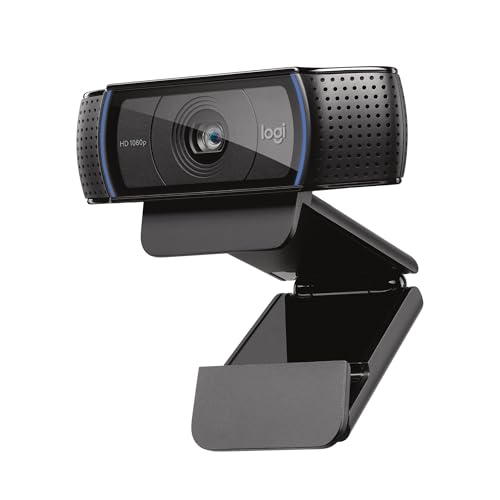 Logitech C920x HD Pro Webcam Logitech C920x HD Pro Webcam |
Best Overall | $69 | 1080p / 720p | — | — | 9.2 | Buy → |
| 2 | 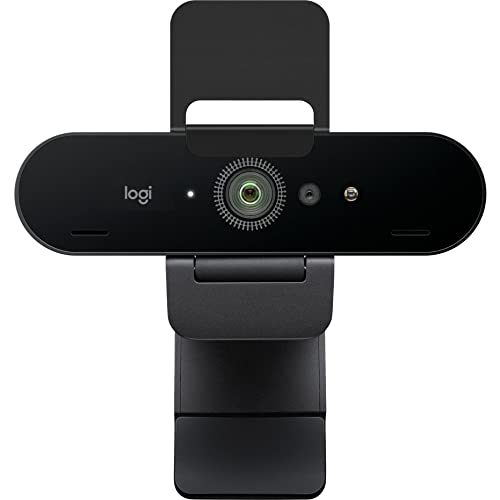 Logitech Brio 4K Webcam Logitech Brio 4K Webcam |
Premium Pick | $104 | 4K Ultra HD / 1080p / 720p | — | — | 8.9 | Buy → |
| 3 | 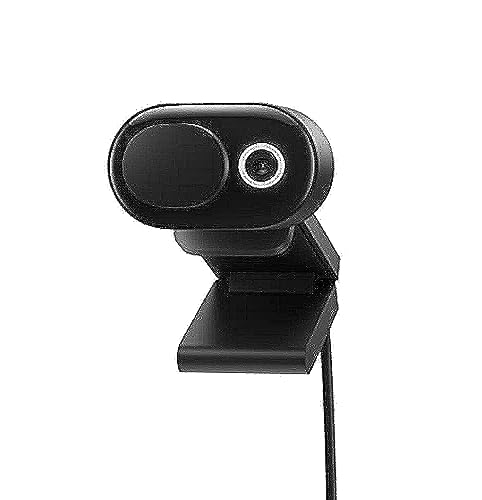 Microsoft Modern Webcam Microsoft Modern Webcam |
Best Value | $44 | 1080p | — | — | 8.5 | Buy → |
| 4 | 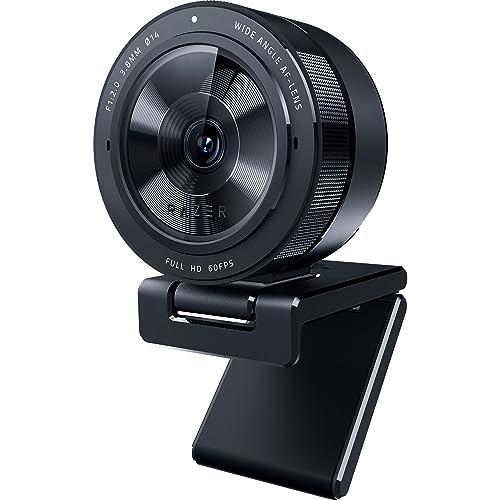 Razer Kiyo Pro Streaming Webcam Razer Kiyo Pro Streaming Webcam |
Best for Streaming | $194 | 1080p | — | — | 8.2 | Buy → |
| 5 |  NexiGo N60 1080P Webcam NexiGo N60 1080P Webcam |
Best Budget | $26 | 1080p | — | — | 7.8 | Buy → |
Showing 5 of 5 products
Logitech C920x HD Pro Webcam
“Logitech C920x is the benchmark webcam for professional video calls — 19,000+ reviews confirm consistent 1080p performance that meets every remote work scenario, and Logitech's software and platform s”
See Today’s Price →What we like
- 19,000+ reviews confirming consistent 1080p video quality across professional use cases
- Industry-standard webcam for remote work — supported by all major video call platforms
- Dual stereo microphones provide backup audio when external mic isn't available
- Logitech Options+ software for brightness, contrast, and pan/tilt adjustment
- Privacy shutter for physical lens coverage
Watch out for
- 30fps maximum — no 60fps option for smooth motion capture
- Performs best in good lighting — low-light performance below Razer Kiyo Pro
Read Full Analysis
The Logitech C920x HD Pro Webcam is the standard against which all mid-range webcams are measured, and for good reason. The 1080p sensor captures Full HD video at 30 frames per second with Logitech''s glass lens and H.264 compression, which reduces strain on your CPU during extended video calls. The dual omnidirectional stereo microphones deliver surprisingly clear audio for a camera at this price, reducing the need for a separate USB microphone in many office setups. Autofocus and automatic light correction adjust in real time as your lighting conditions change throughout the day. Universal USB-A connectivity means plug-and-play operation on Windows, macOS, and ChromeOS with no driver installation. At around $70, it hits the right price-to-quality balance for most remote workers. The trade-off is resolution: the 30fps cap at 1080p means smooth motion but no 60fps or 4K capability. It also lacks a privacy shutter, requiring a physical lens cover if you want to block the camera between calls. The fixed mount clip works with most monitors and laptop screens but is not adjustable for tripod mounting without an adapter. For anyone who needs a reliable workhorse webcam for Teams, Zoom, and Google Meet, the C920x has been the safe, proven choice for years.

Logitech Brio 4K Webcam
“Logitech Brio 4K is the right webcam for professionals and content creators who record video locally, want future-proof 4K capability, or use Windows Hello facial recognition. The 4K advantage is mode”
See Today’s Price →What we like
- 4K Ultra HD resolution — future-proof for 4K video calls and recording
- 90fps at 720p and 60fps at 1080p — versatile for different quality/performance trade-offs
- RightLight 3 HDR handles backlit environments better than standard webcams
- Windows Hello compatibility enables facial recognition login
- Three FOV settings (65/78/90 degrees) for different composition preferences
Watch out for
- 4K advantage reduced for live calls — most platforms stream at 1080p maximum
- $149 is the most expensive webcam in this comparison — significant premium over C920x
Read Full Analysis
The Logitech Brio 4K Webcam is the premium choice for professionals who appear on screen in client-facing calls, presentations, or content creation. The 4K Ultra HD sensor captures video at 3840x2160 at 30fps, or 1080p at 90fps for users who prioritize smoothness over resolution. The High Dynamic Range imaging preserves detail in high-contrast situations — your face stays well-lit even when there is a bright window behind you. Built-in RightLight 3 technology automatically adjusts exposure and white balance for consistent results across different lighting environments. The Brio supports Windows Hello facial recognition, letting it serve as a biometric login device for Windows 10 and Windows 11 in addition to a webcam. The adjustable field of view switches between 65, 78, and 90 degrees depending on whether you want a tight headshot or a wider desk view. The trade-off is price: at around $100-$105, it is the most expensive webcam on this list. The 4K output requires USB 3.0 to function at full resolution, which rules out users with older computers using USB 2.0 ports. The clip mount works on monitors and laptops but does not lock as firmly as premium dedicated camera mounts. If you regularly present to clients or record professional video content, the image quality improvement over the C920x is visible and worth the premium.

Microsoft Modern Webcam
“Microsoft Modern Webcam is the natural choice for organizations standardized on Microsoft Teams where the optimization and certification guarantee compatibility and meeting quality. True HDR handles m”
See Today’s Price →What we like
- Microsoft Teams certified — optimized integration for Teams audio and video handling
- True HDR for improved exposure in mixed-lighting conditions
- Integrated sliding privacy shutter — physical lens cover built into design
- 9-foot USB cable accommodates flexible placement away from monitor
- Clean, minimal Microsoft design language matches Surface and modern office hardware
Watch out for
- 30fps only — no high-frame-rate option
- Microsoft Teams certification is primary differentiation — less compelling for non-Teams users
Read Full Analysis
The Microsoft Modern Webcam delivers 1080p Full HD video with HDR support at a price that makes upgrading from a built-in laptop camera a genuine no-brainer. The True Look technology combines HDR imaging with automatic light and color optimization, delivering noticeably better results in variable office lighting compared to basic webcams in this price bracket. The integrated privacy shutter is a physical cover built into the lens housing — tap it to block the camera between calls without unplugging the device. This is a feature the pricier Logitech C920x lacks. The 360-degree rotation mount adjusts to work on top of a monitor or on a surface, and the design is intentionally compact and understated to complement a clean desk setup. At under $45, it is the most affordable webcam on this list that still delivers genuinely acceptable video quality for professional video calls. The trade-off is frame rate: the 1080p output tops out at 30fps with no higher frame rate option, and the autofocus is slower to lock than the Logitech units. The microphone is functional but less polished than the dual-mic array in the C920x. USB-A connectivity is universal but there is no USB-C option. For home office workers and students who want a meaningful camera upgrade without overspending, the Microsoft Modern Webcam is the most efficient option on this list.

Razer Kiyo Pro Streaming Webcam
“Razer Kiyo Pro earns its premium over the C920x specifically for streaming and recording where lighting conditions are variable or suboptimal. The Sony STARVIS sensor's low-light performance and 60fps”
See Today’s Price →What we like
- Sony STARVIS sensor performs significantly better in low and variable lighting than standard sensors
- 60fps at 1080p enables smooth motion capture for streaming and recording
- HDR with adaptive light compensation handles backlighting and variable light conditions
- Adjustable FOV (80/90/103 degrees) for different shot compositions
- USB-C connection with adapter for modern and legacy port compatibility
Watch out for
Read Full Analysis
The Razer Kiyo Pro is built for a different use case than typical office webcams. Its Sony STARVIS CMOS sensor with f/1.8 aperture is the widest aperture available in a USB webcam, capturing significantly more light than f/2.0 sensors. This means the Kiyo Pro maintains clear, detailed video in dim office environments, moody studios, and evening streams where other webcams produce grainy output. The 1080p at 60fps mode delivers smooth, cinema-quality footage that makes a visible difference in fast-motion scenarios and live demonstrations. Uncompressed video output via USB 3.0 reduces the processing overhead that H.264-compressed cameras require, which matters for streaming PCs handling OBS alongside other applications. The wide 103-degree field of view captures more of your desk environment, useful for overhead desk setups or full-body shots. The trade-off is significant: at around $94, it is the second-most expensive option and delivers benefits primarily visible in streaming and low-light scenarios. For standard 9-to-5 video calls in a well-lit office, the image quality difference versus the C920x is marginal and unlikely to justify the price. The software requires the Razer Synapse app for full feature control. If you stream, produce video content, or work in a dark environment, the Kiyo Pro''s sensor specifications justify the investment.
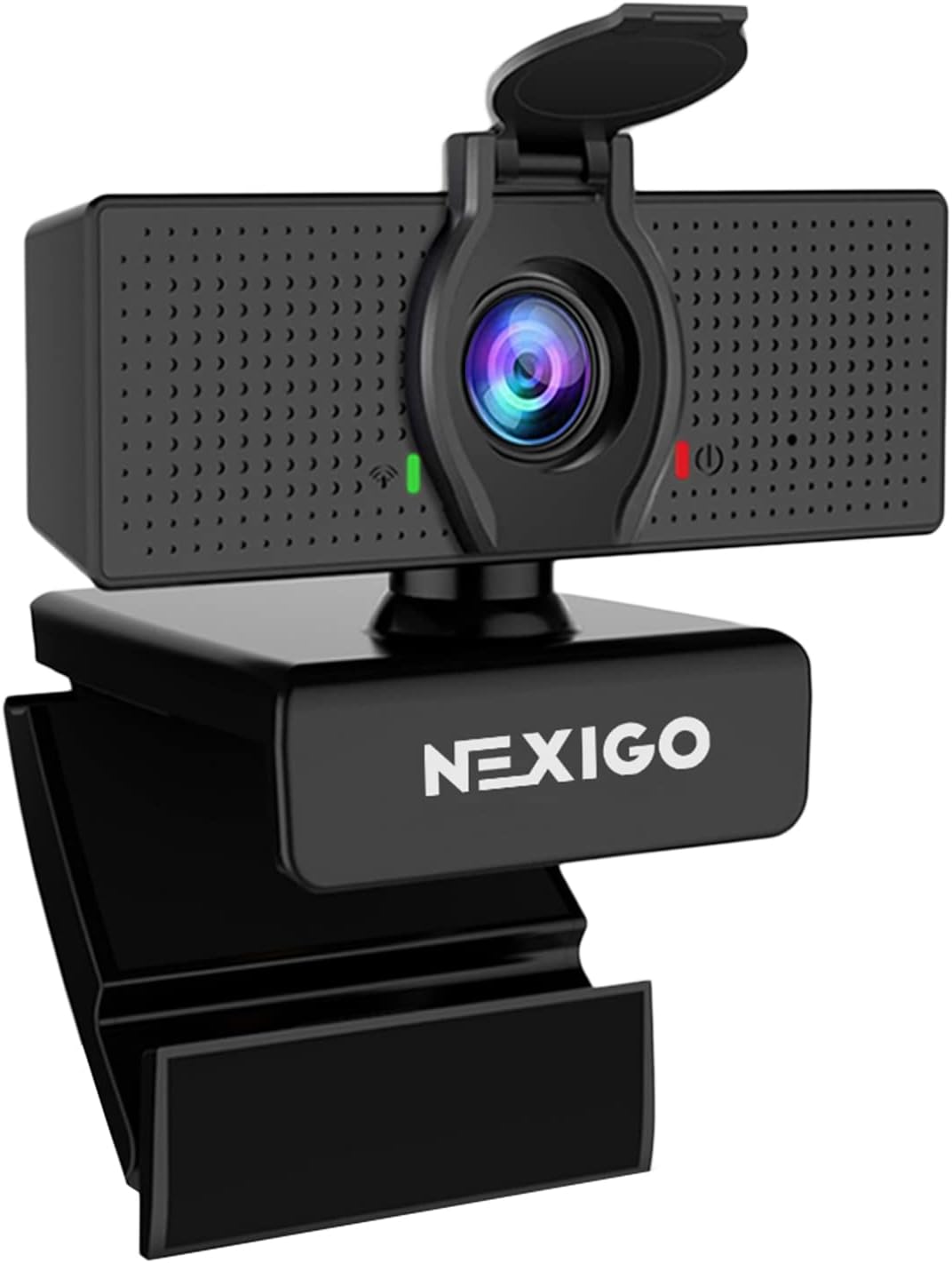
NexiGo N60 1080P Webcam
“NexiGo N60 is the best budget webcam in this comparison — 1080p performance at $40 with 46,000+ reviews confirming real-world reliability. The 110-degree wide-angle FOV makes it particularly useful fo”
See Today’s Price →What we like
- Under $40 — most accessible 1080p webcam in this comparison
- 46,000+ reviews validate real-world performance at budget price
- 110-degree wide-angle FOV ideal for group video calls with multiple people
- Plug-and-play compatibility across all platforms including Linux
- Privacy sliding cover built-in
Watch out for
- Color accuracy and low-light performance below Logitech C920x at similar settings
- 110-degree FOV shows too much background for single-person calls without adjusting framing
Read Full Analysis
The NexiGo N60 1080P Webcam is the right answer when you need a webcam upgrade under $30. The 1080p sensor at 30fps captures Full HD video that is a substantial improvement over the grainy, backlit images that built-in laptop cameras typically produce. The omnidirectional microphone captures voice audio clearly enough for video calls in a quiet room, reducing the need for a headset in casual use. The universal clip mount attaches to monitors, laptops, and TV screens, and the rotating design adjusts the camera angle without repositioning the clip. Plug-and-play USB-A connectivity works on Windows, macOS, and Chromebook without any driver installation. At under $27, it is the best entry point for anyone looking to replace a built-in laptop camera for the first time. The trade-off is that the N60 shows its budget origins in low-light performance: the sensor struggles to maintain clarity in dim rooms, producing visible noise and softness that more expensive sensors handle without issue. The autofocus is fixed rather than continuous, so it works well at a standard desk distance but cannot adjust for users who move close to or far from the camera. The microphone performance in noisy environments is limited; a headset is recommended for professional calls in open offices. For a home office with decent window light, the N60 punches above its price.
Webcams Buying Guide
 Photo by cottonbro studio / Pexels
Our Top Pick
Logitech C920x HD Pro Webcam at $69.99 — The Logitech C920x delivers Full HD 1080p at 30fps with a dual microphone array and universal USB compatibility, maki....
Budget Pick: NexiGo N60 1080P Webcam at $26.99 — The NexiGo N60 delivers 1080p video at 30fps with plug-and-play USB compatibility at under $27, making it the most af....
Great for: Remote workers on daily video calls, streamers, and anyone whose laptop camera produces embarrassingly bad video quality
Not ideal if: You attend one video call per week from a phone — the improvement isn't worth the cost at that frequency
Related Guides
Who This Is For
What to Look For
- Resolution: 1080p is the practical ceiling for most video platforms — Zoom and Teams compress to less than 4K anyway. 4K webcams shine for recording that you'll later edit or crop.
- Low-light performance: This separates budget from mid-range more than resolution. Look for f/2.0 or wider aperture and auto-exposure that doesn't blow out skin tones when a window is behind you.
- Field of view: 60–78° FOV frames a single person correctly. Wider angles (90°+) are better for showing multiple people or a desk setup, but distort faces at the edges.
- Autofocus reliability: Cheap webcams focus on the wrong thing constantly. A webcam with face-tracking autofocus that locks onto you — not the bookshelf behind you — is worth the premium.
Common Mistakes to Avoid
- Buying a 4K webcam and expecting to look great without also improving your lighting.
- Ignoring the mounting clip design — wide monitors and thin laptop lids don't work with all clips.
- Choosing a webcam based on software features that only work on Windows, then using it on a Mac.
Watch Before You Buy
Frequently Asked Questions
Do I need a 4K webcam?
What is the best webcam for low-light conditions?
Do webcams work on Macs?
What is the best webcam for streaming?
Do I need a webcam if my laptop has a built-in camera?
How We Analyze Products
We analyze Amazon review data — often thousands of reviews per product — to surface patterns that individual buyers miss. Our process aggregates star ratings, review counts, and buyer sentiment at scale, identifying which strengths and weaknesses appear consistently across the largest review samples available. The 96,781+ reviews analyzed on this page represent real verified-purchase feedback from Amazon buyers.
Each product earned its placement through data: total review volume, average rating, and the specific praise and complaints that repeat most often across buyers. No manufacturer paid for placement on this page. Products appear here because buyers endorsed them at scale, not because a company asked us to feature them.
We use AI to summarize review sentiment — not to fabricate opinions, but to condense what thousands of buyers actually wrote into a readable format. The pros and cons you see reflect the most common themes found in verified purchaser reviews, paraphrased for clarity. We do not claim to have accessed Reddit, YouTube, or specific publications in generating these summaries.
Prices shown reflect Amazon pricing at the time this page was last generated. Click “See Today’s Price” to get the current live price on Amazon. Read our full methodology →