By MyAwesomeBuy Research Team · Updated April 2, 2026 · Our Methodology
No manufacturer paid for placement. Rankings based on verified buyer review data.
Quick Answer
The NETGEAR Nighthawk X6S is the best gaming WiFi extender — its dedicated 5GHz backhaul prevents bandwidth halving, and tri-band design maintains gaming speeds in WiFi dead zones.
Best for: Gamers who need Gigabit wired ports at an extended location away from their router
“The EX8000's dedicated backhaul band ensures gaming traffic never competes with streaming backhaul. Four Ethernet ports mean you can hardwire your PS5, Xbox, gaming PC, and smart TV simultaneously.”
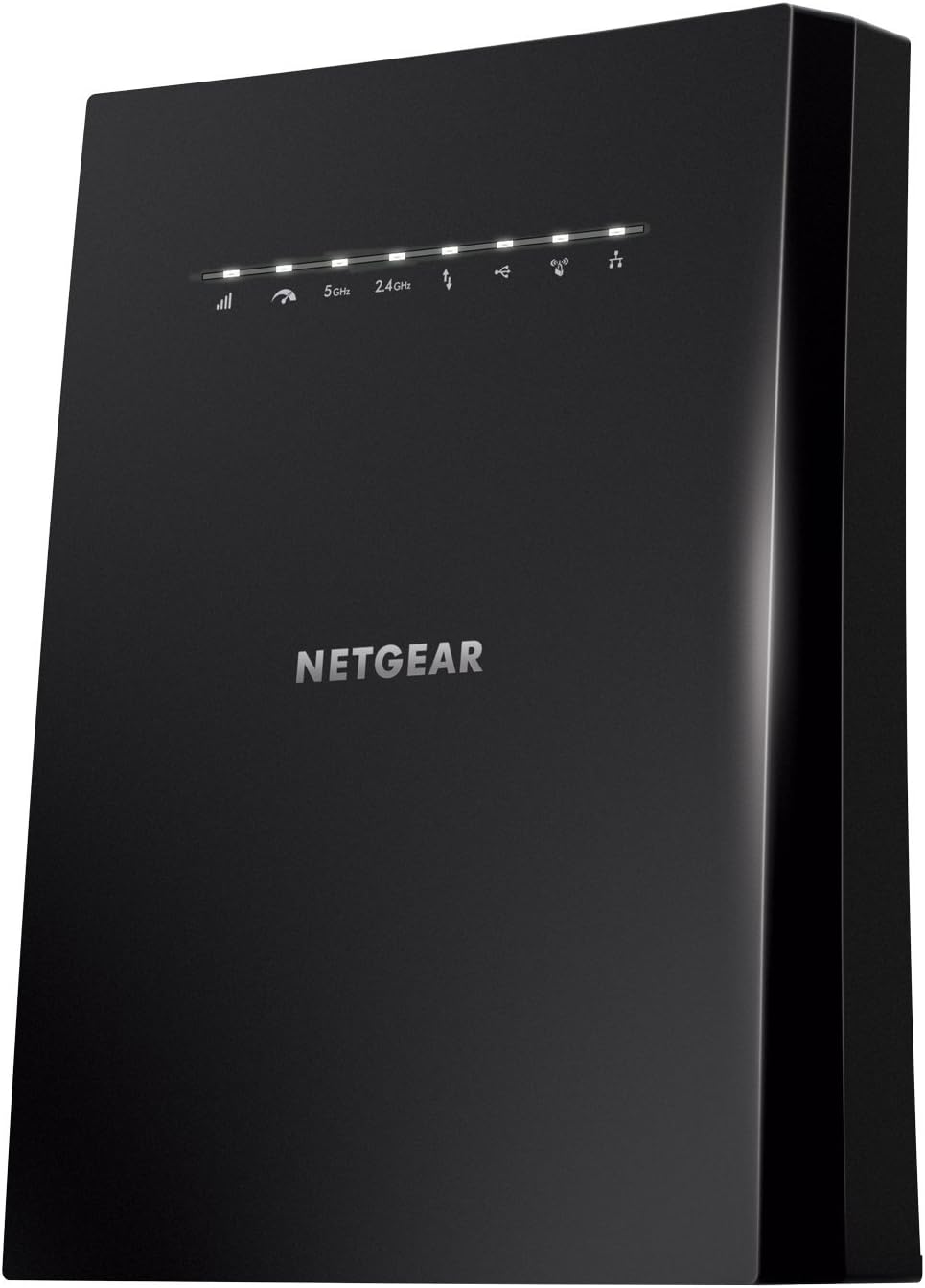
Netgear EX8000-100NAS Nighthawk X6S AC3000 Tri-Band Wi-Fi Range Extender with Smart Roaming, One Wi-Fi Name with Any Wi-Fi Router
Best Sellers Rank
#271 in Repeaters
Compatible Devices
Router
Data Transfer Rate
1733 Megabits Per Second
Frequency Band Class
Tri-Band
Warranty Description
1 year warranty
Wireless Compability
802.11ac
Frequency Bands Supported
Tri-Band
Item Dimensions D X W X H
5.2"D x 8.08"W x 10.01"H
Global Trade Identification Number
00606449119190
Best Budget
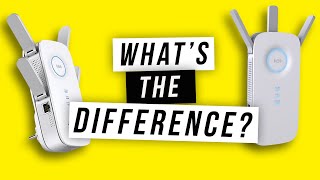
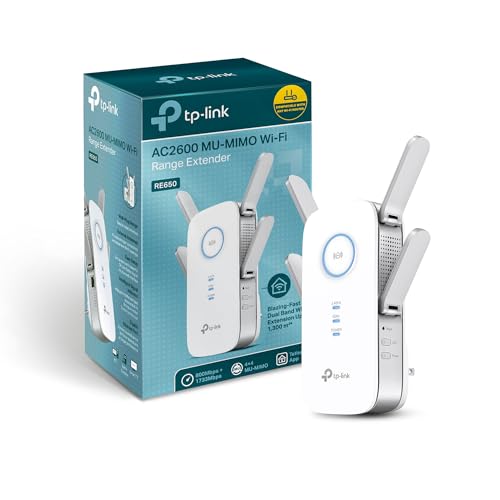
TP-Link RE650 AC2600 Dual-Band Extender
$59
at Amazon
Best for: Budget gamers who need a reliable extender with wired port for one console
“The TP-Link RE650 is the best value WiFi extender for gaming — MU-MIMO for multiple devices, a Gigabit wired port for your console, and AC2600 speeds at under $90.”
AC2600 Wi-Fi Range Extender RE650, Quick Installation Guide
Connector Type
RJ45
Item Type Name
Wi-Fi Range Extender
Special Features
High speed
Best Sellers Rank
#5 in Repeaters
Compatible Devices
Microsoft Windows 98SE, NT, 2000, XP, Vista or Windows 7, 8, 10, Mac OS, NetWare, UNIX or Linux.
Data Transfer Rate
2600 Megabits Per Second
Frequency Band Class
Dual-Band
Warranty Description
2 Years
Wireless Compability
802.11ac, 802.11n
Frequency Bands Supported
2.4 GHz, 5 GHz
Item Dimensions D X W X H
1.6"D x 3.4"W x 6.4"H
Global Trade Identification Number
00845973095857, 06935364095840
Worth Considering
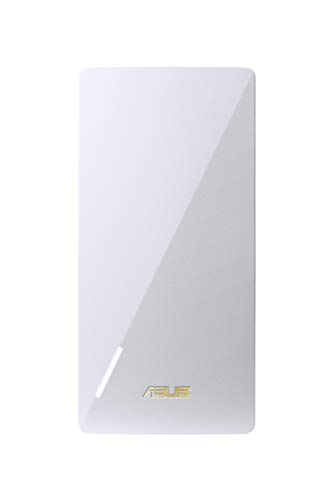
ASUS RP-AX56 WiFi 6 AX1800 Range Extender
$99
at Amazon
Best for: Gamers with an ASUS router who want to upgrade to WiFi 6 everywhere in their home
“The ASUS RP-AX56 is the Wi-Fi 6 upgrade extender — lower latency and better device handling than any Wi-Fi 5 extender. Best paired with an ASUS router for seamless AiMesh integration.”
NETGEAR Nighthawk X6S Tri-Band WiFi Mesh Extender at $44.50 — The EX8000's dedicated backhaul band ensures gaming traffic never competes with streaming backhaul.
Budget Pick: TP-Link RE650 AC2600 Dual-Band Extender at $59.99 — The TP-Link RE650 is the best value WiFi extender for gaming — MU-MIMO for multiple devices, a Gigabit wired port for....
Gaming WiFi extension has a fundamental technical challenge: traditional 2.4GHz or single-band 5GHz extenders use the same radio channel to receive data from the router AND transmit to your gaming device — halving effective bandwidth for each wireless hop. This means a 300Mbps connection from your router becomes a 150Mbps connection at your gaming device — tolerable for most applications but a bottleneck for high-speed internet connections or multiple gaming devices.
Tri-Band Extenders: Dedicated Backhaul Channel
Tri-band extenders solve this with a dedicated backhaul channel: one 5GHz radio for router-to-extender communication; a second radio for extender-to-device communication. This maintains full bandwidth at the gaming device.
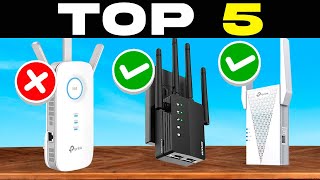
TOP 5 BEST WIFI EXTENDER 2026 | WIFI BOOSTERS AMAZON Value for Money
An even better solution: a mesh WiFi node (Eero, ASUS ZenWifi, TP-Link Deco) with a wired Ethernet backhaul connection between router and satellite node. Wired backhaul eliminates wireless bottleneck entirely, providing gigabit-speed extension across any distance. This requires running an Ethernet cable between your router location and the gaming room — feasible in many homes.
Latency: What Actually Matters for Gaming
For latency-sensitive gaming: the ping from your gaming device to the internet has two components — the WiFi hop (typically 1-5ms on modern WiFi 6 networks) and the ISP/internet path (the dominant factor). Extending your WiFi signal with a quality extender adds 1-3ms of latency — imperceptible for most games. Online gaming is far more sensitive to packet loss and jitter than absolute ping values. A stable 30ms connection beats an unstable 15ms connection every time. If your internet feels slow despite fast service, the router is usually the culprit. Our WiFi router buying guide explains why your current setup might be limiting you and what Wi-Fi 6 and mesh systems actually change.
Why does a WiFi extender make my gaming speed slower?
Traditional single-band extenders halve your bandwidth because they use one radio to receive from router and send to device simultaneously. Use a tri-band extender (dedicated backhaul radio) or wired Ethernet backhaul for full-speed gaming extension.
Is an Ethernet cable better than a WiFi extender for gaming?
Yes, always. Wired Ethernet provides the lowest latency, no packet loss from interference, and consistent speeds regardless of distance or obstacles. Run an Ethernet cable to your gaming room if at all possible — even powerline adapters are typically superior to WiFi.
What's the difference between a WiFi extender and a mesh node?
A WiFi extender rebroadcasts your existing network. A mesh node creates a unified network where your device seamlessly roams between nodes without reconnecting. Mesh with wired backhaul is the best gaming solution; mesh with wireless backhaul is better than traditional extenders.
How much does a WiFi extender affect ping?
A quality tri-band extender adds 1-3ms of latency per hop. For perspective, your ISP adds 10-50ms and the game server adds 20-100ms. The WiFi hop is a minor contributor to total ping — stability and packet loss matter more than the extender's latency contribution.
Should I get WiFi 6 or WiFi 6E for gaming extension?
WiFi 6 (2.4GHz/5GHz) is sufficient for most gaming scenarios. WiFi 6E adds the 6GHz band (less interference, more bandwidth) but requires a WiFi 6E router and is only beneficial in congested environments with many WiFi networks competing.
We analyze Amazon review data — often thousands of reviews per product — to surface patterns
that individual buyers miss. Our process aggregates star ratings, review counts, and buyer
sentiment at scale, identifying which strengths and weaknesses appear consistently across
the largest review samples available.
Each product earned its placement through data: total review volume, average rating, and the
specific praise and complaints that repeat most often across buyers. No manufacturer paid for
placement on this page. Products appear here because buyers endorsed them at scale, not
because a company asked us to feature them.
We use AI to summarize review sentiment — not to fabricate opinions, but to condense what
thousands of buyers actually wrote into a readable format. The pros and cons you see reflect
the most common themes found in verified purchaser reviews, paraphrased for clarity. We do not
claim to have accessed Reddit, YouTube, or specific publications in generating these summaries.
Prices shown reflect Amazon pricing at the time this page was last generated. Click
“See Today’s Price” to get the current live price on Amazon.
Read our full methodology →
Affiliate disclosure: When you buy through our links, we may earn
a small commission at no extra cost to you. This helps us keep the reviews free and
the data updated. Our recommendations are based on data, not who pays us.
Learn more →
 NETGEAR Nighthawk X6S Tri-Band WiFi Mes…
 TP-Link RE650 AC2600 Dual-Band Extender
 ASUS RP-AX56 WiFi 6 AX1800 Range Extender

 Photo by RDNE Stock project / Pexels