Home › Tech › Best Wireless Mouse for Work 2026: Top Productivity Picks
Best Wireless Mouse for Work 2026: Top Productivity Picks
By MyAwesomeBuy Research Team · Updated April 9, 2026 · Our Methodology
No manufacturer paid for placement. Rankings based on verified buyer review data.
Quick Answer
Logitech MX Master 3S ($99) is the best overall for work — ergonomic, 8,000 DPI, quiet clicks, works on any surface. Budget pick: Logitech M510 ($30). For Mac users: Apple Magic Mouse ($79) for ecosystem integration.
Manufacturer’s warranty can be requested from customer service.
Item Dimensions L X W
6.83"L x 5.45"W
Are Batteries Included
Yes
Are Batteries Required
Yes
Connectivity Technology
Bluetooth, Radio Frequency, USB
Mouse Maximum Sensitivity
8000 Dots per Inch
Wireless Mouse for Work Buying Guide
Photo by ✨ / Pexels
The best wireless mouse for work combines a reliable sensor, long battery life, and a shape that stays comfortable across an eight-hour day. Most productivity users will never need a gaming-grade 25,000 DPI sensor — but they will notice when a mouse skips on glass, runs out of charge mid-meeting, or cramps their hand by 3 PM.
The MX Master 3S earns its top spot with Logitech's 8,000 DPI Darkfield sensor that works on virtually any surface including glass. The MagSpeed electromagnetic scroll wheel is the standout feature — one spin scrolls through hundreds of rows instantly, or switches to precise click-by-click mode automatically. The thumb wheel handles horizontal scrolling without awkward gestures. Bluetooth or USB receiver, 70-day battery, USB-C charging. The shape is right-hand only and large — if you have smaller hands or need ambidextrous use, look below.
The new standard office mouse - Logitech MX Master 4
The MX Anywhere 3S is the travel-sized sibling — same Darkfield sensor and MagSpeed scroll wheel in a smaller, symmetrical body that fits any hand size. It weighs just 99g and runs 70 days on a single charge. The trade-off is no thumb wheel and fewer buttons. Ideal for people who work across a laptop and desktop, or who travel frequently. Pairs with up to three devices and switches with a single button press.
Identical to the standard MX Master 3S in specs, but tuned for macOS — Space Grey color, macOS-optimized button mapping out of the box, and deep Logi Options+ integration for Mission Control, Expose, and app-specific shortcuts. Pairs over Bluetooth or USB-C receiver. If you split time between Mac and PC, the standard MX Master 3S works on both with the same software.
For office and productivity work, prioritize sensor reliability on your desk surface, scroll wheel type (free-spinning wheels save hours of scrolling in documents), multi-device pairing if you use more than one computer, and USB-C charging so you share cables with your phone and laptop. DPI above 4,000 is rarely relevant for work. Battery life under 30 days is annoying. Wrist shape matters most for preventing strain — tall ergonomic mice reduce ulnar deviation; low flat mice suit palm grips.
Both work well for office use. Bluetooth saves a USB port and works without a dongle. The Logitech USB receiver (Unifying or Bolt) can be slightly more reliable on crowded 2.4GHz wireless networks. If your laptop lacks USB-A ports, Bluetooth or a USB-C adapter is the better choice.
How long do wireless mouse batteries actually last?
Modern rechargeable work mice like the MX Master 3S last 60-70 days on a single charge with typical 8-hour daily use. Disposable-battery mice like the M650 last 2 years. USB-C charging (1-minute charge = 3 hours use on MX Master 3S) means running out is rarely a problem if you charge occasionally overnight.
Is 1,000 DPI enough or do I need higher?
For most monitor setups at standard resolutions, 800-1600 DPI is plenty for precise pointer control. Higher DPI lets you move the cursor across large screens with less wrist movement, which matters on 4K monitors or multi-monitor setups. For office work, DPI matters far less than sensor quality and surface tracking reliability.
What is the MagSpeed scroll wheel and why does it matter?
MagSpeed is Logitech's electromagnetic scroll wheel that switches between precise click-by-click scrolling and free-spinning mode automatically based on scroll speed. In free-spin mode you can scroll through 1,000 rows in under a second. It makes navigating long documents, spreadsheets, and web pages dramatically faster. Mechanical scroll wheels in budget mice do not have this feature.
Can I use a wireless mouse for gaming too?
Work mice like the MX Master 3S have excellent sensors but are not optimized for gaming — they have higher click latency and are heavier than dedicated gaming mice. If you game after work, consider a gaming wireless mouse that doubles as a daily driver, such as the Logitech G Pro X Superlight 2.
We analyze Amazon review data — often thousands of reviews per product — to surface patterns
that individual buyers miss. Our process aggregates star ratings, review counts, and buyer
sentiment at scale, identifying which strengths and weaknesses appear consistently across
the largest review samples available.
Each product earned its placement through data: total review volume, average rating, and the
specific praise and complaints that repeat most often across buyers. No manufacturer paid for
placement on this page. Products appear here because buyers endorsed them at scale, not
because a company asked us to feature them.
We use AI to summarize review sentiment — not to fabricate opinions, but to condense what
thousands of buyers actually wrote into a readable format. The pros and cons you see reflect
the most common themes found in verified purchaser reviews, paraphrased for clarity. We do not
claim to have accessed Reddit, YouTube, or specific publications in generating these summaries.
Prices shown reflect Amazon pricing at the time this page was last generated. Click
“See Today’s Price” to get the current live price on Amazon.
Read our full methodology →
Affiliate disclosure: When you buy through our links, we may earn
a small commission at no extra cost to you. This helps us keep the reviews free and
the data updated. Our recommendations are based on data, not who pays us.
Learn more →

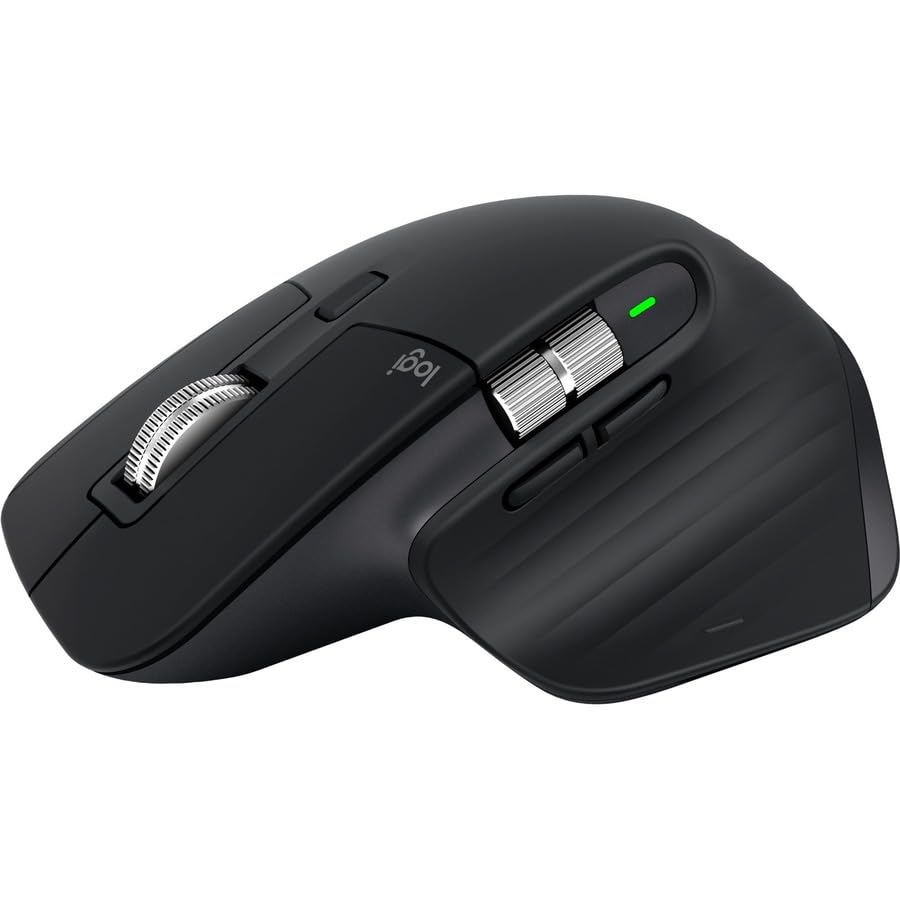 Logitech MX Master 3S Wireless Mouse
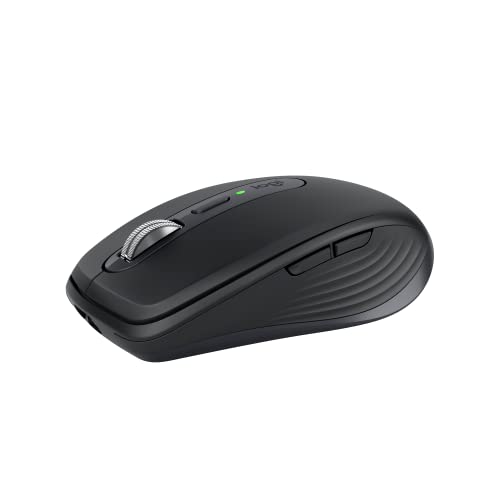 Logitech MX Anywhere 3S Wireless Mouse
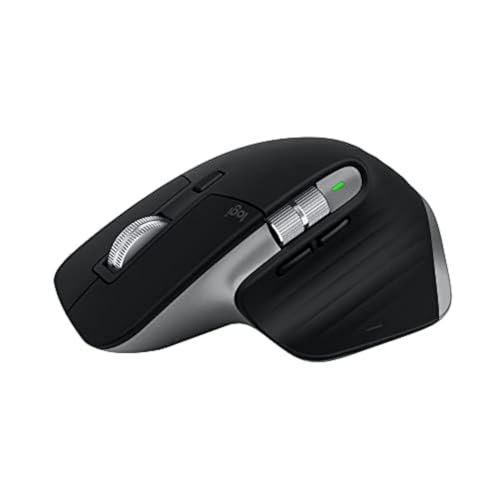 Logitech MX Master 3S for Mac

 Photo by ✨ / Pexels