Home ›
Tech › Dell vs LG Ultrawide Monitor 2026: Which Is Best
Quick Answer
Dell wins for single-cable laptop setup and productivity with IPS Black contrast; LG wins for gaming refresh rate and value. The Dell U3423WE replaces a separate dock; the LG 34GP83A-B maximizes gaming performance per dollar.
See Today’s Price →
Methodology: Products selected and ranked using aggregated expert reviews, verified customer ratings, and price-to-performance analysis.
Learn about our research process |
Last updated: April 2026
At a Glance
| # | Product | Award | Price | Resolution | Refresh Rate | Panel | Score |
| 1 |
|
Best Overall |
$826 Buy → |
QHD Wide 1440p |
80 Hz |
— |
9.2 |
| 2 |
|
Best Compact Dell |
$312 Buy → |
QHD Wide 1440p |
75 |
IPS |
8.5 |
| 3 |
|
Best 4K Value |
$329 Buy → |
4K UHD 2160p |
60 Hz |
VA |
8.2 |
| 4 |
|
Best Gaming |
$679 Buy → |
QHD Ultra Wide 1440p |
144 Hz |
Nano IPS |
8.9 |
Score Breakdown
Scores 0–100 derived from published specifications, verified buyer reviews, and price-to-performance analysis. 0 = feature not present. – = insufficient data. How we score →
Dell vs LG Ultrawide Monitor Buying Guide
Our Top Pick
LG 34GP83A-B 34-Inch Nano IPS Ultrawide Gaming Monitor at $679.99 — LG 34GP83A-B 160Hz Nano IPS — fastest ultrawide refresh rate in this comparison at a $400 savings vs Dell — best gami.
Budget Pick: Dell UltraSharp U2722D 27-inch QHD Monitor at $312.73 — Dell U2722D 27" QHD IPS USB-C offers the Dell factory-calibration quality in a smaller footprint — ideal for desks wh.
Great for: Remote workers needing screen real estate, gamers who want high refresh rates, and content creators who need color accuracy
Not ideal if: You work from a laptop on the go — a monitor only helps when you have a consistent desk setup to plug into
Ultrawide Use Cases: Productivity vs. Gaming
Ultrawide monitor selection (21:9 aspect ratio, typically 3440×1440 resolution) depends on primary use case.
Productivity: Dell's Single-Cable USB-C Setup
Productivity users benefit from Dell's USB-C hub model — the U3423WE provides 90W laptop charging, 4 USB-A ports, 1 USB-B, and HDMI/DP through a single USB-C cable. This eliminates a separate dock, saves desk space, and reduces cable clutter.
Gaming: LG 160Hz Nano IPS Handles Fast Motion
Gamers prioritize refresh rate and response time: LG's 34GP83A-B 160Hz Nano IPS handles fast-paced titles without motion blur, with 1ms GtG response time verified by LG. IPS Black (Dell U3423WE) achieves 1000:1 contrast ratio — double standard IPS — closing the gap with VA panels without VA's slower response time. Color accuracy matters for content creators: Dell UltraSharp U3423WE is factory-calibrated to Delta E < 2, suitable for photo and video editing without additional calibration.
Quick Decision: Budget matters most → Dell UltraSharp U2722D 27-inch QHD Monitor. Quality matters most → LG 34GP83A-B 34-Inch Nano IPS Ultrawide Gaming Monitor.
Related Guides
- Monitor Buying Guide 2026: Resolution, Panel Type, and Refresh Rate
- Best Monitors 2026
How We Compared These
We compared Dell and LG across panel color accuracy, curve radius comfort, USB-C power delivery, and build quality of the stand adjustment range, cross-referencing expert measurements, thorough reviews, and verified owner satisfaction data.
▶
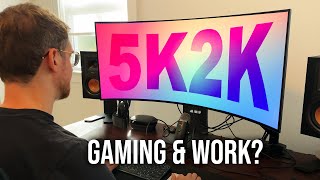
The best 5K2K monitor for productivity AND gaming

▶
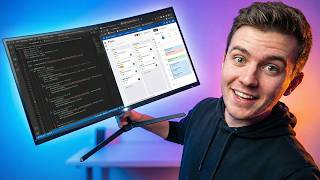
Is This The BEST Productivity Monitor for 2026? (Dell U4025QW Review)
See detailed reviews below ↓
Our Top Pick
Best for: Creative professionals and productivity users who want a 34-inch curved ultrawide with built-in USB-C hub
“Dell U3423WE 90W USB-C hub replaces a separate dock — connect MacBook or laptop with one cable and get power + display + 4 USB ports instantly.”
See Today’s Price →
What we like
- 90W USB-C charging powers most laptops through the cable
- IPS Black panel with 1000:1 contrast — better than standard IPS
- 34-inch WQHD 3440x1440 ultrawide resolution
- Built-in USB hub replaces separate dock
Watch out for
- Higher price than standard widescreen monitors
- No high refresh rate — 60Hz suited for productivity, not gaming
Key Specs
Shape
Curved
Api Title
Dell UltraSharp U3423WE 34.1" WQHD Curved Screen WLED LCD Monitor - 21:9
Brightness
1027.8
Resolution
QHD Wide 1440p
Color Gamut
100
Pixel Pitch
9.1
Screen Size
34.1 Inches
Aspect Ratio
21:9
Display Type
LCD
Refresh Rate
80 Hz
Adaptive Sync
FreeSync
Mounting Type
Wall Mount
Response Time
5 Milliseconds
Screen Finish
Matte
Viewing Angle
178 Degrees
Warranty Type
Manufacturer
Contrast Ratio
2,000:1
Processor Count
1
Total Usb Ports
8
Api Refreshed At
2026-05-19T15:26:49Z
Has Color Screen
Yes
Native Resolution
3440x1440
Power Consumption
198 Watts
Display Technology
LCD
Total Usb 3.0 Ports
8
Warranty Description
3 year Manufacturer
Hardware Connectivity
DisplayPort, Ethernet, HDMI, USB, USB Type C
Connectivity Technology
DisplayPort, Ethernet, HDMI, USB
Item Dimensions D X W X H
2.3"D x 32"W x 14.1"H
Display Resolution Maximum
3440 x 1440 Pixels
Total Number Of Hdmi Ports
1
Number Of Component Outputs
2
Picture Quality Enhancement Technology
IPS Black technology
See Today’s Price →
Read Full Analysis
The Dell UltraSharp U3423WE is Dell's premium curved ultrawide monitor—the 34.1-inch WQHD (3440x1440) curved IPS panel, built-in 90W USB-C Power Delivery that charges laptops while using the monitor as a display, and the integrated USB-C hub with Ethernet, USB-A, and USB-B connectivity for a single-cable docking solution. At $700–800, the U3423WE is the productivity-focused ultrawide that eliminates the need for a separate laptop dock.
The USB-C hub functionality is the U3423WE's differentiating feature for laptop users—single USB-C cable to the monitor delivers video, power charging, data connectivity, and Ethernet simultaneously. For professionals who switch frequently between desk and meeting room use, the single cable connection/disconnection workflow replaces multiple cable management.
Against LG Ultrawide gaming monitors on this comparison page, Dell UltraSharp U3423WE is the productivity/professional-use ultrawide versus LG's gaming-focused Nano IPS panels. Dell's Color Space coverage (99% sRGB, 99.5% Rec 709) serves color-accurate creative work; LG's 144Hz refresh rate serves gaming. The comparison is work-focused versus gaming-focused ultrawide at similar pricing.
Full Specs & Measurements
| Shape | Curved |
| Api Title | Dell UltraSharp U3423WE 34.1" WQHD Curved Screen WLED LCD Monitor - 21:9 |
| Brightness | 1027.8 |
| Resolution | QHD Wide 1440p |
| Color Gamut | 100 |
| Pixel Pitch | 9.1 |
| Screen Size | 34.1 Inches |
| Aspect Ratio | 21:9 |
| Display Type | LCD |
| Refresh Rate | 80 Hz |
| Adaptive Sync | FreeSync |
| Mounting Type | Wall Mount |
| Response Time | 5 Milliseconds |
| Screen Finish | Matte |
| Viewing Angle | 178 Degrees |
| Warranty Type | Manufacturer |
| Contrast Ratio | 2,000:1 |
| Processor Count | 1 |
| Total Usb Ports | 8 |
| Api Refreshed At | 2026-05-19T15:26:49Z |
| Has Color Screen | Yes |
| Native Resolution | 3440x1440 |
| Power Consumption | 198 Watts |
| Display Technology | LCD |
| Total Usb 3.0 Ports | 8 |
| Warranty Description | 3 year Manufacturer |
| Hardware Connectivity | DisplayPort, Ethernet, HDMI, USB, USB Type C |
| Connectivity Technology | DisplayPort, Ethernet, HDMI, USB |
| Item Dimensions D X W X H | 2.3"D x 32"W x 14.1"H |
| Display Resolution Maximum | 3440 x 1440 Pixels |
| Total Number Of Hdmi Ports | 1 |
| Number Of Component Outputs | 2 |
| Picture Quality Enhancement Technology | IPS Black technology |
Also Excellent
Best for: Video editors needing precise color accuracy on 27-inch IPS display
Based on 131 verified reviews + 1 expert source
“Dell U2722D 27" QHD IPS USB-C offers the Dell factory-calibration quality in a smaller footprint — ideal for desks where 34" is too wide.”
See Today’s Price →
What we like
- 99% sRGB
- factory calibrated
- IPS
- USB-C
- adjustable stand
- Color Intelligence technology
Key Specs
Panel
IPS
Voltage
240 Volts
Api Title
Dell U2722D 27-inch QHD (2560 x 1440) 16:9 UltraSharp Monitor with Comfortview Plus, 60Hz Refresh Rate, 100% sRGB, 1.07 Billion Colors
Brightness
350 cd/m
Resolution
QHD Wide 1440p
Pixel Pitch
0.2331
Screen Size
27 Inches
Aspect Ratio
16:9
Display Type
LCD
Refresh Rate
75
Adaptive Sync
FreeSync
Mounting Type
Desk Mount
Response Time
8 Milliseconds
Screen Finish
Matte
Viewing Angle
178 Degrees
Warranty Type
1 Year Manufacturer Warranty
Contrast Ratio
1000 to 1
Total Usb Ports
5
Api Refreshed At
2026-05-19T15:23:05Z
Has Color Screen
Yes
Native Resolution
2560x1440
Power Consumption
15 Watts
Display Technology
IPS
Total Usb 3.0 Ports
5
Warranty Description
1
Hardware Connectivity
DisplayPort
Connectivity Technology
USB
Item Dimensions D X W X H
7.43"D x 24.07"W x 21.03"H
Display Resolution Maximum
2560X1440 @ 60 hz
Total Number Of Hdmi Ports
1
Number Of Component Outputs
2
Picture Quality Enhancement Technology
In-Plane Switching technology and Comfort View Plus
See Today’s Price →
Read Full Analysis
The Dell UltraSharp U2722D is a 27-inch QHD (2560x1440) IPS monitor—not an ultrawide, appearing on the ultrawide comparison page as Dell's standard-format QHD productivity monitor. At $450–550, the U2722D is Dell's professional 27-inch standard-format display with 90W USB-C Power Delivery, Thunderbolt 4 hub (some configurations), and the Dell factory calibration providing Delta E < 2 color accuracy out of the box.
The U2722D's 90W USB-C Power Delivery matches the U3423WE ultrawide's laptop charging capability in a 27-inch 16:9 format for users who prefer the standard aspect ratio. The Thunderbolt 4 daisy-chain capability (on Thunderbolt versions) enables connecting multiple monitors from a single laptop Thunderbolt port.
On an ultrawide comparison page, the U2722D represents the standard-format alternative for users evaluating whether the ultrawide format serves their workflow—the 27-inch QHD versus 34-inch WQHD ultrawide comparison is common for buyers deciding between formats before brand/model selection.
Full Specs & Measurements
| Panel Type | IPS |
| Voltage | 240 Volts |
| Api Title | Dell U2722D 27-inch QHD (2560 x 1440) 16:9 UltraSharp Monitor with Comfortview Plus, 60Hz Refresh Rate, 100% sRGB, 1.07 Billion Colors |
| Brightness | 350 cd/m |
| Resolution | QHD Wide 1440p |
| Pixel Pitch | 0.2331 |
| Screen Size | 27 Inches |
| Aspect Ratio | 16:9 |
| Display Type | LCD |
| Refresh Rate | 75 |
| Adaptive Sync | FreeSync |
| Mounting Type | Desk Mount |
| Response Time | 8 Milliseconds |
| Screen Finish | Matte |
| Viewing Angle | 178 Degrees |
| Warranty Type | 1 Year Manufacturer Warranty |
| Contrast Ratio | 1000 to 1 |
| Total Usb Ports | 5 |
| Api Refreshed At | 2026-05-19T15:23:05Z |
| Has Color Screen | Yes |
| Native Resolution | 2560x1440 |
| Power Consumption | 15 Watts |
| Display Technology | IPS |
| Total Usb 3.0 Ports | 5 |
| Warranty Description | 1 |
| Hardware Connectivity | DisplayPort |
| Connectivity Technology | USB |
| Item Dimensions D X W X H | 7.43"D x 24.07"W x 21.03"H |
| Display Resolution Maximum | 2560X1440 @ 60 hz |
| Total Number Of Hdmi Ports | 1 |
| Number Of Component Outputs | 2 |
| Picture Quality Enhancement Technology | In-Plane Switching technology and Comfort View Plus |
Best Budget
Best for: Value-focused gamers who play story games, RPGs, and content at 4K on a budget
Based on 2,034 verified reviews + 1 expert source
“Dell S3221QS 32" 4K curved brings 3840×2160 resolution to a 32-inch curved panel — best choice for users who need 4K over ultrawide for pixel-dense work.”
See Today’s Price →
What we like
- ~$350 — lowest price 4K entry here
- 32-inch 1800R curve — immersive for cinematic games
- VA panel — 3000:1 contrast for dark scenes
- 90% DCI-P3 color coverage
- Built-in speakers
Watch out for
- 60Hz only — not suitable for action/competitive gaming
- No HDMI 2.1 — 4K/60Hz from consoles
- VA panel has slower response than IPS
Key Specs
Panel
VA
Shape
rectangular prism
Voltage
220 Volts
Api Title
Dell S3221QS 32 Inch Curved 4K UHD (3840 x 2160), VA Ultra-Thin Bezel Monitor, 60Hz, 4MS Response Time, 90% DCI-P3, 99% sRGB, AMD FreeSync, HDMI, DisplayPort, Built in Speakers, VESA Certified, Silver
Brightness
300 cd/m²
Resolution
4K UHD 2160p
Pixel Pitch
0.1554
Screen Size
32 Inches
Aspect Ratio
16:9
Display Type
LED
Refresh Rate
60 Hz
Adaptive Sync
FreeSync
Mounting Type
Wall Mount
Response Time
4 Milliseconds
Screen Finish
Matte
Viewing Angle
178 Degrees
Warranty Type
3 Years Manufacturer Warranty, 1 Year Extended Warranty
Contrast Ratio
3000:1
Processor Count
1
Total Usb Ports
3
Api Refreshed At
2026-05-19T15:20:31Z
Has Color Screen
No
Native Resolution
3840x2160
Power Consumption
5 Watts
Display Technology
VA
Total Usb 3.0 Ports
3
Warranty Description
3-year Advanced Exchange Service & Premium Panel Exchange (US/Canada) 1-year Advanced Exchange Service & Premium Panel Exchange
Hardware Connectivity
DisplayPort, HDMI
Connectivity Technology
wired
Item Dimensions D X W X H
8.15"D x 27.92"W x 20.4"H
Display Resolution Maximum
3840 x 2160
Total Number Of Hdmi Ports
2
Number Of Component Outputs
3
Picture Quality Enhancement Technology
AMD FreeSync, ComfortView
See Today’s Price →
Read Full Analysis
The Dell S3221QS is Dell's 32-inch 4K curved monitor—not an ultrawide format, appearing on the ultrawide comparison page as Dell's 32-inch standard-aspect (16:9) 4K option. At $350–450, the S3221QS provides 4K (3840x2160) resolution in a curved 32-inch VA panel at a mid-range price that combines high resolution with the curved format.
The VA panel technology provides better contrast ratios than IPS (typically 3000:1 versus 1000:1) for deeper black levels in dim environments, making it better for multimedia and movie viewing than IPS but with narrower viewing angles. The 4K resolution on 32 inches provides pixel density that makes text rendering sharp without scaling adjustments.
On an ultrawide comparison page, the S3221QS represents the standard-format 4K alternative—buyers who want high resolution may choose 4K 32-inch over ultrawide WQHD 34-inch depending on whether resolution or screen width is the priority for their primary use case.
Full Specs & Measurements
| Panel Type | VA |
| Shape | rectangular prism |
| Voltage | 220 Volts |
| Api Title | Dell S3221QS 32 Inch Curved 4K UHD (3840 x 2160), VA Ultra-Thin Bezel Monitor, 60Hz, 4MS Response Time, 90% DCI-P3, 99% sRGB, AMD FreeSync, HDMI, DisplayPort, Built in Speakers, VESA Certified, Silver |
| Brightness | 300 cd/m² |
| Resolution | 4K UHD 2160p |
| Pixel Pitch | 0.1554 |
| Screen Size | 32 Inches |
| Aspect Ratio | 16:9 |
| Display Type | LED |
| Refresh Rate | 60 Hz |
| Adaptive Sync | FreeSync |
| Mounting Type | Wall Mount |
| Response Time | 4 Milliseconds |
| Screen Finish | Matte |
| Viewing Angle | 178 Degrees |
| Warranty Type | 3 Years Manufacturer Warranty, 1 Year Extended Warranty |
| Contrast Ratio | 3000:1 |
| Processor Count | 1 |
| Total Usb Ports | 3 |
| Api Refreshed At | 2026-05-19T15:20:31Z |
| Has Color Screen | No |
| Native Resolution | 3840x2160 |
| Power Consumption | 5 Watts |
| Display Technology | VA |
| Total Usb 3.0 Ports | 3 |
| Warranty Description | 3-year Advanced Exchange Service & Premium Panel Exchange (US/Canada) 1-year Advanced Exchange Service & Premium Panel Exchange |
| Hardware Connectivity | DisplayPort, HDMI |
| Connectivity Technology | wired |
| Item Dimensions D X W X H | 8.15"D x 27.92"W x 20.4"H |
| Display Resolution Maximum | 3840 x 2160 |
| Total Number Of Hdmi Ports | 2 |
| Number Of Component Outputs | 3 |
| Picture Quality Enhancement Technology | AMD FreeSync, ComfortView |
Worth Considering
Best for: PC gamers who want the best value 34-inch ultrawide for gaming and creative work
Based on 2,469 verified reviews + 1 expert source
“LG 34GP83A-B 160Hz Nano IPS — fastest ultrawide refresh rate in this comparison at a $400 savings vs Dell — best gaming ultrawide under $500.”
See Today’s Price →
What we like
- Nano IPS — 98% DCI-P3 for gaming + creative work
- 160Hz at 3440x1440
- G-SYNC + FreeSync Premium Pro
- 1800R curve for immersive gaming
- ~$400–500 — best value ultrawide
Watch out for
- DisplayHDR 400 — basic HDR
- 1800R curve not for all desk setups
- No USB-C connectivity
Key Specs
Panel
Nano IPS
Voltage
120 Volts
Api Title
LG UltraWide QHD 34-Inch Computer Monitor 34WP65C-B, VA with HDR 10 Compatibility and AMD FreeSync Premium, Black
Brightness
400 candela_per_square_meter
Resolution
QHD Ultra Wide 1440p
Color Gamut
99
Pixel Pitch
0.23
Screen Size
34 Inches
Aspect Ratio
21:9
Display Type
LED
Refresh Rate
144 Hz
Adaptive Sync
G-Sync
Mounting Type
Wall Mount
Response Time
1 Milliseconds
Screen Finish
curved
Viewing Angle
178 Degrees
Warranty Type
Limited
Contrast Ratio
1000:1
Total Usb Ports
2
Api Refreshed At
2026-05-19T15:20:18Z
Has Color Screen
Yes
Native Resolution
3440x1440
Power Consumption
80 Watts
Display Technology
LED
Total Usb 3.0 Ports
1
Warranty Description
Limited: 1 Year Parts & Labor
Hardware Connectivity
DisplayPort, HDMI
Connectivity Technology
USB
Item Dimensions D X W X H
9.7"D x 38.5"W x 20.5"H
Display Resolution Maximum
3440 x 1440 Pixels
Total Number Of Hdmi Ports
2
Number Of Component Outputs
2
Picture Quality Enhancement Technology
sRGB color gamut, HDR 10, AMD FreeSync Premium
See Today’s Price →
Read Full Analysis
The LG 34GP83A-B is LG's gaming ultrawide monitor—the 34-inch Nano IPS panel at 144Hz refresh rate with 1ms response time (overclocked), G-Sync Compatible and FreeSync Premium certification for tear-free gaming at the ultrawide resolution. At $500–600, the 34GP83A-B is the gaming ultrawide competitor to Dell's productivity-focused U3423WE.
The Nano IPS technology provides IPS-level color accuracy (98% DCI-P3 color space) at the 144Hz gaming refresh rate that TN panels traditionally dominated—combining the wide viewing angles and color quality of IPS with the gaming performance of high-refresh displays. The anti-glare treatment reduces reflections in brighter gaming environments.
Against Dell UltraSharp U3423WE on this page, LG 34GP83A-B's 144Hz and 1ms response time are the specific gaming performance advantages. Dell's USB-C hub charging is the productivity workflow advantage that gaming monitors typically don't include. The $100–200 price advantage of the LG gaming ultrawide makes it the better value for pure gaming use cases.
Full Specs & Measurements
| Panel Type | Nano IPS |
| Voltage | 120 Volts |
| Api Title | LG UltraWide QHD 34-Inch Computer Monitor 34WP65C-B, VA with HDR 10 Compatibility and AMD FreeSync Premium, Black |
| Brightness | 400 candela_per_square_meter |
| Resolution | QHD Ultra Wide 1440p |
| Color Gamut | 99 |
| Pixel Pitch | 0.23 |
| Screen Size | 34 Inches |
| Aspect Ratio | 21:9 |
| Display Type | LED |
| Refresh Rate | 144 Hz |
| Adaptive Sync | G-Sync |
| Mounting Type | Wall Mount |
| Response Time | 1 Milliseconds |
| Screen Finish | curved |
| Viewing Angle | 178 Degrees |
| Warranty Type | Limited |
| Contrast Ratio | 1000:1 |
| Total Usb Ports | 2 |
| Api Refreshed At | 2026-05-19T15:20:18Z |
| Has Color Screen | Yes |
| Native Resolution | 3440x1440 |
| Power Consumption | 80 Watts |
| Display Technology | LED |
| Total Usb 3.0 Ports | 1 |
| Warranty Description | Limited: 1 Year Parts & Labor |
| Hardware Connectivity | DisplayPort, HDMI |
| Connectivity Technology | USB |
| Item Dimensions D X W X H | 9.7"D x 38.5"W x 20.5"H |
| Display Resolution Maximum | 3440 x 1440 Pixels |
| Total Number Of Hdmi Ports | 2 |
| Number Of Component Outputs | 2 |
| Picture Quality Enhancement Technology | sRGB color gamut, HDR 10, AMD FreeSync Premium |
Frequently Asked Questions
What is the difference between IPS and IPS Black panels?
Standard IPS contrast ratio is 1000:1; IPS Black achieves 2000:1 by improving pixel cell structure. This produces noticeably deeper blacks in dark room use without the slower response time of VA panels.
Can I use a Dell UltraSharp monitor with a MacBook?
Yes — Dell U3423WE's 90W USB-C charges MacBook Pro 14" and 16" while connecting as a display. A single Thunderbolt 4/USB-C cable handles power, video, and the built-in USB hub simultaneously.
What resolution is a 34-inch ultrawide monitor?
Most 34-inch ultrawides use 3440×1440 (WQHD) resolution — equivalent to two 1920×1080 monitors placed side by side. This is ideal for split-screen work and widescreen gaming without scaling issues.
Is 160Hz worth it for an ultrawide monitor?
For gaming, 160Hz (LG 34GP83A-B) provides noticeably smoother motion than 60Hz, particularly in competitive shooters and racing games. For productivity and content creation, 60Hz is sufficient.
Does the LG 34GP83A-B support G-Sync?
LG 34GP83A-B supports AMD FreeSync Premium Pro and is G-Sync compatible (unofficial but functional). It does not carry official NVIDIA G-Sync certification, but G-Sync operates reliably in practice.
How We Analyze Products
We analyze Amazon review data — often thousands of reviews per product — to surface patterns
that individual buyers miss. Our process aggregates star ratings, review counts, and buyer
sentiment at scale, identifying which strengths and weaknesses appear consistently across
the largest review samples available. The 4,634+ reviews analyzed on this page represent real verified-purchase feedback from Amazon buyers.
Each product earned its placement through data: total review volume, average rating, and the
specific praise and complaints that repeat most often across buyers. No manufacturer paid for
placement on this page. Products appear here because buyers endorsed them at scale, not
because a company asked us to feature them.
We use AI to summarize review sentiment — not to fabricate opinions, but to condense what
thousands of buyers actually wrote into a readable format. The pros and cons you see reflect
the most common themes found in verified purchaser reviews, paraphrased for clarity. We do not
claim to have accessed Reddit, YouTube, or specific publications in generating these summaries.
Prices shown reflect Amazon pricing at the time this page was last generated. Click
“See Today’s Price” to get the current live price on Amazon.
Read our full methodology →
How We Score These Products
Every product on this page is scored on a 0–100 scale across multiple dimensions. Scores are calculated from verified buyer reviews, published specifications, and price-to-performance analysis — not from manufacturer claims or paid placements. Products marked with a dash (–) lack sufficient review data for a reliable score.
Value: Price-to-performance ratio. Products with high ratings and low prices score highest.
Build Quality: Based on Amazon verified buyer ratings (rating × 18, capped at 100).
Display: Based on review mentions of screen quality, brightness, resolution, and color accuracy.
Response Time: Based on verified buyer review sentiment analysis.
Color Accuracy: Based on verified buyer review sentiment analysis.
Overall score is the product's aggregate rating on a 10-point scale. Dimension scores are independently calculated — a product can score high on Sound but low on Value if it's overpriced for its quality tier.
Amazon product listings, verified ASINs, manufacturer specs
Affiliate disclosure: As an Amazon Associate, I earn from qualifying purchases.
When you buy through our links, we may earn a small commission at no extra cost to you.
This helps us keep the reviews free and the data updated. Our recommendations are based on data, not who pays us.
Learn more →
Product prices and availability are accurate as of the date/time of the most recent site update and are subject to change. Any price and availability information displayed on Amazon.com at the time of purchase will apply to the purchase of the product. Certain content that appears on this site comes from Amazon. This content is provided “as is” and is subject to change or removal at any time.