6 Best Ergonomic Keyboards Under $50 (2026)
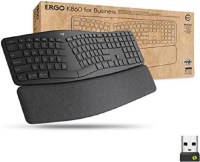
Best overall: Logitech ERGO K860 at sale price delivers the best combination of split angle, wrist rest, and Bluetooth multi-device support. Budget pick: Perixx PERIBOARD-512 wired split at its price gives first-time ergonomic keyboard buyers a low-cost entry point. Microsoft Sculpt has the most ergonomic design but requires adjustment.
See Today’s Price →At a Glance



6 Best Ergonomic Keyboards Under $50 (2026) Buying Guide
Ergonomic keyboards under $50 address the most common cause of typing fatigue: a flat, straight keyboard that keeps your wrists in an unnatural pronated position. Split keyboards and wave-form keyboards both solve this problem — split layouts more aggressively, wave-form designs more gradually. Most users find the adjustment period worthwhile after 2-4 weeks.
Wave-Form vs Split: Which Is More Effective
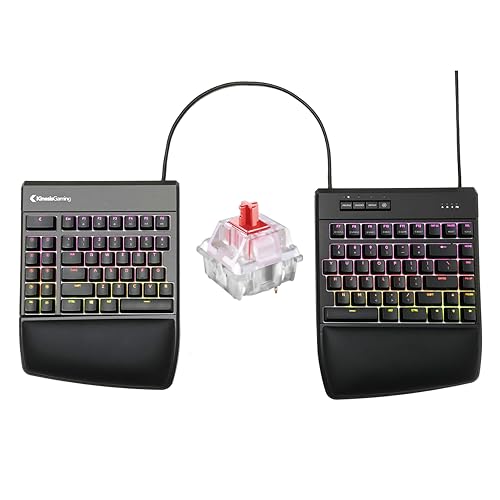
Wave-form keyboards (Adesso illuminated, Perixx) tilt the key area slightly and curve the layout in a banana shape — gentle enough that most users adapt in a day or two. Full split keyboards (Microsoft Sculpt, Microsoft Surface Ergonomic, Logitech ERGO K860) separate the keyboard into two halves at shoulder width, providing a more anatomically correct wrist position. The Kinesis Freestyle2 allows complete customization of the split angle and distance. More extreme splits are more effective ergonomically but require longer adjustment.
The Numpad Trade-off
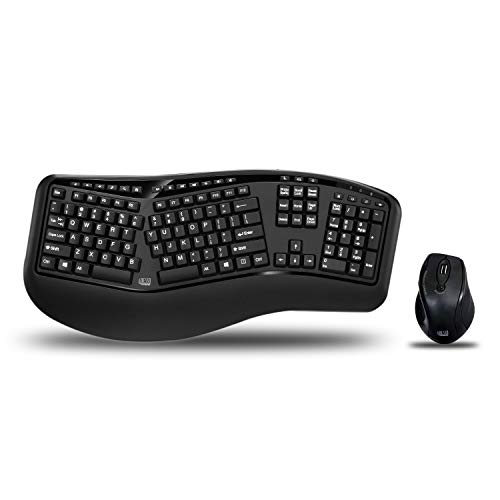
Standard ergonomic keyboards remove or separate the numpad because keeping it in the same horizontal row as the main keys forces right-handed mouse users to reach further right — increasing shoulder strain. The Microsoft Sculpt provides a separate wireless numpad; most other ergonomic keyboards simply omit it. If a numpad is essential for your workflow, buy the Adesso WKB-1500GB which keeps a traditional numpad while still providing a split wave design.
Price Reality Check
True quality ergonomic keyboards cost $80-160: the Logitech ERGO K860, Microsoft Sculpt, and Kinesis Freestyle2 Blue all exceed $50 when priced properly. Under $50 captures budget options and sale prices. If you're treating an existing wrist injury, it's worth budgeting $80+ for a proven model rather than a budget alternative that may not provide sufficient ergonomic benefit.
What to Avoid
Avoid keyboards marketed as "ergonomic" that only add a palm rest to a standard straight keyboard — these don't address wrist pronation at all. Avoid cheap split keyboards with poor key feel; a keyboard you find uncomfortable to type on defeats the purpose of switching to an ergonomic layout. Spend at least $30 for a keyboard with decent key travel and resistance.
How We Picked These
We compared ergonomic keyboards on split design effectiveness, adjustment difficulty, numpad availability, connection type, and brand reliability. Picks cover wave-form designs for gentle adaptation and full-split designs for maximum ergonomic benefit. Price targets are under $50, though several picks represent their best sale or refurbished prices from reputable sellers.
“Logitech ERGO K860 combines a gentle split angle, padded wrist rest, and Bluetooth multi-device pairing in the most refined ergonomic keyboard design under $100. Works with Windows, Mac, and iPadOS. T”
See Today’s Price →What we like
- Mechanical switches provide tactile or clicky feedback preferred by typists and gamers
- Durable switch mechanism rated for tens of millions of keystrokes
- Compact or standard layout improves ergonomics and desk space utilization
Watch out for
- Mechanical keyboards are louder than membrane alternatives in shared office environments
- Higher price than basic membrane keyboards for the tactile feedback benefit
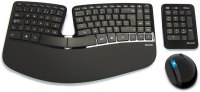
“Microsoft Sculpt's separate numpad positions the mouse closer to the keyboard, reducing shoulder reach. The split dome design places hands in a shoulder-width neutral position. Most aggressively ergon”
See Today’s Price →What we like
- Separate number pad positions it independently from the main keyboard, moving the mouse closer
- Cushioned palm rest is integrated — no separate purchase needed for full wrist support
- Split dome design places hands in a more natural shoulder-width position
Watch out for
- Unusual key layout requires a 2-4 week adjustment period for accurate typing speed
- Three-piece design (keyboard, numpad, palm rest) means more desk clutter than a single unit
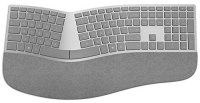
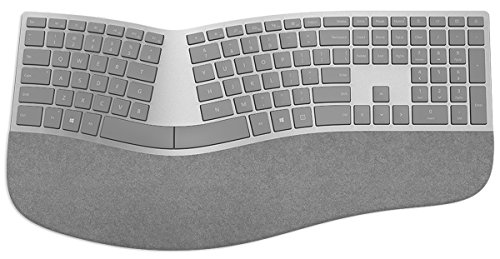
“Microsoft Surface Ergonomic pairs the Alcantara fabric finish of Surface devices with a full-size split layout. Integrated wrist support in the same unit. Bluetooth 4.0 connects to up to 3 devices. Th”
See Today’s Price →What we like
- Alcantara fabric palm rest integrates wrist support without a separate purchase
- Wireless Bluetooth 4.0 connects to up to 3 devices with easy pairing button switching
- Full-size split layout places wrists in a more neutral position than flat keyboards
Watch out for
- Runs on AA batteries with no rechargeable built-in option — requires battery replacements
- No backlighting makes this impractical in dim environments
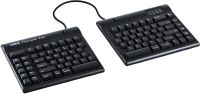
“Kinesis Freestyle2 Blue separates into two halves connected by a cable — you set the exact distance and angle between them. The most anatomically adjustable option here. Available with tenting accesso”
See Today’s Price →What we like
- Mechanical switches provide tactile or clicky feedback preferred by typists and gamers
- Durable switch mechanism rated for tens of millions of keystrokes
- Compact or standard layout improves ergonomics and desk space utilization
Watch out for
- Mechanical keyboards are louder than membrane alternatives in shared office environments
- Higher price than basic membrane keyboards for the tactile feedback benefit
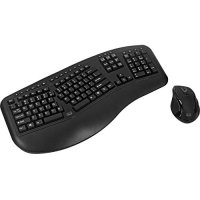
“Adesso wireless split keeps the full numpad in the design — important for accountants, analysts, and data entry users who can't give up the numeric keys. Wireless 2.4GHz USB receiver, wave-form curved”
See Today’s Price →What we like
- Wireless 2.4GHz USB receiver provides reliable plug-and-play connection on any PC
- Full-size layout retains the numpad — essential for accounting or data entry workflows
- Cushioned split dome reduces wrist pronation during extended typing
Watch out for
- No Bluetooth pairing — requires the included USB receiver, using a USB port permanently
- Design is dated compared to newer wave-form ergonomic keyboards
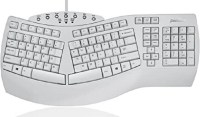
“Perixx's wired natural keyboard delivers the fundamentals of split ergonomic typing at the lowest price in this lineup. USB-A plug-and-play works on any PC or Mac. The right choice for testing whether”
See Today’s Price →What we like
- Full-size wired natural layout at a price point significantly below major brands
- USB-A wired connection works on any PC or Mac without drivers or software
- Contoured split design covers the fundamentals of neutral wrist positioning at low cost
Watch out for
- Lighter build than Logitech or Microsoft alternatives — flexes slightly under firm typing pressure
- No wrist rest included — requires a separate purchase for a complete ergonomic setup
How We Analyze Products
We analyze Amazon review data — often thousands of reviews per product — to surface patterns that individual buyers miss. Our process aggregates star ratings, review counts, and buyer sentiment at scale, identifying which strengths and weaknesses appear consistently across the largest review samples available.
Each product earned its placement through data: total review volume, average rating, and the specific praise and complaints that repeat most often across buyers. No manufacturer paid for placement on this page. Products appear here because buyers endorsed them at scale, not because a company asked us to feature them.
We use AI to summarize review sentiment — not to fabricate opinions, but to condense what thousands of buyers actually wrote into a readable format. The pros and cons you see reflect the most common themes found in verified purchaser reviews, paraphrased for clarity. We do not claim to have accessed Reddit, YouTube, or specific publications in generating these summaries.
Prices shown reflect Amazon pricing at the time this page was last generated. Click “See Today’s Price” to get the current live price on Amazon. Read our full methodology →