Home Wi-Fi Explained: Mesh System vs Router vs Extender (2026)
Standard router: works for apartments and small homes under 1,500 sq ft with no dead zones. Wi-Fi extender: a cheap fix that creates a second network with worse performance — avoid unless you have a single dead zone in an otherwise functional home. Mesh system: the right solution for homes over 1,500 sq ft, multi-floor layouts, or anyone who's tried extenders and still has coverage problems.
Home Wi-Fi Explained Buying Guide

If your Wi-Fi slows to a crawl in the back bedroom, drops in the garage, or can't keep up with a video call while someone else streams, you have a coverage and capacity problem — not necessarily an internet speed problem. The fix depends on which specific failure you're experiencing. This guide explains what each technology actually does and where each one belongs.
Why Most Wi-Fi Problems Are Hardware and Placement, Not Internet Speed
When internet feels slow, most people call their ISP or pay for a faster plan. But internet throughput from the street to your router is rarely the bottleneck for typical home usage. The Federal Communications Commission defines broadband as 25 Mbps download — enough for simultaneous 4K streaming, video calls, and web browsing. Most household plans deliver 100–500 Mbps at the modem. What degrades between the modem and your devices is where the actual problem lives.
The most common real causes of slow in-home Wi-Fi: a router placed in a corner or closet (walls and furniture absorb 2.4 GHz and 5 GHz signals dramatically); a router that's 6–8 years old and lacks the processing power or Wi-Fi standard (Wi-Fi 5 vs Wi-Fi 6) to handle multiple simultaneous devices; physical obstacles between the router and devices (floors, thick walls, appliances); and channel congestion in dense apartment buildings where dozens of overlapping networks compete for the same radio channels.
Before buying anything: run a speed test at the device having problems (not just at the router) using a service like Fast.com or Speedtest.net. If you get 80–90% of your plan speed at the router but 20% at the problem device, the issue is in-home coverage. If you get 20% at the router, the issue is upstream — call your ISP. Our complete Wi-Fi buying guide walks through the diagnostic process before any hardware purchase.
Standard Router: When It's Enough and When It Isn't

A standard router is a single device that broadcasts Wi-Fi from one location and manages all traffic between your devices and the internet. It's the right solution when your problem is router hardware quality (old, underpowered, or Wi-Fi 4/5 when current devices support Wi-Fi 6), not coverage area.
A single router can adequately cover roughly 1,000–2,000 square feet of open-plan space, depending on construction materials. It degrades quickly in multi-floor homes, homes with thick walls (concrete, masonry, plaster), and layouts where the router must be near the ISP entry point (which is rarely the geometric center of the home). If you live in a one-bedroom apartment or a small home and your only complaint is speed — not dead zones — a single router upgrade is the right and least expensive fix.

The important specs to understand when shopping:
- Wi-Fi 6 (802.11ax) vs Wi-Fi 5 (802.11ac): Wi-Fi 6 is significantly more efficient at handling many simultaneous devices (OFDMA technology divides channels among multiple clients). In a home with 20+ devices — phones, laptops, TVs, smart home devices — Wi-Fi 6 reduces congestion noticeably. Wi-Fi 6E adds the 6 GHz band for less congestion in dense environments.
- AX ratings (AX1800, AX3000, AX6000): These are theoretical maximum speeds across all bands combined, not real-world speeds for any single device. AX1800 is adequate for most homes; AX3000+ is meaningful for homes with many simultaneous heavy users.
- Dual-band vs tri-band: Dual-band routers have 2.4 GHz (longer range, lower speed) and 5 GHz (shorter range, higher speed) radios. Tri-band adds a second 5 GHz or a 6 GHz radio, which matters primarily in mesh systems where the extra band is used as a dedicated backhaul channel.
See our best Wi-Fi routers for top single-router picks at every price tier, including the TP-Link Archer AX55 ($80) and ASUS RT-AX86U ($230) for performance-focused buyers.
Wi-Fi Extenders: What They Actually Do (and Why They Disappoint)
A Wi-Fi extender (also called a range extender or repeater) receives your existing router's signal and rebroadcasts it from a different location. This sounds like the obvious solution to a dead zone — and in a narrow set of circumstances, it works. Understanding why it usually disappoints explains when it's actually appropriate.

The core problem: A Wi-Fi extender creates a second network — a completely separate SSID — that your devices must manually connect to as you move through the home. Your phone doesn't automatically hand off from the router to the extender; it holds onto the weaker router signal until the connection breaks, then reconnects. This is why moving around a home with an extender produces frustrating drop-and-reconnect behavior.
The second issue: an extender rebroadcasts the router signal it receives, which is already attenuated by distance and obstacles. If the router signal reaching the extender is 50% of its original strength, the extender rebroadcasts a 50%-strength signal. Devices connecting to the extender get a worse signal than they would if the extender weren't there and they connected to the router directly — in many cases, the extender makes performance worse, not better.
When an extender actually works: A single dead zone in an otherwise functional home — a garage, a porch, a basement — where you primarily use stationary devices (a desktop, a streaming stick) and don't need seamless roaming. For this specific use case, a $30–$50 extender placed within good line-of-sight of the router and used by devices that stay connected rather than roam is a cost-effective solution. See our best Wi-Fi range extenders for the top performers in this narrow use case.
When an extender fails: Multi-room coverage, mobile devices that roam, anyone who's already tried one and still has problems, and any home over 2,000 square feet with a layout more complex than a rectangle.
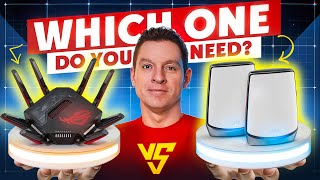
Watch Before You Buy

At a Glance

Showing 3 of 3 products
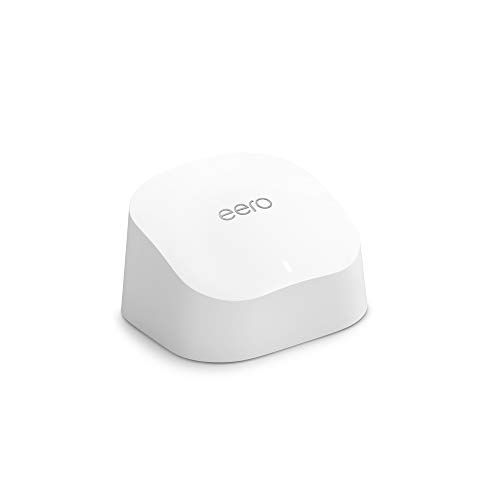
Amazon Eero 6 WiFi Mesh System (2-pack)
“For $140, the Eero 6 2-pack provides better whole-home coverage than any extender. True mesh means no backhaul speed penalty, and the Eero app makes setup and management genuinely easy. Recommended ov”
See Today’s Price →What we like
- True mesh (no speed penalty)
- Simple Eero app
- Covers 3000 sq ft
- WiFi 6
Watch out for
- Monthly subscription for advanced features ($3/mo)
- Requires router mode or bridge
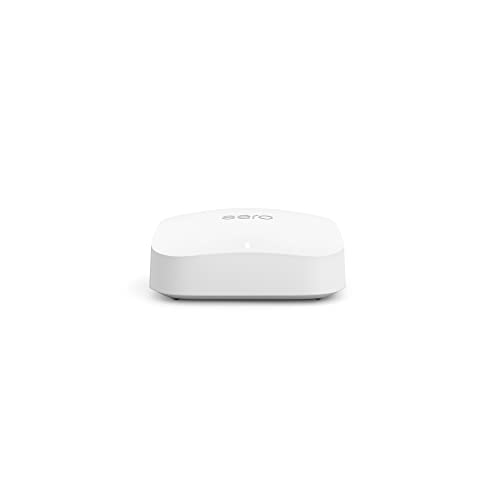
Amazon Eero Pro 6E Tri-Band Mesh WiFi Router
“Best for Amazon/Alexa-centric smart homes. The built-in Zigbee hub consolidates your smart home hub and router, and the eero app is the easiest mesh management experience.”
See Today’s Price →
Google Nest WiFi Pro 6E Mesh Router Snow
“The best Wi-Fi system for Google Home users — native integration, Thread support, and minimal aesthetics make it ideal for smart home households.”
See Today’s Price →What we like
- Native Google Home integration
- Wi-Fi 6E tri-band with 6GHz backhaul
- Minimal design blends into home decor
- Thread border router built-in for smart home
Watch out for
- No Ethernet port on satellite nodes
- Less control than ASUS or NETGEAR for advanced users
Frequently Asked Questions
What is the difference between a mesh system and a Wi-Fi extender?
Is a mesh system worth it for a small apartment?
How many mesh nodes do I need?
Can I keep my ISP router with a mesh system?
Does Wi-Fi 6 make a difference for home use?
How We Analyze Products
We analyze Amazon review data — often thousands of reviews per product — to surface patterns that individual buyers miss. Our process aggregates star ratings, review counts, and buyer sentiment at scale, identifying which strengths and weaknesses appear consistently across the largest review samples available. The 36,616+ reviews analyzed on this page represent real verified-purchase feedback from Amazon buyers.
Each product earned its placement through data: total review volume, average rating, and the specific praise and complaints that repeat most often across buyers. No manufacturer paid for placement on this page. Products appear here because buyers endorsed them at scale, not because a company asked us to feature them.
We use AI to summarize review sentiment — not to fabricate opinions, but to condense what thousands of buyers actually wrote into a readable format. The pros and cons you see reflect the most common themes found in verified purchaser reviews, paraphrased for clarity. We do not claim to have accessed Reddit, YouTube, or specific publications in generating these summaries.
Prices shown reflect Amazon pricing at the time this page was last generated. Click “See Today’s Price” to get the current live price on Amazon. Read our full methodology →