How to Choose a Laptop: Complete Guide (2026)
Match the laptop to your actual workload, not spec-sheet ambition. 16GB RAM is the new baseline; 512GB SSD the new floor. MacBook Air M4 is the default for non-Windows users; Chromebooks dominate $300-500 student/budget tier.
At a Glance

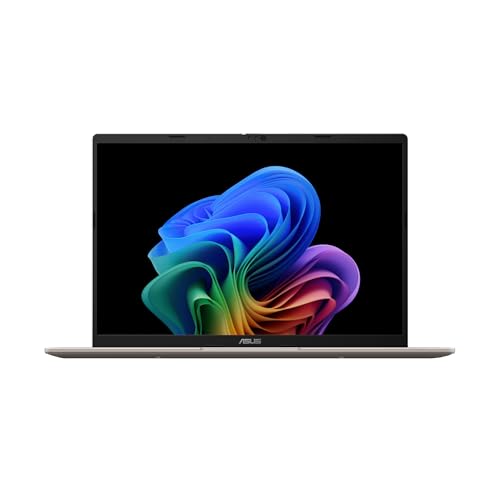
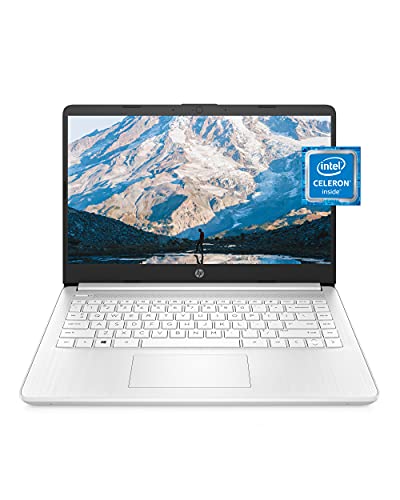
How to Choose a Laptop Buying Guide
The laptop market is wider and weirder than it has ever been: Apple's M-series chips, Intel's Lunar Lake and Arrow Lake, AMD's Ryzen AI, ARM-based Snapdragon X Elite Windows machines, and Chromebooks running everything from web apps to Android games. The right laptop depends almost entirely on what you do with it — buying based on spec-sheet maximums is how people end up paying $2,000 for a machine they use to send email. Here is the buyer framework that ignores marketing and matches a laptop to your actual workload.
Step 1: Define your actual workload (most people overshoot)
Honest assessment beats spec-sheet ambition. Browsing, email, documents, video calls: any laptop with 8GB RAM and an SSD does this fine — including $300 Chromebooks. Office work plus light photo editing, occasional video editing: 16GB RAM, modern mid-range CPU, integrated graphics. Programming, heavier creative work, gaming: 16-32GB RAM, dedicated GPU, fast SSD. Professional video editing, 3D rendering, machine learning: 32-64GB RAM, top-tier GPU, this is mobile workstation territory ($2,500+).
The most common buyer mistake is "I might want to game someday so I'll buy a gaming laptop now." Buying capability you do not currently use means paying 50-100% more for a worse user experience (battery life, weight, fan noise) than a laptop matched to your actual needs.
The CPU question (simpler than benchmarks suggest)
Apple M3/M4 (2024-2025 MacBook Air, MacBook Pro): the best performance-per-watt available. M3 Air at $1,099 outperforms most $1,500-2,000 Windows laptops in real-world workloads while running cool and silent. If you don't need Windows-specific software, this is the default recommendation.
Intel Core Ultra (Series 2, Lunar Lake): best Windows option for thin-and-light laptops in 2026. Excellent battery life (15+ hours), competitive with M3 in productivity. AMD Ryzen AI 300 series: very competitive, often cheaper at the same performance level. Snapdragon X Elite (ARM Windows): brilliant battery life, but software compatibility is still rough — avoid unless you've verified your specific apps run natively.
For gaming or sustained heavy workloads, you want H-series chips (Intel) or HX (Intel) or HS (AMD) with discrete GPUs. ASUS vs MSI Gaming Laptop compares the two main gaming-laptop brands.
RAM: 16GB is the new minimum, 32GB future-proofs
Web browsing now consumes 4-8GB RAM. Add Slack, Teams, Photoshop, and a couple of background apps and you're at 12-16GB. 8GB: only acceptable on Chromebooks running Chrome OS (which uses RAM more efficiently). 16GB: the new baseline for Windows and macOS for general use. 32GB: needed for video editing, programming with multiple containers, ML work, or 5+ year longevity. 64GB+: professional creative or development work.
On Macs, RAM is soldered and not upgradeable — buy 32GB if you can afford it, or live with 16GB forever. Most Windows laptops have 16GB soldered + 1 SO-DIMM slot for upgrade, but check before buying.
Storage: 512GB is the new floor
256GB is too small for Windows + apps + 100GB of files. Modern OS plus standard app suite consumes 80-120GB before any user data. 512GB is the practical minimum for laptops you'll keep 3+ years. 1TB is comfortable for creative work or moderate game library. NVMe SSD is mandatory — SATA SSDs and (god forbid) HDDs are obsolete in 2026.

Display: panel type matters more than resolution
For a 13-15 inch laptop, 1080p IPS is fine for most users; 1440p and OLED are luxuries. What matters more than resolution: brightness (400+ nits for outdoor use), refresh rate (120Hz+ feels noticeably smoother for gaming and scrolling), color gamut (100% sRGB minimum, 100% DCI-P3 for creative work), and panel type (IPS or OLED, never TN). Glossy versus matte: glossy looks better in dim rooms, matte handles glare better — personal preference.
Use-case recommendations and price tiers
Student / budget general use ($300-500): Chromebooks dominate this tier. The Best Chromebooks for Students and Best Chromebooks for Beginners picks include Acer Chromebook Plus 515 and Lenovo IdeaPad Slim 5 — both run web apps, video calls, and Google Workspace effortlessly with 12-15 hour battery life.
Productivity / office work ($500-900): See Best Budget Laptops 2026. The Acer vs ASUS comparison covers the two leaders in this band.
Premium thin-and-light ($1,000-1,800): MacBook Air M4, Dell XPS 13/14, ThinkPad X1 Carbon, ASUS Zenbook S series.
Creative / pro workstation ($1,800-3,500): MacBook Pro 14/16, Dell XPS 16, Razer Blade 14/16, Lenovo Legion Pro.
Gaming ($1,200-3,000): See ASUS vs MSI Gaming Laptop and Best Budget Gaming PCs if a desktop fits better than a laptop.
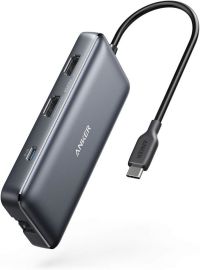
Mac users with desk setups: a docking station turns a MacBook into a single-cable desktop with external monitor and peripherals — high-impact upgrade.
Common mistakes
Buying based on highest spec on sale. A heavily-discounted gaming laptop is still the wrong machine for someone who only browses and writes documents.
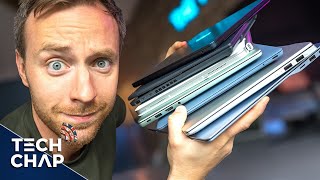
Ignoring weight for "portable" claims. 4+ lb laptops are uncomfortable to carry. If you'll travel with it, target under 3 lbs.
Skipping the trackpad / keyboard test. A great spec sheet on a laptop with a mediocre keyboard becomes painful within weeks. If possible, type on the unit before buying.
Choosing 2-in-1 convertibles for productivity. Convertibles add weight and compromise the keyboard for tablet usefulness most users never invoke. Buy a clamshell laptop unless you actively use tablet mode.
Watch Before You Buy

What we like
- AMD Ryzen processor delivers faster multi-core performance than Intel i5 at equivalent price points
- FHD IPS display covers sRGB colorspace accurately enough for photo editing on a student budget
- Full-size keyboard with numpad is rare in 14-inch form factor — useful for spreadsheet-heavy work
- Windows Hello fingerprint sensor provides password-free login in under a second
Watch out for
- Battery life of 7-8 hours falls short of MacBook or ARM-based competitors for all-day lecture use
- Fan becomes audible under sustained CPU load — noticeable in quiet library or classroom environments
- Display brightness peaks at 250 nits — washed out in direct sunlight for outdoor use
What we like
- Intel Core i5 processor handles everyday productivity, web browsing, and 1080p streaming smoothly
- 14-inch form factor balances portability and screen real estate for students and commuters
- USB-C, USB-A, and HDMI ports cover modern and legacy peripheral connections without adapters
- HP's consumer support line provides accessible help for non-technical users
Watch out for
- Battery life averages 7-8 hours under mixed use — pack a charger for full-day campus use
- Integrated Intel graphics limits creative software performance — not suitable for video editing or 3D rendering
- Plastic chassis shows flex under light twisting — less premium feel than aluminum-body competitors at this price
How We Analyze Products
We analyze Amazon review data — often thousands of reviews per product — to surface patterns that individual buyers miss. Our process aggregates star ratings, review counts, and buyer sentiment at scale, identifying which strengths and weaknesses appear consistently across the largest review samples available.
Each product earned its placement through data: total review volume, average rating, and the specific praise and complaints that repeat most often across buyers. No manufacturer paid for placement on this page. Products appear here because buyers endorsed them at scale, not because a company asked us to feature them.
We use AI to summarize review sentiment — not to fabricate opinions, but to condense what thousands of buyers actually wrote into a readable format. The pros and cons you see reflect the most common themes found in verified purchaser reviews, paraphrased for clarity. We do not claim to have accessed Reddit, YouTube, or specific publications in generating these summaries.
Prices shown reflect Amazon pricing at the time this page was last generated. Click “See Today’s Price” to get the current live price on Amazon. Read our full methodology →