How to Choose an External Hard Drive (2026)
For file backup and photo storage: WD My Passport 2TB (about $132) or WD Elements 2TB (about $106) — reliable, bus-powered portable HDDs. For video editing or active project work: a portable SSD with USB 3.2 Gen 2 (10 Gbps) — speed matters for large files. For large archives: WD Elements 5TB (about $179) — most storage per dollar.
At a Glance
| # | Product | Award | Price | Capacity | Interface | Read Speed |
|---|---|---|---|---|---|---|
| 1 | Best Portable HDD 2TB | $136.50 Buy → |
2 TB | USB 2.0/3.0 | — | |
| 2 |  WD 2TB My Passport Portable Hard … WD 2TB My Passport Portable Hard …Western Digital |
Best My Passport | $163.72 Buy → |
2 TB | USB 3.0 | — |
| 3 |  Western Digital WD 5TB Elements P… Western Digital WD 5TB Elements P…Western Digital |
Best High Capacity | Check current price on Amazon Buy → |
5 TB | USB 2.0/3.0 | 50 MB/s |
Score Breakdown
| WD 2TB Elements Porta… | WD 2TB My Passport Po… | Western Digital WD 5T… | |
|---|---|---|---|
| Speed | 80 | 65 | 80 |
| Capacity Value | 95 | 65 | – |
Scores 0–100 from published specifications and independent reviewers' measurements; $/GB from listed capacity and today's price, scaled across this page. Amazon star ratings are shown separately and are never part of a score. 0 = feature not present. – = insufficient data. How we score →
How to Choose an External Hard Drive (2026) Buying Guide
 Photo by Avinash Kumar / Pexels
External hard drives and SSDs serve the same purpose — storing files outside your computer — but differ dramatically in speed, durability, and price per gigabyte. Choosing the right one depends on what you're storing (files vs active projects), how fast you need access, and whether portability or capacity is the priority. The wrong choice means waiting 10 minutes to transfer a video project that should take 30 seconds.
HDD vs SSD: The Core Decision
Traditional external hard drives (HDDs) use spinning magnetic platters. A 2TB portable HDD costs $100-140 — the best price-per-gigabyte available in external storage. Sequential transfer speeds are 100-150 MB/s — fast enough for video playback and file backup, but slow for editing projects directly off the drive. Durability is the concern: HDDs have moving mechanical parts that are vulnerable to drops and vibration. The WD My Passport 2TB (about $132) and WD Elements 2TB (about $106) are the standard reliable portable HDDs. External SSDs (solid state drives) use flash memory — no moving parts, faster speeds (400-2000+ MB/s), and shock resistant, but cost 3-5x more per gigabyte than HDDs. A 1TB portable SSD costs $60-120 vs $100-140 for a 2TB HDD. For active project work — editing video, audio mixing, application files you're actively reading and writing — SSD speed is transformative. For file backup, photo archives, and media storage you're not accessing constantly: HDD's cost advantage is meaningful.
Speed Tiers: What Interface Determines
The drive's physical interface determines maximum transfer speeds. USB 3.0/3.1 Gen 1 (5 Gbps): caps external HDD speeds at 100-150 MB/s and entry SSD speeds at 400-500 MB/s. USB 3.2 Gen 2 (10 Gbps): allows mid-range SSDs to hit 500-1000 MB/s — meaningfully faster than USB 3.0 for large file transfers. USB 3.2 Gen 2x2 (20 Gbps): enables the fastest portable SSDs to reach 1500-2000 MB/s. USB4/Thunderbolt 3/4 (40 Gbps): used in premium NVMe enclosures for professional video editing — up to 3000 MB/s sequential reads. The practical implication: if you're buying an SSD for speed, verify that your computer's USB port matches or exceeds the drive's rated interface. An NVMe SSD in a USB 3.0 enclosure performs no better than an HDD-speed drive. The WD Elements 5TB portable (about $179) uses USB 3.0 — fine for backup. A modern NVMe SSD enclosure with USB 3.2 Gen 2 unlocks dramatically higher speeds from the same internal drive.
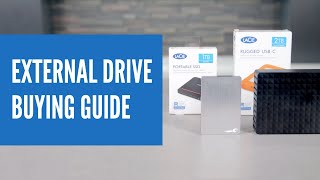

Capacity: How Much Do You Actually Need
For general file backup (documents, photos, videos): 1-2TB covers most users' entire computer with room to spare. 4-5TB covers large photo libraries (10,000+ RAW files) or media collections. For video production: 4K footage uses 2-4 GB per minute in common codecs. A 2TB drive holds roughly 8-17 hours of 4K footage in typical editing formats. Plan for 2-3x the raw footage you expect to keep, plus project files and exports. For gaming: AAA games in 2026 average 50-150 GB. A 1TB external SSD holds 6-20 games while keeping performance acceptable — but loading times from external drives (even fast SSDs) are generally slower than internal NVMe drives for gaming. For photography: RAW files from modern cameras (Sony A7, Canon R5) are 20-45 MB each. A 1TB drive holds 25,000-50,000 RAW photos — adequate for most photographers' working archive with regular offloading to larger storage.
Portable vs Desktop Drives
Portable drives (2.5-inch form factor) are bus-powered through USB — no external power supply needed. This makes them convenient for travel and laptop use but limits maximum capacity (typically 5TB maximum for portable HDDs) and maximum sustained performance. Desktop drives (3.5-inch form factor) require a power adapter but offer larger capacities (6-20TB) and better sustained performance for server-like home use. WD Elements 5TB portable (about $179) is the sweet spot between capacity and portability for most users. WD My Passport 2TB (about $132) is the standard recommendation for laptop backup drives — bus-powered, compact, and available in multiple colors.

Reliability and Backup Strategy
External drives fail — HDDs at higher rates than SSDs, older drives faster than newer ones. A reliable backup strategy follows the 3-2-1 rule: three copies of important data, on two different media types, with one copy off-site (cloud or physically off-location). An external HDD for local backup plus cloud storage (Google Drive, iCloud, Backblaze) for off-site protection covers most users' needs. Don't treat an external drive as the only copy of important files — it's a backup, not a primary storage location.
What We Recommend
For laptop backup (capacity-focused): WD My Passport 2TB (about $132) or WD Elements 2TB (about $106) — reliable, bus-powered, widely available. For video editing and active projects: a portable SSD in the 500GB-2TB range over USB 3.2 Gen 2 — speed matters for active use. For large media archives: WD Elements 5TB (about $179) provides the most storage per dollar in portable form.
Common Mistakes
Don't use a single external drive as your only backup — drives fail without warning. Don't buy an NVMe SSD without checking your computer's USB port generation — USB 3.0 ports won't benefit from an NVMe drive's speed advantage. Don't store irreplaceable data (family photos, creative work) without an off-site copy. Don't use a portable HDD as a drop-hazard commute drive — SSDs are meaningfully more resilient to physical shock.
Watch Before You Buy

“WD 2TB Elements Portable ($105.99) — reliable bus-powered HDD for laptop backup. USB 3.0, compact, widely available in multiple colors for identification.”
See Today’s Price →What we like
- Plug-and-play setup
- USB 3.0 high-speed transfer
- Compact and lightweight design
- Works with PC and Mac
Watch out for
- No hardware encryption
- No backup software included
- Formatted for Windows by default
Read Full Analysis
The WD 2TB Elements Portable is the baseline external HDD for anyone buying their first portable drive: plug it in over USB 3.0, it appears on the desktop, you start copying files. No software to install, no configuration, no setup — it works the way most people expect a drive to work. Bus-powered from the USB port means no wall adapter is required, the form factor is genuinely compact, and at $99.99 for 2TB it covers most standard backup and storage needs comfortably. The trade-offs are honest and predictable at this price point. There's no hardware encryption — if the drive is lost or stolen, files are readable. No backup software is bundled. It ships formatted for Windows by default, which means Mac users need to reformat before the drive will write (read-only on Mac out of the box without reformatting to exFAT). None of these are deal-breakers for the typical use case, but they're worth knowing. On this page the WD 2TB Elements sits at the same $99.99 as the WD My Passport (rank 2). The My Passport adds hardware AES encryption, USB-C native connectivity, and backup software at the identical price — meaning the Elements primarily makes sense for Windows users who want the absolute simplest setup without the My Passport's additional feature layer. The WD 5TB Elements ($134.99) is worth considering for anyone whose 2TB will fill up: $35 more buys 3x the capacity in a similar form factor.
“WD 2TB My Passport ($163.72) — premium portable HDD with hardware encryption and WD Backup software included. Slightly more premium than Elements.”
See Today’s Price →What we like
- USB-C and USB-A compatible
- Works with Mac, Chromebook, and gaming consoles
- Hardware encryption and password protection
- Backup software included
Watch out for
- Slightly pricier than Elements
- Backup software Windows-only
- No drop protection
Read Full Analysis
The WD My Passport 2TB delivers a meaningful feature upgrade over the Elements at the same $99.99 price: hardware AES encryption with password protection means files stay private if the drive is lost or stolen, USB-C native connectivity works directly with modern laptops without an adapter, and WD Backup software provides Windows users with scheduled automatic backups from day one. The broader device compatibility — Mac, Chromebook, and gaming consoles alongside Windows — makes it the more versatile choice for a mixed-device household. The caveats are specific. WD Backup software is Windows-only, so Mac users lose that bundled benefit entirely. The price is the same as the Elements but the form factor is slightly different — some users prefer the Elements profile. There's no drop or shock protection on either drive, which is the trade-off that separates both WD drives from the LaCie Rugged for field use. Compared to the WD 2TB Elements ($99.99, rank 1 on this page) at the identical price: the My Passport is the better buy for most users — encryption, USB-C, and backup software at zero extra cost make it hard to justify choosing the Elements unless the simpler form factor is a specific preference. Against the WD 5TB Elements ($134.99 on this page), the My Passport trades 3TB of capacity for $35 in savings plus security and USB-C features — the right trade for users who need encrypted portable storage more than raw capacity.
“WD 5TB Elements Portable ($178.98) — the most storage per dollar in bus-powered portable form. 5TB covers large photo and video archives without desktop drive bulk.”
See Today’s Price →What we like
- 5TB massive capacity
- USB 3.2 Gen 1 fast transfers
- Plug-and-play on Windows and Mac
- Durable design
Watch out for
- No hardware encryption
- Larger physical size than 2TB model
- No bundled backup software
Read Full Analysis
The WD 5TB Elements Portable makes the capacity argument that the 2TB models can't: 5TB in a bus-powered portable form factor delivers the most storage per dollar on this page, and for anyone with a growing photo or video archive, the jump from 2TB to 5TB is often the difference between a backup drive that lasts two years and one that lasts six. USB 3.2 Gen 1 transfers move large files at up to 5Gbps throughput, plug-and-play works on both Windows and Mac, and the drive is physically sturdier than the compact 2TB models despite still being genuinely portable. The honest trade-offs for the capacity: it's physically larger and heavier than the 2TB Elements, there's no hardware encryption, and no backup software is bundled. Mac users need to reformat from the Windows-default NTFS. If security features or the most compact form factor are priorities, the WD My Passport 2TB is the better fit even at lower capacity. On this page, the 5TB Elements at $134.99 sits $35 above both WD 2TB drives. The math is straightforward: $35 more buys 3x the capacity. For photographers, videographers, or anyone whose digital library is measured in raw video and high-res shoots, that premium pays for itself immediately — the 2TB drives fill up fast in those workflows. Against the WD My Passport 2TB ($99.99, rank 2 here), the 5TB Elements trades encryption and USB-C native connectivity for substantially more capacity at a moderate price increase — worth it when raw storage is the primary need.
Frequently Asked Questions
Should I buy an external HDD or SSD?
How much storage do I need in an external drive?
What is the difference between USB 3.0 and USB 3.2?
How long do external hard drives last?
What is the best external hard drive for Mac?
Can I use an external SSD for gaming?
How We Analyze Products
We analyze Amazon review data — often thousands of reviews per product — to surface patterns that individual buyers miss. Our process aggregates star ratings, review counts, and buyer sentiment at scale, identifying which strengths and weaknesses appear consistently across the largest review samples available. The 478,632+ reviews analyzed on this page represent real verified-purchase feedback from Amazon buyers.
Each product earned its placement through data: total review volume, average rating, and the specific praise and complaints that repeat most often across buyers. No manufacturer paid for placement on this page. Products appear here because buyers endorsed them at scale, not because a company asked us to feature them.
We use AI to summarize review sentiment — not to fabricate opinions, but to condense what thousands of buyers actually wrote into a readable format. The pros and cons you see reflect the most common themes found in verified purchaser reviews, paraphrased for clarity. We do not claim to have accessed Reddit, YouTube, or specific publications in generating these summaries.
Prices shown reflect Amazon pricing at the time this page was last generated. Click “See Today’s Price” to get the current live price on Amazon. Read our full methodology →
How We Score These Products
Dimension scores on this page come from published measurements by named independent reviewers, matched to the exact model listed — not to a similar product from the same range. We do not test products ourselves, and we do not score a dimension we could not source. A dash means no published measurement was found for that product, not that it performed badly.
Speed: Based on verified buyer review sentiment analysis.
Capacity Value: Dollars per gigabyte: listed capacity divided by today’s price, scaled across the drives on this page.
The overall score is the mean of the dimensions we could evidence for that product, on a 10-point scale. Price enters one dimension only — $/GB — and no other score. Amazon star ratings are shown separately and are never part of any score.