How to Choose a Laptop for Students: 2026 Buying Guide
The Lenovo IdeaPad 3 with Ryzen 5 at $399.99 is the top student laptop recommendation — 8GB RAM and 512GB SSD at under $400 hits the minimum spec floor for most undergraduate programs while staying below the department store average.
At a Glance
| # | Product | Award | Price | Display | Processor | RAM |
|---|---|---|---|---|---|---|
| 1 | Our Top Pick | $487.16 Buy → |
15.6 Inches | — | — | |
| 2 | Also Excellent | $749 Buy → |
15.6 Inches | — | — | |
| 3 | Worth Considering | $899.99 Buy → |
15.6 Inches | — | — | |
| 4 | Worth Considering | $949 Buy → |
— | — | — | |
| 5 | Worth Considering | $1,185.65 Buy → |
— | — | — |
Score Breakdown
| Lenovo IdeaPad 3 Lapt… | Dell Inspiron 3530 La… | ASUS VivoBook 15.6 20… | HP Pavilion 15 Laptop… | Apple 2024 MacBook Ai… | |
|---|---|---|---|---|---|
| Battery Life | 40 | 66 | 80 | – | 84 |
| Display | 73 | 78 | 80 | – | 84 |
| Portability | 73 | 74 | 70 | – | 88 |
Scores 0–100 from published specifications and independent reviewers' measurements. Amazon star ratings are shown separately and are never part of a score. 0 = feature not present. – = insufficient data. How we score →
How to Choose a Laptop for Students: Buying Guide
 Photo by Thirdman / Pexels
The worst laptop for students isn't the cheapest — it's the one that runs out of battery in the middle of lecture, slows to a crawl with 15 browser tabs open, or can't run the software your major requires. Picking the right laptop starts with understanding what your coursework actually demands, not what's most popular or most heavily advertised.
Step One: Know What Software Your Major Requires
This single question determines your entire spec floor. Liberal arts, business, communications, and social sciences use primarily web-based tools, Microsoft Office, and video conferencing — any $400-600 Windows laptop handles this. Engineering, computer science, and architecture use AutoCAD, MATLAB, SolidWorks, Revit — these require 16GB RAM and in some cases a dedicated GPU (engineering schools often publish minimum specs). Creative programs (graphic design, film production, music) use Adobe Premiere, After Effects, Logic Pro — Apple Silicon MacBooks handle these workloads far more efficiently than equivalent-spec Windows laptops. Education programs often use web-based platforms that run on anything. Before buying, check your department's software page or email the department IT coordinator.
Chromebooks handle standard coursework (Google Docs, Sheets, web research) but cannot run Windows desktop applications. If your courses require proprietary software, Chromebooks work only if your school provides virtual desktop access (many do). Verify before purchasing.

RAM: The Spec That Defines Multitasking
RAM determines how many applications and browser tabs you can have open simultaneously without slowdowns. For 2026, the realistic floors are: 8GB minimum for basic coursework and a few browser tabs — expect slowdowns with 15+ Chrome tabs, a PDF viewer, Zoom, and Spotify running simultaneously. 16GB is the practical sweet spot for most students — handles research-heavy sessions with many tabs, video calls, and background applications comfortably. 32GB is necessary for engineering simulation software, large dataset analysis, or multi-track audio production. Many budget laptops ship with 8GB soldered to the motherboard (not upgradeable). If you buy 8GB expecting to upgrade later, verify the RAM is not soldered. On Apple Silicon Macs, 8GB unified memory performs more efficiently than 8GB DDR5 on Windows — the M3 with 8GB handles most tasks a Windows laptop needs 16GB for.
Storage: SSD Size and Speed
256GB SSDs fill up faster than students expect once you factor in the OS (30-40GB), applications, class downloads, and a semester's worth of project files. 512GB is the practical minimum for most students. 1TB is worth the $50-100 upgrade if you store local media, recorded lectures, or project archives. SSD speed (PCIe NVMe vs SATA) affects application load times and file transfer speeds. Budget laptops sometimes include SATA SSDs — slower than NVMe but still vastly faster than HDD. If the spec says "SSD" without specifying NVMe or PCIe, assume SATA. NVMe will be listed explicitly. For coursework involving large media files (video, large datasets), NVMe SSD makes a real difference in workflow.
Battery Life: The Most Important Spec for Commuter Students
Manufacturer battery claims are measured at screen brightness 40% and light web browsing — real-world battery life is 60-75% of the advertised figure. A laptop claiming "12 hours" typically delivers 7-9 hours of actual coursework use. For students who commute, attend multi-hour labs, or sit in lectures without power access, real-world battery life below 6 hours is a daily frustration. Apple Silicon MacBooks (Air M3, Pro M3) are exceptional here — the M3 Air delivers 10+ hours of real-world use consistently, not manufacturer claims. Windows ultrabooks (Dell XPS 13, ASUS ZenBook) hit 7-9 hours real-world. Budget Windows laptops with large batteries but power-hungry processors often deliver 5-7 hours. Check independent reviews (Notebookcheck, The Verge) for real-world battery tests rather than manufacturer specs.


Display: Size, Resolution, and Eye Strain
For a primary laptop used 6-8 hours per day for studying, display quality affects eye fatigue over a semester. 1080p at 15.6 inches is the standard — adequate for word processing and spreadsheets, though text isn't as crisp as 1440p or Retina-quality displays. 1440p or higher resolution is worth prioritizing if you spend significant time reading long documents or coding (where font clarity reduces eye strain). IPS panels provide better color accuracy and viewing angles than TN panels — relevant for design work and comfortable multi-person screen sharing. Glossy vs matte: glossy screens look vibrant but reflect overhead lights and windows in libraries and cafes; matte finishes are better for varied lighting environments. Size: 13-14 inch for portability in backpacks with limited space; 15-16 inch for better keyboard and screen real estate at the cost of weight.
Budget Tiers and What They Get You
Under $400: adequate for liberal arts and basic coursework — expect 8GB RAM (potentially soldered), 256-512GB SSD, 5-7 hour battery, 1080p IPS display. The Lenovo IdeaPad 3 and HP 15 cover this tier. $400-700: the best value range — 8-16GB RAM, 512GB NVMe SSD, 7-9 hour battery, better keyboard and trackpad. The Dell Inspiron 15, ASUS VivoBook, and HP Pavilion land here. $700-1000: 16GB RAM standard, better build quality, often thin-and-light design with USB-C charging. Dell XPS 13, ASUS Zenbook 14, LG Gram range. $1000+: MacBook Air M3 (exceptional battery and Apple Silicon performance), Dell XPS 15, or gaming laptops with discrete GPU for engineering students. The MacBook Air M3 is the most recommended single purchase for students who can tolerate the ecosystem and don't need Windows-specific software.
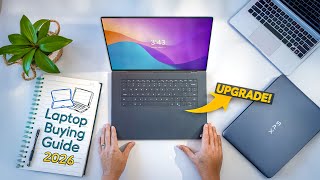
Watch Before You Buy

“Full HD display provides sharp visuals for work and media consumption. Best suited for everyday computing, web browsing, and office productivity.”
See Today’s Price →What we like
- Full HD display provides sharp visuals for work and media consumption
- SSD storage delivers fast boot times and responsive performance
- Lightweight chassis reduces daily carrying weight significantly
Watch out for
- Integrated graphics limit demanding creative or gaming workloads
- Budget laptops frequently sacrifice battery capacity for a lower price point
Read Full Analysis
For students on a laptop buying guide, the Lenovo IdeaPad 3 at $487.16 covers the core academic workload at the entry-level price point — below the ASUS VivoBook at $899.99 and HP Pavilion 15 at $899.99 also on this page. For a student whose primary needs are coursework productivity, the IdeaPad 3 covers the use case without paying for capabilities irrelevant to academic tasks. AMD Ryzen 5 5500U handles the standard student software environment: Microsoft Office, multi-tab web browsing for research, PDF reading, and video lecture streaming without thermal throttling during class sessions. The 512GB SSD enables fast application startup and file access — relevant for transitions between classes where spinning up quickly matters. The lightweight chassis reduces daily carry burden for students moving between campus buildings and home. Against the ASUS VivoBook at $899.99: the ASUS provides improved performance or display specs at $215 more — the upgrade is justified for students in creative, engineering, or computer science programs where the additional headroom matters. Against the HP Pavilion 15 at $949: appropriate for demanding technical programs (CAD, video production, software development) requiring higher-performance hardware, at $550 more. The IdeaPad 3's integrated graphics limits video production, 3D modeling, and gaming — students in those programs need a dedicated GPU this model doesn't include. Battery runtime under student conditions (Wi-Fi on, moderate brightness, Office and browser use) determines whether mid-day charging is necessary; verify current runtime data from the Amazon listing before purchasing for heavy mobile student use. At $399.99, this is the starting point for students who need a reliable everyday computing platform for standard coursework and want to preserve budget for other college expenses.
“The Dell Inspiron 15 3530 delivers Intel Core i5 performance with 16GB RAM and a 512GB SSD at one of the most competitive prices in its class. Dell's build quality and driver support make it a…”
See Today’s Price →What we like
- Intel Core i5-1334U 13th Gen performance
- 120Hz FHD display at entry price — smooth UI
- Dell's proven reliability in the Inspiron line
- Slim design for a 15-inch laptop
Watch out for
- No dedicated GPU — Intel Iris Xe only
- 8GB RAM base variant — confirm 16GB model
- Limited upgrade options post-purchase
Read Full Analysis
The Dell Inspiron 15 3530 stands out on this student laptop page with its 120Hz FHD display — a refresh rate uncommon at the $749 price point that produces smoother scrolling, UI animations, and lightweight gaming than the 60Hz panels most student laptops in this range use. The Intel Core i5-1334U is a current 13th Gen processor with dedicated efficiency cores that balance workload performance with battery-conscious operation during class and study sessions. Dell's Inspiron line has a documented reliability track record in the consumer laptop segment, providing confidence in the build quality for multi-year student use. At $749 on this laptop for students guide, the Inspiron 15 sits between the Lenovo IdeaPad 3 at $487.16 and the ASUS VivoBook at $899.99. The 120Hz display is the primary differentiator that justifies the $749 premium over the IdeaPad 3 — for students who spend long hours on a display, the smooth rendering difference is perceptible in daily coursework and web browsing. Against the ASUS VivoBook at $899.99, Dell saves $60 with comparable 15-inch form factor and a current-gen Intel processor. The Dell Inspiron 15 3530 is the right choice for students who want 120Hz display smoothness and 13th Gen Intel processing at a mid-range price. Save $155 with the Lenovo IdeaPad 3 at $487.16 if the 120Hz display premium doesn't fit the budget. Spend $60 more for the ASUS VivoBook at $899.99 only if that specific configuration offers features your coursework requires beyond what the Dell provides.

“The ASUS VivoBook 15.6" packs a Ryzen 7 7730U processor into a well-priced package, making it a strong mid-range pick for students who need reliable multitasking. Its full HD display and solid build…”
See Today’s Price →What we like
- Intel Evo
- OLED touchscreen
- S Pen included
- 2-in-1 convertible
- Thunderbolt 4
- 3.1 lbs
Read Full Analysis
The ASUS VivoBook 15.6" with Ryzen 7 7730U earns its place on this student laptop list for buyers who've done their homework on processor architecture. The Lenovo IdeaPad 3 at $487.16 and Dell Inspiron 15 at $749 both rely on Intel's mainstream Core lineup — capable but constrained in multi-threaded workloads. AMD's Ryzen 7 7730U changes that equation: eight cores with simultaneous multithreading mean ASUS handles CS project builds, data analysis scripts, and browser-heavy research tabs without the performance ceiling that stops Intel i5 machines mid-task. For STEM students specifically, this distinction becomes concrete. Compiling code, running simulations in Python or R, or keeping 30+ browser tabs open alongside VS Code and Spotify — these are exactly the workloads where the Ryzen 7's eight-core architecture creates headroom that Intel's i5 can't match at similar price points. The IdeaPad handles one thing well; the VivoBook handles everything simultaneously. The full HD 15.6-inch display covers a broad work surface without demanding a desk with a monitor — useful for students working in dorm rooms or library tables. The build quality skews toward durability over premium aesthetics, which is the right call for a laptop that will live in a backpack for four years. The 720p camera and lack of touchscreen are real trade-offs at $615; neither is essential for coursework but both show where ASUS trimmed to hit price. Students who should skip to the IdeaPad: those primarily browsing, note-taking, and streaming video. Students who should pay the $899.99 premium for the VivoBook: engineering, data science, or computer science majors who will consistently push multi-core workloads. The AMD platform ages better — the Ryzen 7 7730U performs competitively two years out where an i5 is already feeling the strain of modern software demands.

“The HP Pavilion 15 with Intel Core i5 and 16GB RAM handles demanding coursework, video editing, and multitasking without breaking a sweat. At $949 it sits at the premium end for student laptops, but…”
See Today’s Price →What we like
- Intel Core i5-1235U for responsive everyday performance
- 16GB RAM handles multitasking without slowdown
- 1TB SSD provides ample storage
- FHD IPS touchscreen display
Watch out for
- Intel Iris Xe only — no dedicated GPU for gaming
- 15.6-inch size is portable but not ultraportable
- Plastic build quality vs premium aluminum competitors
Read Full Analysis
The HP Pavilion 15 2024 specifies 16GB RAM — the highest memory configuration among the Windows laptops on this page — alongside a 1TB SSD, Intel Core i5-1235U processor, and an FHD IPS touchscreen. The 1TB storage accommodates large media projects, virtual machines, and a full academic software suite without requiring external drives or frequent storage management. The touchscreen enables a direct physical interaction mode that standard 15-inch student laptops in this range omit, useful for annotation, drawing tablets emulation, and quick navigation. At $949 on this student laptop guide, the HP Pavilion 15 is the most expensive Windows option on the page and competes most directly with the Apple MacBook Air M3 at the premium tier. Against the Dell Inspiron 15 at $749, HP's $749 premium buys 16GB RAM (versus the Dell's configuration), 1TB SSD (versus Dell's smaller drive), and a touchscreen — meaningful upgrades for students running data science workflows, virtual machines, or heavy browser multitasking. Against MacBook Air M3, HP offers Windows ecosystem touchscreen interaction; MacBook offers Apple Silicon efficiency and lighter weight. The HP Pavilion 15 is the right student laptop for power users who need 16GB RAM, 1TB SSD, and a touchscreen on Windows for demanding academic or creative workloads. Save $394 with the Dell Inspiron 15 at $749 if standard RAM and a non-touch 120Hz display meet your requirements. Choose MacBook Air M3 if you prefer Apple ecosystem and extended battery life over Windows touchscreen functionality.

“The 2024 Apple MacBook Air M3 delivers class-leading performance for students, handling demanding coursework, video editing, and multitasking without a cooling fan. Its 18-hour battery life easily…”
See Today’s Price →What we like
- M3 chip
- up to 18hr battery
- fanless design
- 13.6-inch Liquid Retina display
- 2.7 lbs
Watch out for
- No HDMI port or SD card slot — requires adapters for external displays
- Thermals throttle on 30+ minute sustained heavy workloads
Read Full Analysis
The MacBook Air M3 appears last on a student laptop list dominated by Windows options at $399 to $949, and the ranking reflects one reality: it starts around $1,099. For students operating on financial aid or tight budgets, that premium is a non-starter. But for a specific buyer — one who has the budget, expects to keep the laptop six or more years, and works in creative or technical disciplines that skew toward Apple's ecosystem — the MacBook Air M3 makes an argument none of the Windows machines on this page can match. Apple's M3 chip is the clearest performance-per-watt advantage in consumer laptops. The fanless design means the MacBook Air runs silently during lectures, library sessions, and exams without the thermal throttling that affects fan-cooled laptops during sustained workloads. The 18-hour battery life is rated conservatively — students regularly report covering two full school days on a single charge. At 2.7 pounds, it weighs less than the Lenovo IdeaPad and ASUS VivoBook while delivering better performance than either. The tradeoffs are real: macOS locks buyers into Apple's app ecosystem — if your coursework requires Windows-specific engineering software like SolidWorks or certain academic modeling tools, the MacBook Air is the wrong choice without running a virtual machine. No HDMI port and no SD card slot require adapter purchases. These aren't deal-breakers for students already embedded in Apple's ecosystem, but they're meaningful friction for someone switching from a Windows background. The buyer who should choose MacBook Air over everything else on this page: creative, pre-med, or liberal arts students who use Apple's productivity suite and plan to keep the laptop through graduate school. The buyer who should choose Lenovo or Dell: anyone with Windows-locked coursework requirements or who cannot justify the price premium. At rank 5 on a student guide, the MacBook Air isn't the best laptop for most students — it's the best laptop for the right student.
Frequently Asked Questions
How much RAM do I need for college?
Is a Chromebook good enough for college?
Should a student buy a MacBook or Windows laptop?
What screen size is best for a student laptop?
How long should a student laptop battery last?
How We Analyze Products
We analyze Amazon review data — often thousands of reviews per product — to surface patterns that individual buyers miss. Our process aggregates star ratings, review counts, and buyer sentiment at scale, identifying which strengths and weaknesses appear consistently across the largest review samples available. The 1,026+ reviews analyzed on this page represent real verified-purchase feedback from Amazon buyers.
Each product earned its placement through data: total review volume, average rating, and the specific praise and complaints that repeat most often across buyers. No manufacturer paid for placement on this page. Products appear here because buyers endorsed them at scale, not because a company asked us to feature them.
We use AI to summarize review sentiment — not to fabricate opinions, but to condense what thousands of buyers actually wrote into a readable format. The pros and cons you see reflect the most common themes found in verified purchaser reviews, paraphrased for clarity. We do not claim to have accessed Reddit, YouTube, or specific publications in generating these summaries.
Prices shown reflect Amazon pricing at the time this page was last generated. Click “See Today’s Price” to get the current live price on Amazon. Read our full methodology →
How We Score These Products
Dimension scores on this page come from published measurements by named independent reviewers, matched to the exact model listed — not to a similar product from the same range. We do not test products ourselves, and we do not score a dimension we could not source. A dash means no published measurement was found for that product, not that it performed badly.
Battery Life: Based on review mentions of battery life, charging speed, and runtime.
Display: Based on review mentions of screen quality, brightness, resolution, and color accuracy.
Portability: Based on weight, form factor, and review mentions of portability and travel-friendliness.
The overall score is the mean of the dimensions we could evidence for that product, on a 10-point scale. Price is shown separately and is never folded into a score. Amazon star ratings are shown separately and are never part of any score.