How to Set Up a Smart Home From Scratch (2026 Beginner's Guide)
Choose one ecosystem (Amazon Alexa, Google Home, or Apple HomeKit) based on your existing devices and phone. Start with three devices: a smart speaker/hub, two or three smart plugs, and one smart bulb. Prove the concept works in your home before committing to locks, thermostats, or cameras.
At a Glance
| # | Product | Award | Price |
|---|
How to Set Up a Smart Home From Scratch (2026 Beginner's Guide) Buying Guide
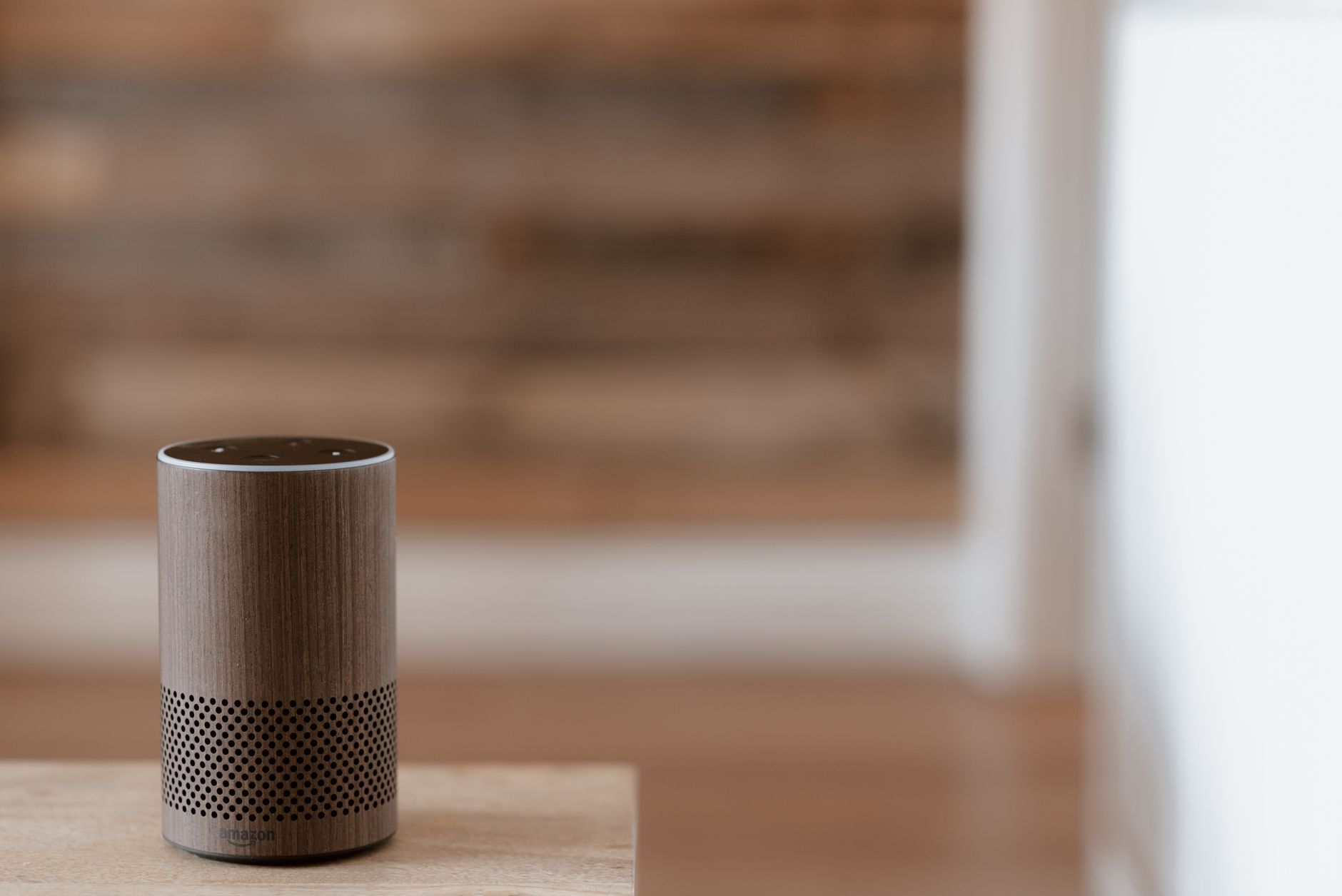 Photo by Anete Lusina / Pexels
The smart home product market generated over $80 billion in 2025, and a significant portion of that was devices that consumers bought, struggled to set up, and stopped using within six months. The failure mode is almost always the same: starting with a complicated or expensive device, choosing incompatible ecosystem products, or buying before understanding the baseline requirements (router quality, Wi-Fi coverage, hub requirements). Start simple and expand deliberately.
Choose Your Ecosystem First (Non-Negotiable Step 1)
The three dominant ecosystems in 2026 are Amazon Alexa, Google Home, and Apple HomeKit. Matter (the new interoperability standard) is reducing friction between them, but you still benefit from choosing one primary system. Amazon Alexa: largest device compatibility, most third-party support, best for non-Apple households. Amazon Echo devices serve as the hub. Google Home: best AI assistant integration, tighter Google services tie-in (Gmail, Calendar, Maps), natural language is stronger. Nest devices are the hub. Apple HomeKit: most privacy-focused (local processing), works best for iPhone/iPad/Mac households, more restrictive device compatibility. HomePod mini is the hub. Practical guide: if you use iPhone → HomeKit or Alexa. If you use Android heavily → Google Home or Alexa. If you already have Amazon Prime → Alexa by default. The best smart speakers covers hub options across all three ecosystems.
Start With These Three Device Types
Smart plugs: the cheapest, most reliable entry point. Plug one into a lamp or fan, control it with voice or app, set a schedule. They cost $10–$15 each, require zero installation, and work with every ecosystem. If your smart plugs don't work reliably, your Wi-Fi coverage is the problem — fix that before adding more devices. See our best smart plugs for current recommendations. Smart bulbs: slightly more complex (requires an app to set up, may require a hub depending on protocol), but transforms any lamp into a dimmable, color-controllable device without electrical work. Buy one first and test the setup process before committing to a whole-home rollout. Smart speakers: your control interface. The Echo Dot or Google Nest Mini are the entry points — inexpensive, reliable, and give you voice control over every device in your system. Add one per room you use regularly.
Wi-Fi: The Infrastructure Problem Most People Ignore
Smart home devices are only as reliable as your Wi-Fi coverage. Most issues people attribute to "the device is buggy" are actually Wi-Fi dead zones, router congestion, or 5GHz vs. 2.4GHz band problems. Smart home devices mostly use 2.4GHz (longer range, better wall penetration than 5GHz). If you have a combined dual-band network (same SSID for both bands), some devices have trouble connecting to the right band. During setup, temporarily using a 2.4GHz-only network avoids this. Mesh Wi-Fi systems dramatically improve smart home reliability because they provide consistent coverage throughout the home. A mesh system with one node per floor is the single most impactful infrastructure upgrade for a smart home. See best smart home gadgets for the current landscape.
Higher-ROI Devices to Add Next
After plugs and bulbs are working reliably: Smart thermostat: the highest ROI smart home device in terms of actual money saved. Nest, Ecobee, and Honeywell produce thermostats that learn schedules and optimize heating and cooling automatically. Average savings: $100–$200/year on utility bills. Requires a C-wire (check your HVAC before buying — many thermostats include an adapter). Video doorbell: replaces a standard doorbell, adds video recording, motion detection, and remote answer capability. Ring and Google Nest Doorbell are the category leaders. Check our best smart doorbells for 2026 picks. Smart locks: keypad entry, remote unlock, temporary access codes for guests. August and Schlage are the leading brands. Installation is straightforward (30 minutes, screwdriver only).
What to Avoid (Common Expensive Mistakes)
Buying hub-dependent devices before you have the hub: Zigbee and Z-Wave devices require a separate hub (SmartThings, Hubitat, or brand-specific) that sits on your network. These offer better range and reliability than Wi-Fi devices, but the setup complexity is higher. Start with Wi-Fi-native devices (Alexa, Google, HomeKit) for the first layer. Buying cheap no-name smart devices from unknown brands: the privacy risk is real — poorly secured smart devices can be commandeered and used in botnets. Stick to established brands with documented security practices. Building vendor lock-in into critical systems: if your smart lock relies on a company's cloud servers and that company shuts down, you may lose remote access. Matter-certified devices have local control that persists without cloud connectivity. See best budget smart home devices for value-for-money options that don't compromise on reliability.
How We Analyze Products
We analyze Amazon review data — often thousands of reviews per product — to surface patterns that individual buyers miss. Our process aggregates star ratings, review counts, and buyer sentiment at scale, identifying which strengths and weaknesses appear consistently across the largest review samples available.
Each product earned its placement through data: total review volume, average rating, and the specific praise and complaints that repeat most often across buyers. No manufacturer paid for placement on this page. Products appear here because buyers endorsed them at scale, not because a company asked us to feature them.
We use AI to summarize review sentiment — not to fabricate opinions, but to condense what thousands of buyers actually wrote into a readable format. The pros and cons you see reflect the most common themes found in verified purchaser reviews, paraphrased for clarity. We do not claim to have accessed Reddit, YouTube, or specific publications in generating these summaries.
Prices shown reflect Amazon pricing at the time this page was last generated. Click “See Today’s Price” to get the current live price on Amazon. Read our full methodology →