6 Best Mechanical Keyboards Under $50 (2026)
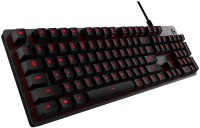
Best overall: Logitech G413 at its price point uses Romer-G Tactile switches that balance gaming and typing in a full-size aluminum design. Best compact: MageGee portable TKL fits tight desks with full per-key backlighting. Best value: Corsair K60 with Cherry MX Speed for fast-actuation gaming.
See Today’s Price →At a Glance

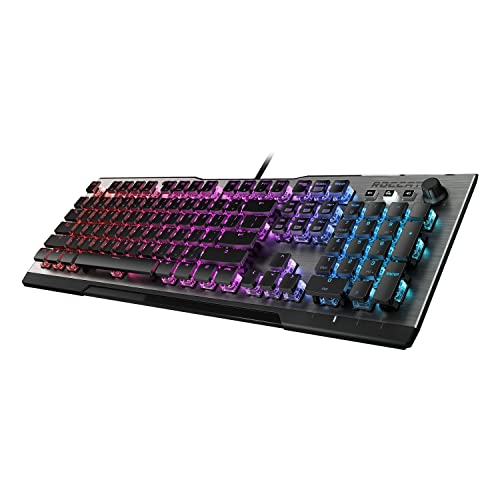

6 Best Mechanical Keyboards Under $50 (2026) Buying Guide
Mechanical keyboards under $50 have improved dramatically — you no longer need to spend $100+ to get genuine tactile switches, per-key backlighting, and anti-ghosting. The key decision at this price is switch type (linear, tactile, or clicky), backlight style, and whether you need a compact layout that frees up desk space.
Switch Types: Linear, Tactile, and Clicky
Linear switches (Reds, Yellows) are smooth and quiet — preferred by gamers who need rapid keypresses without audible feedback. Tactile switches (Browns, Clears) have a bump mid-press that confirms actuation without a click sound — popular for typists who want feedback without disturbing coworkers. Clicky switches (Blues, Greens) have both a tactile bump and an audible click — satisfying for heavy typists but annoying in shared spaces. Most keyboards under $50 use Cherry MX-compatible or proprietary tactile/linear switches; the specific switch type is usually listed in the product title.
Full Size vs Compact Layouts
Full-size keyboards include the numpad, function row, and arrow keys — 104 keys on a standard US layout. Tenkeyless (TKL) removes the numpad to move your mouse closer to the keyboard, reducing shoulder strain during gaming. 60% and 65% compact boards remove the numpad and function row, and sometimes the dedicated arrow keys. MageGee's compact keyboard at its price is the best sub-$50 option for desk-space-constrained setups.
Gaming vs Typing Focus
Gaming keyboards prioritize anti-ghosting (registering simultaneous keypresses), N-key rollover, and fast linear switches. Typing keyboards prioritize key travel, tactile feedback, and comfortable keycap shape. Both the Corsair K60 and Logitech G413 lean gaming; the MageGee compact is a more neutral design. If you're splitting between typing and gaming, tactile brown-equivalent switches are the standard compromise.
What to Avoid
Avoid keyboards that don't specify their actual switch type — vague "mechanical switch" claims often mean knockoff switches with shorter lifespans than Cherry MX or their licensed clones. Avoid membrane-over-mechanical hybrids (sometimes called "membrane-mechanical") — these feel nothing like true mechanical keyboards. Read reviews specifically mentioning switch feel before buying any sub-$40 mechanical keyboard.
How We Picked These
We compared mechanical keyboards under $50 on switch type and quality, backlighting customization, build quality (plate material, keycap thickness), and gaming-specific features like N-key rollover. Picks cover compact and full-size layouts and both linear and tactile switch options. Brand reliability and availability of replacement keycaps were considered for long-term usability.
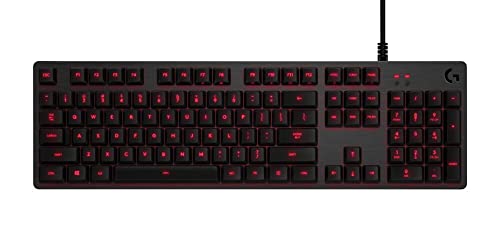
“Logitech G413 uses Romer-G Tactile switches — softer and quieter than Cherry MX Blue but with meaningful tactile feedback for both typing and gaming. Full-size brushed aluminum plate. USB passthrough ”
See Today’s Price →What we like
- Mechanical switches provide tactile or clicky feedback preferred by typists and gamers
- Durable switch mechanism rated for tens of millions of keystrokes
- Compact or standard layout improves ergonomics and desk space utilization
Watch out for
- Mechanical keyboards are louder than membrane alternatives in shared office environments
- Higher price than basic membrane keyboards for the tactile feedback benefit
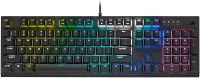
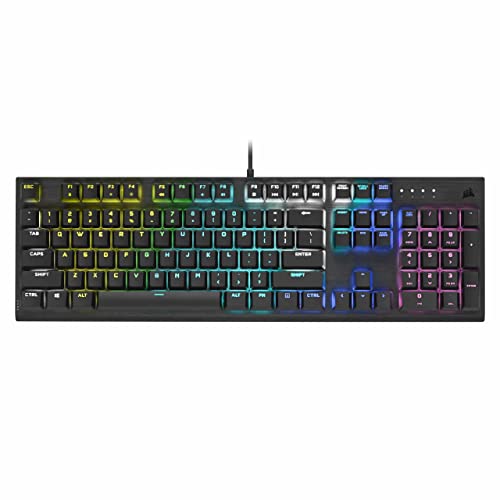
“Corsair K60 uses Cherry MX Speed Silver switches — linear, ultra-fast actuation at 1.2mm travel. Built for competitive gaming where rapid simultaneous keypresses matter. Per-zone backlighting. Steel p”
See Today’s Price →What we like
- Mechanical switches provide tactile or clicky feedback preferred by typists and gamers
- Durable switch mechanism rated for tens of millions of keystrokes
- Compact or standard layout improves ergonomics and desk space utilization
Watch out for
- Mechanical keyboards are louder than membrane alternatives in shared office environments
- Higher price than basic membrane keyboards for the tactile feedback benefit
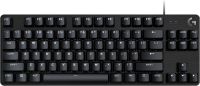
“Logitech's mechanical gaming keyboard lineup translated to an accessible price point. The same Logitech build quality and software (Logitech G Hub) at a fraction of the flagship cost. Good entry point”
See Today’s Price →What we like
- Adjustable seat height armrests and lumbar support accommodate a range of body types
- Cushioned seat distributes weight evenly for extended sitting comfort
- Casters roll smoothly on both carpet and hard floors for easy repositioning
Watch out for
- Assembly required — typically 20-45 minutes with included hardware
- Chair quality varies significantly across price ranges — budget options may show wear faster
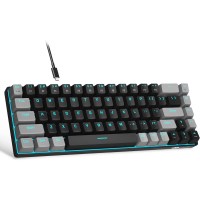
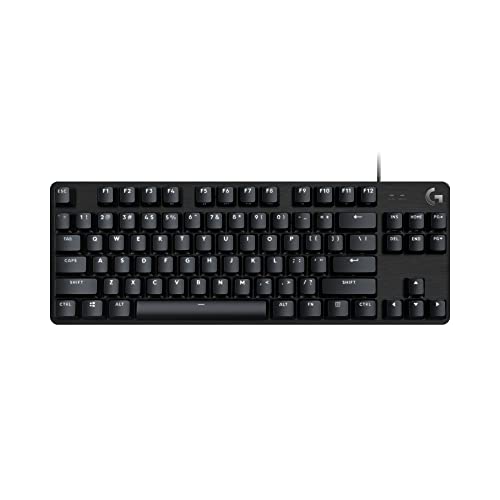
“MageGee portable TKL removes the numpad to shrink the footprint — ideal for small desks or gaming setups where mouse movement matters. Per-key backlighting with multiple color modes. The most desk-spa”
See Today’s Price →What we like
- Compact portable form factor saves desk space and travels easily
- Mechanical switches provide tactile feedback over membrane keyboards at the price
- Affordable entry point for first-time mechanical keyboard users
- Compatible with Windows and Mac systems
Watch out for
- Limited brand recognition compared to Keychron or Ducky
- May lack dedicated function row requiring key combos for F1-F12
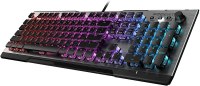
“Roccat Vulcan 100 uses Roccat's own Titan Switch Tactile — one of the most premium switches in the under-$50 market. Ultra-flat keycap design provides a distinctive low-profile look. Full per-key ligh”
See Today’s Price →What we like
- Desktop hardware delivers significantly more performance per dollar than laptop equivalents
- Full-size components are easier and cheaper to upgrade as technology advances
- Better thermal headroom enables sustained peak performance without throttling
Watch out for
- Not portable — requires a dedicated desk and setup space
- Initial cost is higher than budget laptops for comparable use cases
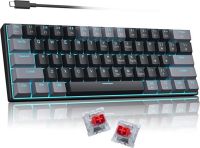
“Camisyn's mechanical gaming keyboard delivers basic tactile switches and backlighting at the lowest price in this lineup. A legitimate mechanical keyboard experience for buyers on a strict budget who ”
See Today’s Price →What we like
- Desktop hardware delivers significantly more performance per dollar than laptop equivalents
- Full-size components are easier and cheaper to upgrade as technology advances
- Better thermal headroom enables sustained peak performance without throttling
Watch out for
- Not portable — requires a dedicated desk and setup space
- Initial cost is higher than budget laptops for comparable use cases
How We Analyze Products
We analyze Amazon review data — often thousands of reviews per product — to surface patterns that individual buyers miss. Our process aggregates star ratings, review counts, and buyer sentiment at scale, identifying which strengths and weaknesses appear consistently across the largest review samples available.
Each product earned its placement through data: total review volume, average rating, and the specific praise and complaints that repeat most often across buyers. No manufacturer paid for placement on this page. Products appear here because buyers endorsed them at scale, not because a company asked us to feature them.
We use AI to summarize review sentiment — not to fabricate opinions, but to condense what thousands of buyers actually wrote into a readable format. The pros and cons you see reflect the most common themes found in verified purchaser reviews, paraphrased for clarity. We do not claim to have accessed Reddit, YouTube, or specific publications in generating these summaries.
Prices shown reflect Amazon pricing at the time this page was last generated. Click “See Today’s Price” to get the current live price on Amazon. Read our full methodology →