Roku vs Fire TV Stick 2026: Which Streaming Device Wins?

The Fire TV Stick 4K wins on value for Amazon Prime subscribers. But Roku's platform is more neutral — it doesn't bury competitor services behind Amazon's own content. Choose Fire TV for Amazon Prime integration; choose Roku if you want unbiased access to all streaming services.
See Today’s Price →At a Glance
Showing 3 of 3 products
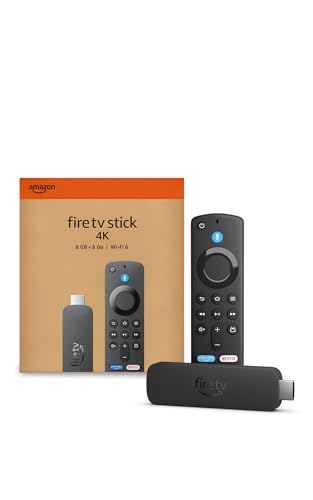
Amazon Fire TV Stick 4K Streaming Device
“The Fire TV Stick 4K is the top streaming stick at $49.99. Alexa voice remote, all major streaming apps, and 4K/HDR support make it the default recommendation for most buyers.”
See Today’s Price →What we like
- Amazon Prime Video, Netflix, Disney+ all native
- Dolby Vision + HDR10+ + Atmos support
- Alexa voice remote with TV controls
- Wi-Fi 6 for stable 4K streaming
- Most affordable Fire TV entry point
Watch out for
- Alexa-first ecosystem — Google services buried
- No power cable — draws from TV USB
Read Full Analysis
The Amazon Fire TV Stick 4K is the streaming device that makes the most sense if your household is already using Amazon Prime Video, Alexa smart home devices, or Echo speakers. At $17 (frequent sale price even lower), you get 4K upscaling, HDR support, Wi-Fi 6 connectivity, and Alexa voice search baked into the remote — a combination that no competing device matches at this price point. The Alexa integration is genuinely useful beyond just voice search: you can ask "show me all sci-fi movies under 90 minutes on Prime" and get filtered results, or control Alexa-connected smart home devices through your TV remote. Fire TV's search consolidates results across Netflix, Prime Video, Disney+, Hulu, and HBO Max simultaneously rather than making you switch apps. The trade-off is the Amazon content ecosystem push — the home screen gives Prime Video and Amazon-sponsored content prominent placement, and the Fire TV OS is more aggressive about surfacing paid content than Roku's more neutral interface. Privacy-conscious users should note that Amazon processes your search queries and viewing habits as part of the Fire TV data model. Compared to the Roku Ultra on this page, the Fire TV Stick 4K costs less and has tighter Alexa integration but a more commercially biased interface. It is the right choice for Prime subscribers and Alexa households.

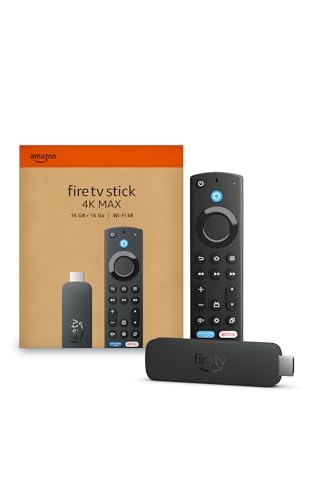
Amazon Fire TV Stick 4K Max Streaming Device Wi-Fi 6E
“The Fire TV Stick 4K Max adds Wi-Fi 6E for the fastest possible streaming connection. Worth the $10 premium if you have a Wi-Fi 6E router in your home.”
See Today’s Price →What we like
- Wi-Fi 6E for fastest possible streaming connection
- Live View Picture-in-Picture for Ring camera users
- 4K Ultra HD + Dolby Vision + HDR10+
- Ambient TV display when idle
- ANC-enhanced Alexa Voice Remote Pro included
Watch out for
- $10 premium over standard 4K — only justified for Wi-Fi 6E routers
- Still Amazon-centric
Read Full Analysis
The Fire TV Stick 4K Max addresses the two most common complaints about the standard 4K Stick: Wi-Fi limitations and processing speed. The upgrade to Wi-Fi 6E (802.11ax, 6 GHz band) eliminates the interference problems that plague 2.4 GHz and 5 GHz networks in dense apartment buildings and connected homes. In a home with 20+ connected devices, Wi-Fi 6E provides meaningfully faster and more consistent streaming performance. The octa-core 1.8 GHz processor combined with Wi-Fi 6E makes app loading noticeably faster than the standard 4K Stick — apps open in under a second, 4K streams load faster, and switching between apps creates less wait time. The HDR support covers Dolby Vision, HDR10, HDR10+, and HLG — the most complete HDR format coverage of any Fire TV device, meaning you see the correct HDR format regardless of what your TV and content support. At $35, this costs twice the standard 4K Stick. The Wi-Fi 6E upgrade is only relevant if your router actually supports Wi-Fi 6E — if it does not, you are paying for hardware you cannot use. The Fire TV OS interface biases toward Amazon content just as the standard model does. For households with a Wi-Fi 6E router and a habit of app-switching, the Max is worth the premium. For households with standard Wi-Fi 5 routers, the standard 4K Stick delivers the same streaming quality at half the price.
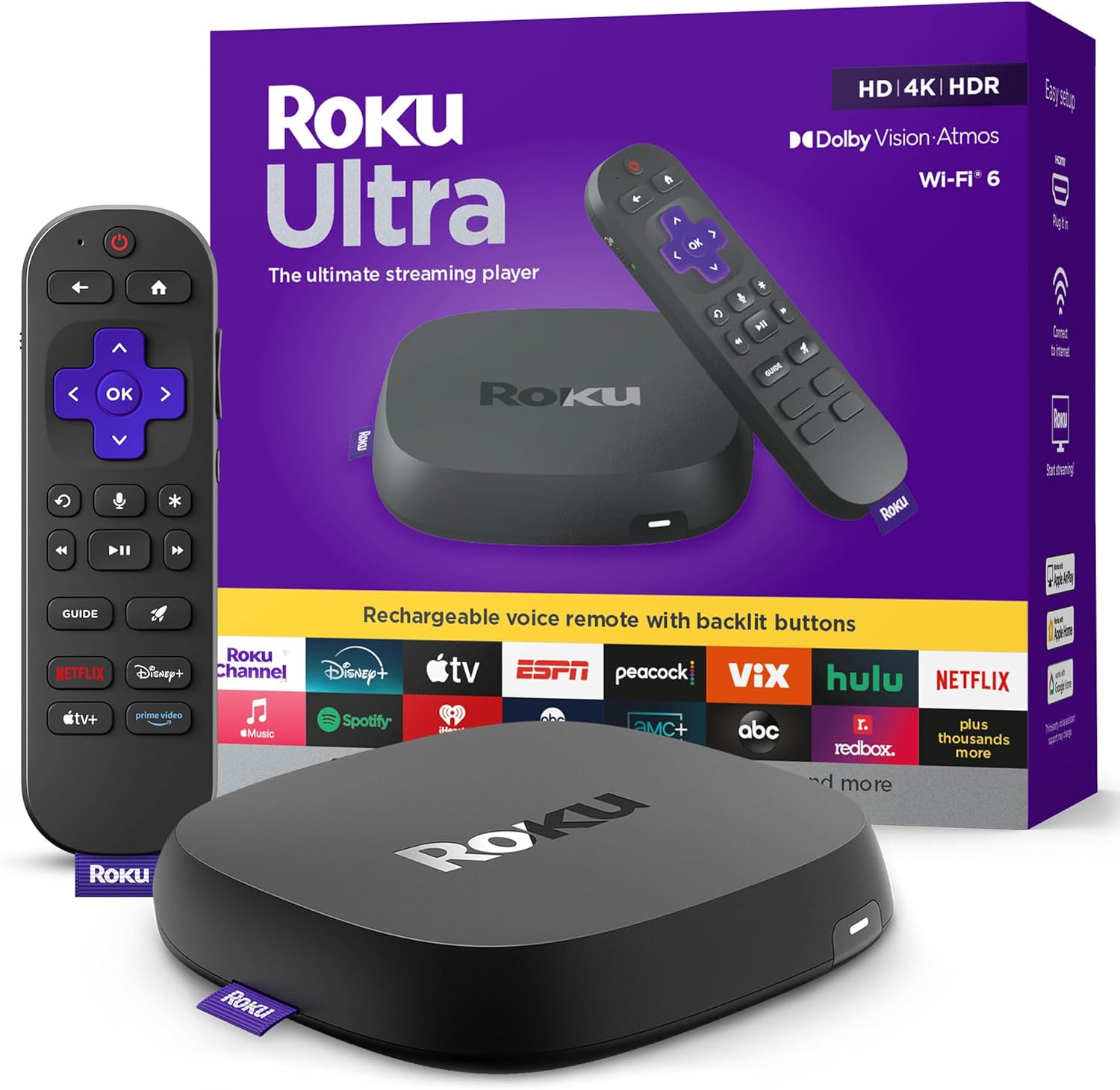
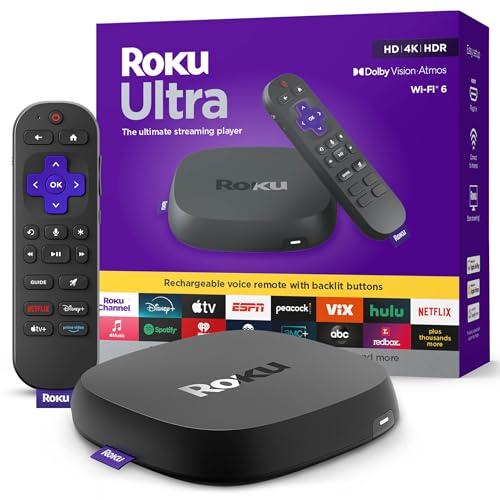
Roku Ultra 2024 Streaming Player
“Roku Ultra 2024 is the flagship Roku device. The rechargeable Pro remote with private listening and lost remote finder are genuinely useful additions to the excellent Roku OS.”
See Today’s Price →What we like
- Full Roku OS with all streaming apps
- Rechargeable voice remote Pro included
- 4K HDR + Dolby Vision
- Lost remote finder
- Wi-Fi 6 dual-band for stable connections
Watch out for
- $99 is a step up from lower Roku models
- Standalone player form factor vs. stick
Read Full Analysis
The Roku Ultra takes a fundamentally different philosophy from both Fire TV options: the interface is designed to be platform-neutral rather than ecosystem-promoting. Roku's home screen presents all your streaming apps with equal prominence — Netflix, Prime Video, Disney+, and Peacock get the same treatment, with no single service pushed based on business relationships. For households that use multiple streaming services and do not want to navigate Amazon's commercial prioritization, this neutrality is a genuine advantage. The 2024 model includes Wi-Fi 6 (not 6E like the Fire TV Max, but faster than the standard 4K Stick's Wi-Fi 6), Dolby Vision, HDR10+, and Dolby Atmos pass-through — a competitive feature set. The included Rechargeable Voice Remote Pro has a backlit keyboard, a feature absent from both Fire TV remotes, which matters when searching in a dark room. Bluetooth connectivity allows pairing wireless headphones for private listening without a headphone jack requirement. The Roku Ultra costs $79 — more than four times the Fire TV Stick 4K at $17. The additional cost buys a faster processor, better build quality, the backlit remote, and the platform-neutral interface, but it does not buy meaningfully better 4K picture quality or streaming reliability versus the Fire TV devices. If you specifically value the neutral interface or the backlit remote, the Roku Ultra is worth considering. If you primarily use Amazon Prime Video and already own Echo devices, the Fire TV options deliver better value.
Roku vs Fire TV Stick Buying Guide
Our Top Pick
Amazon Fire TV Stick 4K Streaming Device at $16.99 — The Fire TV Stick 4K wins on value for Amazon Prime subscribers.
Budget Pick: Amazon Fire TV Stick 4K Max Streaming Device Wi-Fi 6E at $34.99 — a solid choice if you're watching your budget.
Great for: Anyone with a non-smart TV, people frustrated by slow built-in TV apps, and cord-cutters consolidating services
Not ideal if: Your smart TV's built-in apps already run smoothly — a streaming stick may just duplicate what you already have
Platform Comparison: What Actually Differs
Amazon Fire TV:- Alexa voice control is deeply integrated — search by voice across all apps
- Amazon Prime Video gets prominent placement on the home screen
- Excellent support for all major apps including Netflix, Disney+, Max, Hulu
- Ring camera integration for security camera users
- Wi-Fi 6E on the Max model for faster connections
- Platform-neutral — no single streaming service gets preferential treatment
- Private listening: plug headphones into the remote for silent late-night viewing
- Universal search: one search finds content across all your subscribed services simultaneously
- AirPlay 2 support lets iPhone users mirror directly to TV
- Available from $29.99 (Express) to $99.99 (Ultra)
- Google Assistant intelligence — understands natural language queries
- Cast any Chrome browser tab to your TV
- Best for Android phone users who already live in Google ecosystem
- Google Photos integration displays your photos as screensavers
Related Guides
Watch Before You Buy
Frequently Asked Questions
Do I need a 4K TV to use these streaming sticks?
Can I watch Netflix on a Fire TV Stick?
What's the difference between Fire TV Stick 4K and 4K Max?
Does Roku work with Alexa or Google Assistant?
Can I add streaming sticks to multiple TVs?
How We Analyze Products
We analyze Amazon review data — often thousands of reviews per product — to surface patterns that individual buyers miss. Our process aggregates star ratings, review counts, and buyer sentiment at scale, identifying which strengths and weaknesses appear consistently across the largest review samples available. The 188,184+ reviews analyzed on this page represent real verified-purchase feedback from Amazon buyers.
Each product earned its placement through data: total review volume, average rating, and the specific praise and complaints that repeat most often across buyers. No manufacturer paid for placement on this page. Products appear here because buyers endorsed them at scale, not because a company asked us to feature them.
We use AI to summarize review sentiment — not to fabricate opinions, but to condense what thousands of buyers actually wrote into a readable format. The pros and cons you see reflect the most common themes found in verified purchaser reviews, paraphrased for clarity. We do not claim to have accessed Reddit, YouTube, or specific publications in generating these summaries.
Prices shown reflect Amazon pricing at the time this page was last generated. Click “See Today’s Price” to get the current live price on Amazon. Read our full methodology →